
1. Product Overview
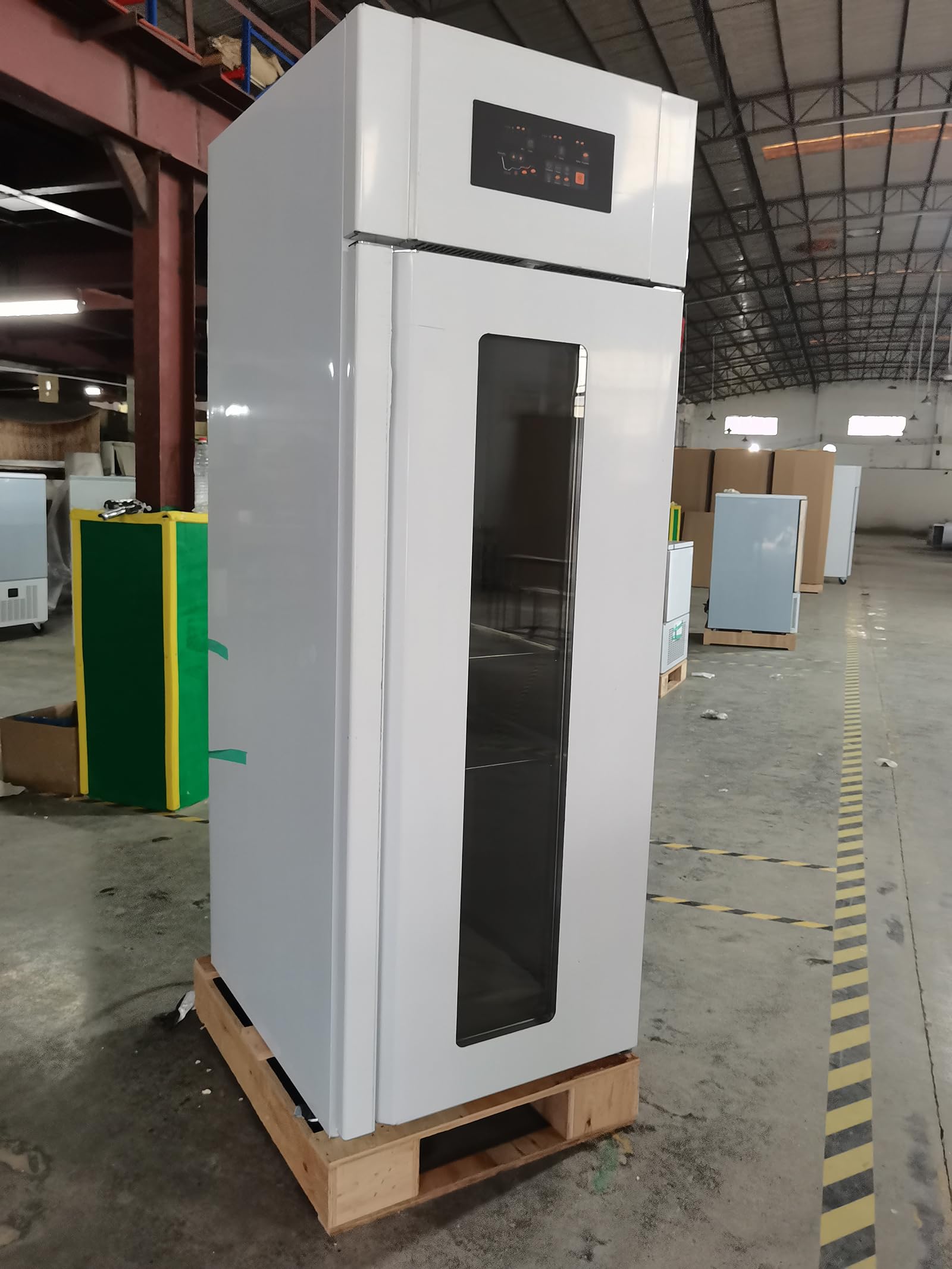
The Kolice Commercial Dough Proofer, Model KDP-18F, is a versatile 4-in-1 unit designed for commercial baking environments. It integrates freezing, thawing, fresh-keeping, and fermentation functionalities, offering precise control over temperature and humidity. This unit is ideal for preparing various dough types, ensuring optimal conditions for rising and storage.
- Capacity: 650 Liters, accommodating 18 stainless steel trays (23.62" x 15.75" x 0.79").
- Temperature Range: -22°C to 45°C (-7.6°F to 113°F).
- Humidity Control: Adjustable from 0% to 99%, with two-stage settings (65% and 85%) for optimal fermentation.
- Power: 110V, 60Hz, 880W (US plug).
- Material: Food-grade stainless steel construction for durability and hygiene.
Kolice Commercial Dough Proofer (Model KDP-18F) with its door open, revealing multiple trays filled with dough. The unit is made of stainless steel and features a digital control panel at the top.
This video demonstrates the Kolice Commercial Dough Proofer in operation, showcasing its design, the loading of various dough types onto trays, and the resulting perfectly proofed and baked bread products.
2. Safety Instructions
Please read all safety instructions carefully before operating the appliance to prevent injury or damage.
- Ensure the unit is connected to a grounded power outlet with the correct voltage (110V) and frequency (60Hz).
- Do not operate the unit with a damaged power cord or plug.
- Keep hands and foreign objects away from moving parts and heating elements.
- Do not block ventilation openings. Ensure adequate clearance around the unit for proper airflow.
- Always unplug the unit before cleaning or performing maintenance.
- Use only food-grade materials and trays inside the proofer.
- Avoid placing heavy objects on top of the unit.
- This appliance is intended for commercial use only.
3. Setup
Proper setup ensures optimal performance and longevity of your dough proofer.
- Unpacking: Carefully remove the unit from its packaging. Inspect for any shipping damage.
- Placement: Place the proofer on a stable, level surface capable of supporting its weight (approximately 195 lbs). Ensure there is sufficient space around the unit for ventilation.
- Leveling: Adjust the stainless steel feet to ensure the unit is perfectly level. The unit also features four swivel castors with brakes for mobility; engage the brakes to stabilize the unit once positioned.
- Power Connection: Connect the power cord to a dedicated 110V, 60Hz, 880W grounded electrical outlet.
- Tray Installation: Insert the 18 stainless steel trays into the designated slots inside the proofer. Ensure they are securely seated.
- Initial Cleaning: Before first use, wipe down the interior and exterior surfaces with a damp cloth and mild detergent. Rinse thoroughly and dry.

Interior view of the Kolice Dough Proofer showing the 18 stainless steel trays installed on their supports.

Close-up of the durable caster wheels with brakes on the base of the Kolice Commercial Dough Proofer, designed for easy movement and stabilization.
4. Operating Instructions
The Kolice Dough Proofer features an intuitive touch control panel for easy operation.
4.1 Control Panel Overview

Close-up of the Kolice Dough Proofer's digital touch control panel, displaying current time, temperature, and humidity settings, along with mode selection buttons for freezing, chilling, and proofing.
The touch control panel allows you to set custom time and temperature for each stage of operation. It includes displays for current time, temperature, and humidity, along with buttons for various functions.
4.2 Basic Operation
- Power On/Off: Press the ON/OFF button to power the unit on or off.
- Mode Selection: Select the desired mode: Freezing, Thawing, Keep Fresh, or Fermentation (Proofing 1 or Proofing 2).
- Temperature Setting: Use the Up/Down arrows next to the temperature display to set the desired temperature. The range is -22°C to 45°C.
- Humidity Setting (Fermentation Mode): For fermentation, adjust the humidity using the dedicated controls. The intelligent humidity control system allows a range from 0% to 99%. For optimal results, a two-stage humidity setting is recommended: 65% for the first stage and 85% for the second stage.
- Timer Setting: Utilize the 24-hour timer function to set the duration for each stage. Use the Up/Down arrows next to the time display.
- Programming: The unit supports setting different programs from Monday to Sunday for precise fermentation cycles. Refer to the detailed programming section in the full manual for advanced settings.
4.3 Loading Dough
Place your dough or other items evenly on the stainless steel trays. Ensure adequate spacing between items for proper air circulation and expansion during proofing.

A collage of images showing various stages of dough proofing, from unproofed dough to perfectly risen bread and pastries on baking trays.

An image showcasing the versatility of the proofer for various food items, including bread, dumplings, yogurt, raw dough, and mantou.
5. Maintenance
Regular maintenance ensures the efficiency and longevity of your Kolice Dough Proofer.
- Daily Cleaning: Wipe down the interior and exterior surfaces with a soft cloth and mild, food-safe detergent. Avoid abrasive cleaners or scouring pads.
- Tray Cleaning: Remove and clean the stainless steel trays after each use. They are dishwasher safe or can be hand-washed.
- Seal Strip: The door features a removable, easy-to-clean seal strip. Regularly inspect and clean it to maintain optimal insulation.
- Auto-Defrost: The unit is equipped with an auto-defrost function. Ensure the automatic water discharge system is clear and functioning properly.
- Ventilation: Keep the ventilation grilles clear of dust and debris to ensure proper airflow and prevent overheating.
- Inspection: Periodically check the power cord for any signs of damage. Ensure all components are securely in place.
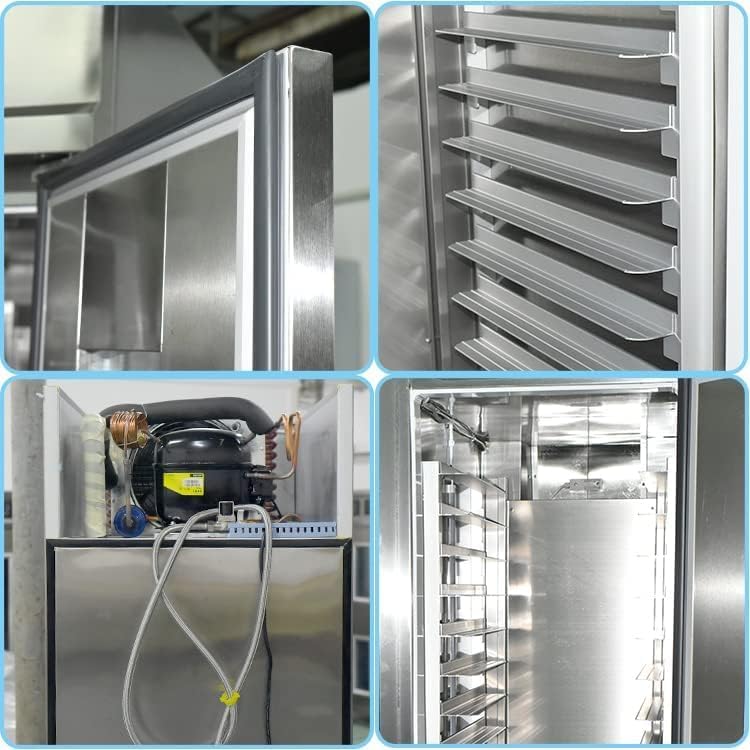
A four-panel image showing internal details of the proofer: the door seal, interior air vents, compressor unit, and removable tray supports, highlighting ease of access for maintenance.
6. Troubleshooting
If you encounter issues with your Kolice Dough Proofer, refer to the following common troubleshooting steps:
| Problem | Possible Cause | Solution |
|---|---|---|
| Unit does not power on | No power supply; Power cord loose; Circuit breaker tripped | Check power outlet; Ensure cord is securely plugged in; Reset circuit breaker |
| Temperature not reaching set point | Door not closed properly; Ventilation blocked; Ambient temperature too high/low | Ensure door is sealed; Clear ventilation; Adjust room temperature if possible |
| Humidity not stable | Water tank empty; Humidity sensor fault | Refill water tank; Contact support if issue persists |
| Unusual noise during operation | Unit not level; Internal component loose | Adjust leveling feet; Contact technical support |
If the problem persists after attempting these solutions, please contact Kolice customer support for assistance.
7. Specifications
Detailed technical specifications for the Kolice Commercial Dough Proofer (Model KDP-18F).
| Feature | Detail |
|---|---|
| Model Number | KDP-18F |
| Voltage | 110V |
| Wattage | 880 Watts |
| Capacity | 650 Liters |
| Temperature Range | -22°C to 45°C (-7.6°F to 113°F) |
| Humidity Range | 0% to 99% |
| Number of Trays | 18 stainless steel trays |
| Tray Dimensions | 23.62" x 15.75" x 0.79" (60x40x2cm) |
| Product Dimensions (D x W x H) | 27.56" x 33.46" x 82.68" (70x85x210cm) |
| Item Weight | 195 Pounds |
| Material | Stainless Steel |
| Number of Programs | 7 (daily programming) |
8. Warranty and Support
Kolice is committed to providing high-quality products and customer satisfaction.
- Warranty: This product comes with a 1-year warranty for spare parts. Please retain your proof of purchase for warranty claims.
- Technical Support: For technical assistance, troubleshooting, or spare parts, please contact Kolice customer service.
- Manufacturer: Kolice refrigeration equipment manufacturer inc.
For further information or to explore other Kolice products, please visit the official Kolice store on Amazon: Kolice Store.