
1. Product Overview
The Rainbuvvy 4G LTE Smartwatch SP9832E is a versatile wearable device featuring a 2.03-inch IPS display, Android 8.1 operating system, and 4G LTE connectivity. It is equipped with a quad-core SP9832E processor, 4GB RAM, and 64GB ROM, providing a smooth user experience. Key features include dual cameras, GPS, Wi-Fi, Bluetooth, and various fitness tracking capabilities.

Image 1.1: The Rainbuvvy 4G LTE Smartwatch SP9832E, showcasing its display and robust design.
2. Setup
2.1 Initial Charging
Before first use, fully charge the smartwatch. Connect the magnetic 4-pin charging cable to the charging port on the back of the watch and plug the USB end into a compatible power adapter (not included) or computer USB port. The watch display will indicate charging status.
2.2 SIM Card Installation
The smartwatch supports 2G, 3G, and 4G network calls via a nano SIM card. To install:
- Locate the SIM card slot on the side of the smartwatch.
- Carefully open the SIM card tray using the provided tool (if applicable) or by gently prying it open.
- Insert a nano SIM card into the tray with the gold contacts facing down, ensuring correct orientation.
- Close the SIM card tray securely.

Image 2.1: Illustration of the SIM card slot on the smartwatch, showing a nano SIM card being inserted.
2.3 Powering On/Off
- To Power On: Press and hold the power button (usually on the side) until the screen illuminates.
- To Power Off: Press and hold the power button, then select 'Power Off' from the options displayed on the screen.
2.4 Initial Configuration
Upon first power-on, follow the on-screen prompts to set up your device. This typically includes selecting your language, setting the time and date, and connecting to a Wi-Fi network.
3. Operating Instructions
3.1 Basic Navigation
The smartwatch features a touchscreen interface. Swipe left, right, up, or down to navigate through menus, notifications, and applications. Tap to select items.
3.2 Making and Receiving Calls
With a nano SIM card installed and active, you can make and receive calls directly from your smartwatch. Use the dialer app to make calls or answer incoming calls by tapping the green phone icon.
The watch also supports video calls through compatible applications. Ensure you have a stable 4G or Wi-Fi connection for optimal video call quality.
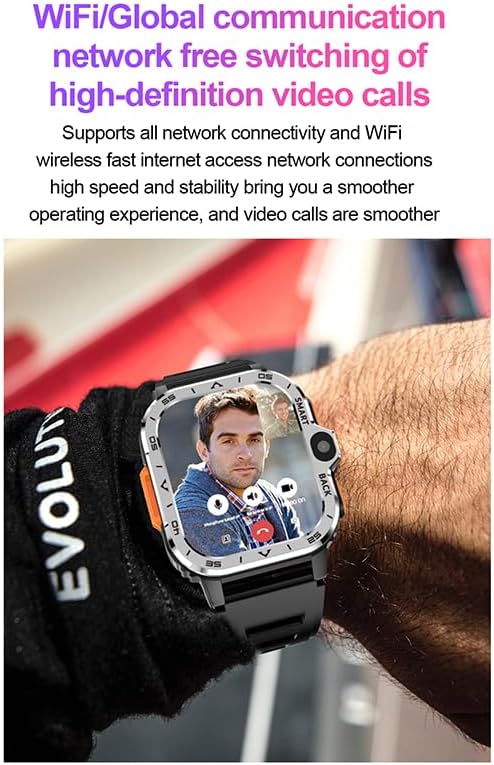
Image 3.1: The smartwatch screen showing an active video call, demonstrating its communication capabilities.
3.3 Camera Functionality
The smartwatch is equipped with dual cameras (8.0 MP). Open the camera application to take photos or record videos. Tap the screen to focus and press the shutter button to capture.
3.4 GPS Positioning
The integrated GPS allows for accurate location tracking and navigation. Utilize mapping applications for outdoor activities or to find your way.

Image 3.2: The smartwatch displaying a detailed map with GPS positioning, useful for navigation and outdoor sports.
3.5 Heart Rate Monitoring
Access the heart rate monitoring application to measure your heart rate. Ensure the watch is worn snugly on your wrist for accurate readings. The device provides timely warnings for high or low heart rates.

Image 3.3: The smartwatch screen showing a heart rate graph and current BPM reading.
3.6 Wi-Fi and Bluetooth Connectivity
- Wi-Fi: Connect to available Wi-Fi networks through the settings menu for internet access and faster data transfers.
- Bluetooth: Pair with Bluetooth headphones or other compatible devices via the Bluetooth settings.
3.7 Application Usage
The smartwatch runs on Android 8.1, allowing you to download and install various applications from the Google Play Store. This includes social media apps, fitness trackers, and more.

Image 3.4: The smartwatch screen showing a variety of application icons, indicating its app compatibility.
3.8 Customizing Watch Faces
Personalize your smartwatch by changing the watch face. Access the watch face settings or long-press the current watch face to browse available options.
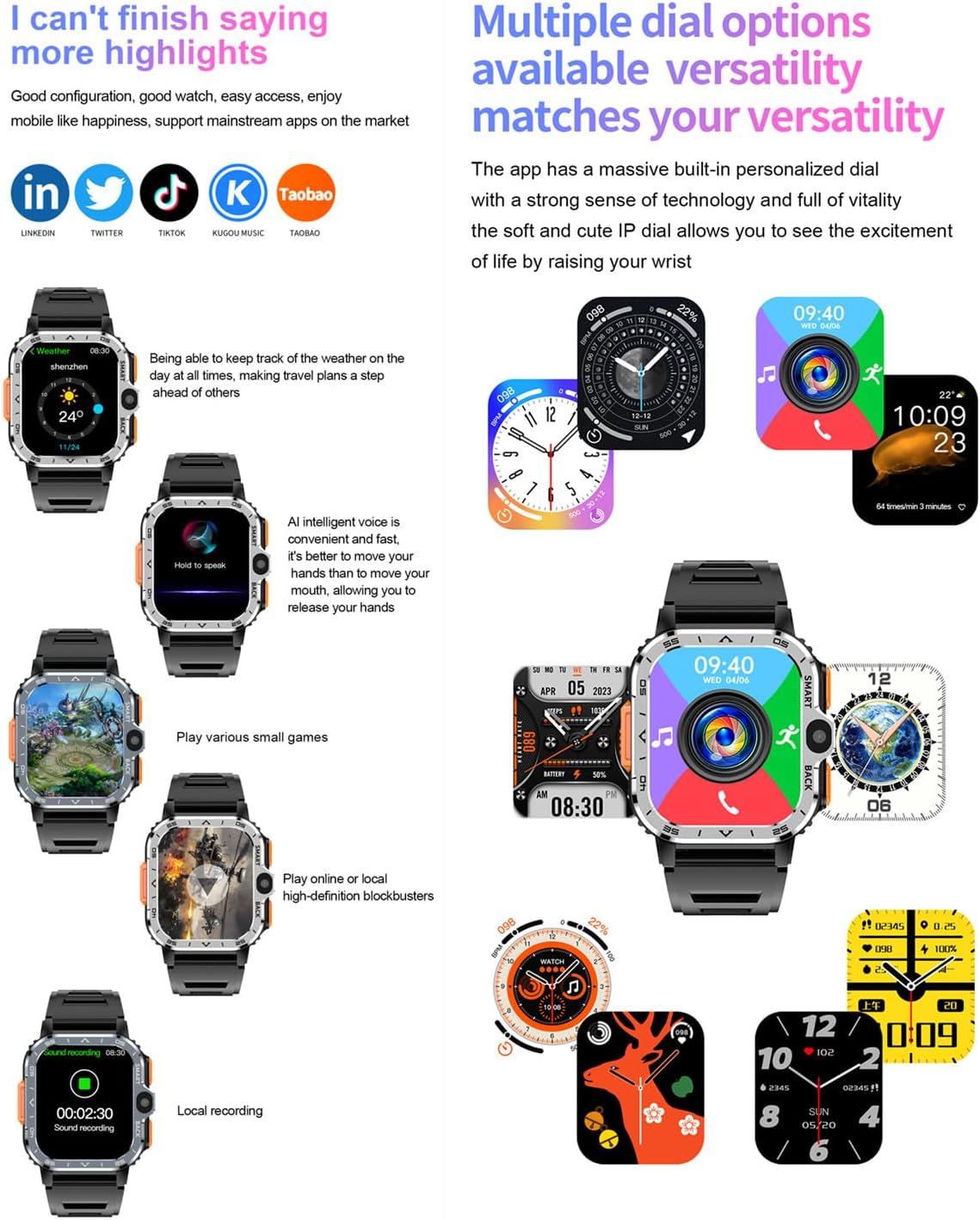
Image 3.5: The smartwatch showcasing various digital and analog watch face designs.
3.9 Voice Control
The smartwatch supports AI intelligent voice control. Activate it to perform tasks or search information hands-free.
4. Maintenance
4.1 Cleaning
Wipe the smartwatch screen and body with a soft, dry, lint-free cloth. For stubborn smudges, slightly dampen the cloth with water. Avoid using harsh chemicals or abrasive materials.
4.2 Battery Care
- To prolong battery life, avoid extreme temperatures.
- Charge the device regularly, but avoid leaving it fully charged or fully depleted for extended periods.
- If not using the watch for a long time, charge it to about 50% before storing.
4.3 Water Resistance
This smartwatch is not waterproof. Avoid exposing it to water, rain, or high humidity to prevent damage.
5. Troubleshooting
5.1 Common Issues and Solutions
- Device not powering on: Ensure the battery is charged. Connect to the charger and try again.
- Touchscreen unresponsive: Restart the device. If the issue persists, ensure the screen is clean and dry.
- Poor battery life: Adjust screen brightness, disable unnecessary background apps, or reduce notification frequency. Ensure 'super power saving mode' is enabled if available.
- Network connectivity issues: Check SIM card installation and ensure it is active. Verify network settings and try restarting the watch.
- App crashes or freezes: Close and reopen the app. If the problem continues, clear the app's cache or reinstall it.
5.2 Factory Reset
If persistent issues occur, a factory reset may resolve them. This will erase all data on the device. Navigate to Settings > System > Reset options > Erase all data (factory reset) and confirm.
6. Specifications
| Feature | Detail |
|---|---|
| Model Number | SP9832E |
| Operating System | Android 8.1 |
| Processor | Quad-core SP9832E |
| RAM | 4 GB |
| Internal Storage (ROM) | 64 GB |
| Display Size | 2.03 inches |
| Display Type | LCD |
| Display Resolution | 320 x 386 |
| Connectivity | 4G LTE, Bluetooth 4.2, Wi-Fi, GPS |
| 4G LTE Bands | B1/B2/B3/B5/B7/B8/B20 (FDD), B38/39/40/41 (TDD) |
| SIM Card Support | Nano SIM |
| Camera | Dual 8.0 MP |
| Battery Capacity | 800 mAh Lithium-polymer |
| Charging Interface | Magnetic 4-pin (USB data transfer supported) |
| Water Resistance | Not waterproof |
| Band Material | Silicone, Rubber |
| Supported Applications | Pedometer, Fitness Monitor, Heart Rate Monitor, Camera, GPS, Phone Call, Voice Control, Sleep Monitor, Time Display, Alarm, Music Player |
7. Warranty and Support
7.1 Warranty Information
This Rainbuvvy smartwatch comes with a standard warranty. Please refer to your purchase documentation for specific terms and conditions regarding warranty coverage and duration.
7.2 Customer Support
For technical assistance, troubleshooting not covered in this manual, or warranty claims, please contact Rainbuvvy customer support through the retailer where the product was purchased or visit the official Rainbuvvy website for contact information.

