
SDRGEEK ATS25 Max Decoder ii
ATS25 Max-Decoder ii Si4732 Radio Receiver User Manual
Model: ATS25 Max Decoder ii | Brand: SDRGEEK
Introduction
The SDRGEEK ATS25 Max-Decoder ii Si4732 Radio Receiver is an advanced portable radio designed for enthusiasts and professionals. This device features a wide frequency range, multiple decoding functions, and enhanced antenna input options, providing a versatile listening experience. This manual provides essential information for setting up, operating, and maintaining your receiver.
Key Features
- New Upgraded Features: Includes HI-Z high impedance mode, LNA mode supporting 50ohm, built-in band-pass filter circuit, PSK mode in DIGI mode, and supports CW decoding functions.
- Wide Frequency Range: Covers FM (64-108MHz/RDS), LW (153-500KHz), MW (520-1710kHz), SW (1730-30000KHz), and SSB (17030kHz).
- Multiple Modes: Supports LSB, AM, USB, CW, DIGI (PSK/FT4/FT8/RTTY L/RTTY U/HELL), CWR, SYNC L, SYNC U.
- Ultra-long Battery Life: Equipped with a built-in 4000mAh rechargeable battery, offering approximately 8 hours of listening time.
- Durable and Portable Design: Constructed from durable metal with a compact form factor, featuring a bright display and a large tuning knob.
- Clear Audio: Features a built-in full-range speaker and a 3.5mm headphone jack for private listening.
What's in the Box
Upon unboxing your ATS25 Max-Decoder ii, please ensure all the following items are present:
- ATS25 Max-Decoder ii Host Unit
- Telescopic Antenna
- Touch Pen
- USB Type-C Charging Data Cable
- English User Manual
Setup Guide
1. Initial Charging
Before first use, fully charge the ATS25 Max-Decoder ii. Connect the provided USB Type-C charging cable to the device's Type-C port and a compatible USB power adapter (not included). The LED charging indicator will show charging status.

Image: The ATS25 Max-Decoder ii connected to a USB-C charger, illustrating its 4000mAh rechargeable battery and approximately 8 hours of working time.
2. Antenna Connection
Attach the provided telescopic antenna to the antenna connector on the device. For optimal reception, especially for higher frequencies or specific bands, consider using an external active antenna or loop antenna connected via the BNC interface.

Image: The ATS25 Max-Decoder ii radio receiver with its telescopic antenna extended, ready for operation.
3. Powering On/Off
Locate the power button, typically on the side or rear of the device. Press and hold to power on or off the receiver. The display will illuminate upon successful power-on.
Operating Instructions
1. Basic Operation
- Tuning: Use the large multi-function tuning knob to adjust the frequency. The touchscreen interface also allows for direct frequency input or band selection.
- Volume Control: Adjust the volume using the dedicated controls on the touchscreen or physical buttons if available.
- Mode Selection: Navigate through the touchscreen menus to select desired modes such as FM, AM, SSB (LSB, USB), CW, or DIGI.
2. Frequency Ranges and Modes
The ATS25 Max-Decoder ii supports a comprehensive range of frequencies and modulation modes:
- FM: 64-108MHz (with RDS function)
- LW: 153-500KHz
- MW: 520-1710kHz
- SW: 1730-30000KHz
- SSB: 17030kHz
Supported Modes: LSB, AM, USB, CW, DIGI (PSK/FT4/FT8/RTTY L/RTTY U/HELL), CWR, SYNC L, SYNC U.

Image: A visual representation of the extensive frequency ranges and various modes supported by the ATS25 Max-Decoder ii.
3. Display and Controls
The device features a bright, high-definition touchscreen display for intuitive control. Use the included touch pen for precise selection of options. The large tuning knob provides tactile feedback for frequency adjustments.

Image: Screenshots of the ATS25 Max-Decoder ii's display, demonstrating the setup menu, decoder functions, various mode selections, and the WiFi function interface.
4. Audio Output
The ATS25 Max-Decoder ii includes a built-in full-range speaker for clear audio. For private listening, connect headphones to the 3.5mm headphone jack.
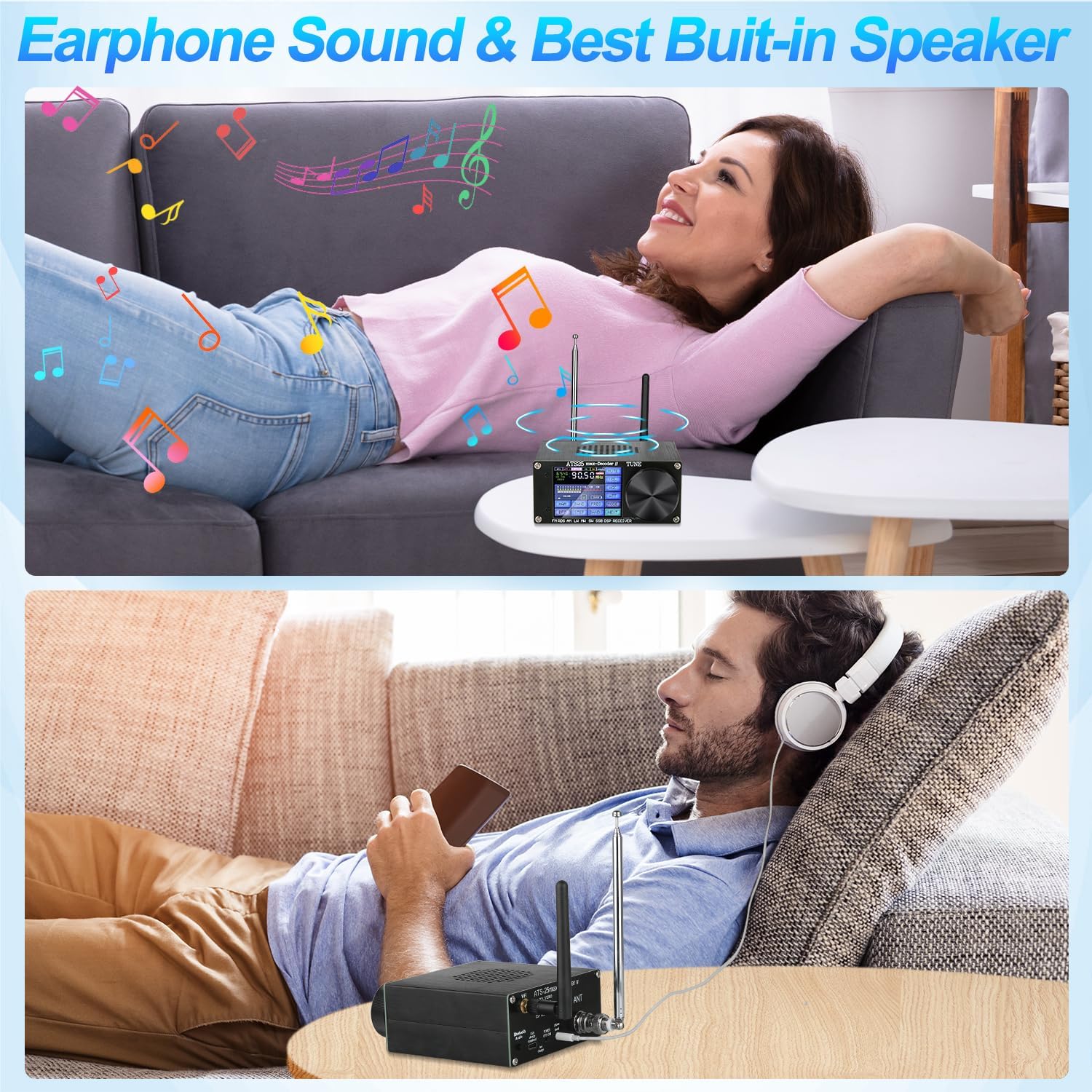
Image: Illustrations showing users enjoying the ATS25 Max-Decoder ii, highlighting both its built-in speaker and the option for private listening with headphones.
5. Advanced Functions
- HI-Z Antenna Input Impedance: Utilize the high impedance mode for specific antenna types.
- LNA Function: Engage the Low Noise Amplifier for improved signal reception, especially for weak signals.
- Band-Pass Filter Circuit: This built-in feature helps to shield against interference, improving signal clarity.
- DIGI Mode (PSK/FT4/FT8/RTTY/HELL): Access various digital decoding functions for advanced radio communication.
- CW Decoding: The receiver supports Morse code (CW) decoding.
- WiFi Function: The device includes a WiFi function, primarily for downloading firmware updates.
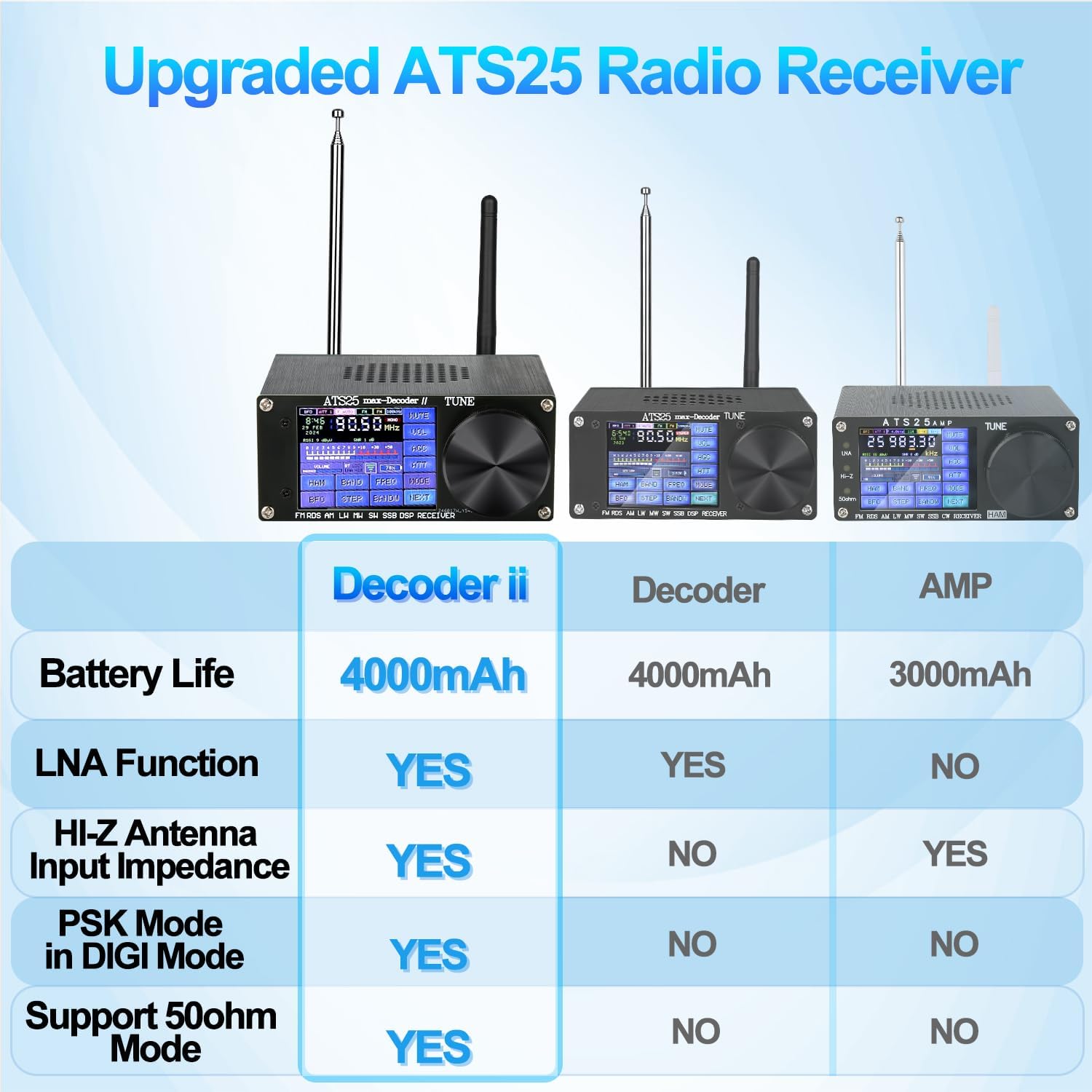
Image: A comparison table detailing the upgraded features of the ATS25 Max-Decoder ii, including LNA function, HI-Z antenna input impedance, PSK mode in DIGI, and 50ohm mode support.

Image: The ATS25 Max-Decoder ii display showing four different audio spectrum visualizations, indicating its analytical capabilities.
Maintenance
1. Cleaning
Wipe the device with a soft, dry cloth. Do not use liquid cleaners or abrasive materials, as they may damage the screen or casing.
2. Battery Care
To prolong battery life, avoid fully discharging the battery frequently. Store the device in a cool, dry place when not in use for extended periods. Recharge the battery periodically if stored for a long time.
3. Firmware Updates
Periodically check for firmware updates using the device's WiFi function. Updates can improve performance, add new features, and resolve potential issues. Follow the on-screen instructions for updating.
Troubleshooting
| Problem | Possible Cause | Solution |
|---|---|---|
| No power | Battery depleted; Power button not pressed correctly. | Charge the device fully. Press and hold the power button for a few seconds. |
| Poor reception / Weak signals | Antenna not extended or connected properly; Interference; Location issues; Incorrect mode/frequency. | Ensure antenna is fully extended and securely connected. Try repositioning the device. Check for local interference sources. Consider using an external antenna. Verify correct frequency and mode settings. |
| Display unresponsive / Touchscreen issues | Software glitch; Screen calibration needed. | Restart the device. Use the provided touch pen for precise input. Check for firmware updates. |
| Battery not charging | Cable or adapter fault; Port issue. | Try a different USB Type-C cable and power adapter. Ensure the charging port is clean and free of debris. |
Specifications
- Product Dimensions: 4.1 x 4.3 x 1.8 inches
- Item Weight: 13.4 ounces
- Model Number: ATS25 Max Decoder ii
- Batteries: 1 Lithium Ion battery (included)
- Connectivity Technology: USB
- Controller Type: Touchscreen
- Special Feature: Portable
- Compatible Devices: Speaker (external)
- Connector Type: USB Type-C (charging)
- Audio Output Mode: Stereo
- Color: Blue
- Manufacturer: SDRGEEK
- First Available: March 14, 2024
Warranty Information
For specific warranty details, please refer to the warranty card included with your product or visit the official SDRGEEK website. Keep your purchase receipt as proof of purchase for any warranty claims.
Customer Support
If you encounter any issues or have questions not covered in this manual, please contact SDRGEEK customer support. Refer to the product packaging or the official SDRGEEK website for contact information.
Ask a question about this manual
Ask about setup, troubleshooting, compatibility, parts, safety, or missing instructions. Manuals+ will review the question and use this page’s manual context to help answer it.