
Introduction
This manual provides comprehensive instructions for the setup, operation, and maintenance of your Shot Scope V5 Golf GPS Watch. Designed to enhance your golf game through precise GPS data and automatic performance tracking, the V5 offers a seamless experience on the course. Please read this manual thoroughly to ensure optimal use and longevity of your device.
What's Included
Your Shot Scope V5 Golf GPS Watch bundle includes the following components:
- Shot Scope V5 GPS Watch
- 16 x 2nd Generation Shot Tracking Tags
- PlayBetter HD Screen Protectors (4-Pack)
- PlayBetter #Z05 5000mAh Powerbank
- USB Charger
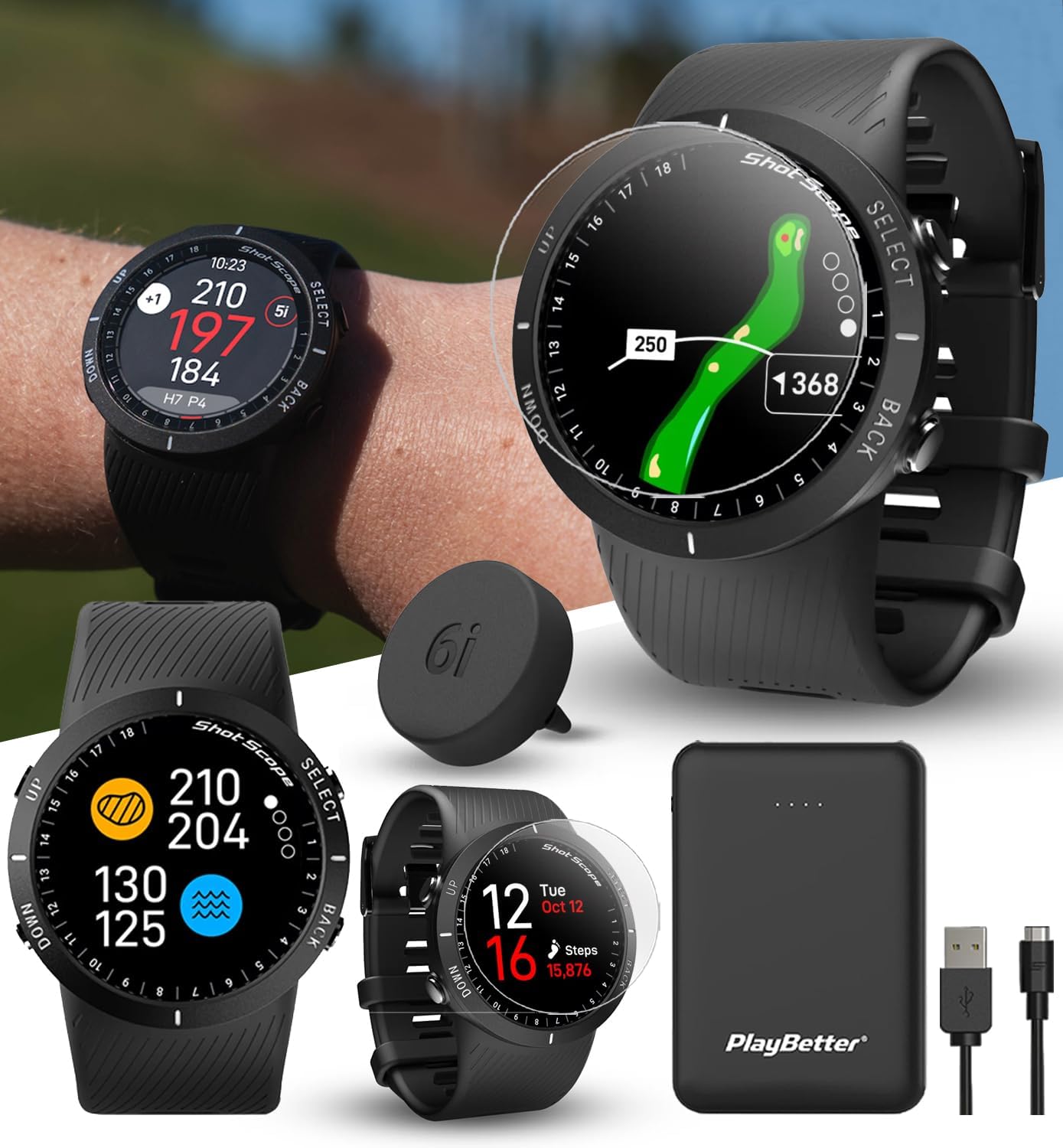
This image displays the complete bundle, including the Shot Scope V5 watch, 16 shot tracking tags, screen protectors, a portable power bank, and a USB charger.
Setup and Initial Use
Before your first round, ensure your Shot Scope V5 is fully charged and set up correctly.
- Charging the Watch: Connect the provided USB charger to the back of your Shot Scope V5 watch and plug the USB-A end into a compatible power source. A full charge is recommended before initial use.
- Attaching Tracking Tags: Screw the 16 advanced tracking tags into the butt ends of your golf clubs. Each tag is pre-tied to a specific club, eliminating the need for manual mapping.
- App Download and Sync: Download the Shot Scope mobile app to your smartphone. Follow the in-app instructions to pair your V5 watch and sync your device. This allows access to performance data and course maps.
- GPS Lock: On the course, select "Play Golf" and allow the watch to locate GPS satellites. This process is quick, typically taking 10-15 seconds.
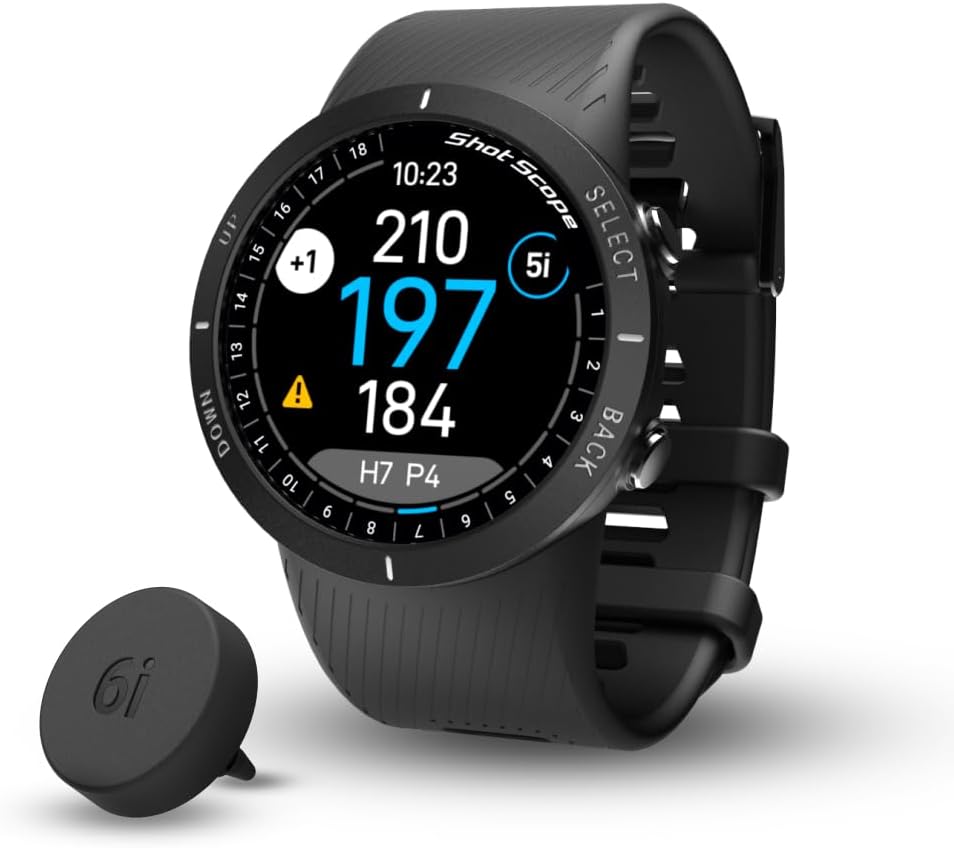
This image illustrates the compact design of the Shot Scope V5 watch and a single tracking tag, which screws into the end of a golf club for automatic shot detection.
Operating Your Shot Scope V5 (On-Course Features)
The Shot Scope V5 is designed for intuitive use during your golf round, providing essential information at a glance.
GPS Functionality
The watch provides accurate GPS distances to the front, middle, and back of the greens. It comes preloaded with over 36,000 courses worldwide, with no subscription fees.

This image illustrates the full hole map feature on the watch, showing the layout of the golf hole and current position.
Shot Tracking
The V5 automatically captures every shot's data using the 16 advanced tracking tags. This allows for comprehensive analysis of your game post-round.

This image shows the watch on a golfer's wrist, with a golf club nearby, symbolizing the automatic performance tracking capability.
Green View and Pin Placement
Customize your view with vibrant color themes and utilize the green view feature to accurately gauge pin placement. This helps in making informed club selections.

This image highlights the watch's ability to display the green layout and allows users to adjust the pin position for more precise distance readings.
Hazards and Layups
The V5 provides distances to hazards and layup points, assisting in strategic course management. Every hazard and dogleg is carefully mapped.

This image demonstrates the watch's capability to provide critical distances to hazards like bunkers and water, as well as strategic layup points on the course.
Digital Scorecard
Keep score digitally directly on the watch. After putting out, a pop-up will prompt you to enter the number of putts taken, and you can verify the score for each hole.
Post-Round Analysis
After your round, sync your watch to the Shot Scope app to unlock a wealth of performance data and insights.
- App & Dashboard Sync: Easily connect your watch to the Shot Scope mobile app or web dashboard. This quick process uploads all your round data.
- Performance Statistics: Analyze over 100 statistics to improve your strokes. The system tracks fairways hit, greens in regulation, and provides detailed insights into your game.
- Strokes Gained + Handicap Benchmarking: This advanced feature allows you to analyze various aspects of your game (driving, iron play, short game, putting) and benchmark your performance against different levels of golfers, including touring professionals.
- Club Averages: Access average distances for each of your clubs, taking away the guesswork for future shots.

This image provides a visual of the Shot Scope mobile application, showcasing the detailed round overview and shot tracking capabilities available after syncing your watch.
Maintenance
Proper maintenance ensures the longevity and optimal performance of your Shot Scope V5 watch.
- Cleaning: Wipe the watch and strap with a soft, damp cloth after each use, especially after exposure to sweat, dirt, or sunscreen. Avoid harsh chemicals.
- Storage: Store the watch in a cool, dry place away from direct sunlight and extreme temperatures.
- Software Updates: Regularly check for and install software updates via the Shot Scope app or desktop software to ensure your watch has the latest features and course data.
- Screen Protectors: Utilize the included screen protectors to prevent scratches and maintain screen clarity. Replace them as needed.
Troubleshooting
If you encounter issues with your Shot Scope V5, try the following common troubleshooting steps:
- GPS Signal Issues: Ensure you are in an open area with a clear view of the sky. Allow sufficient time (10-15 seconds) for the watch to acquire a signal.
- Syncing Problems: Verify that Bluetooth is enabled on your smartphone and the watch is within range. Restart both the watch and the app. Ensure the app is updated to the latest version.
- Shot Tracking Inaccuracies: Confirm that the tracking tags are securely screwed into your clubs. Ensure you are wearing the watch on your lead wrist during play.
- Display Dimness: While the V5 does not have adjustable brightness, ensure the screen is clean and free from smudges. The display is optimized for outdoor visibility.
- Battery Life: Ensure the watch is fully charged before each round. Minimize prolonged use of features that consume more power if extended battery life is needed.
Specifications
| Item Weight | 1.76 ounces (50 Grams) |
| Package Dimensions | 2 x 2 x 1 inches |
| Batteries | 1 Lithium Ion batteries required (included) |
| Display Size | 1.2 Inches |
| Connectivity Technology | Bluetooth |
| Map Type | Worldwide (36,000+ courses preloaded) |
| Special Feature | 100+ statistics, Strokes Gained + Handicap Benchmarking, Automatic performance tracking, Full hole maps, GPS Distances to greens, hazards, layup points + doglegs, No subscription fees |
Warranty and Support
The Shot Scope V5 Golf GPS Watch comes with a 1-Year Manufacturer Warranty from Shot Scope.
For further support, please refer to the official Shot Scope website or contact PlayBetter customer service.
Official Product Videos
No official product videos from the seller were available for embedding based on the provided data.