
QCY QCY S6
Contents
QCY Watch GS Smart Watch User Manual
Model: QCY S6
Introduction
Thank you for choosing the QCY Watch GS Smart Watch. This manual provides essential information for setting up, operating, and maintaining your device. The QCY Watch GS features a 2.02-inch HD LCD display, full touch screen, Bluetooth calling, and over 100 sports modes. It is IPX8 waterproof and includes comprehensive health monitoring capabilities such as heart rate, blood oxygen, and sleep tracking. Designed for comfort and long battery life with fast charging, this smartwatch is your ideal companion for daily life and fitness activities.
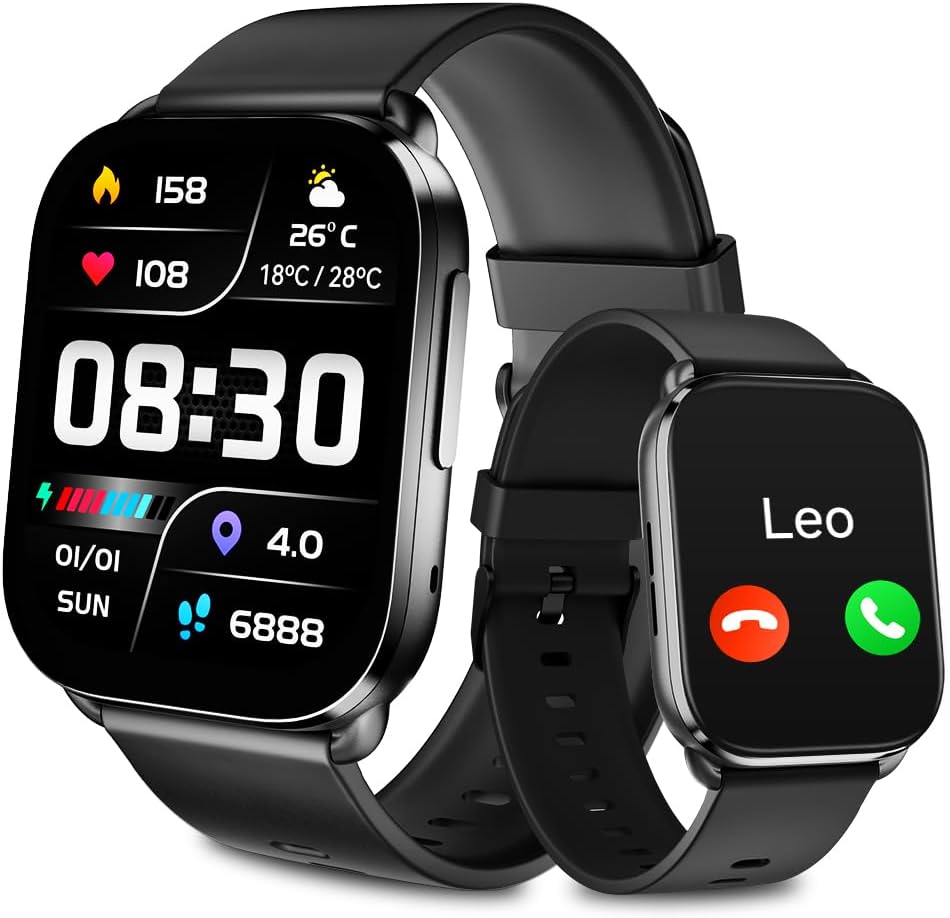
Image: The QCY Watch GS, displaying its large screen with time, weather, and health data, alongside a smaller view of its Bluetooth calling feature.
Package Contents
Ensure all items are present in the package:
- QCY Watch GS Smart Watch
- Magnetic Charging USB Cable
- User Manual
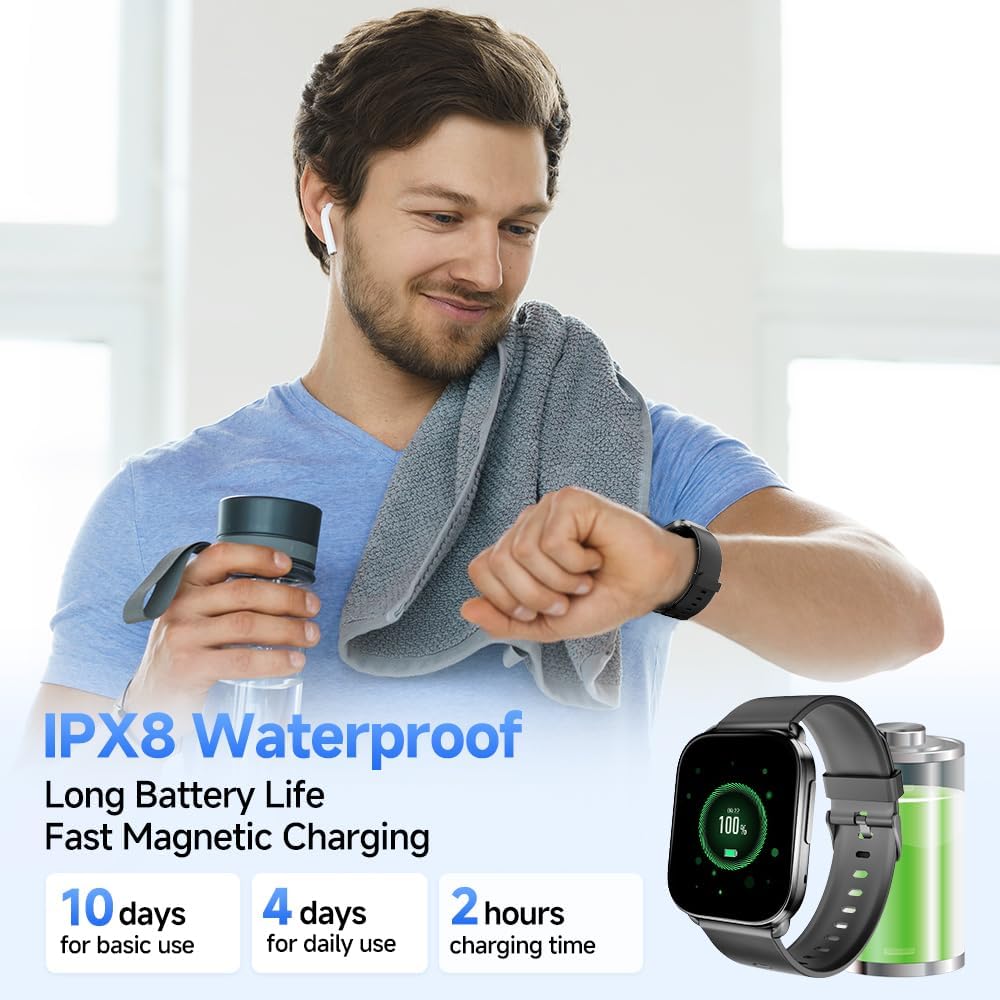
Image: Contents of the QCY Watch GS package, showing the smartwatch, its magnetic charging cable, and the user manual.
Setup Guide
1. Charging the Device
Before first use, fully charge your QCY Watch GS. Connect the magnetic charging cable to the charging points on the back of the watch and plug the USB end into a power adapter (not included) or a computer's USB port.
- Charging Time: Approximately 2 hours for a full charge.
- Battery Life: Up to 7-14 days for daily use, or 30 days standby time.

Image: The QCY Watch GS connected to its magnetic charging cable, illustrating the charging process.
2. Powering On/Off
- Power On: Press and hold the side button until the screen lights up.
- Power Off: From the watch face, swipe down to access quick settings, or navigate to 'Settings' > 'System' > 'Power Off'. Confirm to shut down.
3. Installing the QCY App
To unlock the full potential of your QCY Watch GS, download and install the official QCY App on your smartphone.
- Scan the QR code provided in the watch's packaging or search for "QCY App" in your smartphone's app store (compatible with iOS 13.0+ and Android 8.0+).
- Follow the on-screen instructions to create an account or log in.
4. Pairing with Your Smartphone
Ensure Bluetooth is enabled on your smartphone.
- Open the QCY App on your smartphone.
- Navigate to the device pairing section (usually indicated by a '+' icon or "Add Device").
- The app will search for available devices. Select "QCY Watch GS" from the list.
- Confirm the pairing request on both your watch and smartphone.
- Once paired, the watch will synchronize data with the app.
Operating Instructions
Navigating the Interface
- Swipe Down: Access quick settings (e.g., brightness, do not disturb, battery status).
- Swipe Up: View notifications.
- Swipe Left/Right: Cycle through widgets (e.g., activity, heart rate, weather, music control).
- Press Side Button: Return to the watch face or open the app menu.
- Long Press Watch Face: Change watch faces.
Bluetooth Calls and Notifications
The QCY Watch GS supports Bluetooth calling and message notifications, allowing you to stay connected directly from your wrist.
- Making/Answering Calls: Once paired, you can dial numbers, answer, reject, or mute incoming calls directly on the watch.
- Message Notifications: Receive alerts for messages from various apps (e.g., WhatsApp, Facebook, SMS) directly on your watch.
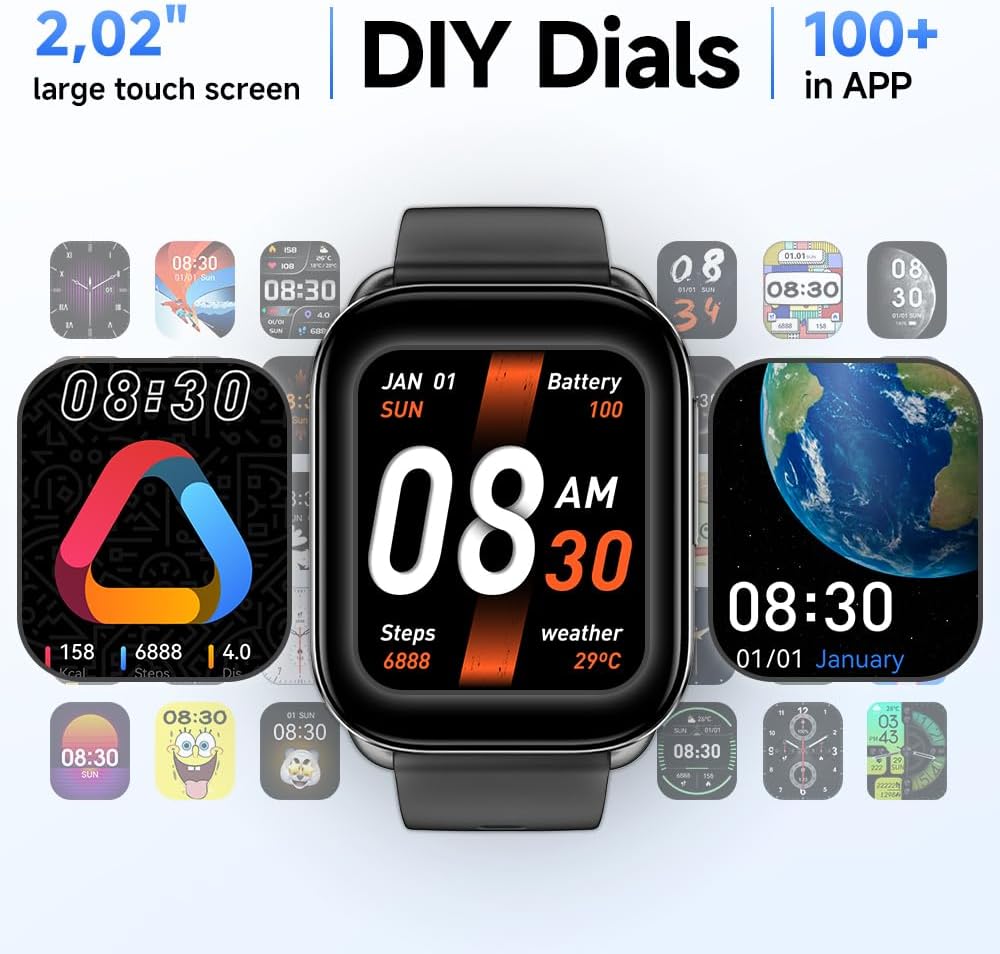
Image: The QCY Watch GS showing an incoming call from "Leo", demonstrating its Bluetooth calling capability.

Image: A user's wrist wearing the QCY Watch GS, displaying a message notification, with icons of various social media and messaging apps floating above, indicating notification support.
Health Monitoring
The QCY Watch GS provides comprehensive health tracking features.
- Heart Rate Monitoring: Tracks your heart rate 24/7. View real-time data and historical trends in the QCY App.
- Blood Oxygen (SpO2) Monitoring: Measures your blood oxygen levels.
- Sleep Monitoring: Analyzes your sleep patterns (deep sleep, light sleep, awake time, REM sleep) to provide a comprehensive sleep quality report.
- Other Functions: Mood test, stress test, sedentary reminder, water reminder.

Image: A visual representation of the QCY Watch GS's health monitoring capabilities, showing screens for heart rate, blood oxygen, and sleep tracking, alongside a person running on a treadmill.
Sports Modes
The watch supports over 100 indoor and outdoor sports modes to track your workouts.
- Select your desired sport mode from the watch's menu.
- The watch will record data such as steps, heart rate, calories burned, and distance.
- View detailed sport reports in the QCY App.

Image: A cyclist wearing the QCY Watch GS, with an overlay showing various sports mode icons and a summary of tracked data like calories, distance, and steps.
Customization and Other Functions
- Watch Faces: Choose from over 200 preset watch faces in the QCY App or upload your own photos to create unique watch faces.
- Music Control: Control music playback on your smartphone directly from the watch.
- Weather Forecast: Get real-time weather updates.
- Timer & Stopwatch: Built-in tools for timing activities.
- Alarm Clock: Set alarms directly on the watch or through the app.
- Remote Camera: Use your watch as a remote shutter for your phone's camera.
- Find Phone: Locate your misplaced smartphone.
- Voice Assistant: Access your phone's voice assistant.
- Game: Simple games available on the watch.
- Calculator: Basic calculator function.
- Flashlight: Turn the screen into a flashlight.
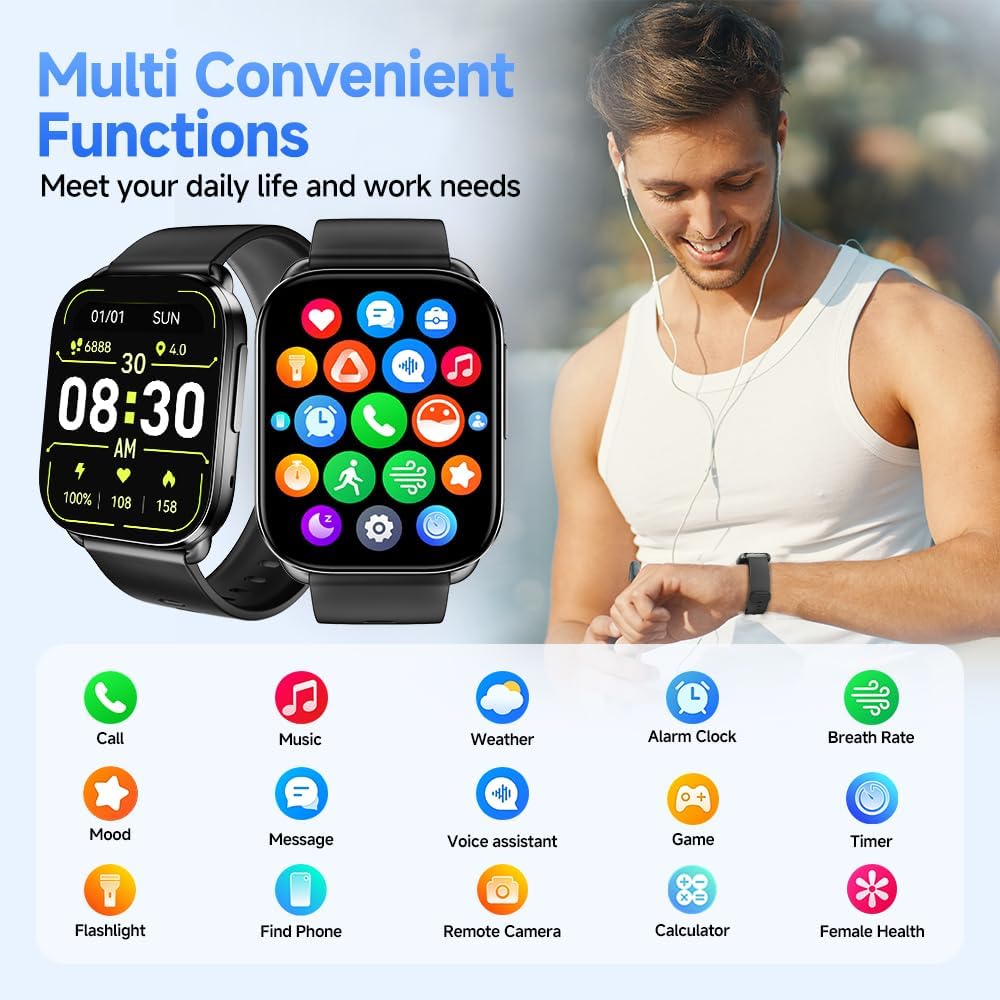
Image: The QCY Watch GS screen showing a grid of colorful icons representing its multi-functional capabilities, such as call, music, weather, alarm, and more.

Image: A collage of various digital and analog watch faces available for the QCY Watch GS, highlighting the customization options.
Maintenance and Care
Cleaning Your Watch
Regular cleaning helps maintain the watch's appearance and functionality.
- Wipe the screen and strap with a soft, lint-free cloth.
- For stubborn stains, dampen the cloth slightly with water. Avoid using harsh chemicals or abrasive materials.
- Ensure the charging contacts are clean and dry before charging.
Water Resistance (IPX8)
The QCY Watch GS is IPX8 waterproof, meaning it can withstand continuous immersion in water under certain conditions. This makes it suitable for daily use, including:
- Washing hands
- Rainy days
- Showering (avoid hot water and steam)
- Swimming in shallow water (not suitable for diving or high-pressure water activities)
Note: Water resistance is not a permanent condition and may diminish over time with normal wear. Avoid exposing the watch to hot water, steam, or strong jets of water, as this can compromise the seals.

Image: The QCY Watch GS with water droplets on its screen, emphasizing its IPX8 waterproof rating.
Troubleshooting
| Problem | Possible Cause / Solution |
|---|---|
| Watch does not power on. | Battery might be depleted. Charge the watch for at least 30 minutes. Ensure the charging cable is properly connected. |
| Cannot pair with smartphone. |
|
| Notifications not received. |
|
| Inaccurate health data. |
|
| Screen unresponsive. | Restart the watch by pressing and holding the side button until it powers off, then power it back on. If the issue persists, ensure the watch is charged. |
Specifications
| Feature | Detail |
|---|---|
| Model Number | QCY S6 |
| Display | 2.02" HD LCD Full Touch Screen |
| Connectivity | Bluetooth |
| Battery Capacity | 300 mAh Lithium Metal (included) |
| Battery Life | 7-14 days (daily use), 30 days (standby) |
| Charging Time | Approx. 2 hours |
| Water Resistance | IPX8 |
| Operating System Compatibility | iOS 13.0+, Android 8.0+ |
| Product Dimensions | 2.54 x 2.54 x 2.54 cm; 55 g |
| Special Features | Bluetooth Calling, 100+ Sports Modes, Heart Rate Monitor, Blood Oxygen Monitor, Sleep Monitor, Music Player, Game, Weather Forecast, Calculator, Remote Camera, Flashlight, Find Phone, Multisport Tracker, Pedometer, Alarm Clock, Sedentary Reminder, Voice Assistant, Message & Call Notifications. |
| Manufacturer | QCY |
| Country of Origin | China |
Warranty and Support
QCY products are designed with quality and reliability in mind. For any issues or inquiries regarding your QCY Watch GS, please refer to the following:
- Warranty Information: Please refer to the warranty card included with your product or visit the official QCY website for detailed warranty terms and conditions. Extended warranty options may be available from third-party providers.
- Customer Support: For technical assistance, troubleshooting, or service requests, please contact QCY customer support through their official website or the contact information provided in the QCY App.
- Online Resources: Visit the QCY official website for FAQs, software updates, and additional product information.
Ask a question about this manual
Ask about setup, troubleshooting, compatibility, parts, safety, or missing instructions. Manuals+ will review the question and use this page’s manual context to help answer it.