
Introduction
Thank you for purchasing the AbuDodo J5Pro Portable Clip-on Fan. This manual provides essential information for the safe and efficient operation of your new fan. Please read it thoroughly before use and retain it for future reference.
Important Safety Instructions
- Do not insert fingers or any objects into the fan grille when the fan is operating.
- Keep the fan away from water or other liquids to prevent electric shock.
- Do not disassemble or modify the fan. Repairs should only be performed by qualified personnel.
- Ensure the fan is placed on a stable surface or securely clipped to prevent it from falling.
- Keep out of reach of children and pets.
- Use only the provided USB cable for charging.
- Do not expose the battery to excessive heat or direct sunlight.
Package Contents
Please check the package for the following items:
- 1 x AbuDodo J5Pro Portable Clip-on Fan
- 1 x USB Charging Cable
- 1 x User Manual (this document)
Product Overview
Familiarize yourself with the components of your AbuDodo J5Pro fan.
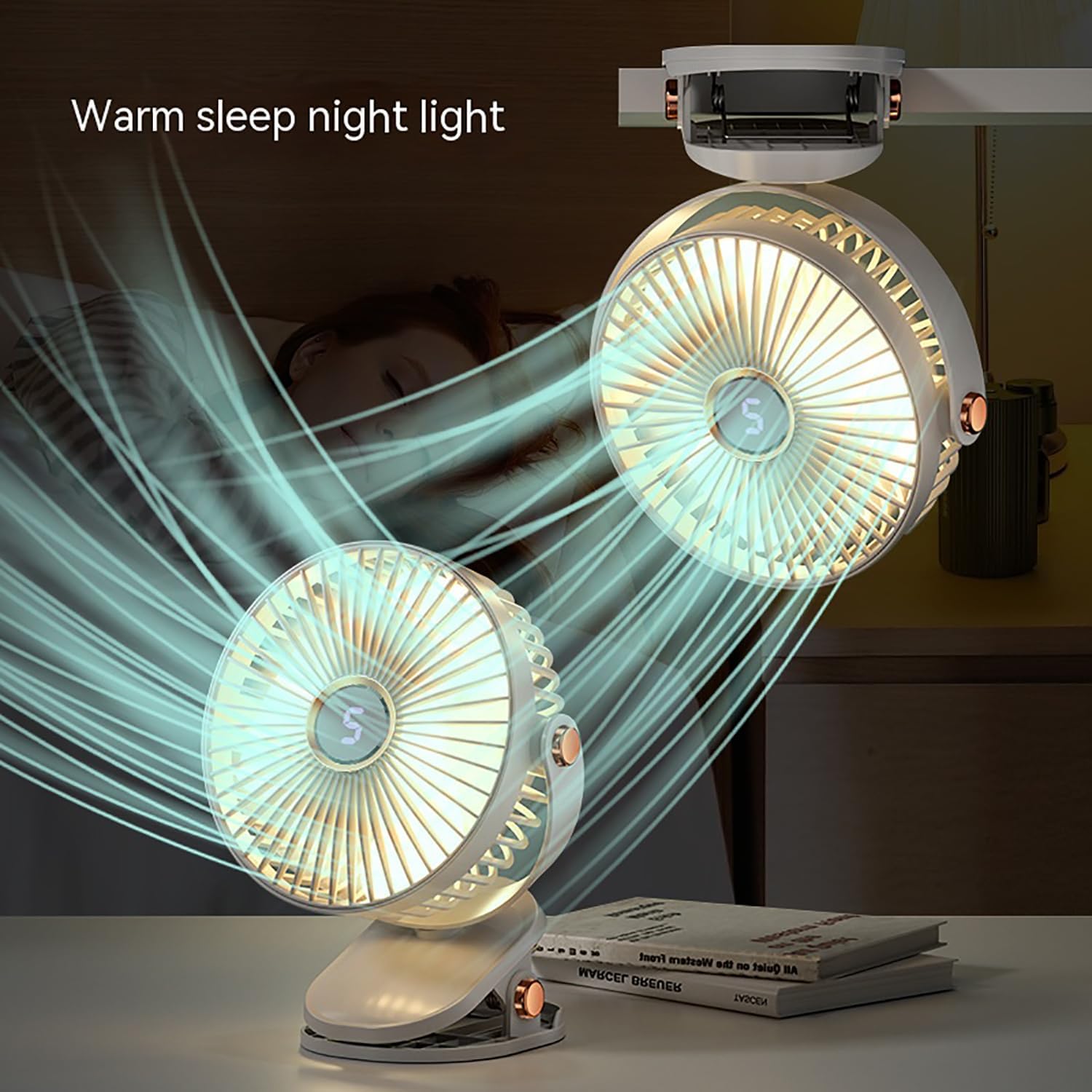
Image: Front view of the AbuDodo J5Pro Portable Clip-on Fan, showcasing its compact design and fan blades.

Image: Close-up of the fan's control panel, highlighting the digital display for speed settings and electroplated key buttons.
Setup and Placement
Initial Charging
Before first use, fully charge the fan. Connect the provided USB charging cable to the fan's charging port and a suitable USB power source (e.g., computer, wall adapter). The charging indicator will show the charging status.

Image: The fan displaying a battery icon with a charging animation, indicating the battery is being recharged.
Placement Options
The J5Pro fan offers versatile placement options:
- Table Fan: Place the fan on any flat, stable surface.
- Clip-on Fan: Use the integrated clip to attach the fan to desks, shelves, strollers, or other suitable edges. Ensure the clip is securely fastened.
- Hanging Fan: The fan can also be hung using its clip mechanism on appropriate hooks or rods.

Image: Illustration showing the fan used as a table fan, clipped onto a surface, and hanging from a hook.

Image: The white fan securely clipped onto a wooden surface, demonstrating its clip-on functionality.
Operating Instructions
Power On/Off and Speed Adjustment
- To turn the fan ON, press the power button (usually marked with a power symbol). The fan will start at speed level 1.
- To increase the fan speed, press the power button repeatedly. The fan has 5 speed settings, indicated on the digital display.
- To turn the fan OFF, press the power button after the highest speed setting, or press and hold the power button for a few seconds.

Image: The fan's digital display showing the current speed setting, indicating its 5-speed capability.
LED Light Function
The fan is equipped with an LED light for convenience in low-light conditions.
- To turn the LED light ON, press the light button (usually marked with a light bulb symbol).
- To turn the LED light OFF, press the light button again.

Image: The fan operating with its integrated LED light turned on, providing illumination.

Image: Two fans operating in a bedroom setting, demonstrating the warm sleep night light feature.
360° Rotation
The fan head can be manually rotated 360 degrees horizontally and vertically to direct airflow precisely where needed.

Image: The fan head rotated to different angles, illustrating its 360-degree rotation capability.
Quiet Operation
The J5Pro fan is designed for quiet operation, making it suitable for use in bedrooms, offices, or other environments where minimal noise is desired.

Image: A fan operating quietly in a bedroom setting, emphasizing its low noise level.
Charging the Fan
The fan is powered by a rechargeable Lithium Polymer battery. When the battery is low, the digital display may show a low battery indicator or the fan performance may decrease.
- Connect the small end of the USB charging cable to the fan's charging port.
- Connect the larger end of the USB cable to a standard USB power source (e.g., 5V/1A USB wall adapter, computer USB port, power bank).
- The battery indicator on the fan will illuminate or change to indicate charging status. A full charge typically takes several hours.
- Once fully charged, disconnect the charging cable.

Image: Rear view of the fan showing the USB charging port and the battery indicator light.
Maintenance and Care
- Cleaning: Ensure the fan is turned off and unplugged before cleaning. Use a soft, dry cloth to wipe the exterior of the fan. For dust accumulation on the fan blades, use a soft brush or compressed air. Do not use abrasive cleaners or immerse the fan in water.
- Storage: When not in use for extended periods, store the fan in a cool, dry place, away from direct sunlight and extreme temperatures. It is recommended to charge the battery every 3-6 months to maintain its lifespan.
Troubleshooting
| Problem | Possible Cause | Solution |
|---|---|---|
| Fan does not turn on. | Battery is depleted. | Charge the fan using the provided USB cable. |
| Fan runs slowly or weakly. | Low battery level. | Recharge the fan. |
| LED light does not work. | Light function not activated or battery low. | Press the light button. If still not working, charge the fan. |
| Fan makes unusual noise. | Obstruction in fan blades or internal issue. | Turn off and unplug the fan. Carefully check for any obstructions and remove them. If the noise persists, contact customer support. |
Product Specifications
| Brand: | AbuDodo |
| Model Name: | J5Pro |
| Color: | White |
| Power Source: | Battery Powered |
| Battery Type: | 1 Lithium Polymer (included) |
| Number of Power Levels: | 5 |
| Control Method: | Touch |
| Noise Level: | 30 Decibels |
| Wattage: | 3.7 watts |
| Voltage: | 5 Volts |
| Product Dimensions: | 4.33"D x 2.55"W x 6.49"H |
| Item Weight: | 11.3 ounces |
| Mounting Type: | Desk Fan, Clip On, Freestanding |
| Special Feature: | Clip Fan, LED Light, Digital Display, 360° Rotation |

Image: Diagram illustrating the dimensions of the AbuDodo J5Pro Portable Clip-on Fan.
Official Product Video
Video: An official product video demonstrating the features and versatility of the Portable Clip-on Fan, including its desktop use, night light, 5-speed adjustment, and 720-degree angle adjustability.
Warranty and Customer Support
The AbuDodo J5Pro Portable Clip-on Fan comes with a standard manufacturer's warranty. For detailed warranty information, please refer to the warranty card included in your package or contact AbuDodo customer support.
If you encounter any issues or have questions regarding your product, please contact our customer support team through the retailer's platform or the official AbuDodo website.