
ZOMBIES CAT TF-T2302
Transformers TF-T23 Wireless Earphones User Manual
Model: TF-T2302
Brand: ZOMBIES CAT
1. Introduction
Thank you for choosing the Transformers TF-T23 Wireless Earphones. These earphones combine advanced Bluetooth 5.4 technology with a unique design, delivering high-quality audio and a comfortable listening experience. This manual provides detailed instructions on how to set up, operate, and maintain your earphones.
Package Contents:
- Transformers TF-T23 Wireless Earphones (Left and Right)
- Charging Case
- USB Charging Cable
- User Manual

Image: The Transformers TF-T23 earphones and their themed packaging, showcasing the product's unique design.
2. Product Overview
The Transformers TF-T23 earphones feature a distinctive design inspired by the Transformers universe, with a robust charging case and comfortable in-ear earbuds. Each earbud is equipped with a sensitive microphone for HD calls and touch controls for easy operation.
Video: An official overview of the Transformers TF-T23 Wireless Earbuds, demonstrating their design, features, and ease of use, including the unique charging case and earbud fit.

Image: The Transformers TF-T23 earphones securely placed within their unique, circular charging case, displaying the glowing indicator lights.

Image: A close-up view of the Transformers TF-T23 earbuds, highlighting the "MEGATRON" branding on the stems and their in-case position.

Image: An exploded diagram illustrating the internal components of the earbud, including the 13mm oversized unit for immersive sound.

Image: A visual representation of the earphones' compatibility with iOS, Android, and Windows devices, and the ability to use each earbud independently.
3. Setup
3.1 Initial Charge
Before first use, fully charge the earphones and the charging case. Connect the provided USB charging cable to the charging port on the case and a power source. The indicator lights on the case will show the charging status. A full charge for the carrying case takes approximately 1.5 hours.
3.2 Pairing with Your Device
- Ensure the earphones are fully charged.
- Open the charging case. The earphones will automatically enter pairing mode, indicated by flashing lights.
- On your device (smartphone, tablet, etc.), enable Bluetooth.
- Search for "Transformers TF-T23" in the list of available Bluetooth devices.
- Select "Transformers TF-T23" to connect. Once connected, a voice prompt will confirm successful pairing, and the indicator lights will change.
- After the initial pairing, the earphones will automatically reconnect to your last paired device when the case is opened.

Image: A visual guide demonstrating the one-step pairing process via Bluetooth 5.4, highlighting faster transmission, low latency, and high transmission capabilities.

Image: Showcasing the unique battleship-inspired design of the charging case and the automatic reconnection feature of the earbuds to a paired device.
4. Operating Instructions
The TF-T23 earphones feature intuitive touch controls on each earbud. Familiarize yourself with the following gestures:
| Action | Function |
|---|---|
| Double Click L/R MFB | Answer/End Call, Pause/Play Music |
| Long Press 2s L/R MFB | Reject Call, Voice Assistant (Start/Close) |
| Three Strikes L/R MFB | Previous / Next Track |
| Click L/R MFB | Volume Up/Down |
| Long Press 2s R MFB | Music/Game Mode Toggle |

Image: A comprehensive diagram illustrating all touch control gestures for music playback, call management, voice assistant activation, and mode switching.
4.1 Making/Receiving Calls
The earphones feature an HD microphone for clear communication. Use the touch controls as described above to manage your calls.
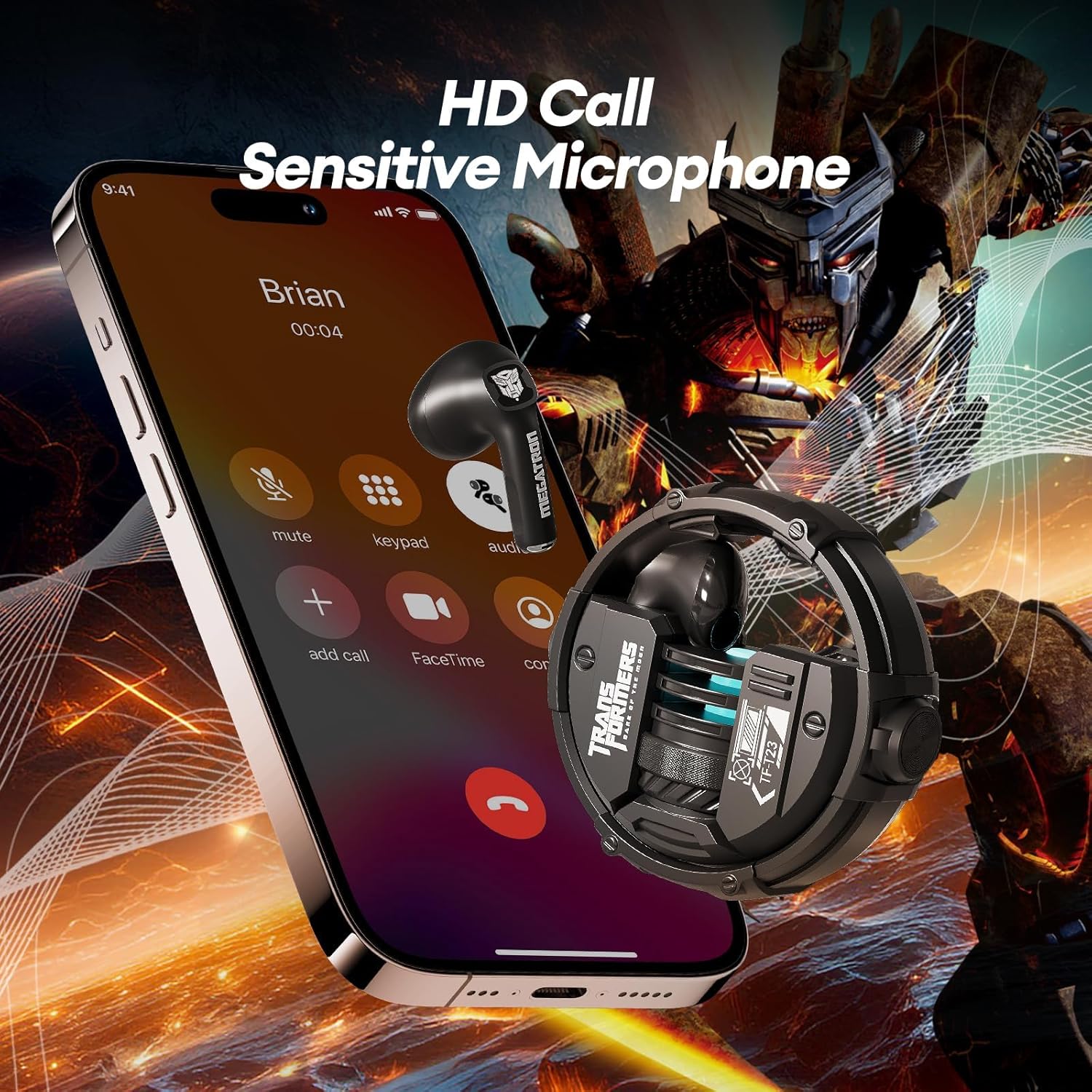
Image: Depiction of the earphones' HD call capability, showing a phone screen with an active call and the earbud in use.
4.2 Music/Game Dual Mode
Toggle between Music Mode for rich audio and Game Mode for ultra-low latency, enhancing your gaming experience.
5. Charging
5.1 Charging the Earphones
Place the earphones back into the charging case. They will automatically begin charging. The indicator lights on the case will show the charging status of the earbuds.
5.2 Charging the Case
Connect the USB charging cable to the charging port on the bottom of the case and a compatible USB power adapter. The case's indicator lights will illuminate to show charging progress. A full charge provides multiple recharges for the earphones, offering up to 60 hours of total playtime.

Image: The earphones charging within their case, illustrating the impressive battery life: 5 hours on a single charge for earbuds, 4 full charges from the case, totaling 60 hours of playtime.
6. Maintenance
6.1 Cleaning
Regularly clean your earphones and charging case to ensure optimal performance and hygiene. Use a soft, dry, lint-free cloth to wipe down the surfaces. For stubborn dirt, slightly dampen the cloth with water. Do not use harsh chemicals or abrasive materials.
6.2 Storage
When not in use, store the earphones in their charging case to protect them from dust, scratches, and accidental damage. Store the case in a cool, dry place away from direct sunlight and extreme temperatures.
6.3 Water Resistance (IPX5)
The earphones are IPX5 sweatproof, meaning they can resist a sustained, low-pressure water jet spray. They are suitable for workouts and light rain but should not be submerged in water or exposed to high-pressure water jets.

Image: An overview of key features, including IPX5 water resistance, highlighting the earphones' durability against sweat and splashes.
7. Troubleshooting
| Problem | Solution |
|---|---|
| Earphones not pairing | Ensure earphones are charged. Turn off and on Bluetooth on your device. Forget the device in Bluetooth settings and re-pair. |
| Only one earbud working | Place both earbuds back in the case, close it, then open it again. Ensure both earbuds are charged. |
| Low volume or poor sound quality | Adjust volume on both earphones and your connected device. Clean any debris from the earbud speakers. Ensure a secure fit in your ear. |
| Earphones not charging | Check the charging cable and power source. Ensure the earbuds are correctly seated in the charging case. Clean the charging contacts on both the earbuds and case. |
| Connectivity issues (disconnections) | Ensure your device is within the Bluetooth range (approx. 10 meters/33 feet). Avoid obstacles between the earphones and your device. Reduce interference from other wireless devices. |
8. Specifications
- Model: TF-T2302
- Brand: ZOMBIES CAT
- Connectivity Technology: Wireless (Bluetooth 5.4)
- Bluetooth Version: 5.4
- Ear Placement: In Ear
- Form Factor: In Ear
- Audio Features: Bass Stereo, HD Mic
- Playtime: Up to 60 hours (with charging case)
- Charging Case Battery Charging Time: 1.5 Hours
- Water Resistance: IPX5 Sweatproof
- Control Type: Media Control, Touch
- Compatible Devices: Bluetooth-enabled devices (Android, iOS)
- Earpiece Shape: Rounded tip
- Item Weight: 5.9 ounces
- Manufacturer: ZOMBIES CAT
9. Warranty and Support
Your Transformers TF-T23 Wireless Earphones are covered by a manufacturer's warranty against defects in materials and workmanship. For detailed warranty information, please refer to the warranty card included in your package or contact ZOMBIES CAT customer support.
If you encounter any issues or have questions regarding your earphones, please contact our customer support team for assistance. Please have your model number (TF-T2302) and purchase details ready when contacting support.
Ask a question about this manual
Ask about setup, troubleshooting, compatibility, parts, safety, or missing instructions. Manuals+ will review the question and use this page’s manual context to help answer it.