
Introduction
This manual provides detailed instructions for setting up and operating your Bemexred Magic Remote. This replacement remote is designed to be compatible with various LG Smart TV models from 2018 to 2024, offering voice control and pointer functionalities similar to the original LG Magic Remote.
Please read this manual carefully before use to ensure proper functionality and to maximize your viewing experience.
Compatibility
The Bemexred Magic Remote is compatible with LG Smart TVs released between 2018 and 2024 that support voice and pointer functions. It is a suitable replacement for original Magic Remote models including AN-MR18BA, AN-MR19BA, AN-MR20GA, AKB75855501, AN-MR21GA, AN-MR22GA, AN-MR23GA, and AN-MR24GA.
Important Note: If your LG TV does not support voice functions or is a model released prior to 2018, the voice and pointer features of this remote may not function.

Figure 1: Compatibility overview with various LG Smart TV series.
Compatible TV Series Examples:
- OLED TVs: Z2, G2, C2, B2, A2, ZX, WX, GX, CX, BX, W9, C9, B9, W8, E8, C8, B8 series.
- NanoCell TVs: SM99, SM95, SM90, SM86, SM81, NANO99, NANO97, NANO95, NANO91, NANO90, NANO86, NANO85, NANO81 series.
- QNED MiniLED TVs: QNED99, QNED90, QNED85, QNED80 series.
- 4K UHD TVs: UM80, UM75, UM73, UM71, UM6970, UN85, UN81, UN80, UN74, UN73, UN71, UQ90, UQ80, UQ75, UQ70 series.
Key Features
- Voice Control: Supports LG Voice Search, Google Assistant, and Alexa for convenient command input.
- Pointer Function (Air Mouse): Intuitive mouse-like pointing and wheel control for easy navigation.
- Quick Access Buttons: Dedicated buttons for popular streaming services like Netflix, Prime Video, and Disney+.
- Ergonomic Design: Comfortable to hold and use.
Setup
1. Inserting Batteries
The remote requires two (2) AA alkaline batteries. Ensure correct polarity (+/-) when inserting the batteries into the battery compartment located on the back of the remote.
2. Pairing the Remote
To pair your new Bemexred Magic Remote with your LG Smart TV:
- Point the Magic Remote directly at your LG Smart TV.
- Press the OK button (scroll wheel) in the center of the remote.
- Follow any on-screen prompts that appear on your TV to complete the pairing process.
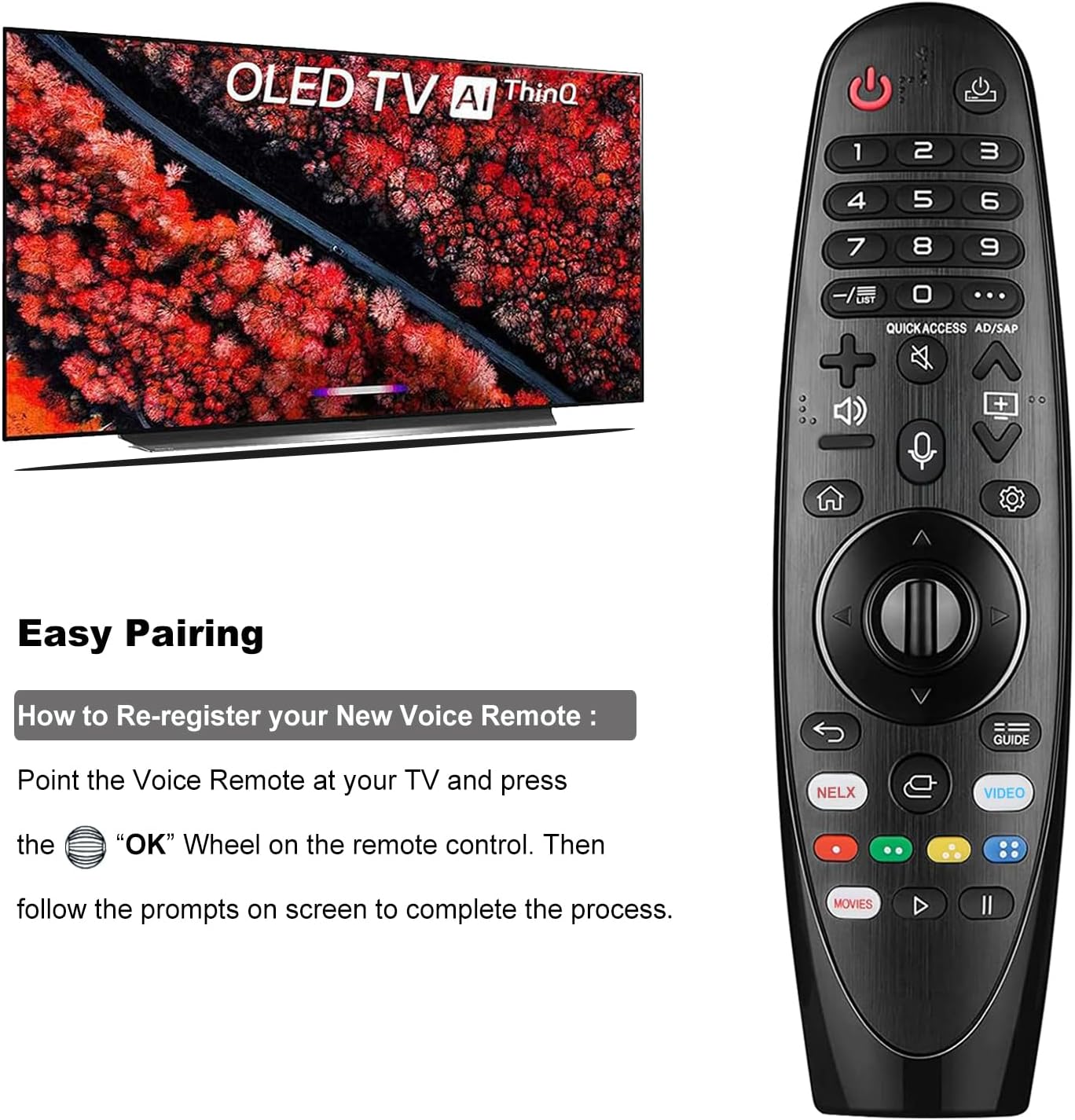
Figure 2: Easy pairing instructions for the Magic Remote.
If the pointer function does not work after initial pairing, please refer to the Troubleshooting section for re-registration steps.
Operating Instructions
1. Using Voice Control
To use the voice control feature:
- Ensure the remote is paired and connected to your TV.
- Press and hold the Microphone button (usually located near the center of the remote).
- Speak your command clearly into the remote. Examples include "Play music," "What's the weather like today?", or "Launch Netflix."
- Release the Microphone button when you are finished speaking.

Figure 3: Activating and using the voice search function.
The voice function is only available on LG Smart TVs from 2018-2024 that support this feature.
2. Using the Pointer (Air Mouse) Function
The pointer function allows you to navigate your TV screen like a computer mouse.
- To Activate: Gently shake the remote control three times in a row. A pointer will appear on your TV screen.
- To Use: Move the Magic Remote in the air to guide the pointer to your desired location on the screen. Press the OK button (scroll wheel) to select an item.
- To Deactivate: Press any directional button (up, down, left, right) on the remote to exit the Air Mouse function.

Figure 4: Using the point, click, and scroll functions.
3. Using Shortcut Keys
The remote features dedicated shortcut buttons for quick access to popular applications:
- Press the Netflix button to launch Netflix.
- Press the Prime Video button to launch Amazon Prime Video.
- Press the Disney+ button to launch Disney+.

Figure 5: Shortcut keys for quick app access.
Maintenance
- Keep the remote control clean by wiping it with a soft, dry cloth.
- Avoid exposing the remote to extreme temperatures, direct sunlight, or moisture.
- If the remote will not be used for an extended period, remove the batteries to prevent leakage.
Troubleshooting
| Problem | Possible Cause | Solution |
|---|---|---|
| Remote not responding / Not pairing |
|
|
| Pointer (Air Mouse) not working |
|
|
| Voice function not working |
|
|
Specifications
| Brand | Bemexred |
| Model Number | AN-MR20GA |
| Compatible TV Years | 2018-2024 LG Smart TVs |
| Connectivity Technology | Bluetooth |
| Special Features | Ergonomic design, Pointer function, Voice search (LG Voice, Google Assistant, Alexa) |
| Power Source | 2 x AA Alkaline Batteries (not included) |
| Color | Black |
| Dimensions (L x W x H) | 18.5 cm x 4.4 cm x 4.4 cm (approx.) |
| Country of Origin | China |
Warranty and Support
Bemexred offers a 90-day after-sales service for this product. If you have any questions or encounter issues with your order, please do not hesitate to contact us directly. Our customer support team aims to respond within 24 hours to assist you.
For further assistance, please refer to the contact information provided with your purchase or visit the official Bemexred support page.