
1. Introduction and Safety Information
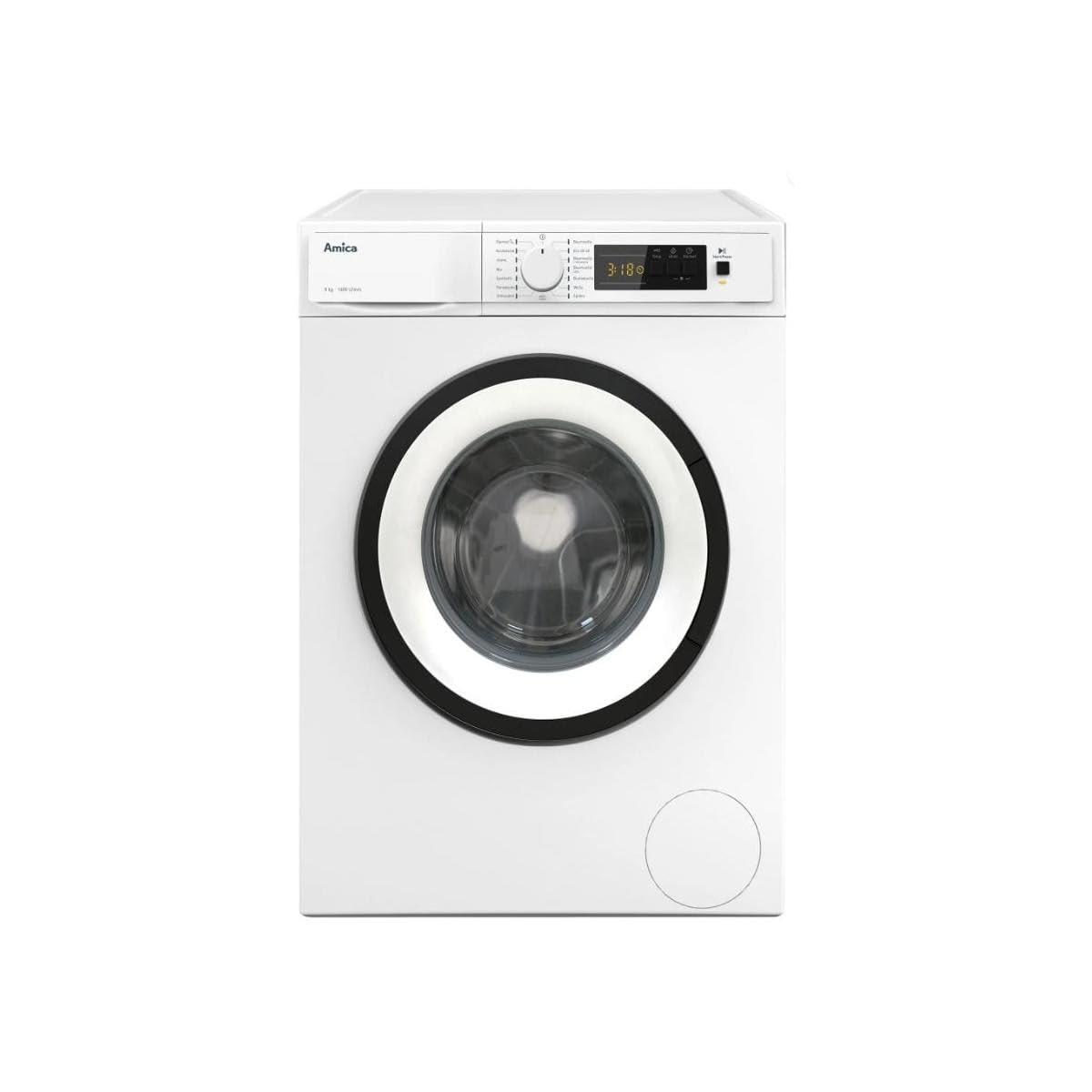
This image shows the Amica WA 484 072 front-load washing machine with its door open, revealing the stainless steel drum. The control panel is visible at the top.
Thank you for choosing the Amica WA 484 072 8kg Front-Load Washing Machine. This manual provides essential information for the safe and efficient operation of your appliance. Please read it thoroughly before first use and keep it for future reference.
Key Features:
- 8 kg Capacity: Suitable for medium to large laundry loads.
- Max. 1400 RPM Spin Speed: Efficient water extraction for faster drying.
- Brushless Motor (BLDC): Energy-efficient, quiet, and durable due to reduced friction and heat generation.
- 15 Washing Programs: Versatile options for various fabric types and soil levels.
- LED Display: Clear and intuitive interface for program selection and monitoring.
- Child Lock: Prevents accidental operation by children.
- AutoSensor Automatic Load Sensing: Optimizes water and energy consumption based on load size.
- AquaStop Safety Hose: Provides protection against water leaks.
- Automatic Unbalance System & Overflow Protection: Enhances safety and performance.
Always follow basic safety precautions when using electrical appliances to reduce the risk of fire, electric shock, and injury to persons.
2. Installation and Setup
Proper installation is crucial for the safe and efficient operation of your washing machine. Please ensure all steps are followed carefully.
2.1 Unpacking
Remove all packaging materials, including the transport bolts located at the rear of the machine. Keep the packaging for potential future transport. Failure to remove transport bolts will cause severe vibration and damage during operation.
2.2 Positioning and Leveling
Place the washing machine on a firm, level floor. Adjust the leveling feet at the bottom of the machine to ensure it is perfectly stable and level. Use a spirit level to verify. An unlevel machine can cause excessive noise and vibration.
2.3 Water Connection
Connect the supplied water inlet hose to the cold water tap and the corresponding inlet valve on the back of the washing machine. Ensure all connections are tight to prevent leaks. The AquaStop safety hose provides additional protection.
2.4 Drain Connection
Securely place the drain hose into a standpipe or over the edge of a sink, ensuring it is properly hooked to prevent it from falling out. The drain hose should be positioned at a height between 60 cm and 100 cm from the floor.
2.5 Electrical Connection
Plug the power cord into a grounded electrical outlet. Ensure the voltage and frequency match the specifications on the rating plate of the appliance. Do not use extension cords or adapters.
3. Operating Instructions
This section guides you through the daily use of your Amica washing machine.
3.1 Control Panel Overview
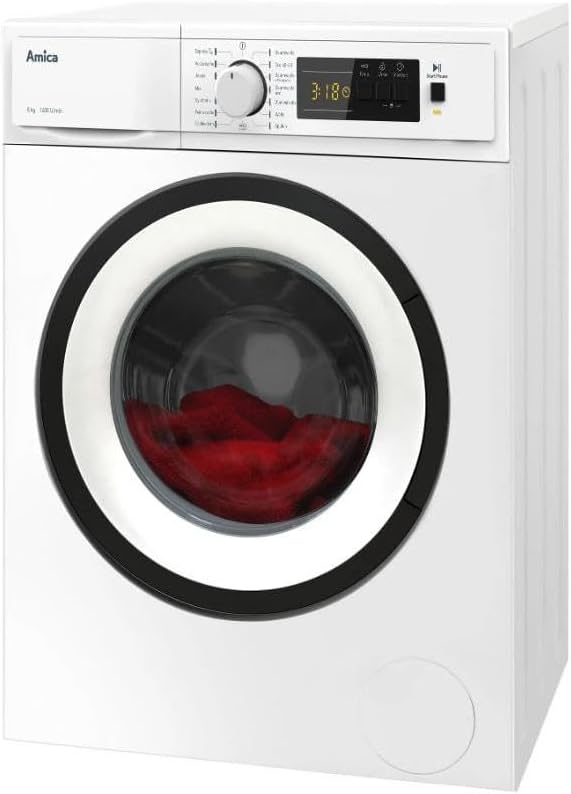
A close-up view of the Amica WA 484 072 washing machine's control panel, featuring a central program selector dial, an LED display showing '3:18', and various buttons for temperature, spin speed, and start/pause functions.
The control panel features a program selector dial, an LED display, and buttons for additional functions such as temperature, spin speed, and start delay. The LED display shows the remaining time and selected options.
3.2 Loading Laundry

The Amica WA 484 072 washing machine with its door closed, showing red laundry visible through the porthole. The machine appears ready for a wash cycle.
Open the washing machine door and load your sorted laundry. Do not overload the machine; ensure there is enough space for the clothes to tumble freely. Close the door firmly.
3.3 Adding Detergent and Softener
Pull out the detergent dispenser drawer. Add the appropriate amount of detergent to the main wash compartment and fabric softener to its designated compartment. Refer to your detergent packaging for dosage recommendations.
3.4 Program Selection
Turn the program selector dial to choose one of the 15 available washing programs:
- Express
- Quick Wash (Kurzwäsche)
- Jeans
- Mix
- Synthetics (Synthetik)
- Delicates (Feinwäsche)
- Spin (Schleudern)
- Anti-Allergy (Anti-Allergie)
- Wool (Wolle)
- Rinse (Spülen)
- Cotton (Baumwolle)
- Eco 40-60
- Cotton Pre-wash (Baumwolle Vorwäsche)
- Coloreds (Buntwäsche)
- Drain
The LED display will show the default settings for the selected program.
3.5 Adjusting Settings
Use the corresponding buttons to adjust temperature (cold/20/30/40/50/60/70°C) and spin speed (--/400/600/800/1000/1200/1400 RPM) if desired. You can also set a start delay (1-24 hours) for convenience.
3.6 Starting the Wash Cycle
Press the "Start/Pause" button to begin the selected wash program. The machine will automatically detect the load size (AutoSensor) and adjust water and energy consumption.
3.7 Child Lock Function
To prevent children from accidentally changing settings or starting the machine, activate the child lock. Refer to the control panel for the specific button combination (usually pressing and holding two buttons simultaneously for a few seconds). The child lock symbol will appear on the display. Repeat the action to deactivate.
4. Maintenance and Care
Regular maintenance ensures the longevity and optimal performance of your washing machine.
4.1 Cleaning the Detergent Dispenser
Periodically remove and clean the detergent dispenser drawer under running water to prevent detergent residue buildup.
4.2 Cleaning the Drum
Run a maintenance wash cycle (e.g., a hot cotton program without laundry and with a descaling agent or washing machine cleaner) once a month to clean the drum and remove any odors or residue.
4.3 Cleaning the Drain Filter
Locate the drain filter at the bottom front of the machine. Open the cover, place a shallow container underneath to catch residual water, and carefully unscrew the filter. Clean any lint or foreign objects from the filter and its housing. Reinsert and tighten the filter securely.
4.4 Cleaning the Exterior
Wipe the exterior surfaces of the washing machine with a soft, damp cloth. Do not use abrasive cleaners or solvents.
5. Troubleshooting
Before contacting customer service, please refer to the following common issues and their solutions.
| Problem | Possible Cause | Solution |
|---|---|---|
| Machine does not start | Power cord not plugged in; door not closed properly; child lock active; program not selected. | Check power connection; ensure door is latched; deactivate child lock; select a program and press Start. |
| No water intake | Water tap closed; inlet hose kinked or blocked; water pressure too low. | Open water tap; straighten hose; check water supply pressure. |
| Water not draining | Drain hose kinked or blocked; drain filter clogged. | Straighten drain hose; clean drain filter (see Section 4.3). |
| Excessive vibration/noise | Transport bolts not removed; machine not level; laundry unevenly distributed. | Remove transport bolts (if not already); adjust leveling feet; redistribute laundry. |
| Error code on display | Specific malfunction. | Note the error code and consult the full user manual (if available) or contact Amica customer support. |
6. Technical Specifications
Detailed specifications for the Amica WA 484 072 washing machine.
| Brand | Amica |
| Model Number | WA 484 072 (Manufacturer Reference: 316748) |
| Capacity | 8 Kilograms |
| Maximum Spin Speed | 1400 RPM |
| Number of Programs | 15 |
| Energy Efficiency Class | B |
| Spin Efficiency Class | B |
| Airborne Acoustical Noise Emission Class | B |
| Energy Consumption (per 100 cycles) | 55.0 kWh |
| Weighted Water Consumption (per operating cycle) | 48 Liters |
| Program Duration (full load) | 03:38 (h:min) |
| Motor Type | Brushless (BLDC) |
| Safety Features | Child Lock, Automatic Unbalance System, Overflow Protection, AquaStop Safety Hose |
| Temperature Regulation | Cold/20/30/40/50/60/70°C |
| Spin Speed Regulation | --/400/600/800/1000/1200/1400 RPM |
7. Warranty and Customer Support
For warranty information, please refer to the documentation provided with your purchase or visit the official Amica website. In case of technical issues or questions not covered in this manual, please contact Amica customer support. Have your model number (WA 484 072) and serial number ready when contacting support.


