
TOPKIND RF402A-V14
TOPKIND Replacement Remote Control for Philips Smart TV
Model: RF402A-V14
1. Product Overview
This TOPKIND replacement remote control is designed for use with various Philips 4K UHD Android Smart TVs. It offers direct functionality without complex programming, providing a convenient solution for controlling your television.
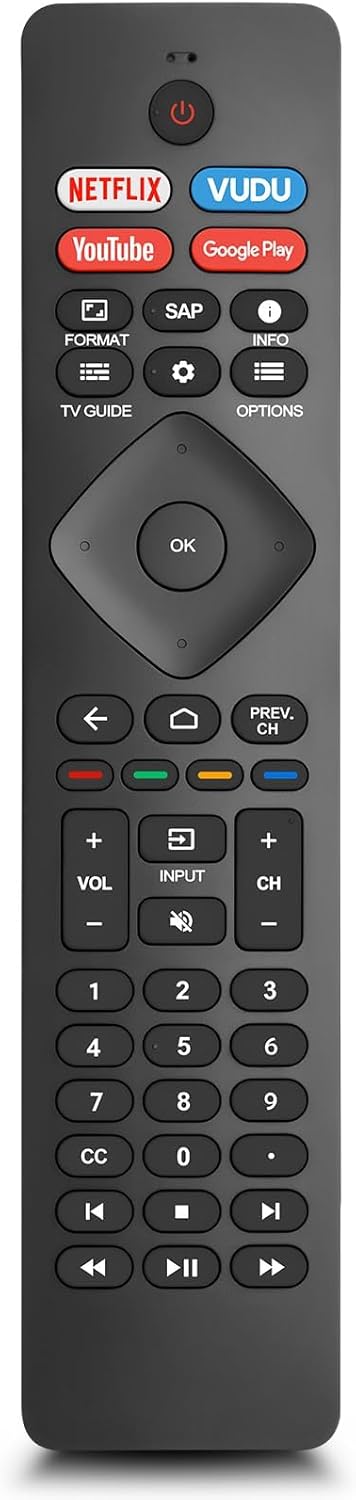
Image 1: The TOPKIND Replacement Remote Control for Philips Smart TV.
2. Setup Instructions
2.1 Battery Installation
The remote control requires two AAA batteries (not included) for operation. Follow these steps to install them:
- Locate the battery compartment cover on the back of the remote control.
- Slide the cover downwards or press the latch to open it.
- Insert two AAA batteries, ensuring the positive (+) and negative (-) terminals align correctly with the markings inside the compartment.
- Replace the battery compartment cover until it clicks securely into place.
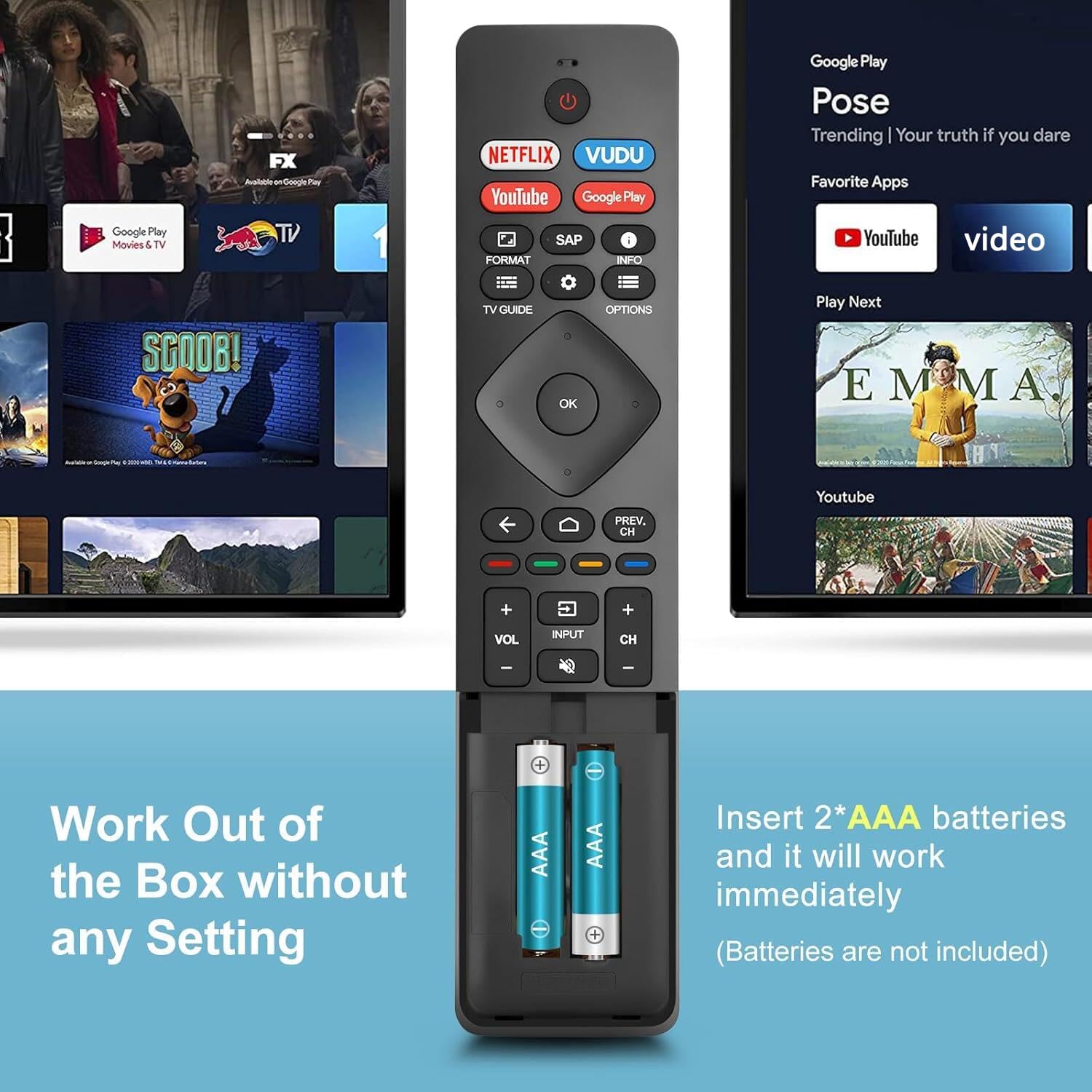
Image 2: The TOPKIND remote control with its battery compartment open, showing where to insert two AAA batteries.
2.2 Initial Use
This replacement remote control is designed for immediate use with compatible Philips Smart TVs. No programming or pairing is required. Once batteries are installed, point the remote at your TV and begin operation.
3. Operating Instructions
3.1 Button Functions
The remote control features a standard layout for easy navigation and control of your Philips Smart TV. Refer to the diagram below for a detailed overview of each button's function:
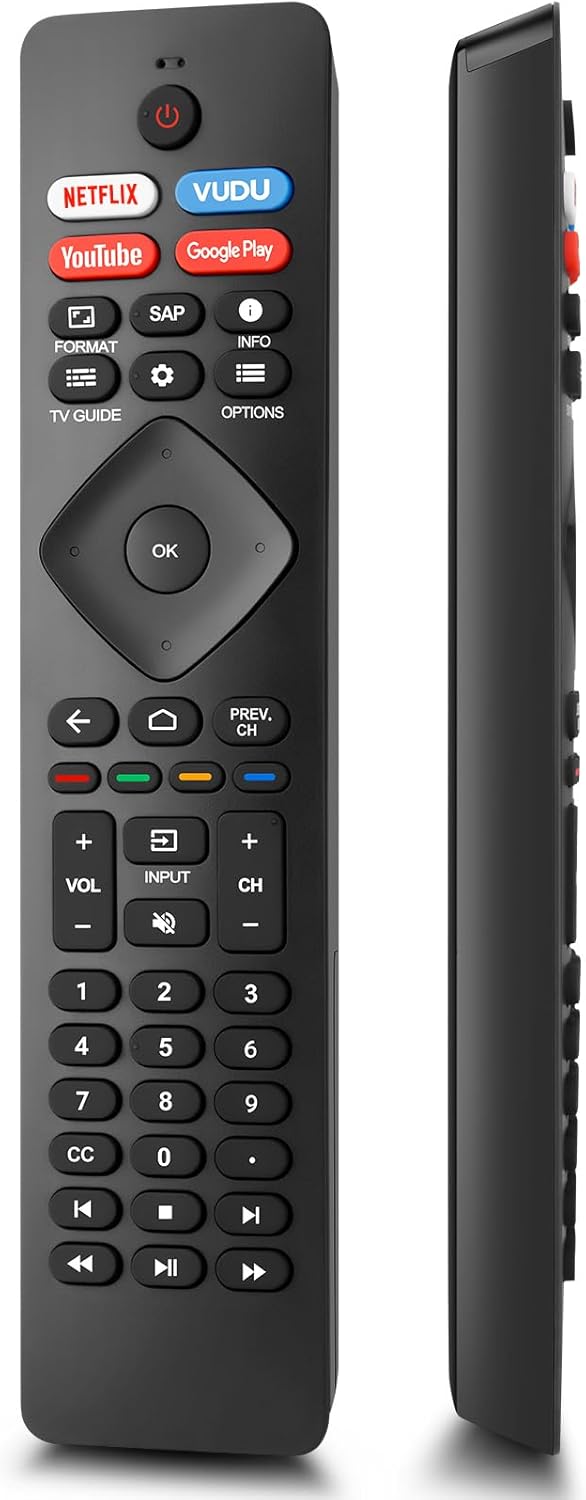
Image 3: Diagram of the TOPKIND remote control with numbered buttons and their corresponding functions, including power, navigation, volume, and channel controls.
- Power Button: Turns the TV on and off.
- Netflix, VUDU, YouTube, Google Play: Dedicated shortcut buttons for quick access to these streaming services.
- Navigation Pad (OK, Up, Down, Left, Right): Used to navigate menus and select options.
- Back: Returns to the previous menu screen.
- Home: Accesses your apps, Live TV, input devices, settings, and the Google Play Store.
- Volume (+/-): Adjusts the volume level.
- Channel (+/-): Changes TV channels.
- Input: Changes the input source.
- Mute: Mutes or unmutes the TV audio.
- Number Buttons (0-9): Used to enter channel numbers or other numerical inputs.
- Playback Controls (Play, Pause, Fast Forward, Rewind): Controls media playback.
3.2 Shortcut Buttons
The remote includes four dedicated shortcut buttons for popular streaming services:
- Netflix
- VUDU
- YouTube
- Google Play
Pressing these buttons will directly launch the respective application on your Philips Smart TV, provided the app is installed and your TV is connected to the internet.

Image 4: A hand holding the TOPKIND remote control, highlighting the dedicated Netflix, VUDU, YouTube, and Google Play shortcut buttons.
3.3 Operating Range and Response
The remote control utilizes advanced infrared technology, providing an effective operating distance of over 40 feet (approximately 10 meters) with a fast response time of 0.2 seconds. Ensure a clear line of sight between the remote and the TV's infrared receiver for optimal performance.

Image 5: A TOPKIND remote control in a living room setting, illustrating its effective operating range of 10 meters (33 feet).
4. Compatibility
4.1 Compatible Philips TV Models
This remote control is compatible with a wide range of Philips 4K UHD Android Smart TVs, including but not limited to the following series and models:
- Philips 5800 / 5806 Series
- Philips 5000 / 5604 / 5704 / 5504 Series
- Philips 5500 / 5505 Series
- Philips 5700 / 5766 / 5704 Series
- Specific models: 50PFL5806/F7, 75PFL5604/F7, 75PFL5704/F7, 32PFL5505/F7, 65PFL5604/F7, 55PFL5604/F7, 50PFL5604/F7, 43PFL5604/F7, 50PFL5604/F7A, 43PFL5766/F6, 50PFL5766/F6, 65PFL5766/F6, 55PFL5766/F6, 55PFL5704/F7, 65PFL5704/F7, 65PFL5704/F7A, 50PFL5704/F7, 43PFL5704/F7, 65PFL5504/F7, 65PFL5604/F7A, 55PFL5604/F7A, 75PFL5604/F7A, 75PFL5604/F7E, 55PFL5766/F7E, 75PFL5704/F7A.

Image 6: The TOPKIND replacement remote control shown with various Philips Android Smart TVs, indicating broad compatibility.
4.2 Replaces Original Remote Models
This remote control is designed to replace several original Philips TV remote control models, including:
- NH800UP
- URMT26RST004
- URMT47CND001
- URMT47CND002
- RF-402A

Image 7: The TOPKIND replacement remote control alongside several original Philips remote controls it is designed to replace.
5. Maintenance
To ensure the longevity and optimal performance of your remote control, follow these maintenance guidelines:
- Cleaning: Wipe the remote control regularly with a soft, dry cloth. Avoid using liquid cleaners or abrasive materials.
- Battery Replacement: Replace batteries when the remote's response becomes sluggish or it stops functioning. Always replace both batteries at the same time with new ones.
- Storage: Store the remote in a cool, dry place away from direct sunlight, extreme temperatures, and high humidity.
- Avoid Drops: Protect the remote from physical impact, as drops can damage internal components.
6. Troubleshooting
If you encounter issues with your remote control, refer to the following troubleshooting steps:
- Remote Not Responding:
- Check if the batteries are inserted correctly with the correct polarity.
- Replace old batteries with new AAA batteries.
- Ensure there is a clear line of sight between the remote control and the TV's infrared receiver. Remove any obstructions.
- Limited Range:
- Replace batteries with new ones, as low battery power can reduce range.
- Ensure no strong light sources (like direct sunlight or bright fluorescent lights) are interfering with the TV's IR receiver.
- Specific Buttons Not Working:
- Clean the remote control, especially around the unresponsive buttons, to remove any dirt or debris that might be preventing proper contact.
- If only shortcut buttons (Netflix, VUDU, etc.) are not working, ensure your TV is connected to the internet and the respective apps are installed and updated.
7. Specifications
| Feature | Detail |
|---|---|
| Model Number | RF402A-V14 |
| Product Dimensions | 8.26 x 1.82 x 0.59 inches |
| Item Weight | 2.82 ounces |
| Special Features | Ergonomic, Lightweight, No Programming Required, Universal |
| Compatible Devices | Television |
| Power Source | 2 x AAA Batteries (not included) |

Image 8: Side and front views of the TOPKIND remote control with its dimensions: 8.26 inches length, 1.85 inches width, and 0.59 inches thickness.
8. Customer Support
TOPKIND is committed to providing a satisfactory user experience. If you encounter any issues or have questions regarding your replacement remote control, please contact our customer support. We aim to address all concerns promptly.
Ask a question about this manual
Ask about setup, troubleshooting, compatibility, parts, safety, or missing instructions. Manuals+ will review the question and use this page’s manual context to help answer it.