
1. Introduction
Thank you for choosing the Aubric Smart WiFi Ceiling Fan Remote Control Kit. This kit is designed to convert your traditional ceiling fan and light into a smart, controllable device, offering convenience through remote control, smartphone application, and voice commands. It is compatible with most 1-wire controlling 3-speed fans and dimmable LED/CFL lights.

Overview of the Aubric Smart WiFi Ceiling Fan Remote Control Kit, including the remote, receiver, and smart home integration.
2. Product Features
- Multiple Control Methods: Control your ceiling fan via the included remote, the Smart Life or Tuya Smart App on your smartphone, or through voice commands with Alexa or Google Assistant.
- Universal Compatibility: Works with most ceiling fans that use a single wire to control 3 speeds, including popular brands like Hunter, Westinghouse, Honeywell, Hampton Bay, and Harbor Breeze.
- Light Dimmer Function: The remote and receiver support dimming for incandescent, halogen, and dimmable LED/CFL bulbs. Non-dimmable LED lights will function as ON/OFF only.
- Timer and Group Control: Set scheduled ON/OFF times for your fan and light, or group multiple smart ceiling fans together for simultaneous control via the app or voice commands.
- Easy Installation: Designed for straightforward installation with only 5 wire hookups, typically without needing to remove the light kit or blades.
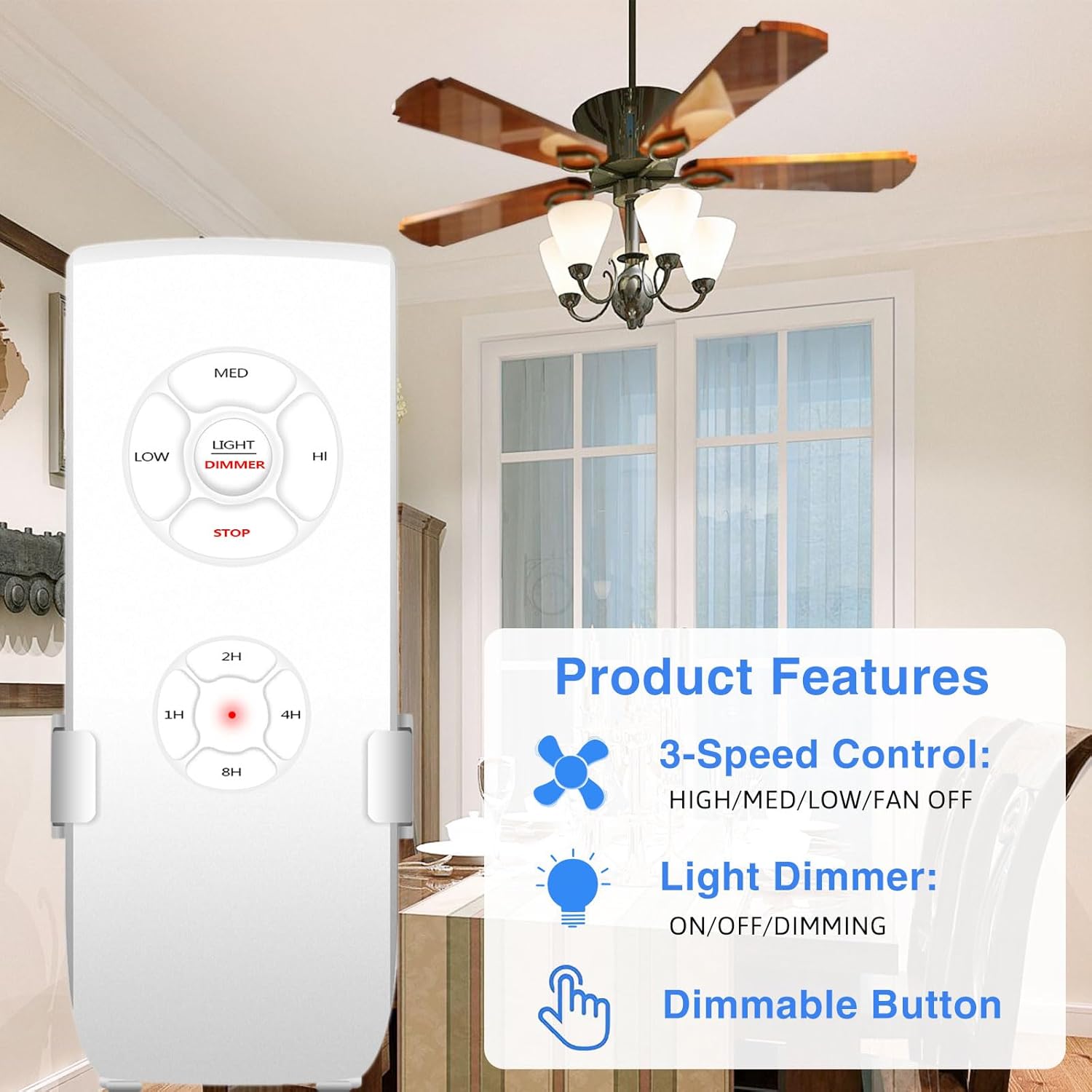
Key product features: 3-speed fan control, light dimming, and a dedicated dimmable button on the remote.
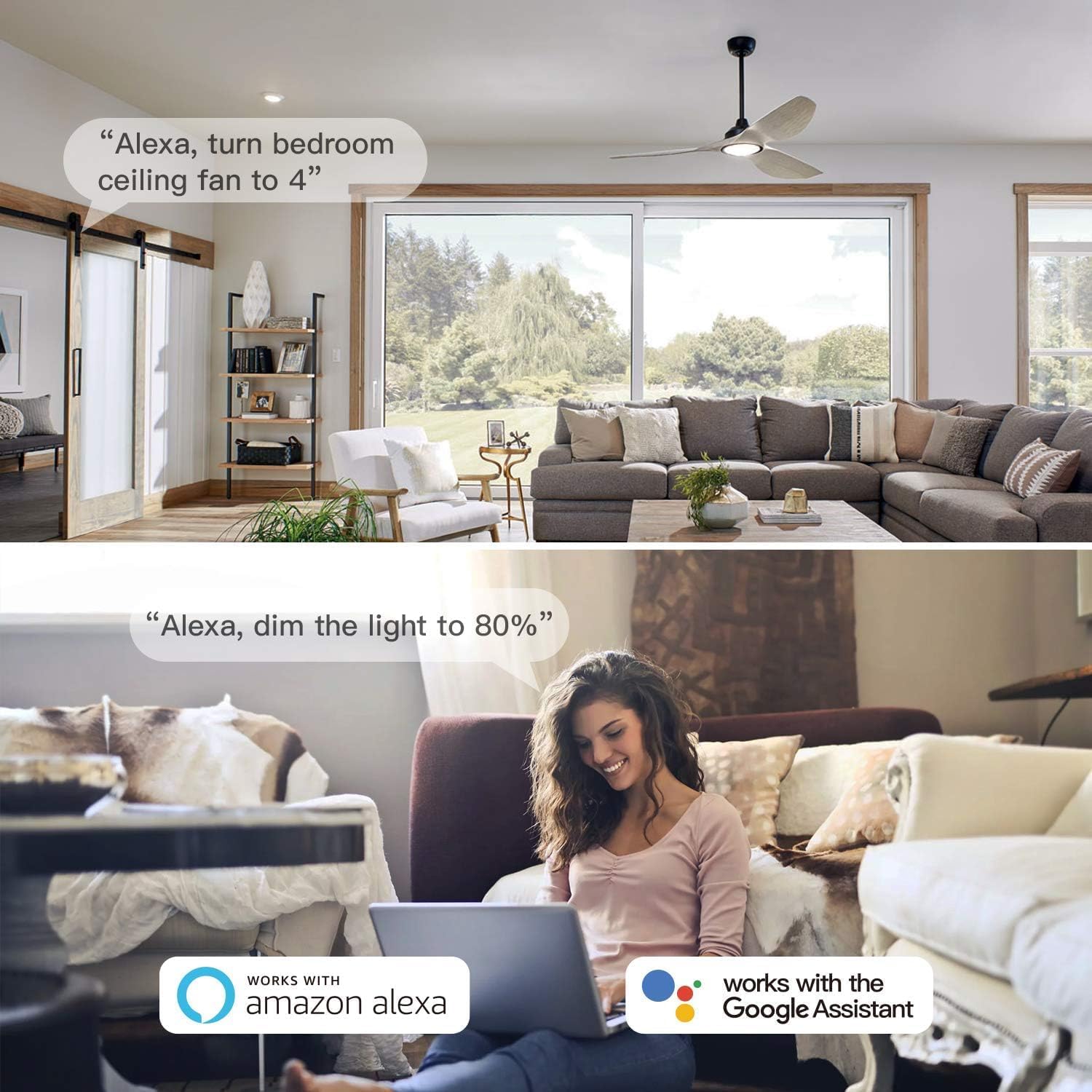
Control your fan and light hands-free using Amazon Alexa or Google Assistant voice commands.
3. Package Contents
Verify that all items are present in your package:
- Smart WiFi Ceiling Fan Receiver
- Remote Control
- Wire Nuts (5 pcs)
- Mounting Screws and Wall Anchors (2 sets)
- Instruction Manual

All components included in the product package.
4. Installation
Important Safety Information: Before beginning installation, ensure the power to the ceiling fan circuit is turned OFF at the circuit breaker. Consult a qualified electrician if you are unsure about any steps.
- Turn off power at the circuit breaker.
- Loosen the collar at the ceiling canopy of your fan and slide it down to expose the wiring.
- Identify the existing wiring. The receiver requires 2 wires from the ceiling (AC Neutral and AC Live) and 3 wires to the fan (Live to FAN, Live to LIGHT, and Neutral).
- Connect the receiver wires according to the wiring diagram below using the provided wire nuts. Ensure all connections are secure.
- Carefully tuck the receiver and wires into the fan canopy. The compact design of this receiver (3.0"L x 2.07"W x 1.0"H) is designed to fit most standard fan canopies.
- Re-secure the fan canopy.
- Restore power at the circuit breaker.

Detailed wiring diagram for connecting the receiver to your ceiling fan and main power supply.

The compact size of the Aubric receiver allows for easier installation in various fan canopies.
5. Setup: App and Voice Control
5.1 Smart Life / Tuya Smart App Setup
- Download the Smart Life or Tuya Smart app from the App Store (iOS) or Google Play Store (Android).
- Register or log in to your account.
- Ensure your phone is connected to a 2.4GHz Wi-Fi network.
- In the app, tap the "+" icon to add a new device.
- Select "Lighting" > "Ceiling Fan Light" or search for "Fan Controller".
- Follow the in-app instructions to put the device into pairing mode (usually by cycling power to the fan a few times).
- Once the device is discovered, name it appropriately (e.g., "Living Room Fan").
5.2 Voice Assistant Integration (Alexa / Google Assistant)
- Open your Alexa or Google Home app.
- Navigate to "Skills & Games" (Alexa) or "Works with Google" (Google Home).
- Search for and enable the "Smart Life" skill.
- Link your Smart Life account when prompted.
- Discover devices. Your ceiling fan should now appear in your voice assistant app.
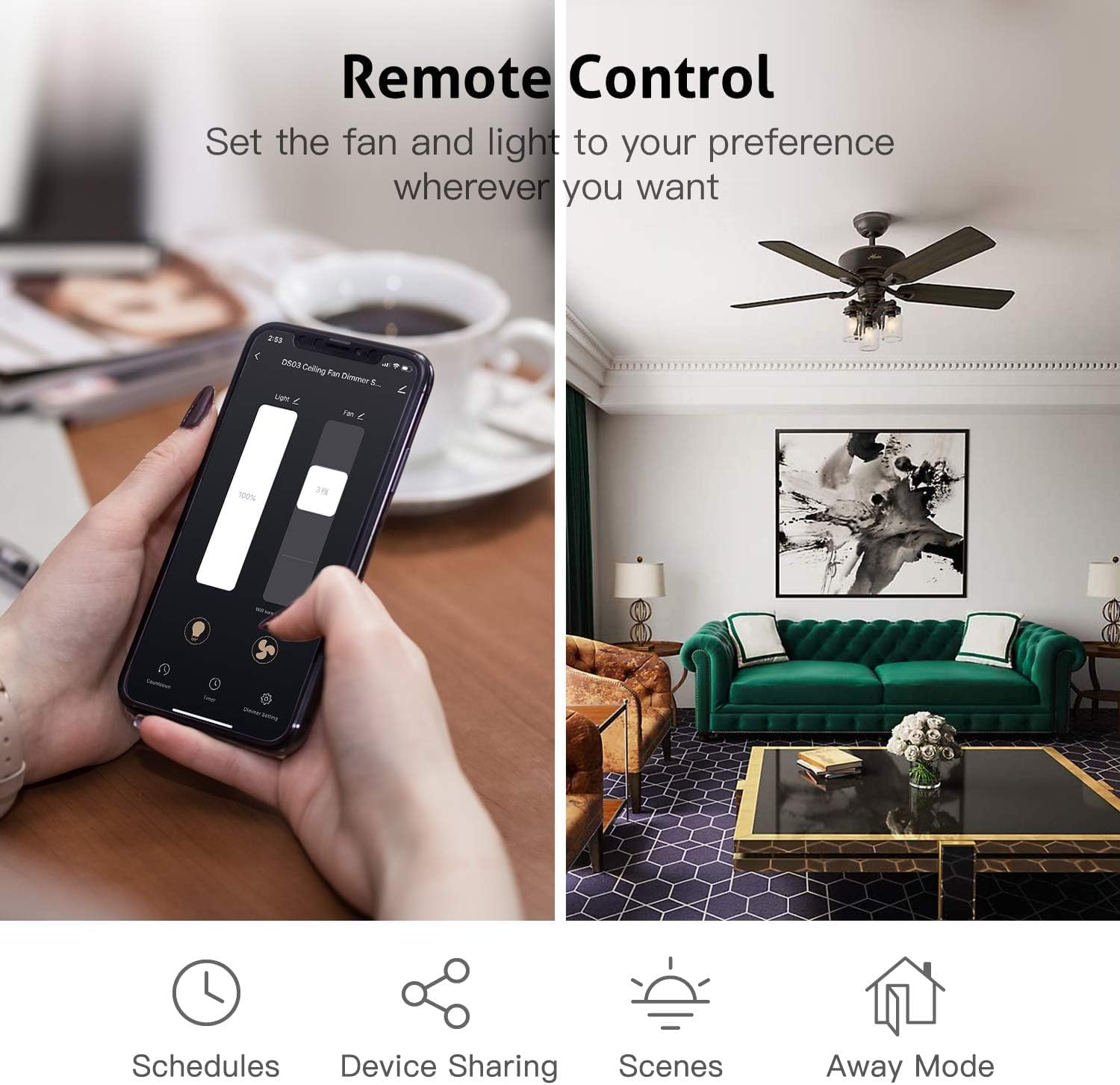
Control your fan and light settings directly from the Smart Life or Tuya Smart app.
6. Operation
6.1 Remote Control Functions
- MED / LOW / HI: Adjust fan speed.
- STOP: Turn off the fan.
- LIGHT / DIMMER: Turn light ON/OFF. Press and hold to dim the light.
- 1H / 2H / 4H / 8H: Set a countdown timer for the fan to turn off.
6.2 App Control Functions
Through the Smart Life / Tuya Smart App, you can:
- Turn the fan ON/OFF and adjust speeds (Low, Medium, High).
- Turn the light ON/OFF and adjust brightness (dimming).
- Set schedules and timers for automated operation.
- Create groups to control multiple smart fans simultaneously.
- Share device control with family members.
6.3 Voice Control Commands
Once integrated with Alexa or Google Assistant, use commands such as:
- "Alexa, turn on [Fan Name]."
- "Hey Google, set [Fan Name] speed to high."
- "Alexa, dim [Light Name] to 50 percent."
- "Hey Google, turn off [Light Name]."
7. Troubleshooting
- Fan/Light not responding: Ensure power is on at the circuit breaker. Check all wire connections. Verify the remote has working batteries. For app control, ensure your Wi-Fi is active and the device is connected.
- Light not dimming: Confirm that your light bulbs are dimmable LED/CFL, incandescent, or halogen. Non-dimmable LED/CFL bulbs will only support ON/OFF functionality.
- Receiver not fitting in canopy: While designed to be compact, some older or uniquely designed fan canopies may have limited space. Carefully arrange wires and the receiver. Do not force the receiver into a space that is too small.
- Difficulty pairing with app: Ensure your smartphone is connected to a 2.4GHz Wi-Fi network (5GHz networks are not supported for initial pairing). Try cycling power to the fan (turn off/on at the wall switch or breaker) to re-enter pairing mode.
- Voice control issues: Verify that the Smart Life skill is enabled in your Alexa/Google Home app and your Smart Life account is linked. Try rediscovering devices in your voice assistant app.
8. Specifications
| Attribute | Value |
|---|---|
| Model Number | JF028-WIFI |
| Product Dimensions | 6.2 x 5 x 1.3 inches (Receiver: 3.0"L x 2.07"W x 1.0"H) |
| Item Weight | 7 ounces |
| Voltage | 120 Volts |
| Color | Black (Receiver), White (Remote) |
| Batteries Required | Yes (for remote control) |
9. Warranty and Support
This product comes with a one-year warranty from the date of purchase. For technical support, troubleshooting assistance, or warranty claims, please contact Aubric customer service through the retailer's platform or the contact information provided with your purchase. Please have your model number (JF028-WIFI) and purchase details ready when contacting support.