
Introduction
Thank you for choosing the GUGTTR EB031 Under Desk Elliptical Machine. This device is designed to provide a low-impact exercise experience, allowing you to engage your leg muscles while seated. Please read this manual thoroughly before initial use to ensure proper operation, maintenance, and safety.

Image: The GUGTTR EB031 elliptical machine in use, demonstrating its versatility for both office and home environments.
Safety Instructions
To reduce the risk of serious injury, please observe the following safety precautions:
- Always use the elliptical machine while seated. Do not stand on the pedals.
- Ensure the machine is placed on a stable, level surface.
- Keep children and pets away from the machine during operation.
- Consult a physician before starting any exercise program, especially if you have pre-existing medical conditions.
- Stop exercising immediately if you feel pain, dizziness, or shortness of breath.
- Keep hands and feet clear of all moving parts.
- Use only the provided power cord and accessories.
- Do not attempt to disassemble or repair the machine yourself. Contact customer support for assistance.
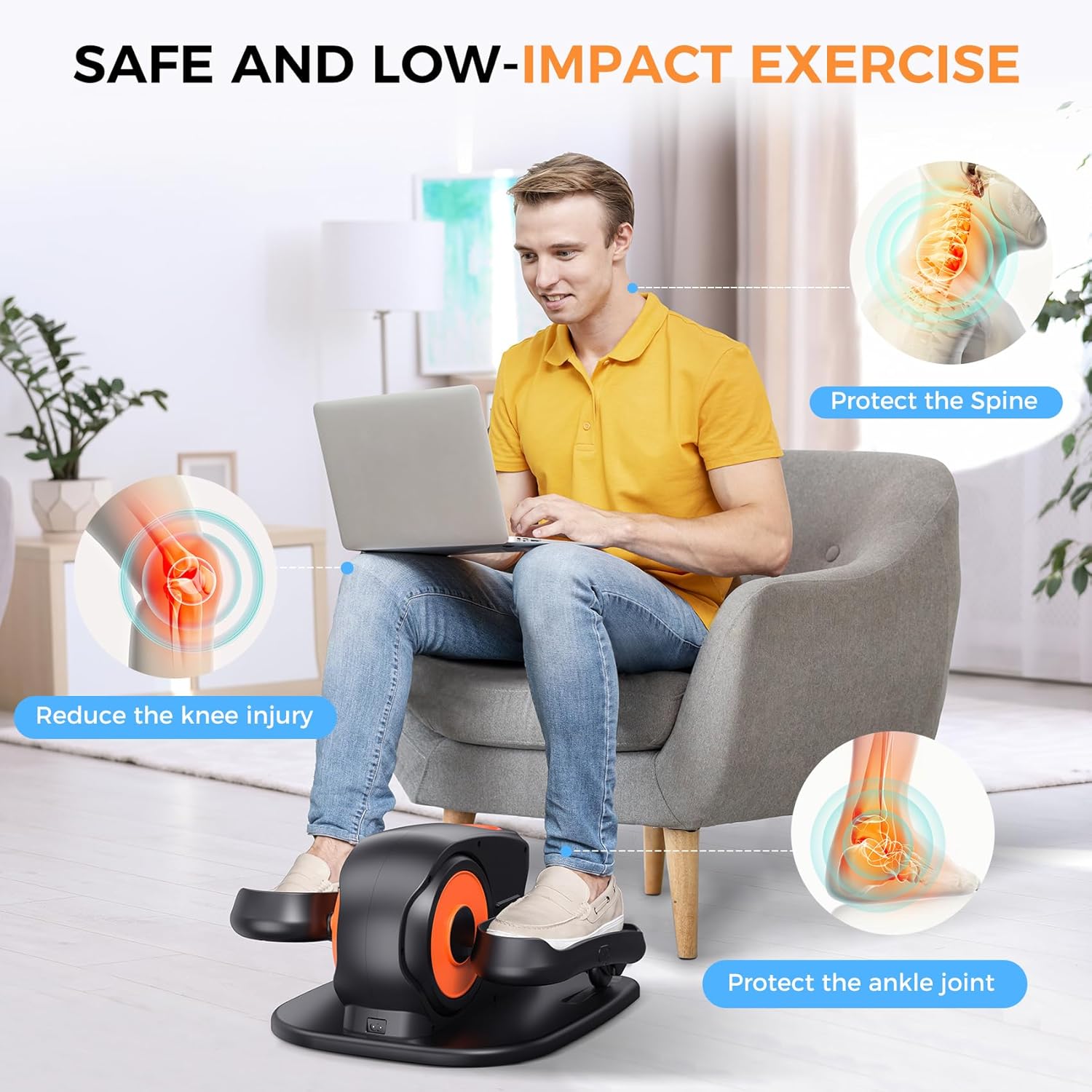
Image: Demonstrating the low-impact nature of the exercise, highlighting benefits for joint protection.
Package Contents
Verify that all items are present in the package:
- 1x GUGTTR Under Desk Elliptical Machine
- 1x Remote Control
- 1x Power Cord
- 1x User Manual (this document)
- 1x Lubrication Oil
Setup
The GUGTTR EB031 Under Desk Elliptical Machine requires no assembly. Follow these steps for initial setup:
- Unpack: Carefully remove all components from the packaging.
- Position: Place the elliptical machine on a flat, stable surface under your desk or in front of your chair. Ensure there is enough space for your legs to move freely without obstruction.
- Connect Power: Insert the power cord into the machine's power port, then plug the other end into a standard electrical outlet.
- Power On: Press the power button on the machine or the remote control to turn it on. The digital display will illuminate.
Operating Instructions
The elliptical machine offers both automatic and manual operation modes, controlled via the main unit's LCD screen or the included remote control.
Digital Display and Controls

Image: The control panel, showing buttons for Start/Stop, Function, Direction, Speed, and Mode, along with the digital display for time, distance, speed, count, and calories.
The digital display shows various exercise metrics:
- TIME: Duration of your exercise session.
- DISTANCE: Estimated distance covered.
- SPEED: Current pedal speed.
- COUNT: Number of pedal rotations.
- CALORIE: Estimated calories burned.
Use the buttons on the machine or remote to navigate:
- Start/Stop: Begins or pauses the exercise.
- MODE: Switches between display metrics (Time, Distance, Speed, Count, Calorie).
- FUNCTION: Selects between Auto and Manual modes.
- DIRECTION: Changes the pedal direction (forward or backward).
- SPEED: Adjusts the speed level in Manual mode (1-12 levels).
Modes of Operation
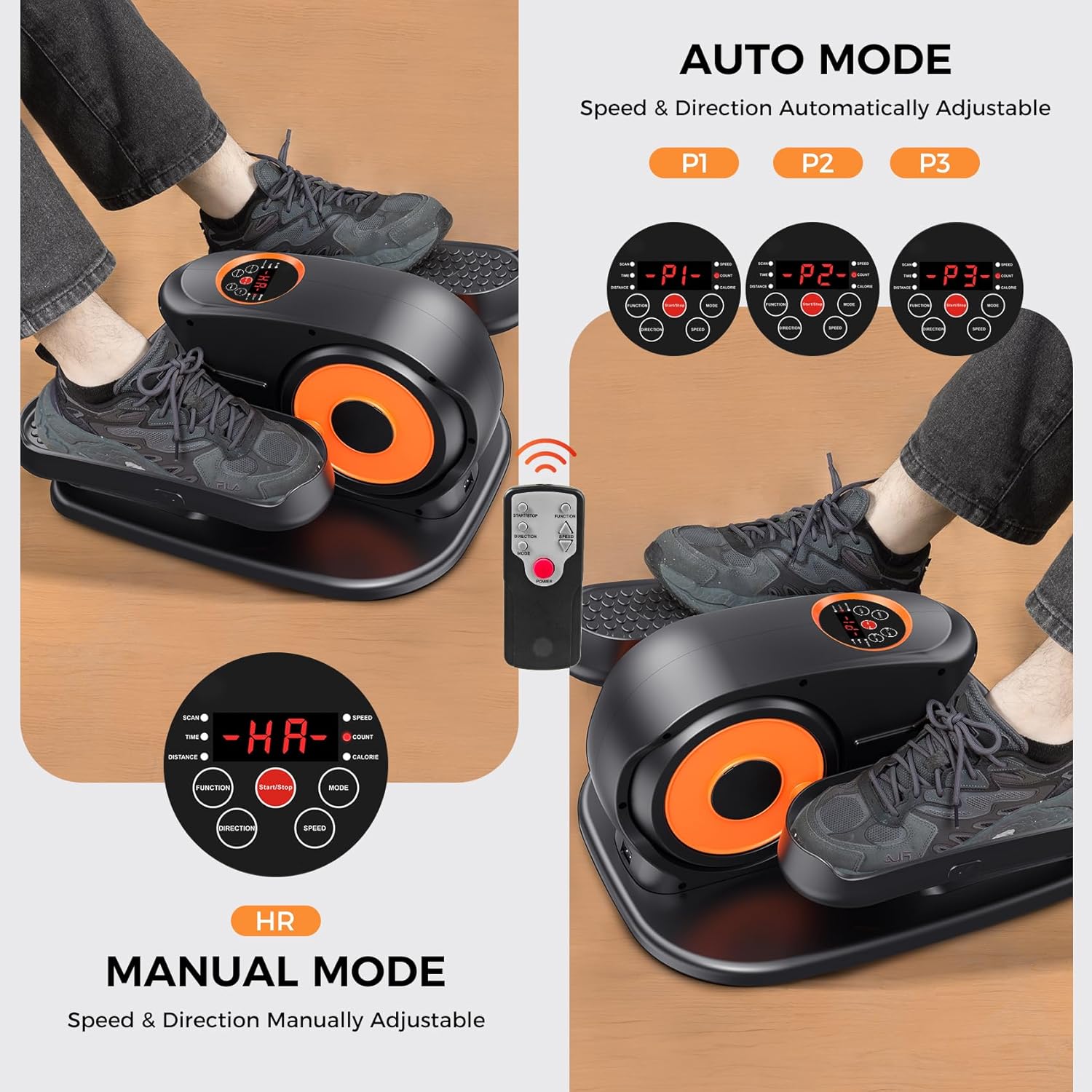
Image: Visual representation of the Auto Mode presets (P1, P2, P3) and Manual Mode, along with the remote control for convenient adjustments.
1. Auto Mode (P1, P2, P3):
- Press the FUNCTION button to cycle through P1, P2, and P3 programs.
- Each program offers a pre-set variation in speed and direction for a dynamic workout.
- The machine will automatically adjust speed and direction according to the selected program.
2. Manual Mode (HR):
- Select Manual Mode using the FUNCTION button.
- Use the SPEED buttons (up/down arrows on remote) to choose from 12 adjustable speed levels.
- Use the DIRECTION button to switch between forward and backward pedaling.
Using the Remote Control
The remote control allows for convenient adjustment of settings without bending over. It duplicates the functions available on the main unit's control panel.
- Ensure the remote has working batteries.
- Point the remote towards the elliptical machine's display panel for optimal signal reception.
Maintenance
Regular maintenance ensures the longevity and smooth operation of your elliptical machine.
- Cleaning: Wipe the machine with a soft, damp cloth after each use. Avoid abrasive cleaners or solvents.
- Lubrication: Apply a small amount of the provided lubrication oil to the moving parts (e.g., pedal joints, internal mechanisms if accessible) every few months or if you notice any squeaking. Refer to the diagram in the manual for specific lubrication points if available.
- Storage: Store the machine in a cool, dry place away from direct sunlight and extreme temperatures when not in use.
- Power Cord: Inspect the power cord regularly for any damage. If damaged, discontinue use and contact customer support.

Image: The machine's quiet operation, indicating minimal noise output during use, which is maintained with proper care.
Troubleshooting
If you encounter any issues, refer to the following common problems and solutions:
| Problem | Possible Cause | Solution |
|---|---|---|
| Machine does not power on. | Power cord not properly connected; power outlet issue. | Ensure power cord is securely plugged into both the machine and a working electrical outlet. Test the outlet with another device. |
| Pedals are not moving smoothly or making noise. | Lack of lubrication; obstruction. | Apply lubrication oil to moving parts. Check for any foreign objects obstructing the pedals. |
| Remote control is not working. | Dead batteries; remote not aimed correctly. | Replace remote control batteries. Ensure the remote is pointed directly at the machine's display panel. |
| Display is not showing correct data. | Sensor issue; temporary glitch. | Turn the machine off and on again. If the problem persists, contact customer support. |
If the issue is not listed or persists after attempting the solutions, please contact GUGTTR customer support.
Specifications
| Feature | Detail |
|---|---|
| Model Name | Under Desk Elliptical Machine |
| Brand | GUGTTR |
| Model Number | EB031 |
| Color | Black |
| Product Dimensions | 43D x 46.5W x 28H Centimeters |
| Material | Plastic |
| Resistance Mechanism | Magnetic |
| Maximum Weight Recommendation | 500 Pounds |
| Number of Resistance Levels | 12 |
| Item Weight | 7 kg 670 g |
| UPC | 762716284012 |
Warranty and Support
GUGTTR provides long-term after-sales service for all owners of the Under Desk Elliptical Machine.
For any questions, concerns, or assistance regarding your GUGTTR EB031 Under Desk Elliptical Machine, please contact our customer support team. You can reach us through Amazon messages or via the contact information provided on the GUGTTR official website.
Please retain your proof of purchase for warranty claims.