
Foster 54" Commercial Freezer
Foster 54" Commercial Freezer Instruction Manual
Model: 54" Commercial Freezer
1. Introduction
This manual provides essential information for the safe and efficient operation, installation, and maintenance of your Foster 54" Commercial Freezer. Please read this manual thoroughly before operating the appliance and retain it for future reference. This commercial freezer is designed for professional use in kitchens, restaurants, and bars, offering robust freezing performance and ample storage capacity.
1.1 Safety Precautions
- Always disconnect power before cleaning or servicing the unit.
- Ensure proper grounding to prevent electrical shock.
- Do not store explosive substances such as aerosol cans with a flammable propellant in this appliance.
- Maintain adequate ventilation around the unit to ensure efficient operation and prevent overheating.
- Keep all ventilation openings clear of obstruction.
- Do not damage the refrigerant circuit.
- Only qualified personnel should perform repairs.
2. Product Overview
The Foster 54" Commercial Freezer is a high-capacity, two-door reach-in freezer built for demanding commercial environments. It features durable stainless steel construction and precise temperature control.

Figure 2.1: Front view of the Foster 54" Commercial Freezer.
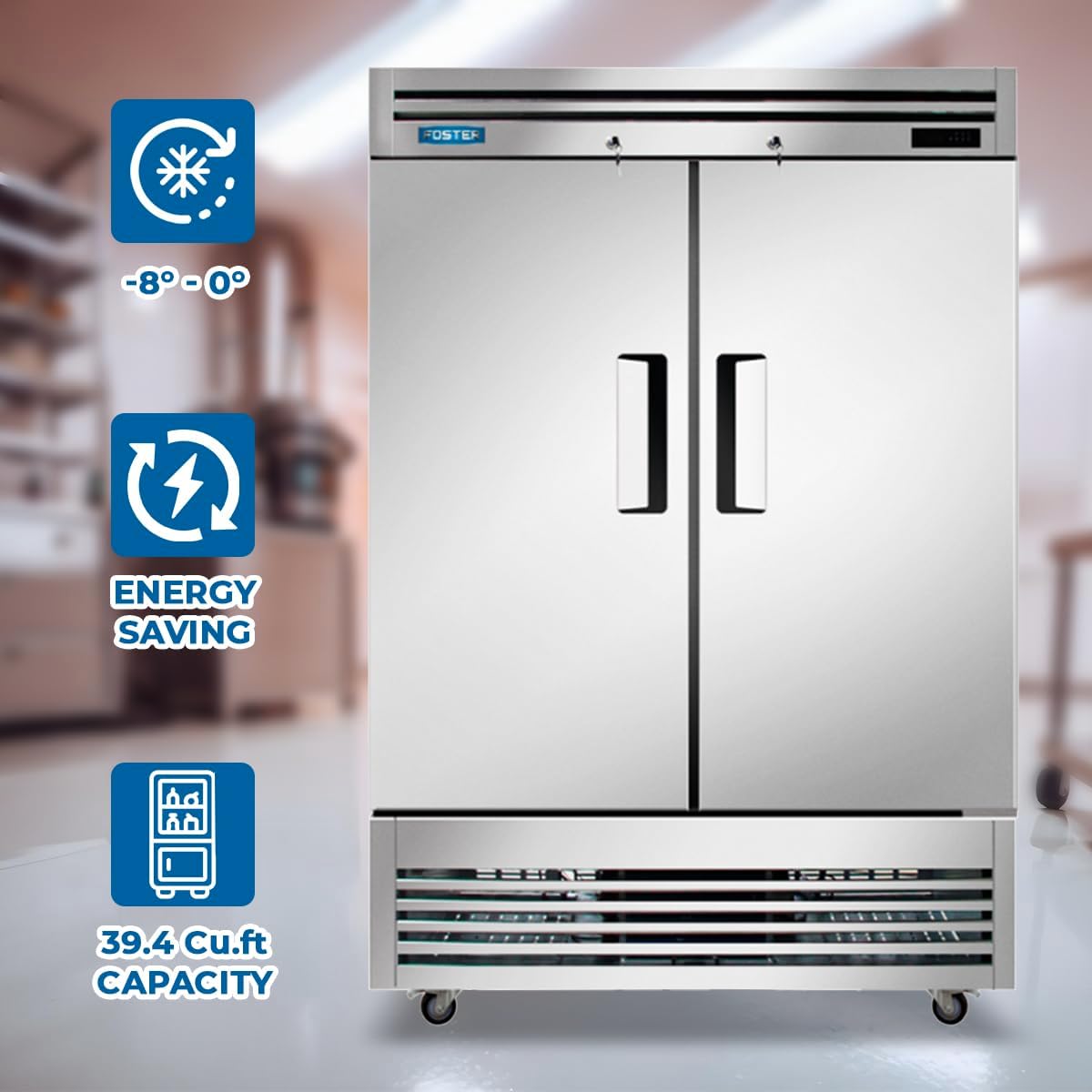
Figure 2.2: Key features of the Foster Commercial Freezer, including temperature range, energy efficiency, and capacity.

Figure 2.3: The 39.4 Cu.ft capacity of the 2-door freezer, suitable for various frozen goods.

Figure 2.4: Dimensions and construction details of the Foster Commercial Freezer.
2.1 Features
- Powerful Freezing Capacity: Robust compressor system and fan cooling mechanism ensure reliable freezing performance within -8°F to 0°F.
- Efficient Temperature Control: Dixell temperature control allows precise adjustments for optimal preservation of frozen goods.
- Spacious Storage Solution: Generous 39.4 cubic feet capacity with two solid doors, ideal for high-volume establishments.
- Durable Construction: Built with stainless steel both inside and out for longevity and durability in demanding commercial environments.
- Voltage: Operates on 115 Volts.
- Wattage: 955 watts.
- Certification: ETL certified for safety and sanitation.
3. Setup and Installation
3.1 Unpacking
Carefully remove all packaging materials. Inspect the freezer for any shipping damage. Report any damage immediately to the carrier and your supplier. Do not discard packaging until the unit has been tested and is operating correctly.
3.2 Location
- Place the freezer on a strong, level surface capable of supporting its weight when fully loaded.
- Ensure adequate air circulation around the unit. Maintain a minimum of 6 inches (15 cm) clearance from walls and other equipment for proper ventilation.
- Avoid direct sunlight or proximity to heat-generating appliances (ovens, stoves) to ensure optimal performance and energy efficiency.
- The ambient temperature should not exceed 90°F (32°C).
3.3 Electrical Connection
- The freezer requires a dedicated 115V, 60Hz, single-phase electrical outlet.
- Ensure the electrical supply matches the requirements specified on the unit's data plate.
- Do not use extension cords or adapter plugs.
- The unit must be properly grounded.
3.4 Initial Start-Up
- After positioning the unit, allow it to stand upright for at least 2 hours before plugging it in. This allows the refrigerant to settle.
- Plug the unit into the dedicated electrical outlet.
- The freezer will begin to cool. Allow 24 hours for the unit to reach its set temperature before loading with products.
4. Operating Instructions
4.1 Temperature Control (Dixell Controller)
Your Foster freezer is equipped with a Dixell digital temperature controller, allowing precise temperature management. The factory preset temperature range is -8°F to 0°F (-22°C to -18°C).
- Viewing the Setpoint: Press and immediately release the SET button. The display will show the setpoint value. Press SET again or wait 5 seconds to return to the normal display.
- Changing the Setpoint:
- Press the SET button for more than 2 seconds. The setpoint value will flash.
- Use the UP or DOWN arrows to adjust the temperature.
- Press SET again to confirm the new value.
- Manual Defrost: To initiate a manual defrost cycle, press and hold the defrost button (usually a snowflake icon) for approximately 5 seconds.
Note: Refer to the specific Dixell controller model manual for advanced programming and alarm settings.
4.2 Loading the Freezer
- Do not overload the freezer. Allow space for air circulation around products for efficient cooling.
- Ensure doors are closed completely after each use to maintain temperature and prevent ice buildup.
- Organize products to minimize door opening times.
5. Maintenance
Regular maintenance ensures optimal performance and extends the lifespan of your freezer.
5.1 Cleaning
- Interior: Clean the interior regularly with a mild soap and warm water solution. Rinse thoroughly and dry completely to prevent odors and mildew. Do not use abrasive cleaners or steel wool.
- Exterior: Wipe down the stainless steel exterior with a soft cloth and a non-abrasive stainless steel cleaner. Always wipe in the direction of the grain.
- Door Gaskets: Clean door gaskets regularly with warm water and mild soap. Ensure they are pliable and seal properly. Replace worn or damaged gaskets promptly.
- Condenser Coil: The condenser coil should be cleaned every 30 days or as needed. Disconnect power before cleaning. Use a stiff brush or vacuum cleaner to remove dust and debris from the coil. A dirty condenser coil can significantly reduce efficiency and increase energy consumption.
5.2 Defrosting
This unit features an automatic defrost system. However, if excessive ice buildup occurs, a manual defrost may be necessary. Refer to Section 4.1 for manual defrost initiation.
6. Troubleshooting
Before calling for service, please check the following common issues and solutions:
| Problem | Possible Cause | Solution |
|---|---|---|
| Freezer not cooling |
|
|
| Excessive noise |
|
|
| Ice buildup inside |
|
|
If the problem persists after attempting these solutions, please contact a qualified service technician.
7. Specifications
| Attribute | Value |
|---|---|
| Brand | Foster |
| Model Name | 54" Commercial Freezer |
| Capacity | 39.4 cubic feet |
| Temperature Range | -8°F to 0°F (-22°C to -18°C) |
| Voltage | 115 Volts |
| Wattage | 955 watts |
| Product Dimensions (W x D x H) | 54"W x 32"D x 81.1"H |
| Door Material Type | Stainless Steel |
| Interior Material | Stainless Steel |
| Certification | ETL |
8. Warranty and Support
Foster products are manufactured to the highest quality standards. For warranty information and technical support, please refer to the warranty card included with your product or visit the official Foster website. Keep your purchase receipt as proof of purchase for warranty claims.
For service inquiries, please contact Foster customer support. Details can typically be found on the manufacturer's website or on the product's rating plate.
Ask a question about this manual
Ask about setup, troubleshooting, compatibility, parts, safety, or missing instructions. Manuals+ will review the question and use this page’s manual context to help answer it.