
1. Introduction
Thank you for choosing the PopSockets Softgoods MagSafe Phone Wallet. This wallet is designed to securely hold your essential cards while seamlessly attaching to your MagSafe-compatible device or case. It also supports wireless charging by allowing easy detachment. This manual provides detailed instructions for setup, operation, and maintenance to ensure optimal use of your product.
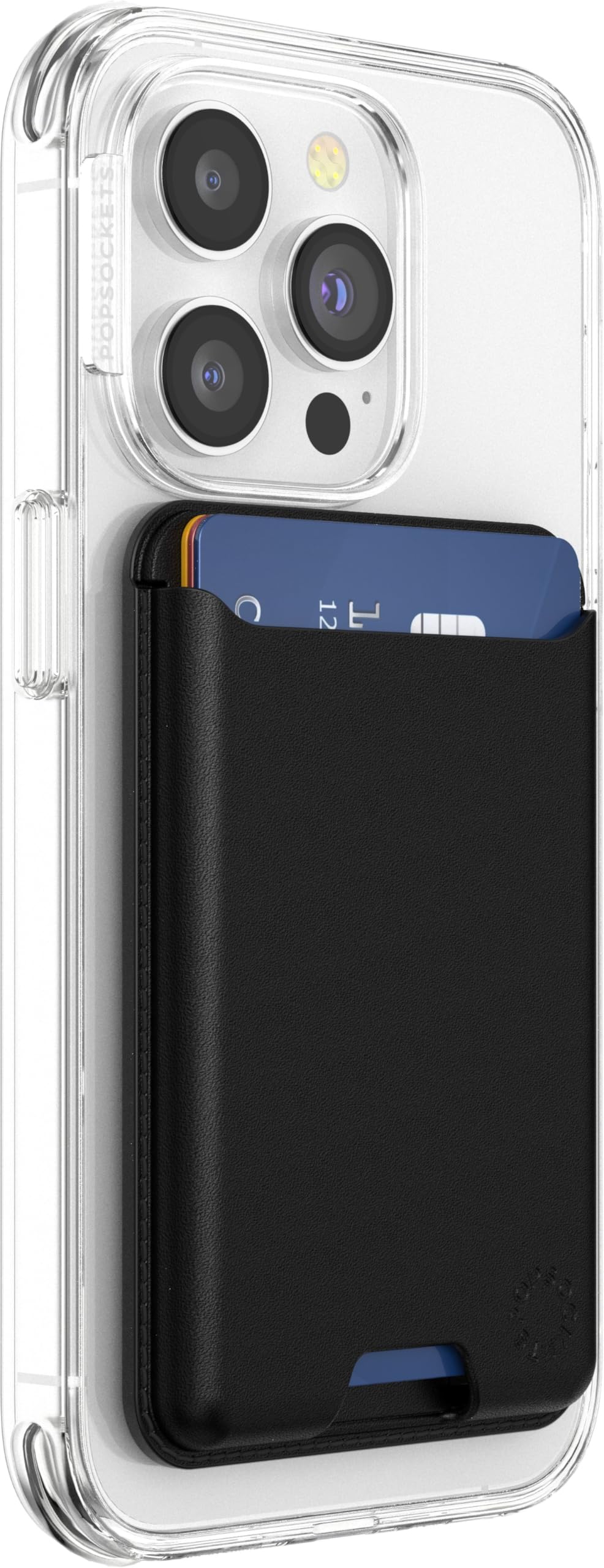
Image 1.1: PopSockets Softgoods MagSafe Phone Wallet attached to a smartphone.
2. What's in the Box
- Magnetic Phone Wallet (Magnetic Base)
- Magnetic Adapter Ring (for non-MagSafe devices/cases)
3. Setup
3.1 Attaching the Wallet to MagSafe Compatible Devices/Cases
- Ensure your smartphone or phone case is MagSafe compatible.
- Align the PopSockets Softgoods MagSafe Phone Wallet with the MagSafe area on the back of your device or case.
- The strong magnets will snap the wallet securely into place.
3.2 Using the Adapter Ring for Non-MagSafe Devices/Cases
If your device or case is not MagSafe compatible, use the included Magnetic Adapter Ring to enable magnetic attachment.
- Clean the back surface of your phone or case thoroughly to ensure proper adhesion.
- Peel off the protective film from the adhesive side of the Magnetic Adapter Ring.
- Carefully center and press the adapter ring onto the back of your phone or case. Ensure it is firmly attached.
- Once the adapter ring is in place, you can attach the PopSockets Softgoods MagSafe Phone Wallet magnetically.
Note: The adapter ring is not compatible with silicone or textured cases.
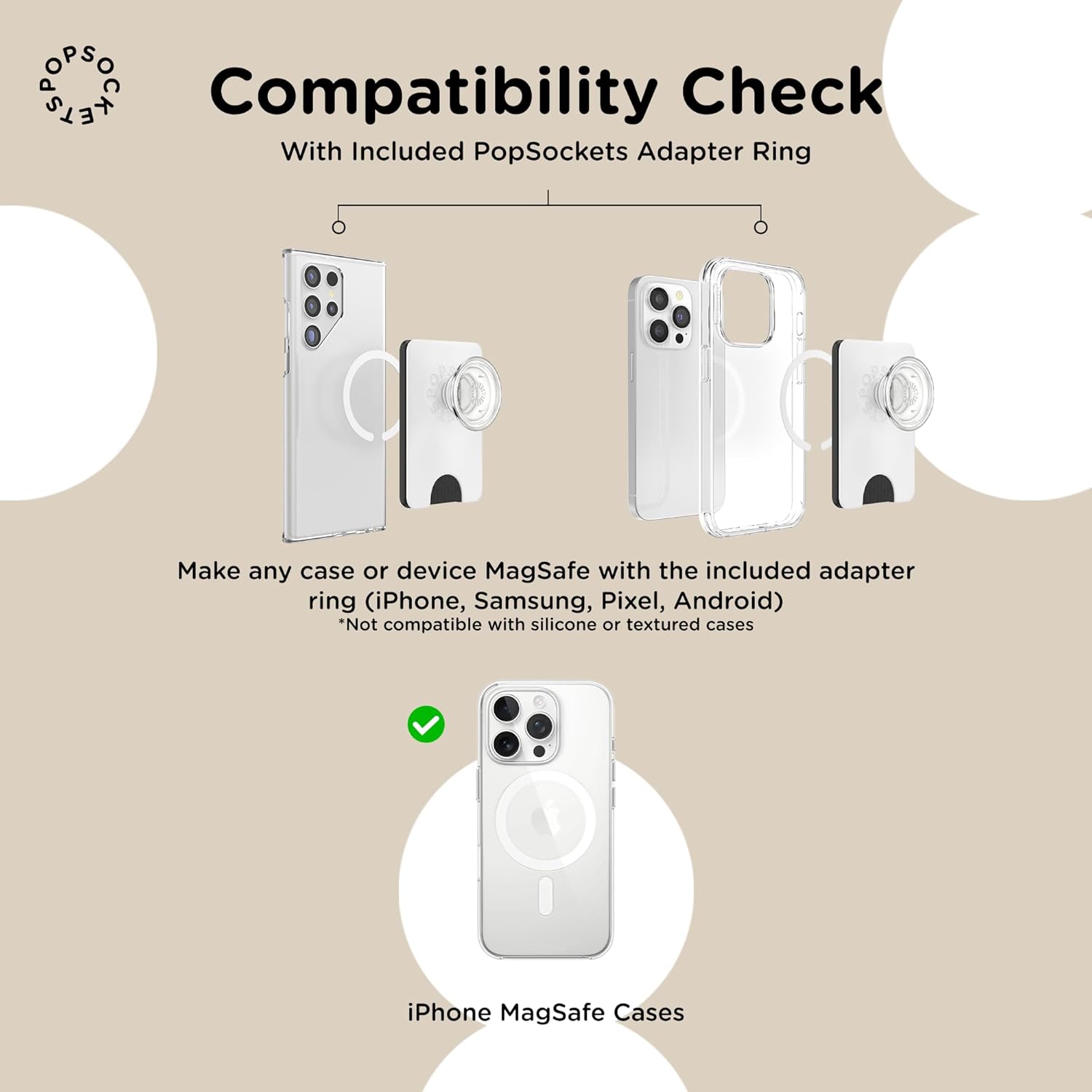
Image 3.1: Compatibility check and adapter ring placement for various phone models.
4. Operating Instructions
4.1 Inserting Cards
The PopSockets Softgoods MagSafe Phone Wallet is designed to securely hold up to three standard-sized cards (e.g., credit cards, ID cards).
- Gently slide your cards into the wallet slot.
- Avoid overfilling the wallet beyond three cards, as this may stretch the material and affect long-term durability and card security.

Image 4.1: The wallet securely holds up to three cards.
4.2 Removing Cards
To easily remove cards, utilize the bottom notch:
- Place your thumb or finger on the bottom notch of the wallet.
- Gently push upwards to slide the cards out.

Image 4.2: Bottom and back notches facilitate easy card accessibility.
4.3 Wireless Charging Compatibility
For wireless charging, the wallet must be removed from your device:
- Gently detach the magnetic phone wallet from your device or case.
- Place your device on a wireless charging pad or MagSafe-compatible charging station.
- Reattach the wallet after charging is complete.

Image 4.3: Detach the wallet for wireless charging.
5. Maintenance
- Cleaning: For the faux leather material, wipe gently with a soft, damp cloth. Avoid harsh chemicals or abrasive cleaners.
- Avoid Overstuffing: Consistently overfilling the wallet can stretch the material, reducing its ability to securely hold cards over time.
- Magnetic Care: Keep the magnetic surfaces clean and free of debris to ensure a strong and reliable attachment.
6. Troubleshooting
- Cards slipping out: If cards become loose, it may be due to the material stretching from consistent overstuffing. Try to keep the number of cards consistent and within the recommended limit of three.
- Wallet not attaching securely: Ensure your device or case is MagSafe compatible. If using the adapter ring, verify it is properly centered and adhered to a clean, smooth surface. Clean both the wallet's magnetic surface and the device's MagSafe area.
- Wireless charging issues: Always remove the wallet before attempting to wirelessly charge your device.
7. Specifications
| Feature | Detail |
|---|---|
| Brand | PopSockets |
| Model Number | 702539 |
| Color | Black |
| Material | Faux Leather |
| Special Feature | Magnetic, Wireless Charging Compatible |
| Mount Type | Magnetic |
| Item Dimensions | 3.94 x 1.97 x 0.79 inches |
| Item Weight | 18 Grams |
| Card Capacity | Up to 3 cards |
8. Official Product Videos
PopSockets Softgoods MagSafe Phone Wallet (No Grip)
Video 8.1: This video demonstrates the features and usage of the PopSockets Softgoods MagSafe Phone Wallet, including card insertion and magnetic attachment. (Source: PopSockets Wireless)
PopSockets Soft PopWallet
Video 8.2: A brief overview of the PopSockets Soft PopWallet, showcasing its magnetic attachment and card-holding capabilities. (Source: PopSockets Wireless)
9. Warranty and Support
For warranty information and customer support, please contact PopSockets directly. The manufacturer's warranty description is: "Contact PopSockets".
For further assistance, visit the official PopSockets website or refer to their customer service channels.