
1. Important Safety Information
Please read and understand all instructions before assembling and using this product. Keep this manual for future reference.
- Children Safety: Children are not permitted to climb or stand on the product. This is to prevent personal injury that may occur from the headboard tipping over.
- Assembly: Ensure all parts are securely fastened before use. Do not use power tools for assembly unless specifically instructed, as overtightening may damage components.
- Placement: Position the headboard on a flat, stable surface.
- Electrical Safety: Do not overload the charging station outlets. Ensure the power cord is not pinched or damaged. Disconnect power before cleaning or if any electrical component is damaged.
- Weight Capacity: Do not place excessively heavy items on the storage shelves.
2. Package Contents
Verify that all components are present before beginning assembly. If any parts are missing or damaged, please contact customer support.
- Headboard Panels (Engineered Wood)
- Metal Frame Components
- Charging Station Unit (2 AC outlets, 4 USB ports, 4.9 ft power cord)
- LED Light Strip with Remote Control
- Adjustable Feet (4 units)
- Bed Frame Adapters (2 units)
- Assembly Hardware (screws, bolts, Allen wrench, etc.)
- Instruction Manual
3. Assembly Instructions
Assembly typically requires two adults. Follow the detailed steps provided in the included assembly guide. A Phillips head screwdriver may be required (not included).
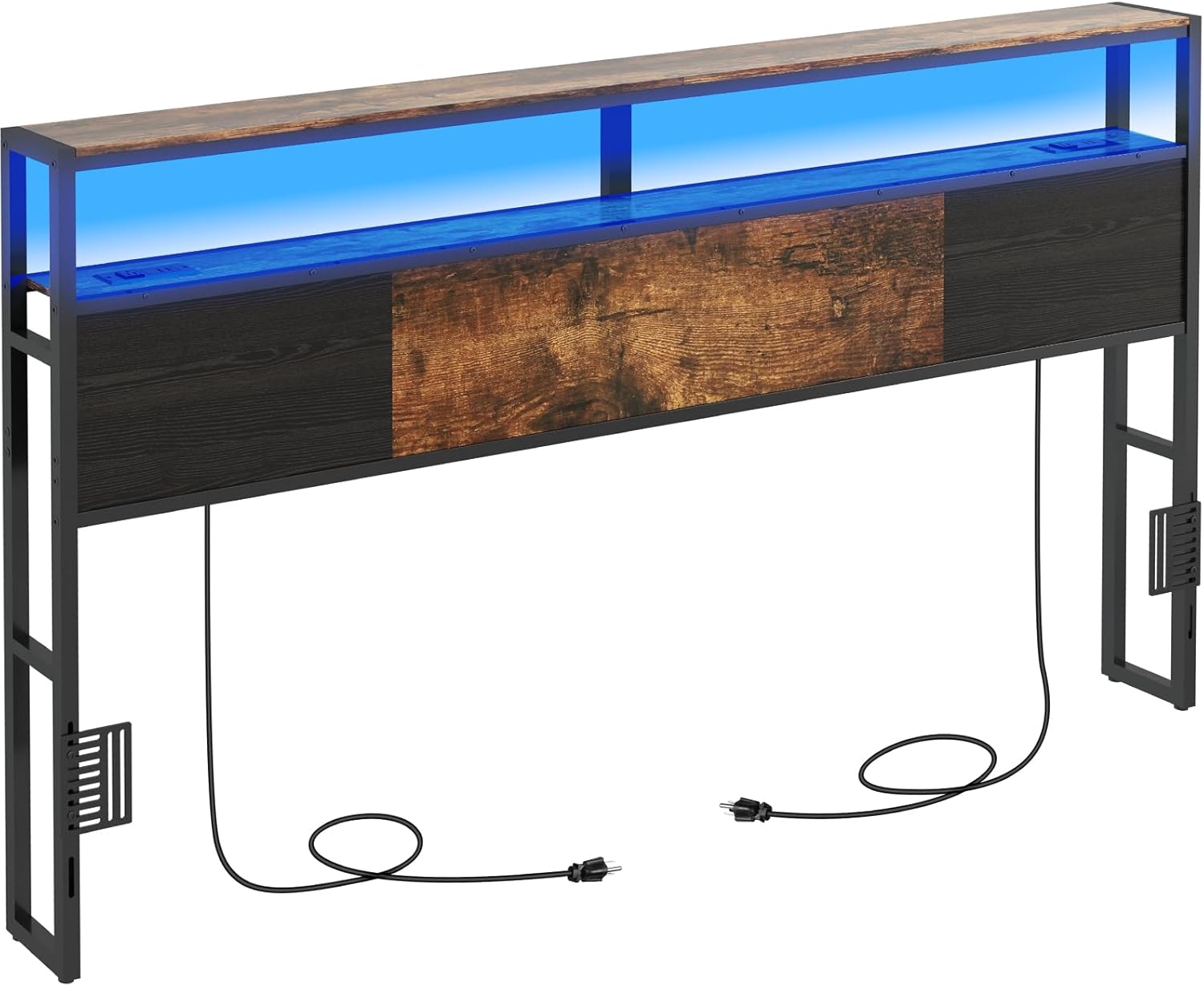
Image 1: Fully assembled Livofloral King Size Headboard, showcasing the storage shelf, LED lighting, and charging capabilities.
3.1 Preparation
- Clear a spacious area for assembly.
- Unpack all components and lay them out on a soft, clean surface to prevent scratches.
- Identify all hardware and match them against the parts list.
3.2 Step-by-Step Assembly
- Assemble the Metal Frame: Connect the vertical and horizontal metal bars using the provided bolts and Allen wrench. Do not fully tighten bolts until all frame pieces are in place.
- Attach Headboard Panels: Secure the engineered wood panels to the metal frame using the designated screws.
- Install Storage Shelves: Mount the two-tier storage shelves onto the frame. Ensure they are level and securely fastened.
- Integrate Charging Station: Carefully insert the charging station unit into its designated cutout on the headboard. Secure it with screws.
- Apply LED Light Strip: Adhere the LED light strip to the underside of the top shelf or as indicated in the specific assembly guide. Connect the power cable for the LED lights.
- Attach Adjustable Feet: Screw the adjustable feet into the bottom of the headboard frame. Adjust them to ensure stability on uneven floors.
- Connect to Bed Frame: Use the included bed frame adapters and screws to securely link the headboard to your existing bed frame. This step is crucial for stability.

Image 2: Detailed dimensions of the headboard, including width, height, and shelf depth.
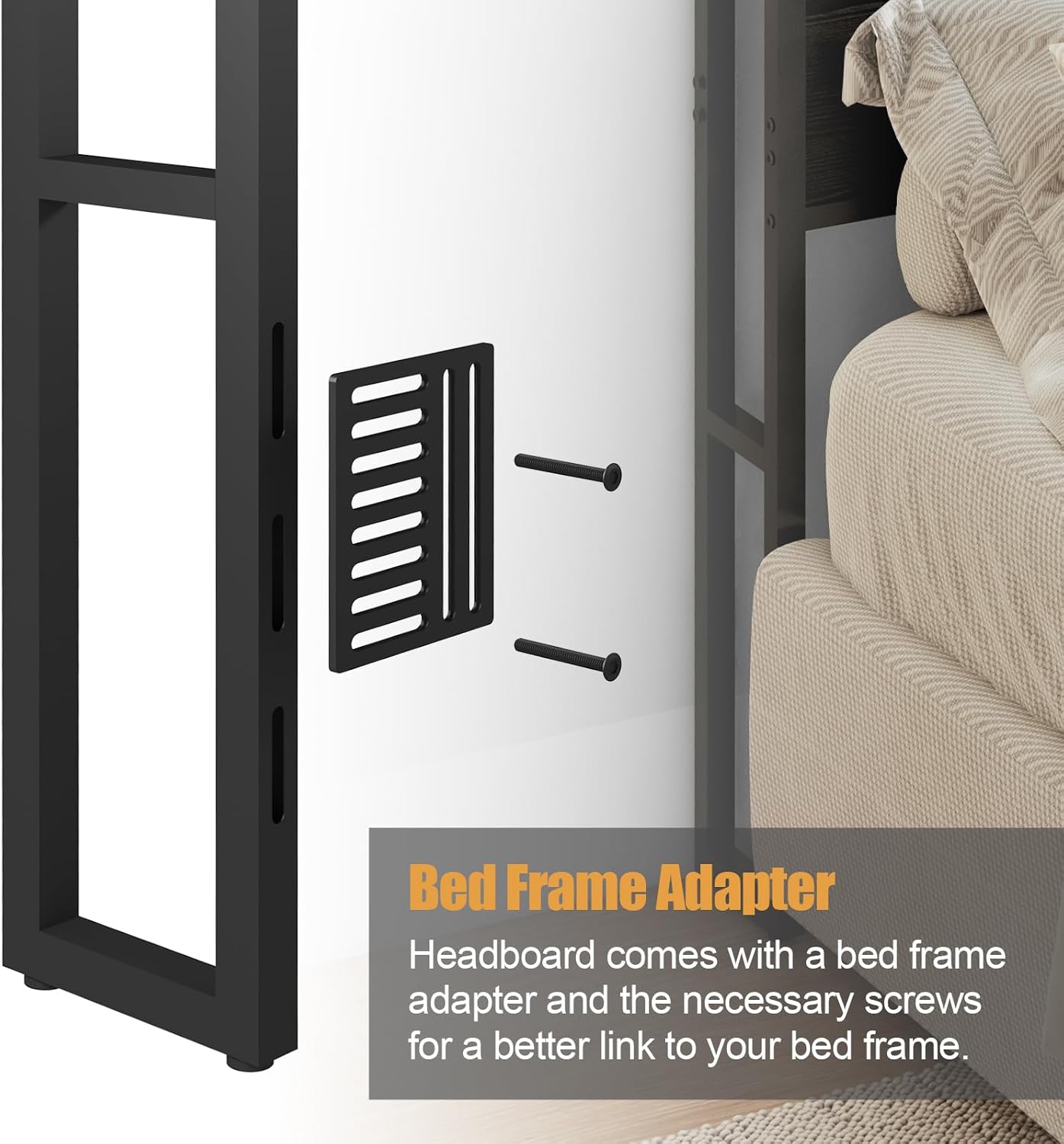
Image 3: Close-up of the bed frame adapter and screws, illustrating how to connect the headboard to a bed frame.
4. Operating Instructions
4.1 Charging Station
The headboard features a built-in charging station with 2 standard AC outlets and 4 USB ports.
- Power Connection: Plug the 4.9-foot power cord from the headboard into a standard wall outlet.
- AC Outlets: Use the 120V/12A AC outlets for devices such as lamps, laptops, or other small appliances.
- USB Ports: Use the 5V/2A USB ports to charge mobile phones, tablets, smartwatches, and other USB-powered devices.
- Usage: Simply plug your devices into the appropriate ports for convenient charging.

Image 4: Detail of the integrated charging station, showing the AC outlets and USB ports.
4.2 LED Light
The integrated LED light strip provides ambient lighting with various color options and modes.
- Power On/Off: Use the provided remote control to turn the LED lights on or off.
- Color Selection: The remote allows you to choose from 16 different colors to match your preference or mood.
- Brightness Adjustment: Adjust the brightness level of the LED lights using the remote control.
- Lighting Modes: Select from 4 different lighting modes (e.g., flash, strobe, fade, smooth) for dynamic effects.

Image 5: The headboard with its LED lights illuminated, alongside the remote control for color and mode selection.
4.3 Storage Shelves
The headboard features a 2-tier storage shelf (78.7"L x 6.3"W) for organizing personal items.
- Organization: Use the shelves to store items such as cell phones, alarm clocks, books, glasses, or decorative items.
- Accessibility: The design ensures easy access to your essentials from your bed.
5. Maintenance
Proper care will extend the life and appearance of your headboard.
- Cleaning: Wipe the headboard surfaces with a dry, soft cloth. Avoid using harsh chemicals or abrasive cleaners, which can damage the finish.
- Dusting: Regularly dust the shelves and frame to prevent buildup.
- Electrical Components: Ensure the charging station and LED lights are clean and free of dust. Do not spray liquids directly onto electrical components.
- Hardware Check: Periodically check all screws and bolts to ensure they remain tight. Retighten if necessary.
6. Troubleshooting
If you encounter any issues, refer to the following common problems and solutions.
| Problem | Possible Cause | Solution |
|---|---|---|
| Headboard is wobbly or unstable. | Loose connections; uneven floor; not attached to bed frame. | Ensure all bolts are tightened. Adjust the leveling feet. Securely attach the headboard to your bed frame using the adapters. |
| Charging station not working. | Power cord not plugged in; wall outlet not active; device cable faulty. | Check if the headboard's power cord is securely plugged into a working wall outlet. Test the wall outlet with another device. Try a different charging cable for your device. |
| LED lights not turning on. | Power cord not plugged in; remote control battery dead; LED strip connection loose. | Ensure the headboard's main power cord is plugged in. Check the remote control battery. Verify the LED strip's connection to the power source. |
| Difficulty during assembly. | Incorrect part orientation; misaligned holes; missing hardware. | Review the assembly instructions carefully, paying attention to part orientation. Do not force parts together. If holes are misaligned or hardware is missing, contact customer support. |
7. Specifications
| Feature | Detail |
|---|---|
| Model | B0CYC3Z53P |
| Brand | Livofloral |
| Size | King |
| Material | Engineered Wood, Metal |
| Color | Rustic Brown + Black |
| Style | Rustic |
| Item Dimensions (W x H) | 78.7"W x 43.3"H |
| Charging Station | 2 AC Outlets (120V/12A), 4 USB Ports (5V/2A) |
| Power Cord Length | 4.9 feet |
| LED Light | Multi-color (16 colors), Adjustable Brightness, 4 Lighting Modes, Remote Control Included |
| Storage Shelf | 2-Tier, 78.7"L x 6.3"W |
| Special Features | Adjustable Height, Bed Frame Mount, Adjustable Feet |
| Assembly Required | Yes |
8. Warranty and Support
This product comes with No Warranty as per manufacturer specifications.
If you have any questions about our products, require assistance with assembly, or need troubleshooting support, please feel free to contact Livofloral customer service. We aim to provide a solution within 24 hours.
For contact information, please refer to the seller's details on the platform where the product was purchased.