
1. Introduction
Thank you for choosing the FLEXISPOT S2E Queen Adjustable Bed Frame. This manual provides essential information for the safe and efficient assembly, operation, and maintenance of your new adjustable bed frame. This product is designed to enhance your comfort and sleep quality with its customizable positions and durable construction.
The FLEXISPOT S2E features independent head and foot inclines, allowing you to find your optimal angle for relaxation. It is compatible with various mattress types, including memory foam, gel foam, latex foam, and hybrid mattresses. Please note that only the adjustable bed base is included; the mattress is sold separately.
2. Safety Information
- Weight Capacity: The bed frame has a maximum weight capacity of 600 lbs. Do not exceed this limit to prevent damage or injury.
- Tip-Over Risk: Ensure the bed frame is placed on a level surface. Avoid sudden movements or excessive force that could lead to tip-over risks.
- Motor Safety: The whisper-quiet motor is designed for durability, undergoing 10,000 fatigue tests. However, avoid obstructing its movement or attempting to disassemble it.
- Children and Pets: Keep children and pets away from moving parts of the bed frame during operation.
- Power Source: Use only the provided power cord and connect to a grounded outlet. Disconnect power before cleaning or maintenance.
- Assembly: Follow all assembly instructions carefully. Improper assembly can lead to instability and potential hazards.
3. Package Contents
Verify that all components are present before beginning assembly:
- Adjustable Bed Frame (3 panels)
- Wired Remote Control
- Oxford Fabric Bedspread
- Adjustable Bed Legs (8 pieces)
- Mattress Retainer Bar
- Assembly Hardware and Tools (if applicable)

Figure 3.1: Extraordinary Features and Included Components
4. Setup and Assembly
The FLEXISPOT S2E is designed for one-person transport and assembly, thanks to its three-panel segmented design.
4.1 Unpacking and Transport
The bed frame comes in three separate panels, making it easier to move through doorways or up and down stairs. Carefully remove all components from the packaging.

Figure 4.1: Segmented Design for Easy Transport
4.2 Assembly Steps
- Connect Panels: Lay the three bed frame panels on a clean, flat surface. Connect them according to the instructions provided in the separate assembly guide.
- Install Legs: Attach the eight adjustable bed legs to the frame. You can select from three different height options (3", 6", or 9") to suit your preference.
- Attach Mattress Retainer Bar: Secure the mattress retainer bar at the foot of the bed frame. This bar prevents the mattress from shifting during adjustments.
- Apply Fabric Bedspread: Drape and secure the Oxford fabric bedspread over the assembled frame. Ensure it is properly aligned and fastened.
- Placement Options:
- Stand Alone: Install the bed legs to use the bed frame as a standalone unit.
- With Bed Frame: If integrating with an existing bed frame, install the bed legs, remove the slats from your existing frame, and place the adjustable bed frame inside.

Figure 4.2: Standalone vs. Integrated Bed Frame Setup
5. Operating Instructions
The FLEXISPOT S2E adjustable bed frame is operated using the wired remote control. This allows for precise adjustments to head and foot positions.
5.1 Remote Control Functions
The wired remote control provides intuitive buttons for adjusting the bed frame. Refer to the remote control diagram in your separate quick start guide for specific button layouts.
- Head Incline: Adjusts the head section from 0 to 60 degrees.
- Foot Incline: Adjusts the foot section from 0 to 40 degrees.
- Flat Button: Returns the bed to a flat position.
- Pre-set Positions: Your remote may include pre-programmed positions such as Zero Gravity, TV Mode, Reading Mode, or Relaxing Mode. Consult your remote's specific instructions.

Figure 5.1: Separate Head and Foot Incline
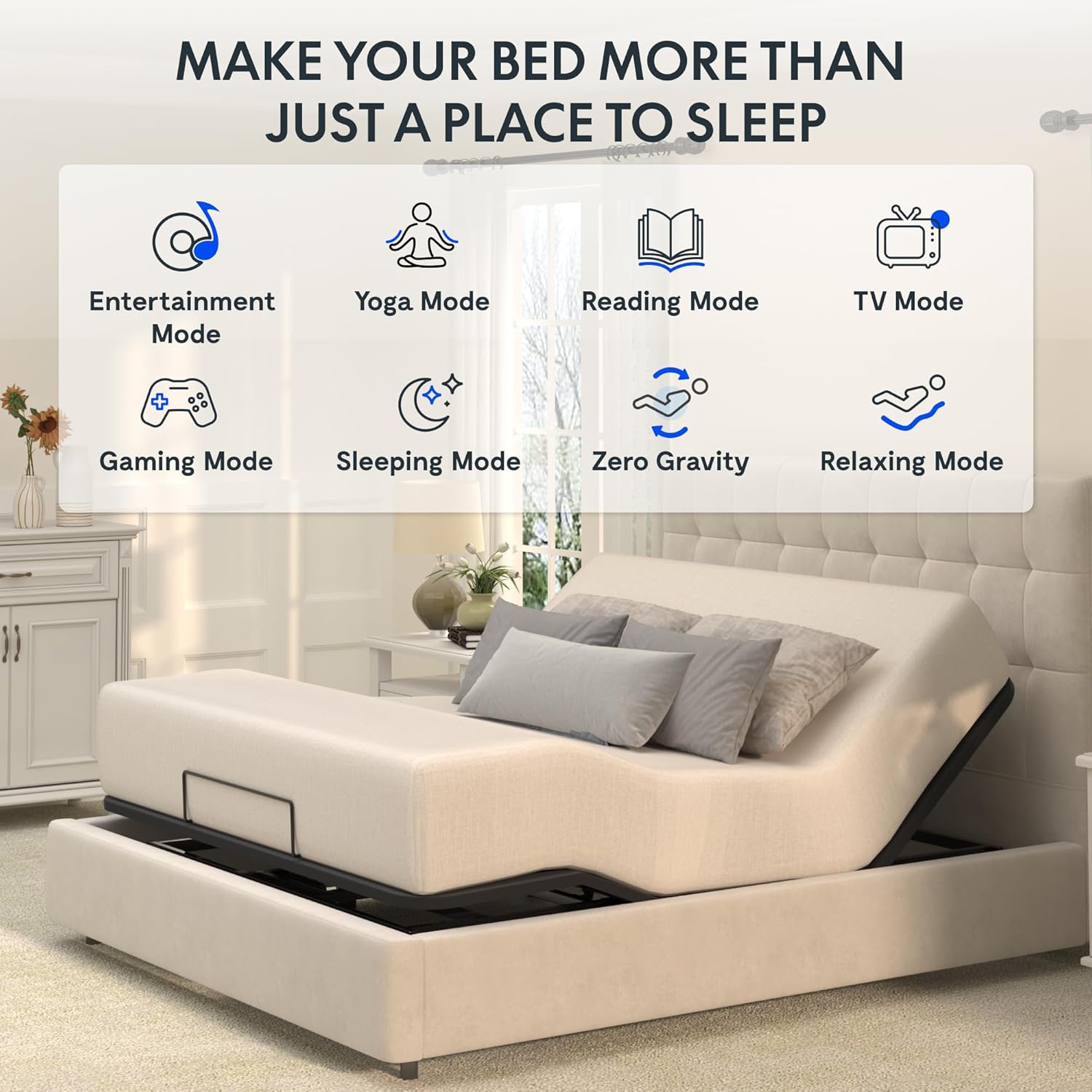
Figure 5.2: Various Usage Modes
6. Maintenance
Proper maintenance ensures the longevity and optimal performance of your FLEXISPOT S2E adjustable bed frame.
- Cleaning: Wipe the bed frame and fabric bedspread with a dry cloth. Avoid using harsh chemicals or abrasive cleaners.
- Motor Inspection: Periodically check the motor area for any obstructions or unusual noises.
- Hardware Check: Ensure all bolts and connections remain tight. Re-tighten if necessary.
- Cable Management: Keep the wired remote control cable free from tangles and away from moving parts.
7. Troubleshooting
If you encounter issues with your adjustable bed frame, refer to the following common troubleshooting steps:
- No Power:
- Check if the power cord is securely plugged into a working electrical outlet.
- Ensure the power supply unit is properly connected to the bed frame.
- Test the outlet with another device to confirm it has power.
- Remote Not Responding:
- Verify the remote control cable is securely connected to the bed frame.
- Ensure there are no obstructions preventing the bed's movement.
- Unusual Noises:
- Check for any loose hardware and tighten if necessary.
- Ensure no objects are caught in the moving mechanisms.
- Bed Not Adjusting Fully:
- Confirm the bed is not against a wall or other furniture that could impede movement.
- Check the weight distribution on the bed; ensure it does not exceed the maximum capacity.
If these steps do not resolve the issue, please contact FLEXISPOT customer support for further assistance.
8. Specifications
| Feature | Detail |
|---|---|
| Brand | FLEXISPOT |
| Model Number | S2Q-V2-AU |
| Size | Queen |
| Color | Black |
| Product Dimensions | 78.5"L x 58.7"W x 10"H |
| Item Weight | 112.2 pounds (51 Kilograms) |
| Special Feature | Adjustable Head and Foot Incline |
| Head Incline Range | 0 to 60 degrees |
| Foot Incline Range | 0 to 40 degrees |
| Weight Capacity | Max. 600 lbs. |
| Included Components | Bed Frame, Remote Control, Fabric Bedspread |
| Product Care Instructions | Wipe with Dry Cloth |
| UPC | 810072880451 |
| Date First Available | March 18, 2024 |
9. Warranty and Support
For warranty information, please refer to the documentation included with your purchase or visit the official FLEXISPOT website. If you require technical assistance, have questions about your product, or need to report an issue, please contact FLEXISPOT customer support directly.
Contact information for FLEXISPOT support can typically be found on their official website or on the product packaging.
