
Introduction
This manual provides comprehensive instructions for the assembly, operation, and maintenance of your SEDETA 67" Gaming Desk. This versatile desk is designed to enhance your home office or gaming setup with features such as integrated LED lighting, power outlets, ample storage including fabric drawers and a printer stand, and a monitor shelf for ergonomic comfort. Please read this manual thoroughly before beginning assembly or operation to ensure proper use and longevity of your product.

Figure 1: Overview of the SEDETA 67" Gaming Desk in a typical setup.
Important Safety Information
Always follow the assembly instructions carefully. Do not exceed the maximum weight recommendation of 120 pounds for the desk's stability. Ensure all connections for power outlets and LED lights are secure before use. Keep liquids away from electrical components. This desk is intended for indoor use only.
Package Contents
Before beginning assembly, please verify that all components listed below are present and undamaged. If any parts are missing or damaged, contact customer support immediately.
- Desktop Panels (Main Desk, Monitor Riser, Printer Stand)
- Metal Frame Components (Legs, Supports)
- 5 Fabric Drawers
- Integrated Power Strip (2 AC Outlets, 2 USB Ports)
- RGB LED Light Strip with Controller
- Headphone Hook
- Assembly Hardware (Screws, Bolts, Allen Wrench)
- Instruction Manual (this document)

Figure 2: Dimensional overview of desk components.
Assembly Instructions
Assembly of the SEDETA Gaming Desk typically requires two people and approximately 1-2 hours. Please follow the detailed step-by-step instructions provided in the separate assembly guide included in your package. Ensure all screws are tightened securely, but do not overtighten.
Key Assembly Considerations:
- Reversible Design: The fabric drawer unit and the printer stand can be assembled on either the left or right side of the main desk to suit your space and preference. Refer to the assembly guide for specific steps on configuring the desk layout.
- Cable Management: Plan for cable routing during assembly to utilize the integrated power strip effectively and maintain a tidy workspace.


Figure 3: Examples of the reversible desk configuration.
Operating Instructions
LED Light Strips
The integrated RGB LED light strip offers customizable lighting to enhance your environment. It can be controlled via a dedicated mobile application or a physical key control.
- APP Control: Download the specified mobile application (refer to the LED light manual or packaging for app name). Connect the LED strip via Bluetooth. The app allows access to over 60,000 colors, 29 flashing modes, and DIY color customization.
- Music Sync Function: The built-in sensitivity-adjustable microphone allows the LED light colors to change in rhythm with sound and music. Activate this feature through the mobile application.
- Timer Function: Set schedules for the LED lights to turn on or off automatically using the mobile application.
- Key Control: A physical controller is provided for basic functions such as turning the lights on/off, changing colors, and adjusting brightness.

Figure 4: LED light control options and features.
Integrated Power Outlets
The desk includes a built-in power strip for convenient charging and powering of your devices.
- AC Outlets: Two (2) 125V/12A AC outlets are available for powering devices such as monitors, laptops, or other electronics.
- USB Ports: Two (2) 5V/2A USB ports are provided for charging smartphones, tablets, gaming accessories, and other USB-powered devices.
- Power Cord: The power strip is connected via a 5.3-foot power cord. Ensure it is plugged into a grounded electrical outlet.
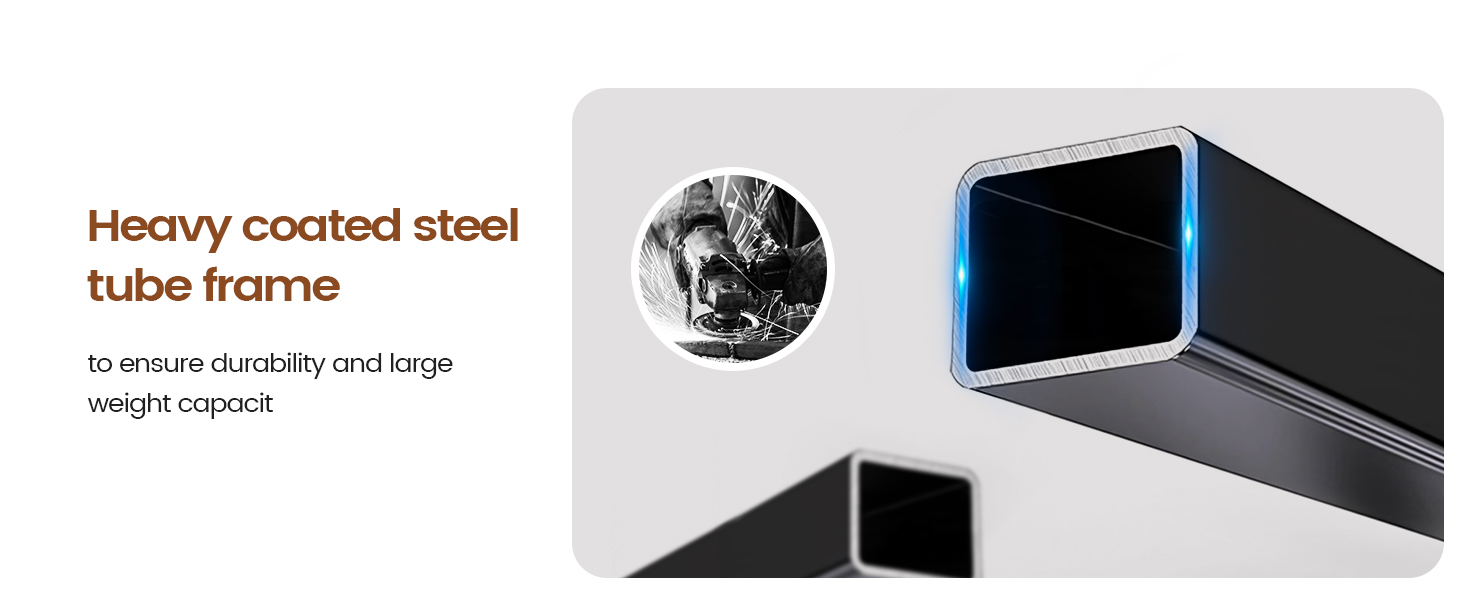
Figure 5: Detail of the integrated power strip.
Key Features
5 Fabric Drawers
The desk incorporates five breathable, high-quality fabric drawers designed for lightweight storage and organization. These drawers help reduce desktop clutter by providing dedicated space for office supplies, documents, or personal items. They are easy to install and remove.

Figure 6: Fabric drawers for organized storage.
Printer Stand with Storage Bag
A dedicated printer stand is integrated into the desk design, providing a stable surface for your printer. It also includes a convenient storage bag, ideal for holding files, books, or other accessories, further contributing to a tidy workspace.

Figure 7: Printer stand with integrated storage bag.
Monitor Shelf
The elevated monitor shelf helps to raise your monitor to an ergonomic viewing height, promoting correct posture and reducing neck strain during long periods of use. This also frees up valuable desktop space below.

Figure 8: Ergonomic benefits of the monitor shelf.
Headphone Hook
A convenient iron hook is included, providing a dedicated spot to hang your headphones or backpack, keeping them easily accessible and off your desk surface.

Figure 9: Headphone hook for convenient storage.
Durable Construction
The desk is constructed with a heavy coated steel tube frame, ensuring durability and a high weight capacity. The desktop is made from engineered wood with a powder-coated finish.

Figure 10: Heavy coated steel tube frame for durability.
Maintenance
- Cleaning: Wipe the desk surfaces with a soft, damp cloth. Avoid abrasive cleaners or harsh chemicals that could damage the finish. For fabric drawers, spot clean with a mild detergent and allow to air dry.
- Hardware Check: Periodically check all screws and bolts to ensure they remain tight. Retighten as necessary to maintain stability.
- Electrical Components: Keep the power strip and LED lights free from dust and debris. Do not attempt to disassemble or repair electrical components yourself.
- Weight Distribution: Distribute weight evenly across the desk surface and avoid placing excessively heavy items on the monitor shelf or printer stand.
Troubleshooting
| Problem | Possible Cause | Solution |
|---|---|---|
| LED lights are not turning on or functioning correctly. |
|
|
| Power outlets or USB ports are not working. |
|
|
| Desk feels unstable or wobbly. |
|
|
Specifications
| Feature | Detail |
|---|---|
| Brand | SEDETA |
| Model Number | DJ503443_1-white |
| Product Dimensions (D x W x H) | 18.5"D x 55"W x 29.5"H (Main Desk) |
| Working Surface Diagonal Length | 67 Inches (Overall) |
| Color | Black |
| Style | Industrial |
| Base Material | Metal (Heavy Coated Steel Tube Frame) |
| Top Material Type | Engineered Wood |
| Finish Type | Powder Coated |
| Special Feature | Reversible, LED Lights, Power Outlets, Monitor Shelf, Headphone Hook, Fabric Drawers, Printer Stand |
| Number of Drawers | 5 (Fabric) |
| Maximum Weight Recommendation | 120 Pounds |
| Item Weight | 60 Pounds |
| Power Outlets | 2 AC (125V/12A), 2 USB (5V/2A) |
| Assembly Required | Yes |
Warranty and Support
For information regarding warranty coverage, returns, or technical support, please refer to the documentation included with your purchase or contact SEDETA customer service directly through their official website or the platform where the product was purchased. Please have your model number (DJ503443_1-white) and purchase date available when contacting support.
For additional resources and product information, you may visit the official SEDETA store: SEDETA Store on Amazon.
