
1. Introduction
Thank you for choosing the Loboo Motorcycle Phone Mount Standard Edition. This product is designed to provide a secure and stable mounting solution for your smartphone on your motorcycle handlebars, ensuring easy access to navigation and communication while riding. Featuring a 1-second auto-lock mechanism and multiple shock absorbers, it offers reliable protection for your device even on challenging terrains. Please read this manual carefully before installation and use to ensure optimal performance and safety.
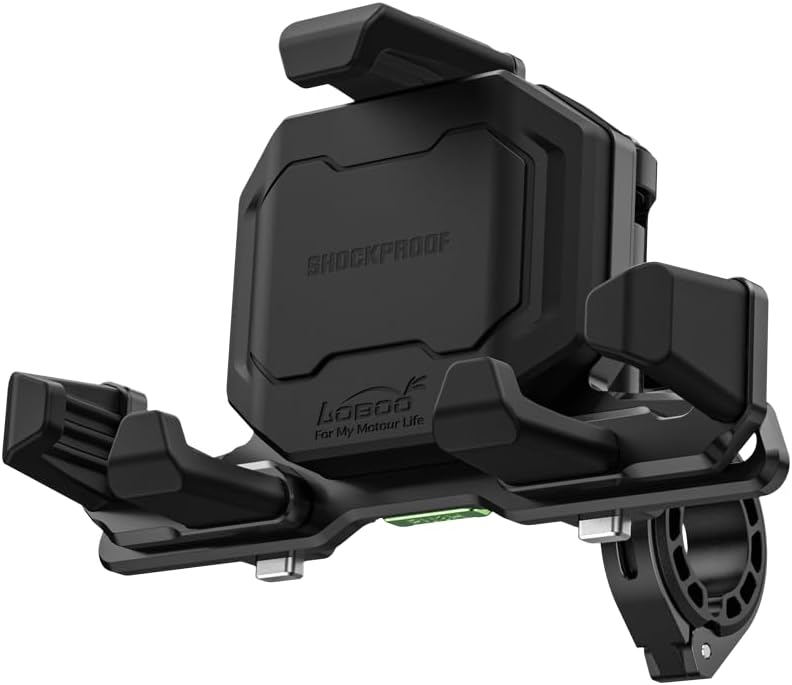
Image 1.1: Loboo Motorcycle Phone Mount Standard Edition.
2. Safety Information
- Always ensure the phone mount is securely installed and your phone is properly locked in place before riding.
- Do not attempt to adjust the mount or phone while operating the motorcycle. Pull over to a safe location if adjustments are needed.
- Verify that the mount does not obstruct your view, interfere with motorcycle controls, or pose any safety hazards.
- Regularly check all screws and connections for tightness, especially after riding on rough terrain.
- This product is designed to protect your phone from vibrations, but extreme impacts or accidents may still cause damage.
3. Package Contents
The Standard Edition package includes the following items:
- Mobile phone holder body
- Screw adhesive
- Clamp liner/anti-loosening nut/clamp (for handlebar mounting)

Image 3.1: Package contents for the Standard Edition (without charging).
Note: If you purchased a version with charging capabilities, your package will include additional components such as wiring, fuse box, and spare fuse.
4. Product Features
- Magnetic Damping Structure: Reduces vibration intensity by increasing amplitude, providing stable mobile phone support suitable for long-term non-paved road driving.
- 1-Second Auto Lock Clamping: Features a quick and secure one-click locking mechanism for fast phone loading and reliable hold, even on rough roads.
- Mechanical Structure Rotation: Allows for convenient and flexible rotation adjustment, enabling users to freely adjust the viewing angle of the phone holder.
- Durable Aluminum Alloy: Constructed from main aluminum alloy material for sturdy and reliable performance, ensuring durability and a long service life.
- Wide Compatibility: Compatible with 4.7''-7.2'' phones, including cases, with a width range of 65-92 mm (2.56-3.62 in), length range of 119-183 mm (4.7-7.2 in), and thickness up to 12.5 mm (0.49 in).

Image 4.1: Adjustable design and phone compatibility details.
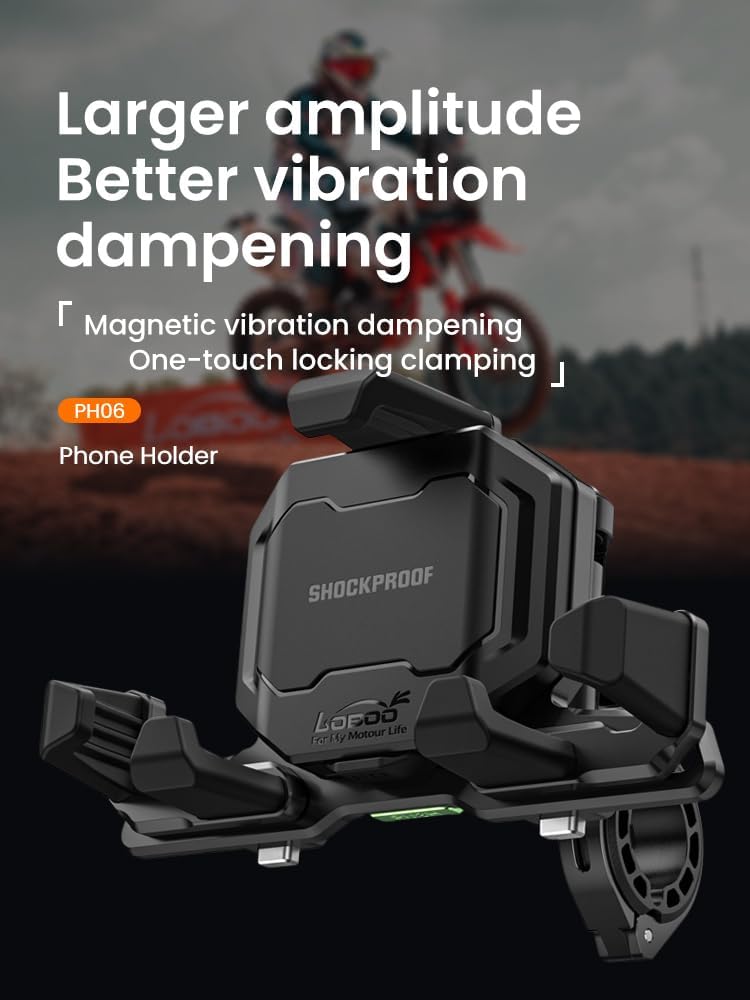
Image 4.2: Illustration of magnetic damping for vibration reduction.
Video 4.1: PH06 Phone Holder Shock Absorption Test. This video demonstrates the effectiveness of the shock absorption system in protecting the phone from vibrations during motorcycle operation.
5. Installation Guide
The Standard Edition mount is designed for handlebar installation, suitable for handlebar tube diameters of 22/25/28/32mm.
5.1. Mounting the Holder to the Handlebar
- Select the appropriate clamp liner for your handlebar diameter (22mm, 25mm, 28mm, or 32mm).
- Place the clamp liner around your motorcycle handlebar at the desired mounting position.
- Position the phone holder body over the clamp liner and secure it with the provided clamp and anti-loosening nut.
- Tighten the screws firmly to ensure the mount is stable and does not rotate or slide on the handlebar. Apply the screw adhesive to the threads for added security.
5.2. Adjusting the Viewing Angle
The mount features a mechanical structure that allows for angle adjustment. Loosen the adjustment knob, position the phone holder to your preferred viewing angle, and then tighten the knob securely.
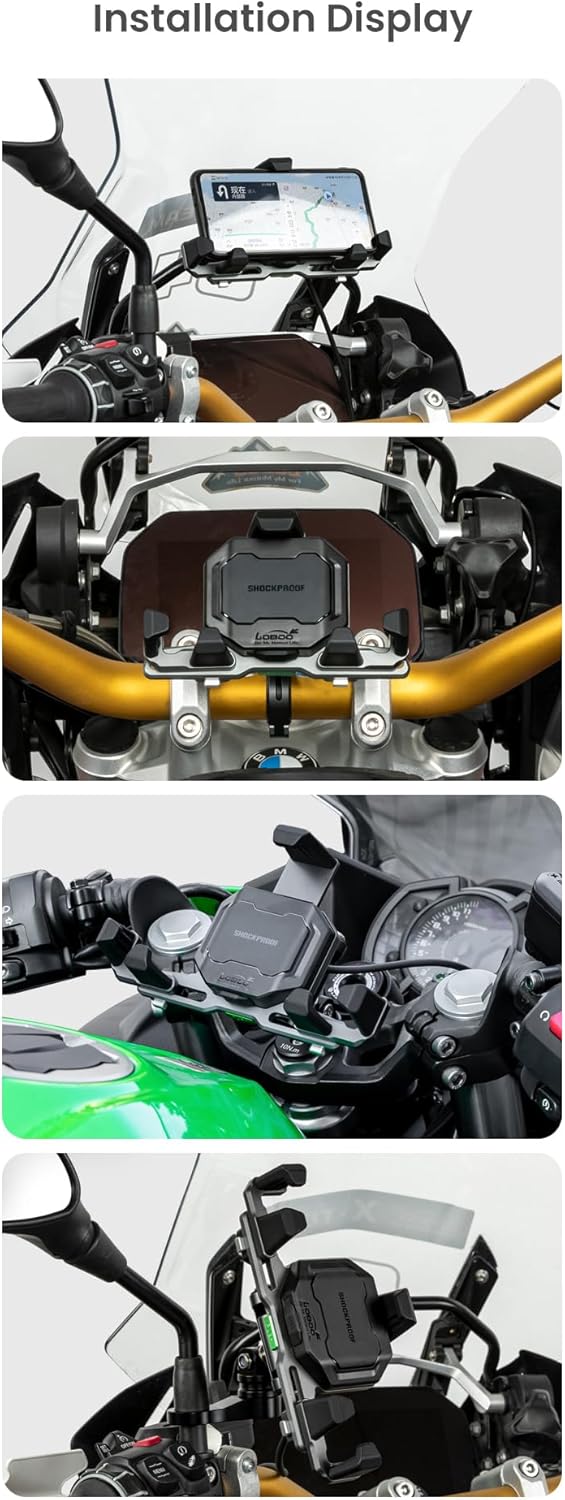
Image 5.1: Various installation views of the phone mount on different motorcycles.
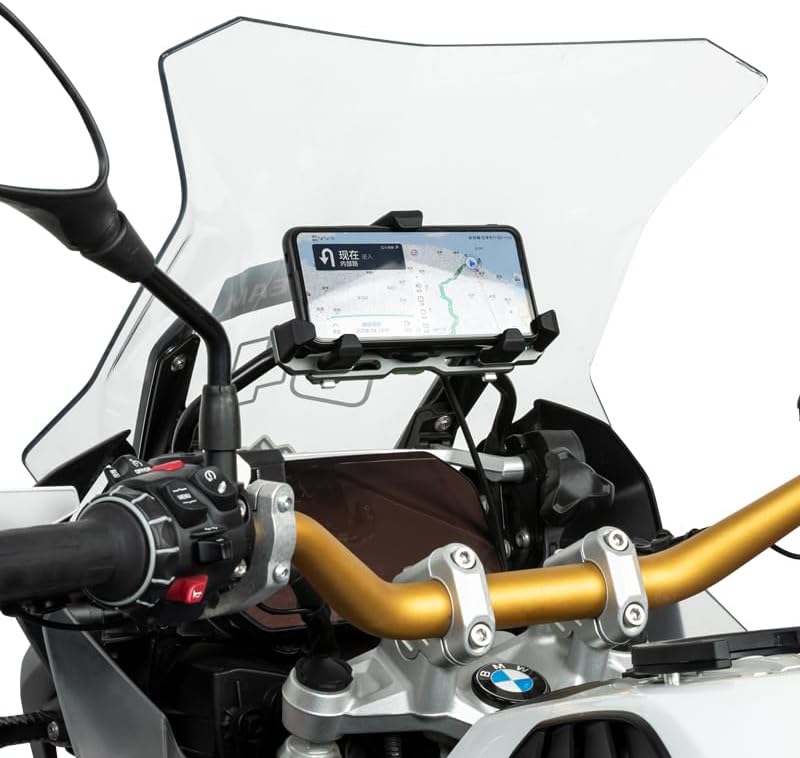
Image 5.2: The phone mount securely installed on a motorcycle handlebar.
6. Operation
6.1. Inserting and Locking Your Phone
- Gently press the bottom support of the phone mount downwards. This will cause the side clamps to open.
- Place your smartphone into the mount, ensuring it sits flush against the backplate.
- Release the bottom support. The side clamps will automatically close and lock onto your phone, securing it in place. This is the 1-second auto-lock feature.
6.2. Removing Your Phone
- Locate the quick-release button, typically on the side or bottom of the mount.
- Press the quick-release button. The side clamps will instantly open, allowing you to remove your phone.
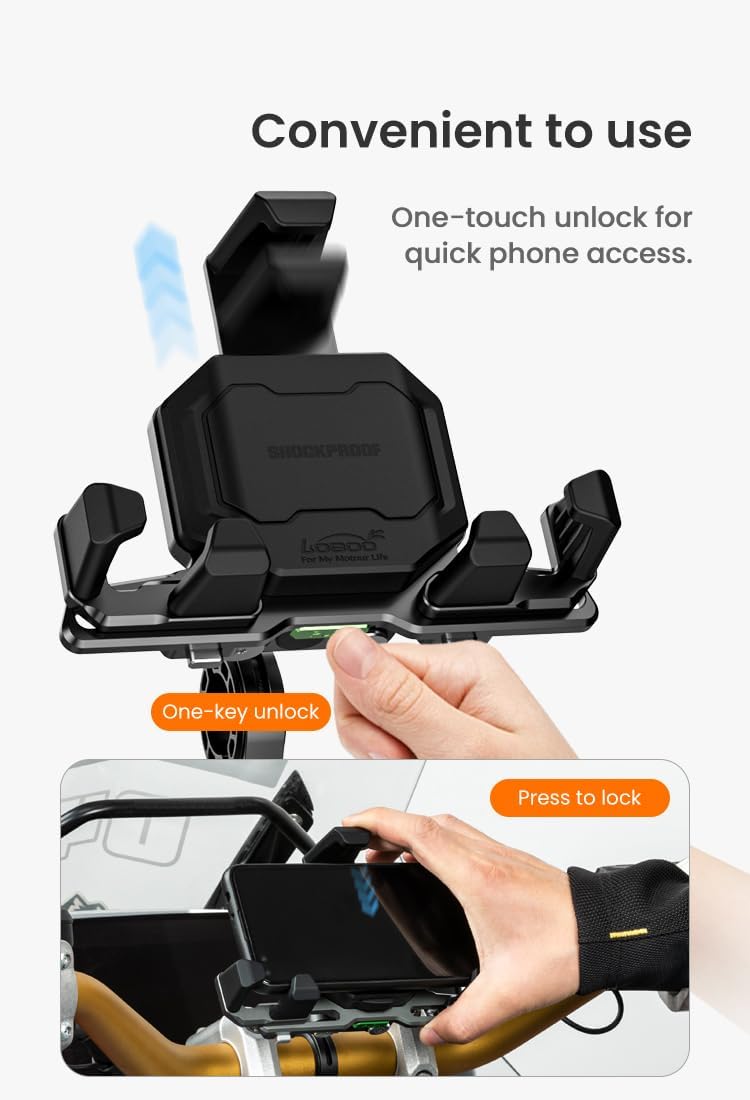
Image 6.1: Demonstrating the one-touch unlock and press-to-lock operation.
7. Maintenance
- Clean the mount regularly with a soft, damp cloth to remove dust and dirt. Avoid abrasive cleaners.
- Periodically check all screws and moving parts for wear and tear. Tighten any loose screws.
- Ensure the clamping mechanism operates smoothly. If it becomes stiff, clean any debris and apply a small amount of silicone lubricant if necessary.
- Store the mount in a dry place when not in use for extended periods.
8. Troubleshooting
| Problem | Possible Cause | Solution |
|---|---|---|
| Mount is loose on handlebar. | Screws are not tight enough; incorrect clamp liner size. | Tighten all mounting screws. Ensure the correct clamp liner is used for your handlebar diameter. |
| Phone not securely held. | Phone size outside compatible range; debris in clamping mechanism. | Verify phone dimensions are within the specified range. Clean the clamping mechanism to remove any obstructions. |
| Clamping mechanism is stiff. | Accumulated dirt or debris. | Clean the mechanism thoroughly. A small amount of silicone lubricant can be applied if needed. |
9. Specifications
| Feature | Detail |
|---|---|
| Brand | Loboo |
| Model Number | Standard Edition (PH06) |
| Mounting Type | Motorcycle Handlebar |
| Compatible Handlebar Diameter | 22mm, 25mm, 28mm, 32mm |
| Compatible Phone Size (with case) | Width: 65-92 mm (2.56-3.62 in) Length: 119-183 mm (4.7-7.2 in) Thickness: ≤12.5 mm (0.49 in) |
| Main Material | Aluminum Alloy |
| Color | Black |
| Special Features | Adjustable, Rotatable, Shockproof, Auto-Lock |
| Item Weight | 2.5 pounds |
| Package Dimensions | 7 x 7 x 6 inches |

Image 9.1: Detailed product dimensions and parameters.
10. Warranty and Support
Loboo products are manufactured with high-quality materials and undergo strict quality control. For specific warranty information and customer support, please refer to the product packaging or contact Loboo customer service directly through the retailer where you purchased the product. Keep your purchase receipt as proof of purchase.