
1. Introduction
This manual provides detailed instructions for the installation, operation, and maintenance of your YUHANUS Push to Exit Button. This device is designed for use in door access control systems, offering a reliable and convenient method for exiting secured areas. Constructed from high-quality stainless steel, it is suitable for both indoor and outdoor applications due to its waterproof design.
2. Product Features
- Durable Construction: Made from high-quality stainless steel material for longevity.
- Compact Design: Rectangular shape with dimensions of 115mm x 40mm (4.53'' L x 1.57'' W).
- Versatile Application: Ideal for various door access control systems.
- Weather Resistant: Waterproof design allows for both outdoor and indoor use.
- Flexible Output: Features 4 contact outputs (NO/COM/NC/COM) for easy integration into existing access systems.
3. Specifications
| Brand | YUHANUS |
| Model Number | 769894490860 |
| Dimensions (L x W x H) | 115 x 40 x 21 mm (4.53 x 1.57 x 0.83 inches) |
| Material | Stainless Steel |
| Contact Output | NO/COM/NC/COM (4 contacts) |
| Connectivity Technology | Wired |
| Control Method | Touch |
| Installation Method | Self-Adhesive, Screw-In |
| Item Weight | 0.12 kg |
4. Safety Information
- Always disconnect power to the access control system before installation or maintenance.
- Ensure all wiring is performed by a qualified professional to prevent electrical hazards.
- Do not expose the device to extreme temperatures or corrosive environments beyond its specified operating conditions.
- Verify all connections are secure to prevent intermittent operation or damage.
5. Installation and Setup
The YUHANUS Push to Exit Button can be installed using either self-adhesive backing or screws, depending on the mounting surface and desired security level. Ensure the installation location is easily accessible for users.
5.1 Physical Installation
- Choose a suitable mounting location near the exit point of the secured door.
- If using screws, mark the drilling points using the button's mounting holes as a template. Drill pilot holes if necessary.
- Secure the button to the wall or door frame using appropriate screws. If using self-adhesive, ensure the surface is clean and dry before applying.
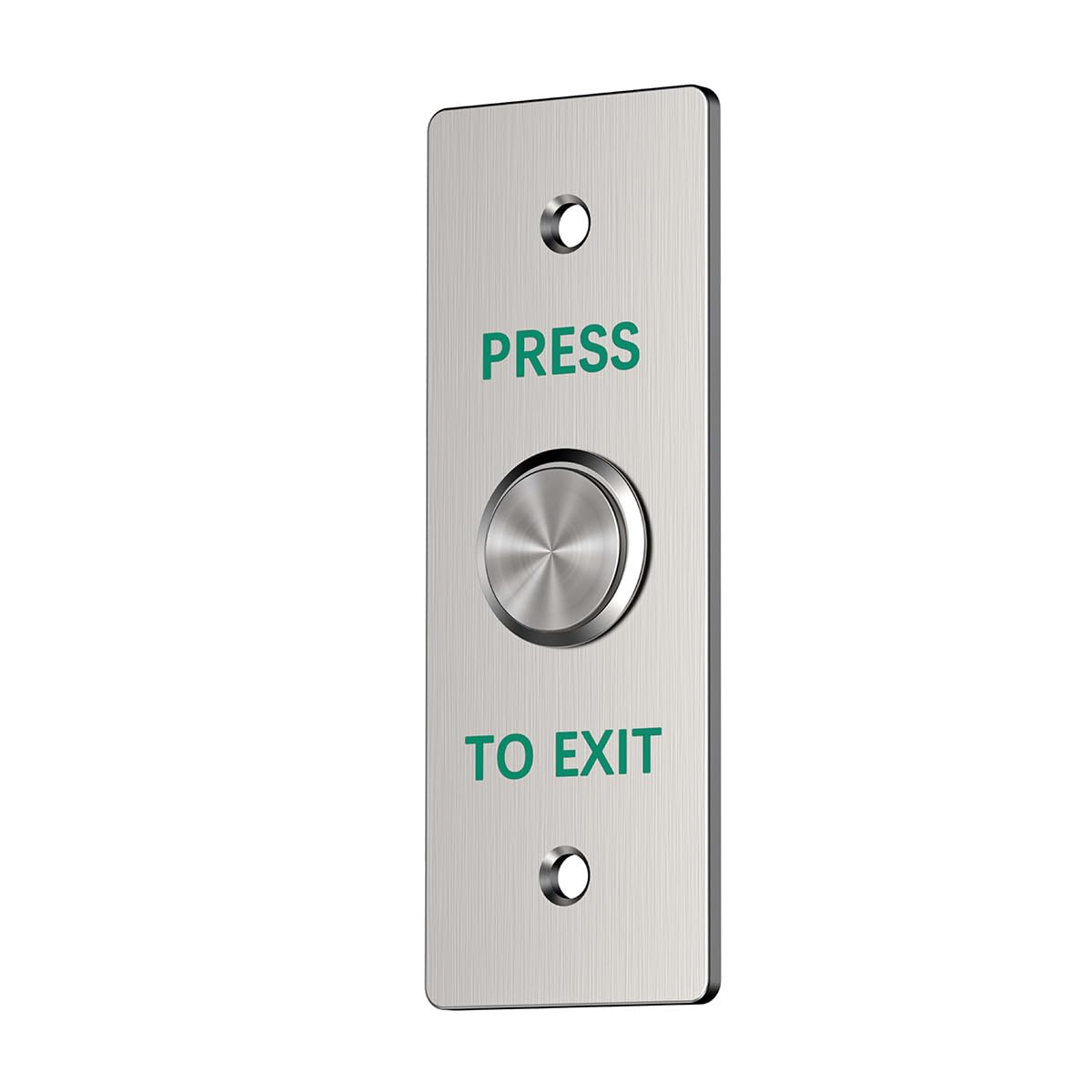
Figure 1: Front view of the YUHANUS Push to Exit Button, showing the 'PRESS TO EXIT' text and the central push button.

Figure 2: Detailed dimensions of the YUHANUS Push to Exit Button, illustrating its length of 115mm (4.53 inches) and width of 40mm (1.57 inches).
5.2 Wiring Connections
The Push to Exit Button features four contact outputs: Normally Open (NO), Common (COM), Normally Closed (NC), and a second Common (COM). Refer to the wiring diagram below for proper connection to your access control system.

Figure 3: Wiring diagram illustrating connections between the access control keypad, power supply, magnetic lock, and the YUHANUS Push to Exit Button.

Figure 4: Rear view of the Push to Exit Button, displaying the connected wires for integration into an access control system.
- NO (Normally Open): Connects to the access control panel's input that triggers door release when the button is pressed.
- NC (Normally Closed): Connects to the access control panel's input that maintains a closed circuit until the button is pressed.
- COM (Common): The common terminal for both NO and NC connections.
Ensure all wiring is correctly matched to your access control system's specifications. Incorrect wiring can lead to malfunction or damage.
6. Operation
Once properly installed and wired, the YUHANUS Push to Exit Button operates simply:
- To exit a secured area, locate the Push to Exit Button.
- Press the button firmly. This action will momentarily activate the connected access control system, typically releasing the door lock.
- The door will unlock, allowing passage. The lock will re-engage after a preset delay, as configured in your access control system.
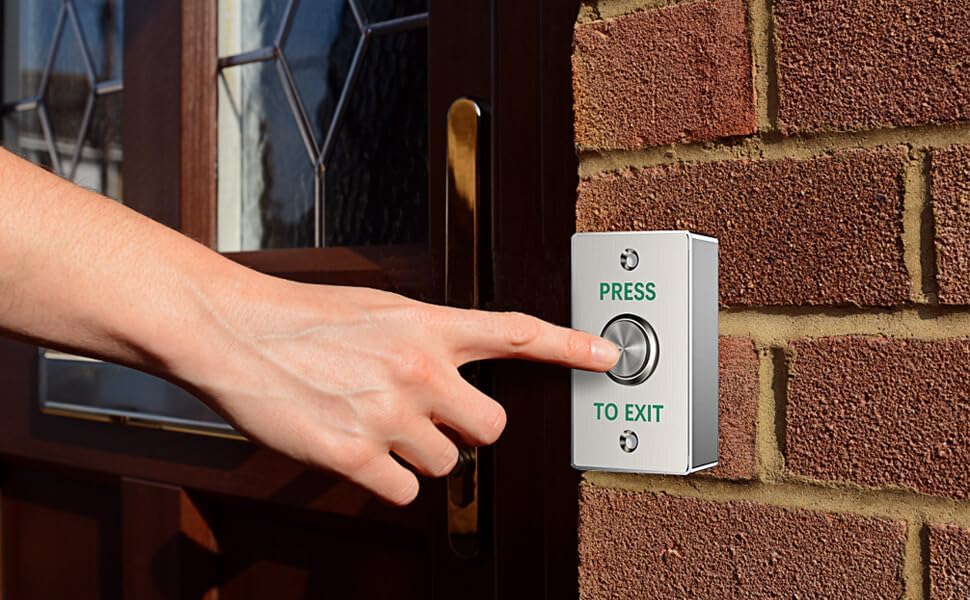
Figure 5: A hand demonstrating the operation of the Push to Exit Button, installed on a brick wall next to a door.
7. Maintenance
The YUHANUS Push to Exit Button requires minimal maintenance to ensure optimal performance.
- Cleaning: Periodically wipe the stainless steel surface with a soft, damp cloth to remove dust and grime. Avoid abrasive cleaners or solvents that could damage the finish.
- Inspection: Regularly check the button for any signs of physical damage or loose connections. Ensure the button mechanism moves freely without obstruction.
- Wiring: If accessible, periodically inspect the wiring connections for corrosion or fraying, especially in outdoor installations.
8. Troubleshooting
| Problem | Possible Cause | Solution |
|---|---|---|
| Button does not activate door release. | Incorrect wiring, loose connection, power issue with access control system, faulty button. | Verify wiring against the diagram. Check all connections for tightness. Ensure the access control system has power. Test the button's continuity if possible. |
| Button feels stiff or stuck. | Debris under the button, physical damage, internal mechanism issue. | Clean around the button with compressed air. Inspect for physical damage. If the issue persists, the button may need replacement. |
| Wires detach easily from the button. | Weak soldering (as noted in some user feedback). | Carefully re-solder the wires if you have the necessary skills and tools. Ensure a strong, durable connection. Consider professional assistance if unsure. |
9. Warranty and Support
For warranty information or technical support, please contact your retailer or the manufacturer, YUHANUS, directly. Keep your purchase receipt as proof of purchase.
Manufacturer: YUHAN