
Toputure TP8
Toputure TP8 Electric Treadmill User Manual
Brand: Toputure | Model: TP8
Introduction
Thank you for choosing the Toputure TP8 Electric Treadmill. This manual provides essential information for the safe and efficient use, setup, operation, and maintenance of your new fitness equipment. Please read this manual thoroughly before first use and keep it for future reference.
Important Safety Information
- Always consult with a healthcare professional before starting any new exercise program.
- Ensure the treadmill is placed on a flat, stable surface with adequate clearance around it.
- Keep children and pets away from the treadmill during operation.
- Do not operate the treadmill if it is damaged or malfunctioning.
- Always use the safety key/lanyard during operation. The treadmill will not start without it.
- Wear appropriate athletic footwear.
Package Contents
Upon unpacking, please verify that all the following items are included in your package:
- Toputure TP8 Electric Treadmill
- Tool Kit (for minor adjustments)
- Power Cable
- Remote Control
- Lubrication Oil
- User Manual

Figure 1: Included accessories with the Toputure TP8 Electric Treadmill.
Setup
The Toputure TP8 Electric Treadmill features a no-installation design, making it ready for use almost immediately after unboxing.
Unfolding and Positioning
- Carefully remove the treadmill from its packaging.
- Place the treadmill on a flat, level surface. Ensure there is at least 0.6 meters (2 feet) of clear space on all sides and 2 meters (6.5 feet) behind the treadmill for safety.
- If using the handlebar, lift it into the upright position and secure it using the provided locking pins or screws.
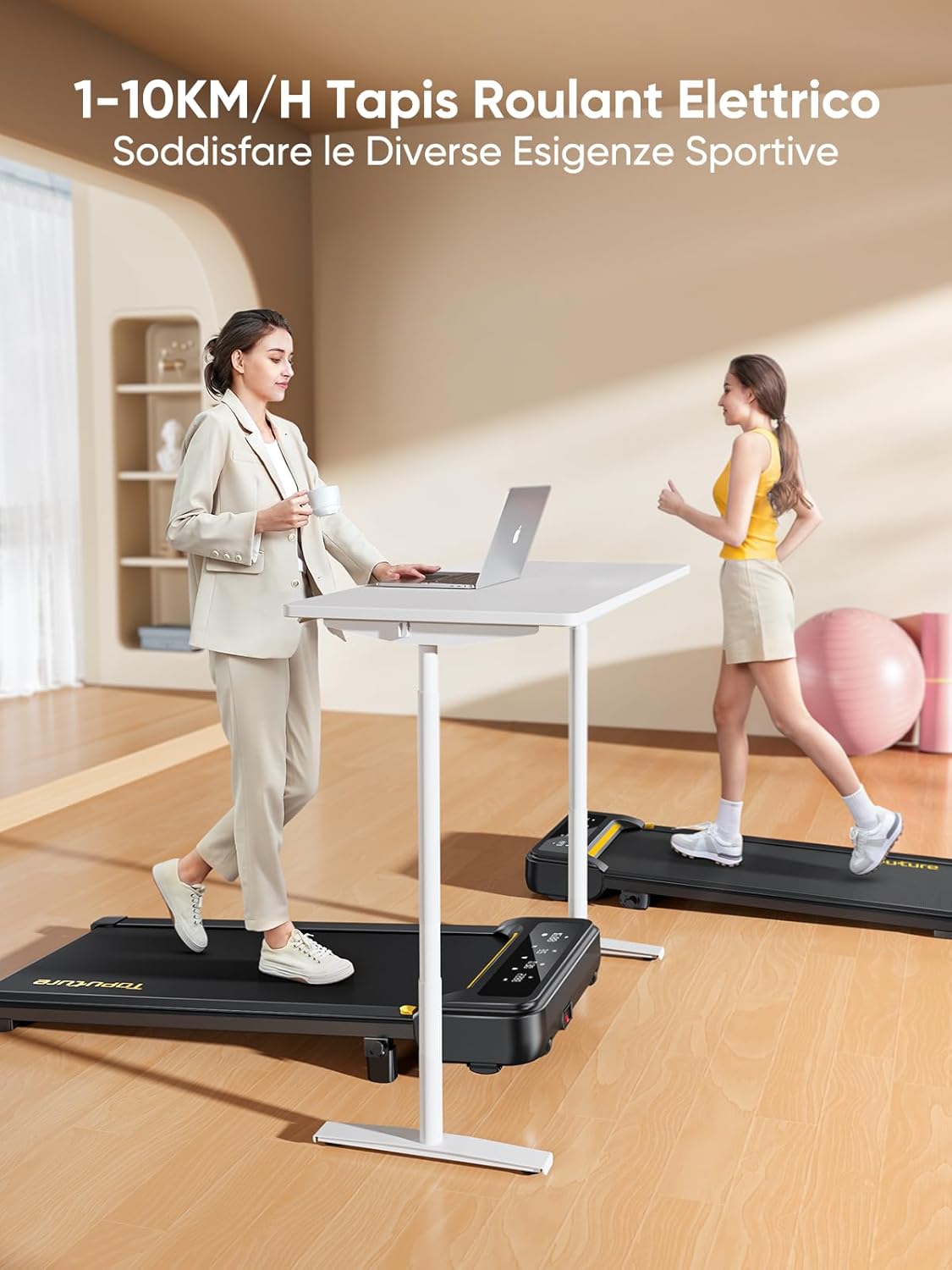
Figure 2: Treadmill ready for use in a home environment.
Incline Adjustment
The treadmill offers a 10% incline feature, adjustable in 2 steps to simulate varied terrain and increase calorie burn. To adjust the incline:
- Locate the incline adjustment mechanism at the rear of the treadmill.
- Pull out the bolt and rotate the incline block to the desired position.
- Insert the bolt securely into the corresponding hole to lock the incline in place.

Figure 3: Manual incline adjustment mechanism.
Power Connection
Connect the power cable to the treadmill and then to a suitable power outlet. Ensure the power switch is in the 'OFF' position before plugging in.
Operating Instructions
Starting the Treadmill
- Ensure the safety key is properly inserted into its designated slot on the console. The treadmill will not operate without it.
- Step onto the treadmill belt.
- Press the 'Start' button on the console or remote control. The treadmill will begin at a low speed.
Adjusting Speed and Mode
The speed range is 1-10 km/h, suitable for walking, jogging, and running. You can adjust the speed using the console buttons or the remote control.
- Console: Use the '+' and '-' buttons to increase or decrease speed.
- Remote Control: The remote allows for easy speed adjustments and stopping the machine. It features magnets on the back for convenient attachment to the treadmill, preventing loss.
- Pause Function: The remote control includes a pause button. Pressing this button will temporarily stop the belt while preserving your workout data.

Figure 4: Multifunction LED display and remote control storage.
Multifunction LED Display
The integrated LED display clearly shows real-time workout data, including time, distance, speed, and calories burned, providing a clear overview of your exercise progress.

Figure 5: Clear display of workout metrics.
Smart App Connectivity
This walking pad can connect to multiple exercise apps, offering various training courses and allowing you to interact with other users online. Refer to the app's instructions for pairing and usage.

Figure 6: Treadmill connected to a smart fitness app.
Stopping the Treadmill
To stop the treadmill, press the 'Stop' button on the console or remote control. For emergency stops, pull the safety key from its slot.
Maintenance
Regular maintenance ensures the longevity and optimal performance of your Toputure TP8 Electric Treadmill.
Cleaning
- Always unplug the treadmill before cleaning.
- Wipe down the console and exterior surfaces with a soft, damp cloth. Avoid abrasive cleaners or solvents.
- Periodically vacuum underneath the treadmill to prevent dust and debris buildup.
Lubrication
The unique lubrication hole design makes maintenance more convenient. Apply the provided lubrication oil to the running belt as instructed in the detailed manual or when the treadmill indicates it's needed. Proper lubrication reduces friction and extends belt life.
Belt Adjustment
If the running belt becomes misaligned or too loose/tight, refer to the detailed manual for instructions on how to adjust it using the included tool kit. Incorrect adjustment can damage the treadmill.
Troubleshooting
This section addresses common issues you might encounter with your treadmill. For problems not listed here, please contact customer support.
| Problem | Possible Cause | Solution |
|---|---|---|
| Treadmill does not start | Safety key not inserted; Power cable not connected; Power switch off. | Insert safety key; Check power connections; Turn power switch ON. |
| Belt slips or hesitates | Belt too loose; Insufficient lubrication. | Adjust belt tension (refer to manual); Apply lubrication oil. |
| Unusual noise during operation | Loose components; Belt misalignment; Motor issue. | Check and tighten all bolts; Adjust belt alignment; Contact customer support. |
Specifications
| Feature | Detail |
|---|---|
| Brand | Toputure |
| Model Number | TP8 |
| Product Class | Electric Treadmill |
| Color | Black |
| Material | Alloy Steel |
| Product Dimensions (L x W x H) | 130P x 60l x 14H cm (approx. 51.2 x 23.6 x 5.5 inches) |
| Item Weight | 34.5 Kilograms (approx. 76 lbs) |
| Maximum Speed | 10 Kilometers per hour |
| Minimum Speed | 1 Kilometer per hour |
| Maximum Incline Percentage | 9% (manual adjustment) |
| Motor Power | 2.5 Horsepower |
| Maximum Recommended Weight | 130 kg (approx. 300 lbs) |
| Running Deck Length | 100 Centimeters (approx. 39.4 inches) |
| Running Deck Width | 40 Centimeters (approx. 15.7 inches) |
| Display Type | LED |
| Connectivity Technology | Power Cable (App connectivity via Bluetooth) |
| Number of Programs | 12 |
| Special Features | Pre-installed workouts, Wheels for portability, Compact design, Manual incline, Portable |
| Recommended Uses | Walking, jogging, running, home workouts, office workouts |
| Target Audience | Adult |
| Assembly Required | No |
Warranty and Support
Product Warranty
The Toputure TP8 Electric Treadmill comes with a 2-Year Warranty from the date of purchase. This warranty covers manufacturing defects and malfunctions under normal use. Please retain your proof of purchase for warranty claims.
Customer Support
For any questions, technical assistance, or warranty claims, please contact Toputure customer support through the retailer's platform or the official Toputure website. Our support team is available to assist you with any issues you may encounter.
Additional Resources
Product Overview Video
Video 1: An overview of the WalkingPad foldable electric treadmill, demonstrating its compact design, ease of use, and various features. This video highlights how the treadmill can be easily stored and used in different home or office settings.
Related documentsTP8


Ask a question about this manual
Ask about setup, troubleshooting, compatibility, parts, safety, or missing instructions. Manuals+ will review the question and use this page’s manual context to help answer it.