
Lrecat i21
Lrecat i21 Wireless Earbud Sport User Manual
Model: i21
Brand: Lrecat
Introduction
Thank you for choosing the Lrecat i21 Wireless Earbud Sport. These earbuds are designed to provide a superior audio experience with advanced features like Bluetooth 5.3 connectivity, extended battery life, and a secure, waterproof design, making them ideal for sports and daily use. Please read this manual carefully to ensure proper use and maintenance of your earbuds.
Package Contents
Please check the package for the following items:
- 2x Wireless Earbuds (Left/Right)
- 1x Charging Case
- 1x Type-C Charging Cable
- 3x Eartips (S/M/L)
- 1x User Manual
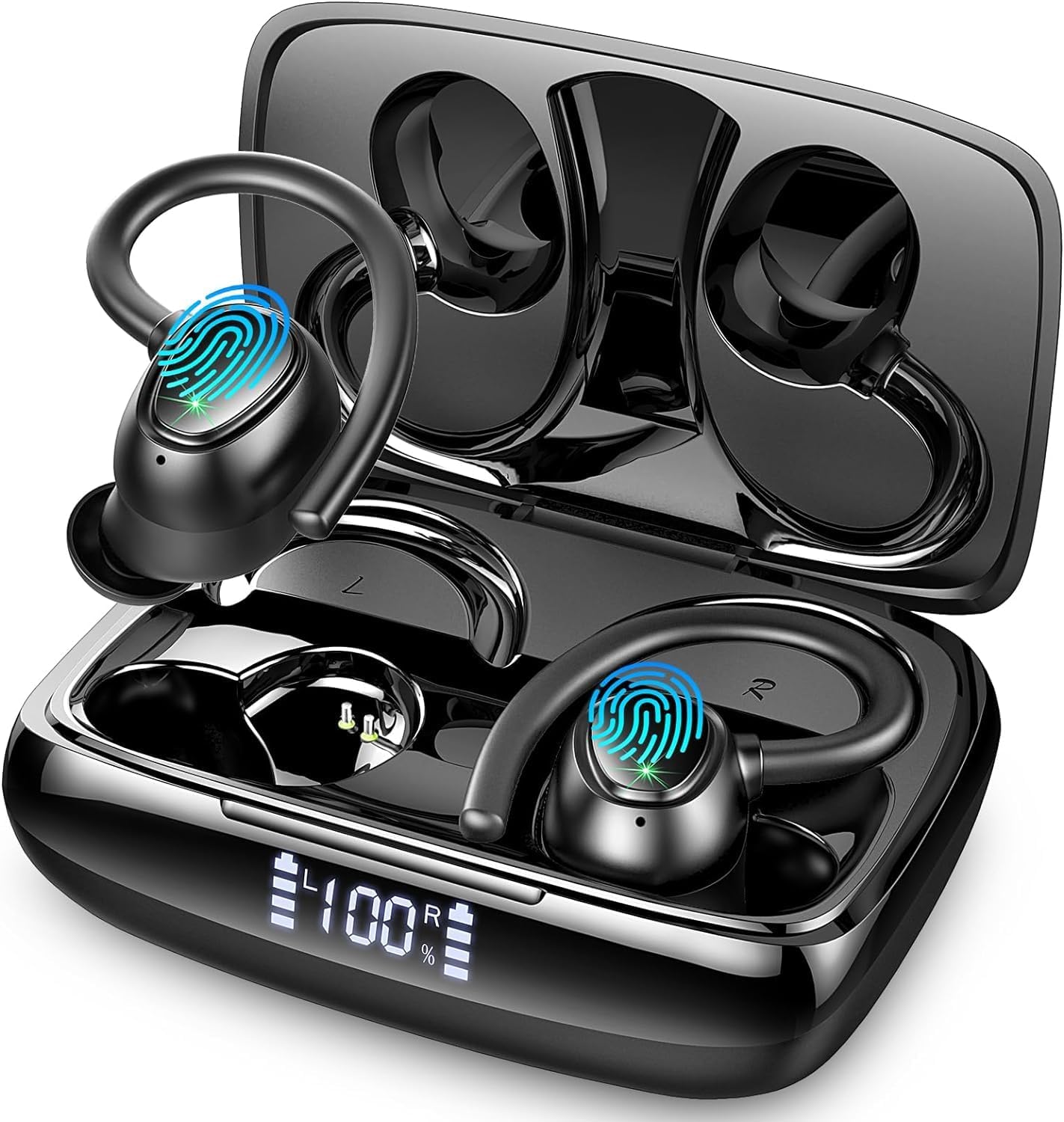
Image: The Lrecat i21 Wireless Earbuds shown inside their charging case, displaying the dual LED power display.
Product Overview
The Lrecat i21 earbuds feature an ergonomic design with flexible ear hooks for a secure and comfortable fit during various activities. They incorporate 14.2mm double-layer diaphragm drivers for high-fidelity sound and environmental noise-canceling microphones for clear calls.
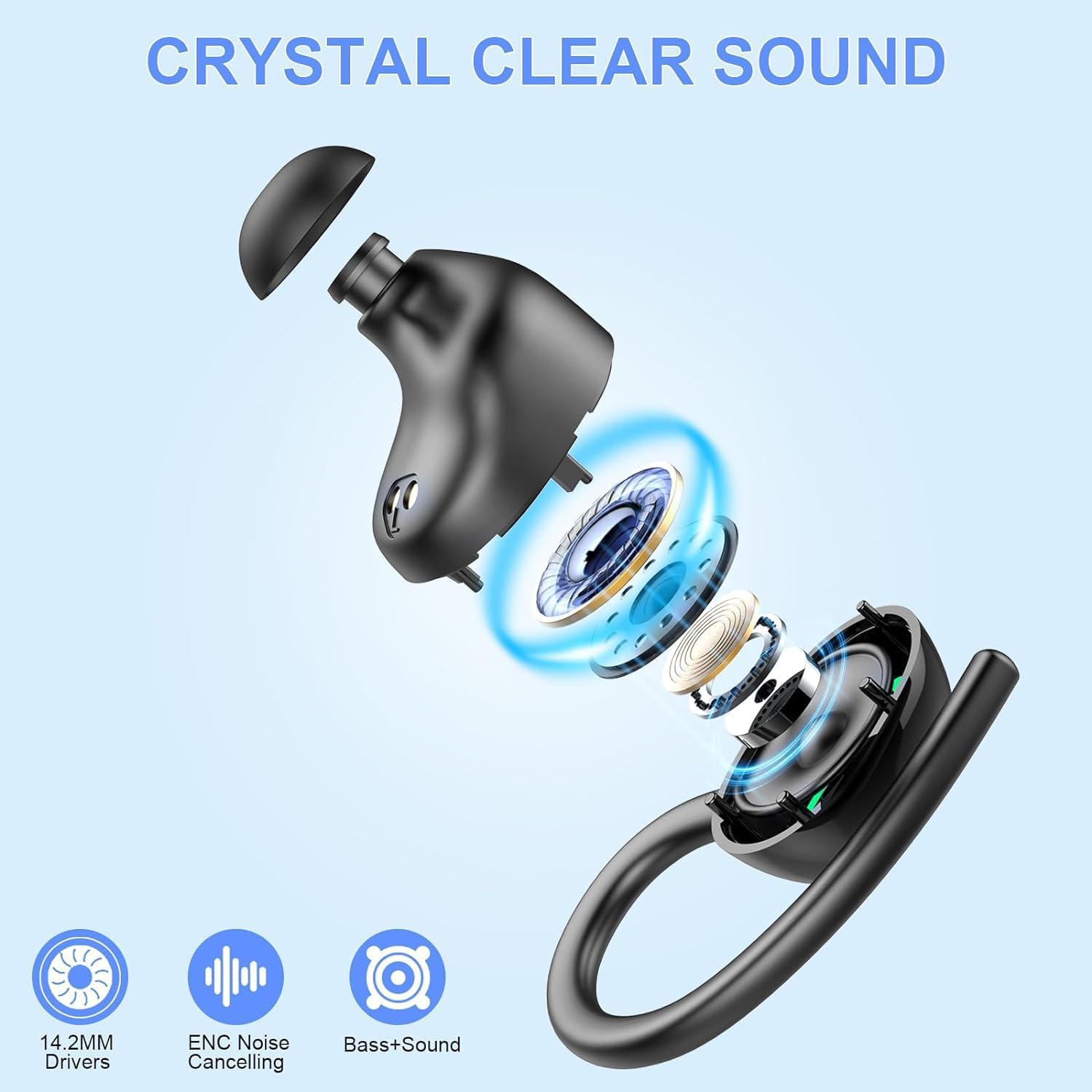
Image: An exploded diagram illustrating the internal components of the Lrecat i21 earbud, highlighting the 14.2mm speaker driver unit.

Image: A visual guide to the smart touch control area on the earbuds, showing functions like play/pause, volume adjustment, track skipping, call handling, and voice assistant activation.
Setup
1. Charging the Earbuds and Case
Before first use, fully charge the earbuds and the charging case. The charging case features a dual LED digital display to show the remaining power of the case and the charging status of each earbud.
- Place the earbuds into the charging case.
- Connect the Type-C charging cable to the charging port on the case and a power source.
- The LED display will indicate charging progress. A full charge provides up to 8 hours of listening time for each earbud, with the charging case extending total playtime to 48 hours.

Image: A graphic illustrating the 48-hour total playtime with the charging case and the dual LED power display on the case.
2. Bluetooth Pairing
The earbuds utilize advanced Bluetooth 5.3 technology for a fast and stable connection.
- First-time Pairing:
- Open the charging case, and the earbuds will automatically enter pairing mode.
- On your device (smartphone, tablet, etc.), enable Bluetooth.
- Search for "i21" in the list of available Bluetooth devices and select it to connect.
- Once connected, you will hear a confirmation tone, and the earbuds will be ready for use.
- Auto Pairing: After the first successful pairing, the earbuds will automatically connect to your last paired device when you take them out of the charging case.
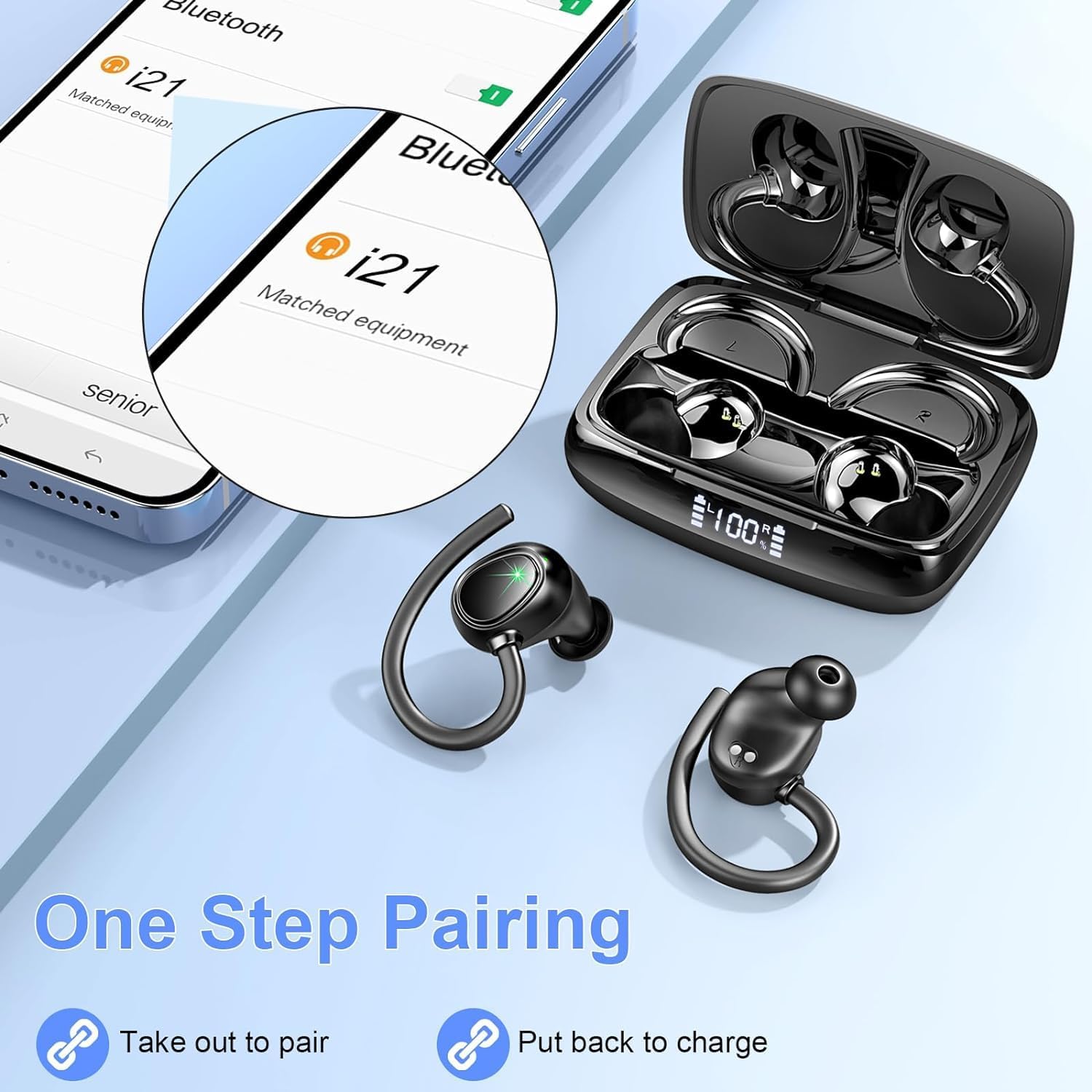
Image: A visual representation of the one-step pairing process, showing the earbuds connecting to a smartphone after being taken out of the case.

Image: A graphic highlighting the benefits of Bluetooth 5.3 technology, including faster connection, stronger signal, lower power consumption, and a 15-meter transmission range.
Video: An official product video demonstrating the features of the Lrecat i21 Wireless Headphones, including charging, battery life, IP7 waterproof rating, 14.2mm speaker drivers, ergonomic design, touch controls, and Bluetooth 5.3 quick connect.
Operating Instructions
1. Wearing the Earbuds
The Lrecat i21 earbuds are designed with flexible and soft ear hooks to ensure a secure and comfortable fit, especially during physical activity. Choose the correct size of eartips (S/M/L) for optimal comfort and sound quality.

Image: A graphic demonstrating the secure and comfortable fit of the earbuds, highlighting the soft ear hooks, replacement eartips (S/M/L), and ergonomic design.
2. Touch Controls
The earbuds feature intuitive touch controls for easy management of music and calls.
| Function | Action (Left Earbud) | Action (Right Earbud) |
|---|---|---|
| Play/Pause | Click Once | Click Once |
| Siri/Voice Assistant | Three Clicks | Three Clicks |
| Previous Song | Hold on 1s | N/A |
| Next Song | N/A | Hold on 1s |
| Volume - | Double Click | N/A |
| Volume + | N/A | Double Click |
| Answer Call | Click Once | Click Once |
| Hang Up Call | Click Once | Click Once |
3. IP7 Waterproof Rating
The earbuds have an IP7 waterproof rating, making them resistant to sweat, rain, and minor water splashes. This makes them suitable for workouts, sports, and outdoor activities. Note: The charging case is not waterproof. Do not submerge the earbuds or case in water.

Image: A visual showing the earbuds being splashed with water, indicating their IP7 waterproof and sweatproof capabilities for use in rainy conditions, during workouts, or with minor splashes.
Maintenance
- Cleaning: Regularly clean the earbuds and charging case with a soft, dry, lint-free cloth. Do not use harsh chemicals or abrasive materials.
- Eartips: Remove the eartips and clean them with water and mild soap if necessary. Ensure they are completely dry before reattaching.
- Storage: When not in use, store the earbuds in their charging case to protect them and keep them charged. Store in a cool, dry place away from extreme temperatures.
- Battery Care: To prolong battery life, avoid fully discharging the earbuds and case frequently. Charge them regularly, even if not in constant use.
Troubleshooting
| Problem | Possible Solution |
|---|---|
| Earbuds not charging |
|
| Earbuds not pairing/connecting |
|
| Only one earbud working |
|
| Poor sound quality/low volume |
|
Specifications
| Feature | Detail |
|---|---|
| Model Name | i21 |
| Bluetooth Version | 5.3 |
| Bluetooth Range | Up to 48 feet (approx. 15 meters) |
| Single Earbud Playtime | Up to 8 hours |
| Total Playtime (with charging case) | Up to 48 hours |
| Charging Case Battery Capacity | 445mAh |
| Speaker Driver Size | 14.2mm |
| Water Resistance Rating | IP7 (Earbuds only) |
| Control Type | Touch Control |
| Microphone | Built-in with Environmental Noise Cancelling (ENC) |
| Charging Port | Type-C |
| Earpiece Shape | Ear hook and ear tip |
| Weight | 4.2 ounces (total package) |
Warranty and Support
Lrecat is committed to providing high-quality products and excellent customer service.
- Warranty: This product comes with a 2-year warranty.
- Return Policy: We offer a 30-day return policy. Customer satisfaction is our priority.
- Customer Support: Our team is available 24 hours to answer your questions, resolve issues, and provide assistance. For warranty claims or support, please contact us via your purchase platform.

Image: A graphic detailing Lrecat's customer support, including 24-hour support, 30-day return policy, and 2-year warranty information.
Related documentsi21


Ask a question about this manual
Ask about setup, troubleshooting, compatibility, parts, safety, or missing instructions. Manuals+ will review the question and use this page’s manual context to help answer it.