
Zstar Commercial Ice Maker Machine
Zstar Commercial Ice Maker Machine
Model: Commercial Ice Maker Machine (550LBS/24H)
User Instruction Manual
1. Introduction
This manual provides essential information for the safe and efficient operation, installation, and maintenance of your Zstar Commercial Ice Maker Machine. Please read all instructions carefully before using the appliance and retain this manual for future reference.
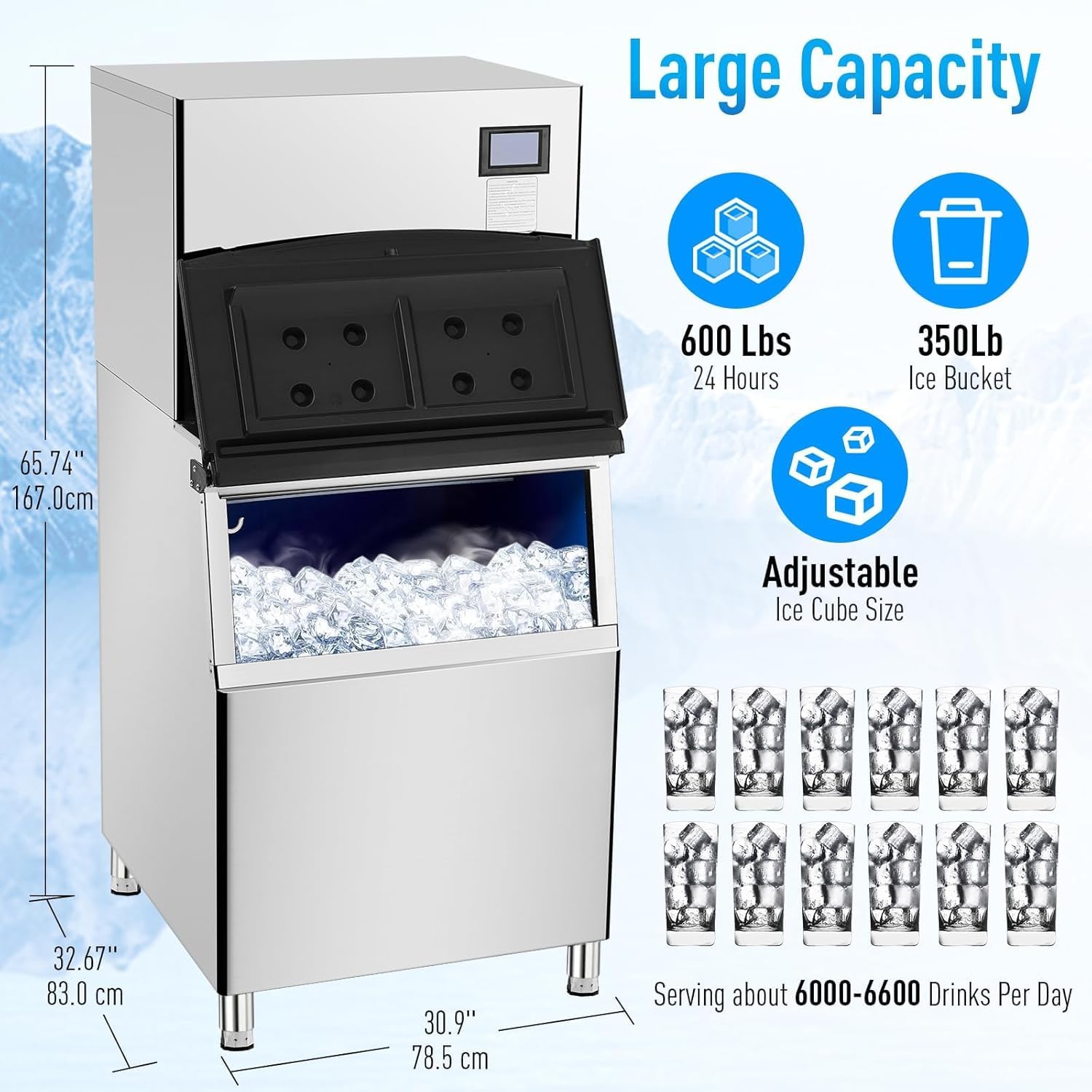
The Zstar Commercial Ice Maker Machine is designed for high-volume ice production, capable of producing up to 550 lbs of square ice per 24 hours with a 350 lbs ice storage bin. It features adjustable ice thickness and an efficient compressor for rapid ice production.
2. Important Safety Instructions
To reduce the risk of fire, electric shock, or injury when using your appliance, follow these basic precautions:
- Read all instructions before using the appliance.
- Ensure the appliance is properly grounded.
- Do not operate the appliance with a damaged cord or plug.
- Keep ventilation openings clear of obstructions.
- Do not store explosive substances such as aerosol cans with a flammable propellant in this appliance.
- Only connect to a potable water supply.
- Unplug the appliance before cleaning or performing any maintenance.
- This appliance is intended for commercial use only.
3. Package Contents
Upon unpacking, verify that all components are present and undamaged. The package typically includes:
- Zstar Commercial Ice Maker Unit
- Ice Storage Bin
- Large Ice Scoop
- Inlet Water Hose
- Drain Hose
- Water Filter and Housing
- T-connector and other necessary gadgets for installation

4. Product Overview
The Zstar Commercial Ice Maker Machine is a freestanding unit designed for commercial environments. It consists of an ice-making head unit and a large capacity ice storage bin.
Key Components:
- Control Panel: Touch LCD display for setting operational parameters.
- Ice Making System: Produces square ice cubes.
- Compressor: High-power, efficient, and low-noise operation.
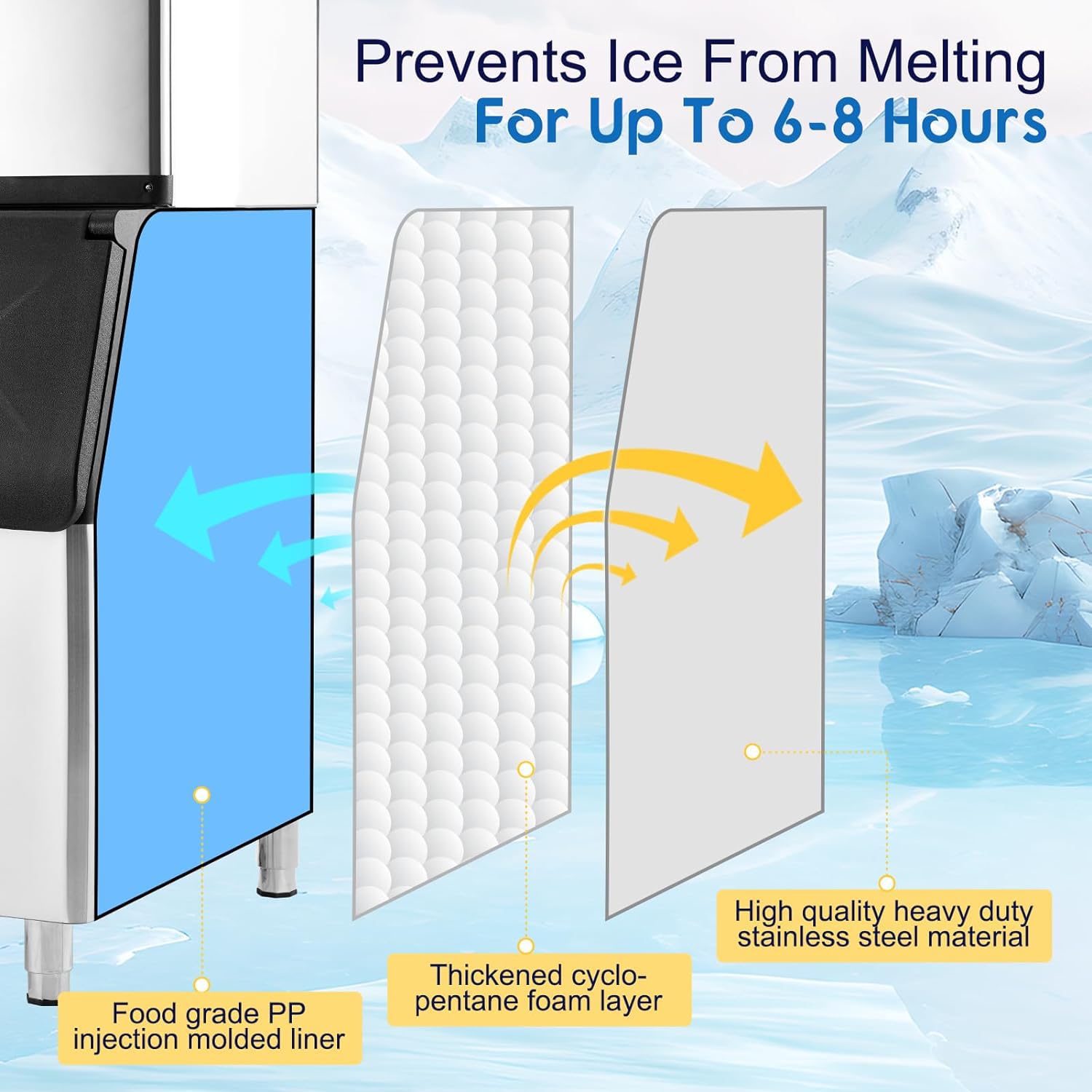
- Ice Storage Bin: Insulated bin to hold produced ice.
- Water Inlet/Outlet: Connections for water supply and drainage.

5. Setup and Installation
Proper installation is crucial for the performance and longevity of your ice maker. Follow these steps carefully:
5.1 Unpacking and Placement
- Remove all packaging materials.
- Place the ice maker in an upright position for at least 24 hours before initial use. This allows the refrigerant to settle.
- Choose a location with a direct water supply and adequate ventilation. Ensure sufficient clearance around the unit for air circulation.
- The freestanding design allows flexible placement in various commercial settings.

5.2 Assembly
- Assemble the ice maker unit and the ice bucket together according to the provided diagrams.
- Ensure all connections are secure.
5.3 Water and Drain Connections
- Connect the inlet water hose to a potable water supply using the provided T-connector and water filter.
- Connect the drain hose to a suitable drainage point. Ensure the drain hose has a continuous downward slope to prevent water backup.
- Check all connections for leaks.
6. Operating Instructions
Once installed, the ice maker is ready for operation.
6.1 Initial Start-up
- Plug the appliance into a grounded electrical outlet.
- Turn on the water supply.
- Press the power button on the touch LCD display to start the ice making process.
6.2 Ice Production
- The machine will begin producing square ice cubes. Each cycle typically takes 5-15 minutes, depending on the selected settings and ambient conditions.
- The unit can produce up to 550 lbs of ice in a 24-hour period.

6.3 Adjusting Ice Thickness
- The standard size of each ice cube is 0.9" x 0.9" x 0.9".
- The thickness of the ice cubes can be adjusted via the touch LCD display by increasing or decreasing the ice making time.
- Longer ice making times result in thicker ice cubes, while shorter times produce thinner ice.

6.4 Timer Function
Use the touch LCD display to set specific start and end times for ice production, optimizing energy consumption and ensuring ice is ready when needed.
7. Maintenance and Cleaning
Regular maintenance ensures optimal performance and hygiene.
7.1 Automatic Cleaning Function
- The ice maker is equipped with an automatic cleaning system. Refer to the control panel instructions for initiating the cleaning cycle.
- Regular use of this function helps maintain the cleanliness of the ice making system.
7.2 Water Filter Maintenance
- The included water filter helps ensure cleaner and healthier ice.
- Inspect and replace the water filter cartridge periodically as recommended by the manufacturer or when water flow decreases significantly.
7.3 Exterior Cleaning
- Wipe the exterior surfaces with a soft, damp cloth and mild detergent.
- Do not use abrasive cleaners or solvents.
7.4 Ice Bin Cleaning
- Periodically empty and clean the ice storage bin with a food-safe sanitizer.
- Rinse thoroughly with clean water before resuming operation.
8. Troubleshooting
This section addresses common issues you might encounter. For problems not listed here, contact customer support.
| Problem | Possible Cause | Solution |
|---|---|---|
| Ice maker not producing ice | No water supply; Power issue; Clogged filter; Low refrigerant. | Check water connection and supply; Verify power connection; Replace water filter; Contact service technician. |
| Ice production is slow | High ambient temperature; Poor ventilation; Water filter needs replacement; Scale buildup. | Ensure proper ventilation; Replace water filter; Perform descaling procedure; Ensure room temperature is within operating limits. |
| Ice cubes are too thin/thick | Incorrect ice thickness setting. | Adjust ice making time via the LCD control panel. |
| Water leakage | Loose hose connections; Clogged drain. | Tighten all water inlet and drain hose connections; Clear any obstructions in the drain line. |
9. Specifications
Technical details for the Zstar Commercial Ice Maker Machine:
| Feature | Specification |
|---|---|
| Model Name | Commercial Ice Maker Machine |
| Ice Production Capacity | 550 lbs / 24 hours |
| Ice Storage Capacity | 350 lbs |
| Ice Cube Size (Standard) | 0.9" x 0.9" x 0.9" (Adjustable) |
| Ice Making Cycle Time | 5-15 minutes |
| Product Dimensions (D x W x H) | 35.4" x 35.4" x 66" |
| Weight | 226.3 Pounds |
| Wattage | 1000 watts |
| Installation Type | Freestanding |
| Material | Stainless Steel |
10. Warranty and Support
For warranty information, please refer to the documentation provided with your purchase or contact the retailer. Zstar is committed to providing quality products and customer satisfaction.
Customer Support:
If you have any questions, require technical assistance, or need to report an issue, please contact Zstar customer support through the retailer's platform or the official Zstar website.
Ask a question about this manual
Ask about setup, troubleshooting, compatibility, parts, safety, or missing instructions. Manuals+ will review the question and use this page’s manual context to help answer it.