
1. Introduction and Overview
The VCK 8000 BTU Portable Air Conditioner is a versatile 4-in-1 unit designed to provide powerful cooling, dehumidification, and fan functions for spaces up to 350 sq. ft. Its compact design, integrated handles, and caster wheels ensure easy portability, making it suitable for various rooms such as dorms, apartments, offices, bedrooms, or living rooms. This manual provides essential information for the safe and efficient operation and maintenance of your VCK Portable Air Conditioner.
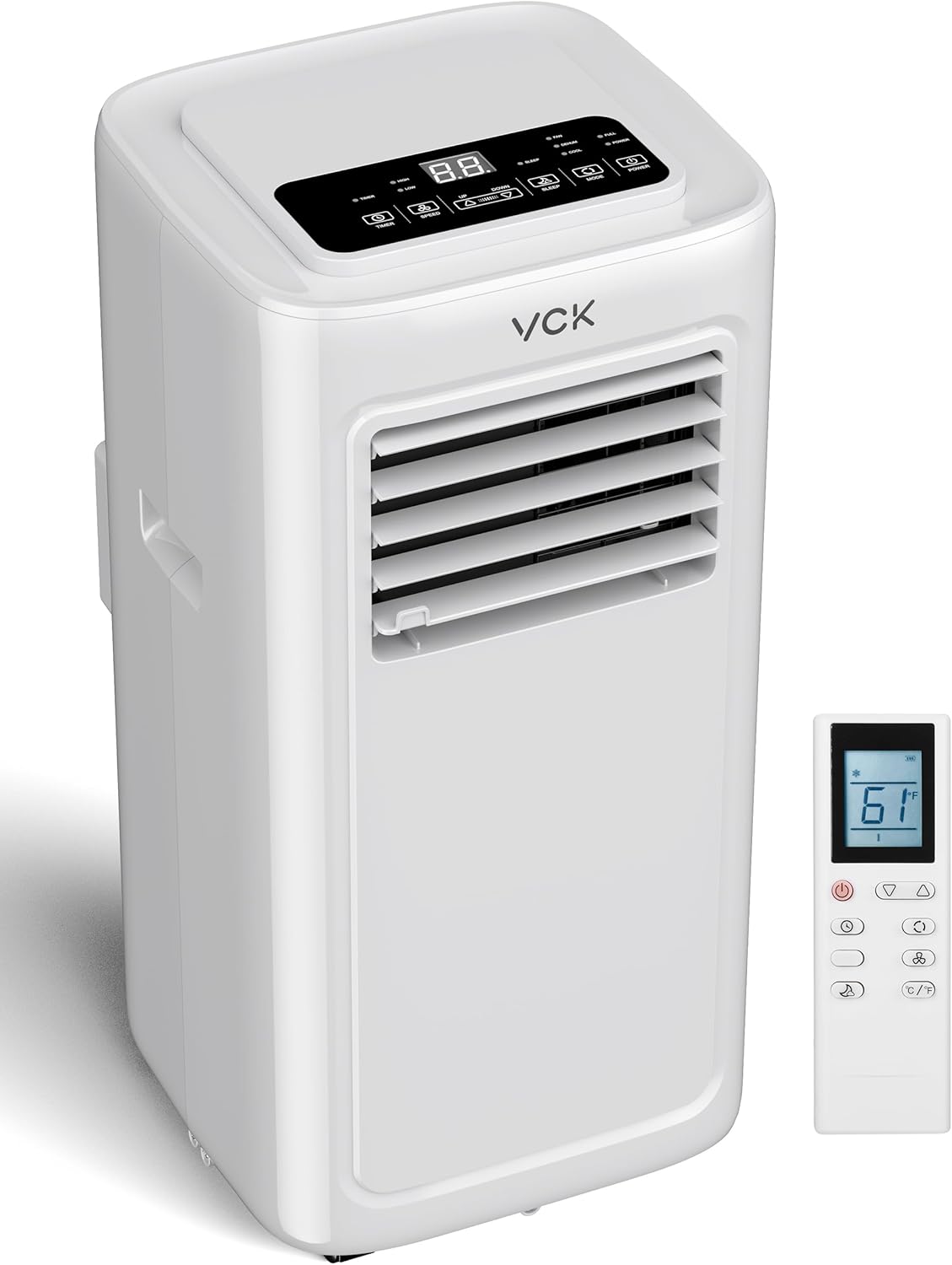
Image: The VCK Portable Air Conditioner unit shown with its remote control, highlighting its sleek design and compact form factor.
2. Key Features
- Powerful Cooling: Delivers 8,000 BTU of cooling capacity, effectively cooling areas up to 350 sq. ft. Temperature adjustable from 61°F to 86°F.
- Multi-Functional Design: Offers four operating modes: Cooling, Dehumidify, Fan (with 2 speed settings), and AC mode for comprehensive climate control.
- Sleep Mode & Low Noise: Operates at a quiet ≤48dB in sleep mode, ensuring minimal disturbance for restful nights.
- Easy Installation & Portability: Features side handles and 360-degree caster wheels for effortless movement. Includes adjustable window brackets and exhaust hose for quick setup.
- Effortless Maintenance: Equipped with a washable filter for easy cleaning and consistent performance.
- Convenient Control: Comes with an LED display and a remote control for easy adjustment of settings from a distance.

Image: Illustration showing the compact dimensions of the VCK Portable Air Conditioner and its powerful cooling effect, covering up to 300 sq. ft. with 8000 BTU/h cooling capacity and up to 50 Pints/day dehumidification.

Image: The VCK Portable Air Conditioner operating in Sleep Mode, designed to improve sleep quality with automatic shutoff, 24-hour smart timer, and ultra-low noise levels below 48dB.
3. What's in the Box
Upon unboxing your VCK Portable Air Conditioner, you should find the following components:
- VCK Portable Air Conditioner Unit
- Remote Control
- Exhaust Hose
- Adjustable Window Bracket Kit
- User Manual
4. Setup Instructions
Setting up your VCK Portable Air Conditioner is a straightforward process. Follow these steps for optimal performance:
- Placement: Position the unit on a flat, stable surface near a window. Ensure there is adequate space around the unit for proper airflow.
- Attach Exhaust Hose: Connect one end of the exhaust hose to the air outlet on the back of the unit.
- Install Window Kit: Assemble the adjustable window bracket kit according to your window size. Insert the other end of the exhaust hose into the opening of the window kit.
- Secure Window Kit: Place the assembled window kit in your window opening and extend it to fit snugly. Close the window against the kit to seal the opening.
- Power Connection: Plug the power cord into a grounded electrical outlet.

Image: The VCK Portable Air Conditioner connected to a window with its exhaust hose, demonstrating its easy installation process which can be completed in minutes. The unit also features 360-degree universal wheels for easy movement.

Image: A visual guide illustrating the four simple steps for installing the VCK Portable Air Conditioner, including connecting the hose, assembling the window kit, and attaching the hose to the kit and unit.
5. Operating Instructions
Your VCK Portable Air Conditioner can be operated using the control panel on the unit or the included remote control. Ensure the unit is properly set up and plugged in before operation.
Control Panel and Remote Functions:
- Power Button: Turns the unit On or Off.
- Mode Button: Cycles through available modes: Cool, Dehumidify, Fan, and AC.
- Temperature Up/Down Buttons: Adjusts the desired temperature (61°F - 86°F).
- Speed Button: Selects fan speed (Low, High).
- Timer Button: Sets the 24-hour on/off timer.
- Sleep Button: Activates Sleep Mode for quiet operation and optimized temperature control during sleep.
Operating Modes:
- Cool Mode: Provides powerful air conditioning to lower room temperature. Set your desired temperature using the Up/Down buttons.
- Dehumidify Mode: Removes excess moisture from the air, ideal for humid environments. The unit will collect water, which may require draining (see Maintenance section).
- Fan Mode: Circulates air without cooling. Choose between low and high fan speeds.
- AC Mode: Combines cooling and fan functions for comprehensive climate control.

Image: An illustration demonstrating the three primary functions of the VCK Portable Air Conditioner: AC for cooling living spaces, Dehumidifier for bathrooms or laundry areas, and Fan for bedrooms, highlighting its versatility.
6. Maintenance
Regular maintenance ensures the longevity and efficient performance of your VCK Portable Air Conditioner.
Filter Cleaning:
- The washable filter should be cleaned weekly, or more frequently depending on usage and air quality.
- To clean, carefully remove the filter from the unit.
- Wash the filter with warm, soapy water. Rinse thoroughly and allow it to air dry completely before reinserting.
Water Drainage:
- In Dehumidify mode, or in very humid conditions during Cool mode, the unit will collect water.
- The unit has a continuous drain option. Connect a suitable hose (not always included, but often a standard garden hose connection) to the drain port and direct it to a floor drain or a collection bucket.
- Alternatively, the internal water tank will fill, and the unit may stop operating when full. Refer to the indicator light on the control panel. Drain the tank by removing the drain plug and allowing water to flow into a suitable container.

Image: A visual representation of how to easily remove and clean the anti-virus filter of the VCK Portable Air Conditioner, emphasizing its reusability and simple maintenance.
7. Troubleshooting
If you encounter issues with your VCK Portable Air Conditioner, refer to the following common troubleshooting steps:
| Problem | Possible Cause | Solution |
|---|---|---|
| Unit does not turn on. | No power, power cord loose, full water tank, circuit breaker tripped. | Check power connection. Ensure water tank is empty. Reset circuit breaker if tripped. |
| Insufficient cooling. | Dirty air filter, blocked air intake/exhaust, room size too large, open windows/doors. | Clean air filter. Ensure no obstructions. Close windows/doors. Verify unit BTU matches room size. |
| Unit is noisy. | Unit not on a level surface, fan speed too high, internal component issue. | Place unit on a level surface. Reduce fan speed. If noise persists, contact customer support. |
| Water leakage. | Drain plug not secured, continuous drain hose kinked or blocked. | Ensure drain plug is tightly closed. Check continuous drain hose for kinks or blockages. |
If the problem persists after attempting these solutions, please contact VCK customer support for further assistance.
8. Specifications
| Specification | Detail |
|---|---|
| Brand | VCK |
| Model Info | LE-PAC002 |
| Cooling Power | 8000 British Thermal Units (BTU) |
| Coverage Area | Up to 350 sq. ft. |
| Item Weight | 49 pounds |
| Product Dimensions | 5 x 11 x 5 inches (Note: Product dimensions from specs seem off, using the image for more accurate representation of unit size) |
| Noise Level | ≤48dB (Sleep Mode) / 35 dB (from specs, likely lowest fan setting) |
| Voltage | 120 Volts (AC) |
| Wattage | 3000 watts |
| Special Features | Remote Controlled, Child Lock, Silent Mode, Dust Filter, Fast Cooling |
| Installation Type | Window (Portable) |
| Form Factor | Portable |
9. Warranty and Support
VCK products are designed for reliability and performance. For specific warranty details, please refer to the warranty card included with your product packaging. This document outlines the terms and conditions of your product's warranty.
For technical support, troubleshooting assistance beyond this manual, or inquiries regarding parts and service, please contact VCK customer support through the contact information provided in your product documentation or on the official VCK website.
Please have your model number (LE-PAC002) and purchase date available when contacting support.