
Introduction
Thank you for choosing the EasyAcc 3 IN 1 Handheld Fan. This versatile device combines a powerful portable fan with an emergency power bank and an SOS flashlight, making it an ideal companion for travel, outdoor activities, or daily use. Designed for convenience and efficiency, it features 5 adjustable speeds, a digital display for battery and speed, and a long-lasting 5000mAh rechargeable battery.

Image: The EasyAcc 3 IN 1 Handheld Fan, showcasing its dual functionality as a handheld and desktop fan, with a digital display and the ability to charge a mobile phone.
Key Features
- 3-in-1 Functionality: Operates as a handheld fan, a desktop fan (with foldable handle), and a portable power bank.
- 5 Adjustable Speeds: Customize airflow from a gentle breeze to a powerful gust (up to 4900 RPM).
- Digital Display: Clear LED display shows current fan speed and remaining battery percentage.
- Emergency Power Bank: Built-in 5000mAh rechargeable battery can charge your mobile devices via USB-C port.
- SOS Flashlight: Integrated flashlight with SOS function for emergency situations.
- Ultra-Quiet Operation: Engineered for low noise levels, suitable for quiet environments.
- Long Battery Life: Provides up to 15 hours of continuous operation on the lowest speed setting.
- Portable Design: Compact, lightweight, and includes a lanyard for easy carrying.

Image: The fan demonstrating its versatility in handheld, foldable desktop, and hanging modes for various uses.
Package Contents
Please check the package for the following items:
- 1 x EasyAcc 3 IN 1 Portable Fan
- 1 x USB-C Charging Cable
- 1 x Lanyard
- 1 x User Manual
Setup
1. Charging the Fan
Before first use, fully charge the fan. The digital display will show the battery percentage.
- Connect the provided USB-C charging cable to the fan's input port (usually at the bottom of the handle).
- Connect the other end of the cable to a USB power adapter (not included) or a computer's USB port.
- The digital display will show the charging progress. A full charge takes approximately 3-4 hours.

Image: The EasyAcc fan connected via USB-C to charge a mobile phone, demonstrating its emergency power bank capability.
2. Attaching the Lanyard
Attach the lanyard to the designated loop on the fan's handle for convenient carrying.
Operating Instructions
1. Power On/Off and Fan Speed Adjustment
The fan features a single button for power and speed control.
- Press the power button once to turn on the fan at Speed 1. The digital display will show "1".
- Press the button repeatedly to cycle through speeds: Speed 2, Speed 3, Speed 4, Speed 5.
- After Speed 5, pressing the button again will turn the fan off.
- To turn off the fan directly from any speed, press and hold the power button for 2 seconds.

Image: A close-up of the fan's digital display, indicating battery percentage and current fan speed setting.
2. Using the Flashlight/SOS Light
The fan includes a dedicated button for the flashlight function.
- Press the flashlight button once to turn on the flashlight.
- Press the button again to activate the SOS flashing mode.
- Press the button a third time to turn off the flashlight.
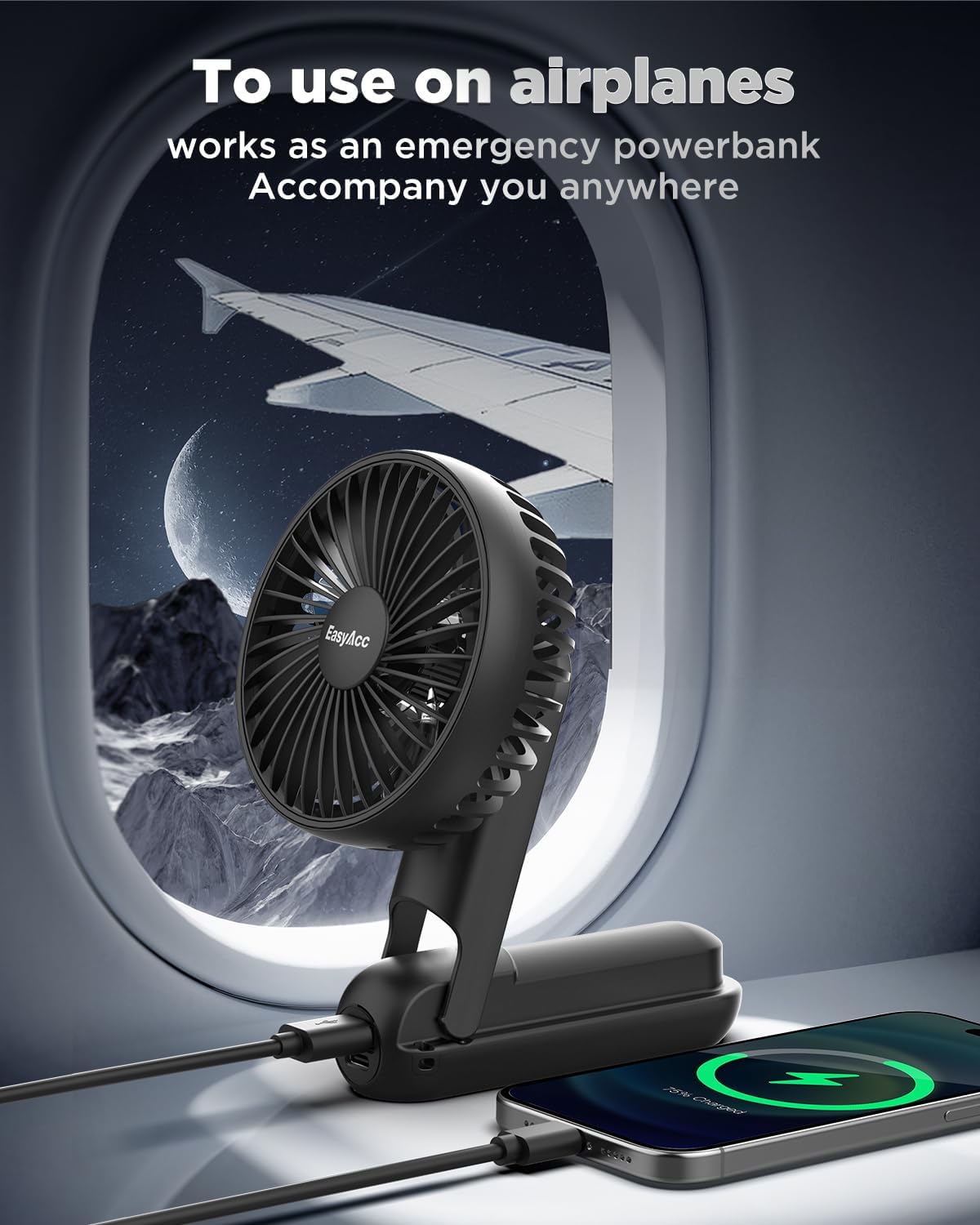
Image: The fan's integrated flashlight in use, providing illumination in a low-light environment.
3. Using as a Power Bank
The fan can serve as an emergency power source for your devices.
- Locate the USB-A output port on the fan's handle.
- Connect your device's charging cable to this USB-A port.
- The fan's battery will begin charging your connected device.
Image: The fan being used to charge a mobile device, illustrating its function as a portable power bank, suitable for travel.
4. Fan Modes (Handheld, Foldable, Hanging)
- Handheld Mode: Hold the fan by its handle for portable cooling.
- Desktop Mode: Fold the handle to create a stable base, allowing the fan to stand on a flat surface. Adjust the fan head angle as needed.
- Hanging Mode: Use the included lanyard to hang the fan around your neck or from a hook for hands-free operation.
Maintenance
1. Cleaning
To clean the fan, ensure it is turned off and unplugged.
- Gently wipe the exterior with a soft, dry cloth.
- For dust accumulation on the fan blades, use a soft brush or compressed air.
- Do not use abrasive cleaners, solvents, or immerse the fan in water.
2. Storage
When not in use for extended periods, store the fan in a cool, dry place away from direct sunlight and extreme temperatures. Ensure the battery is partially charged (around 50%) before storage to prolong its lifespan.
Troubleshooting
| Problem | Possible Cause | Solution |
|---|---|---|
| Fan does not turn on. | Low battery. | Charge the fan fully. |
| Fan stops unexpectedly. | Battery depleted. | Recharge the fan. |
| Weak airflow. | Fan is on a low speed setting. | Increase the fan speed. |
| Flashlight not working. | Low battery or button not pressed correctly. | Charge the fan. Ensure the dedicated flashlight button is pressed. |
| Cannot charge external device. | Low battery or incorrect port used. | Charge the fan. Use the USB-A output port for charging external devices. |
Specifications
- Model: LED-5000
- Battery Capacity: 5000mAh Lithium Ion
- Input Port: USB Type C
- Output Port: USB-A
- Max Speed: 4900 RPM
- Noise Level: 5 dB (at lowest speed)
- Dimensions: 5"D x 2"W x 4"H
- Weight: 190 Grams (6.7 ounces)
- Color: Black
- Certifications: CE, FCC, RoHS
Warranty and Support
EasyAcc is committed to providing high-quality products and excellent customer support. This product is fully guaranteed. For any questions, concerns, or support needs, please contact EasyAcc customer service. We promise to offer lifetime excellent customer support.
For more information, visit the official EasyAcc Store: EasyAcc Store