
1. Product Overview
The MIDEA PortaSplit Mobile Air Conditioner is a versatile 4-in-1 unit designed for efficient climate control. It offers powerful cooling, effective heating, dehumidification, and fan-only operation. This portable split system features advanced inverter compressor technology and optimized airflow for rapid and uniform temperature regulation. Its intelligent energy management system automatically adjusts fan speed based on demand, contributing to energy savings. The unit is designed for easy installation without professional assistance and features a modern, quiet design suitable for various indoor environments.
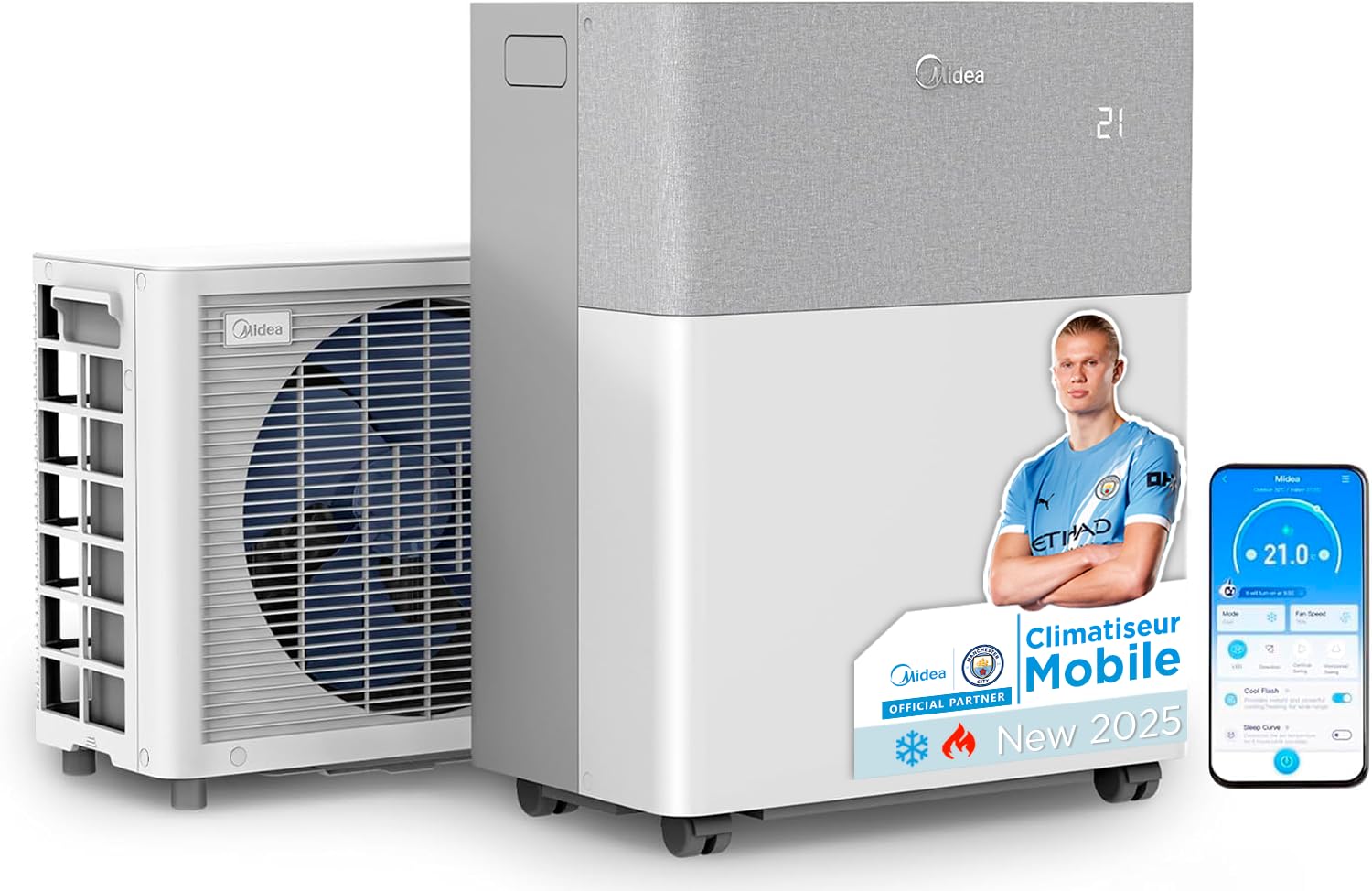
Image: MIDEA PortaSplit Mobile Air Conditioner, showcasing its compact and modern design.
2. Setup and Installation
The PortaSplit is designed for quick and simple installation. Follow the steps below for proper setup.
2.1 Components and Accessories

Image: Overview of the indoor unit, outdoor unit, and included accessories such as the remote control, window kit, and various mounting hardware.
2.2 General Installation Steps
- Fix the Support: Secure the universal support bracket to the window frame or balcony railing.
- Place the Outdoor Unit: Carefully place the outdoor unit onto the fixed support.
- Connect and Power On: Connect the indoor unit to a power source and turn on the appliance.
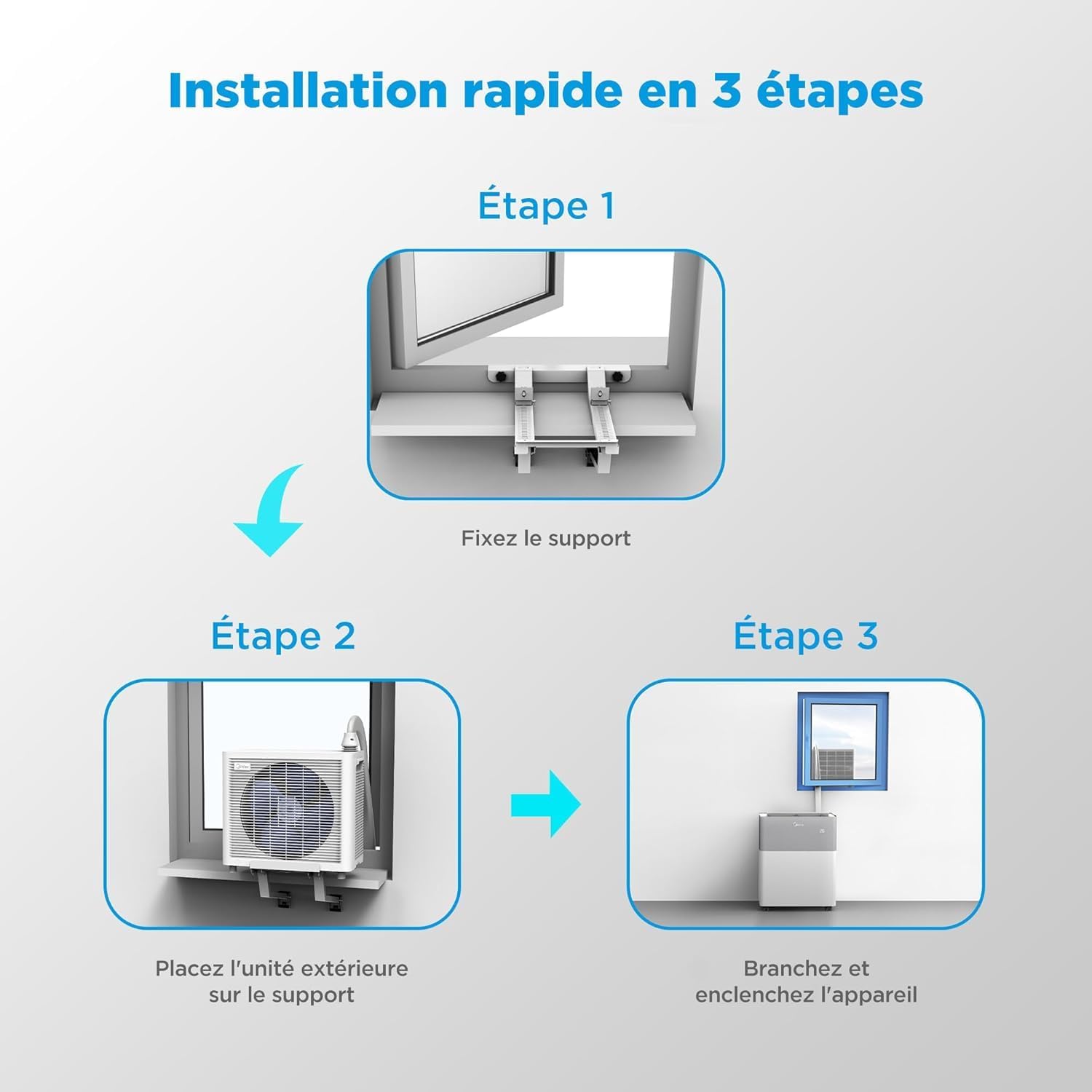
Image: Visual representation of the three main installation steps: fixing the support, placing the outdoor unit, and connecting power.
2.3 Specific Installation Guides
The PortaSplit is adaptable to various window types. Below are video guides for common installations.

Image: Examples of PortaSplit installation in different settings, including normal windows, galleries, roof windows, balconies, and caravans.
Installation on Tilt-and-Turn Windows
Video: Detailed guide on installing the MIDEA PortaSplit on tilt-and-turn windows, covering securing the window support, placing the outdoor unit, and using the window lock.
Installation on French Balconies
Video: Step-by-step instructions for installing the MIDEA PortaSplit on French balconies, including securing the universal support to the railing and positioning the outdoor unit.
Installation on Roof Windows
Video: Guide for installing the MIDEA PortaSplit on roof windows, detailing how to adjust the support for a secure fit and position the outdoor unit.
Ensure a minimum distance of 25cm from the wall for the indoor unit to guarantee adequate ventilation during operation.
3. Operating Instructions
The MIDEA PortaSplit offers multiple operating modes for year-round comfort and intelligent control.
3.1 Control Panel Overview

Image: Detailed view of the LED display and touch controls on the indoor unit, indicating functions such as ECO mode, timer, mode selection, temperature control, fan speed, swing, and power.
3.2 Key Features and Modes
- Cooling Mode: Provides powerful and uniform cooling, capable of cooling entire rooms quickly.
- Heating Mode: Directs warm air downwards to heat the room efficiently.
- Dehumidifier Mode: Activates drying mode to reduce humidity, helping clothes dry faster.
- Fan Mode: Circulates air without cooling or heating.
- ECO Mode: Optimizes energy consumption by automatically adjusting fan speed based on demand.
- Smart Control: Manage your PortaSplit remotely via the SmartHome app, compatible with Google Home and Amazon Alexa.
- Silent Operation: Advanced noise reduction technology ensures quiet operation, ideal for bedrooms or offices.

Image: Illustration of cool air distribution for effective cooling.

Image: Illustration of warm air distribution for efficient heating.

Image: Screenshot of the Midea SmartHome app interface, demonstrating remote control and integration with voice assistants like Alexa and Google Home.

Image: Diagram illustrating the PortaSplit's AI system, which learns typical space usage and adapts automatically to the environment and occupancy.

Image: Graph showing up to 15% additional energy savings with the AI algorithm compared to a generic algorithm, demonstrating precise temperature control.
4. Maintenance
For detailed maintenance instructions, including filter cleaning and condensate management, please refer to the complete user manual provided with your product. Regular maintenance ensures optimal performance and longevity of your MIDEA PortaSplit.
5. Troubleshooting
If you encounter any issues with your MIDEA PortaSplit, please consult the troubleshooting section in the comprehensive user manual. This section provides solutions to common problems and guidance on when to contact customer support.
6. Specifications
| Feature | Specification |
|---|---|
| Brand | Midea |
| Model Number | MMCS-12HRN8-QRD0 |
| Product Dimensions (L x W x H) | 85 x 57.5 x 74.5 cm |
| Weight | 45 Kilograms |
| Energy Efficiency (Cooling) | A++ |
| Energy Efficiency (Heating) | A+ |
| Cooling Capacity | 12000 BTU (3.5 kW) |
| SEER (Seasonal Energy Efficiency Ratio) | 6.75 |
| Annual Energy Consumption | 203 kWh per year |
| Noise Level | 39 Decibels |
| Special Feature | Dehumidifier |
| Color | White |
| Voltage | 240 Volts |
| Components Included | Remote Control |
7. Warranty and Support
For warranty information and customer support, please refer to the documentation included with your product. You can also contact Midea customer service through the following channels:
- Amazon Messaging
- Phone: +34 614 230 356
- Email: support@pacerin.com

Image: Visual representation of customer support contact details.


