
Introduction
This manual provides detailed instructions for the setup, operation, maintenance, and troubleshooting of your SOUYIE T98 Smartwatch. Please read this manual thoroughly before using the device to ensure proper functionality and to maximize your user experience.
What's in the Box
- 1 x SOUYIE T98 Smartwatch
- 1 x Magnetic USB Charging Cable
- 1 x TPU Silicone Strap
- 1 x User Manual
1. Setup
1.1 Charging the Smartwatch
Before initial use, fully charge your smartwatch. Connect the magnetic USB charging cable to the charging contacts on the back of the watch and to a USB power source. A full charge typically takes 2-3 hours.

Image: The smartwatch display showing battery percentage during charging. The watch features a 380mAh battery, offering approximately 7 days of normal use and up to 30 days standby time after a 2-3 hour charge.
1.2 App Installation and Pairing
To unlock the full features of your SOUYIE T98 Smartwatch, download the companion application on your smartphone. The app is compatible with Android 5.0/iOS 10.0 or later versions.
- Download the App: Scan the QR code provided in the physical manual or search for the official SOUYIE app in your smartphone's app store (Google Play Store for Android, Apple App Store for iOS).
- Enable Bluetooth: Ensure Bluetooth is enabled on both your smartphone and the smartwatch.
- Open the App: Launch the SOUYIE app and follow the on-screen instructions to create an account or log in.
- Pair the Device: Within the app, navigate to the device pairing section. Select your SOUYIE T98 Smartwatch from the list of available devices. Confirm the pairing request on both your phone and the smartwatch.
Once paired, the smartwatch will synchronize data with your phone, and you can customize settings through the app.
2. Operating Instructions
2.1 Basic Navigation
The SOUYIE T98 Smartwatch features a 2.04-inch AMOLED full touch screen and physical buttons for interaction.
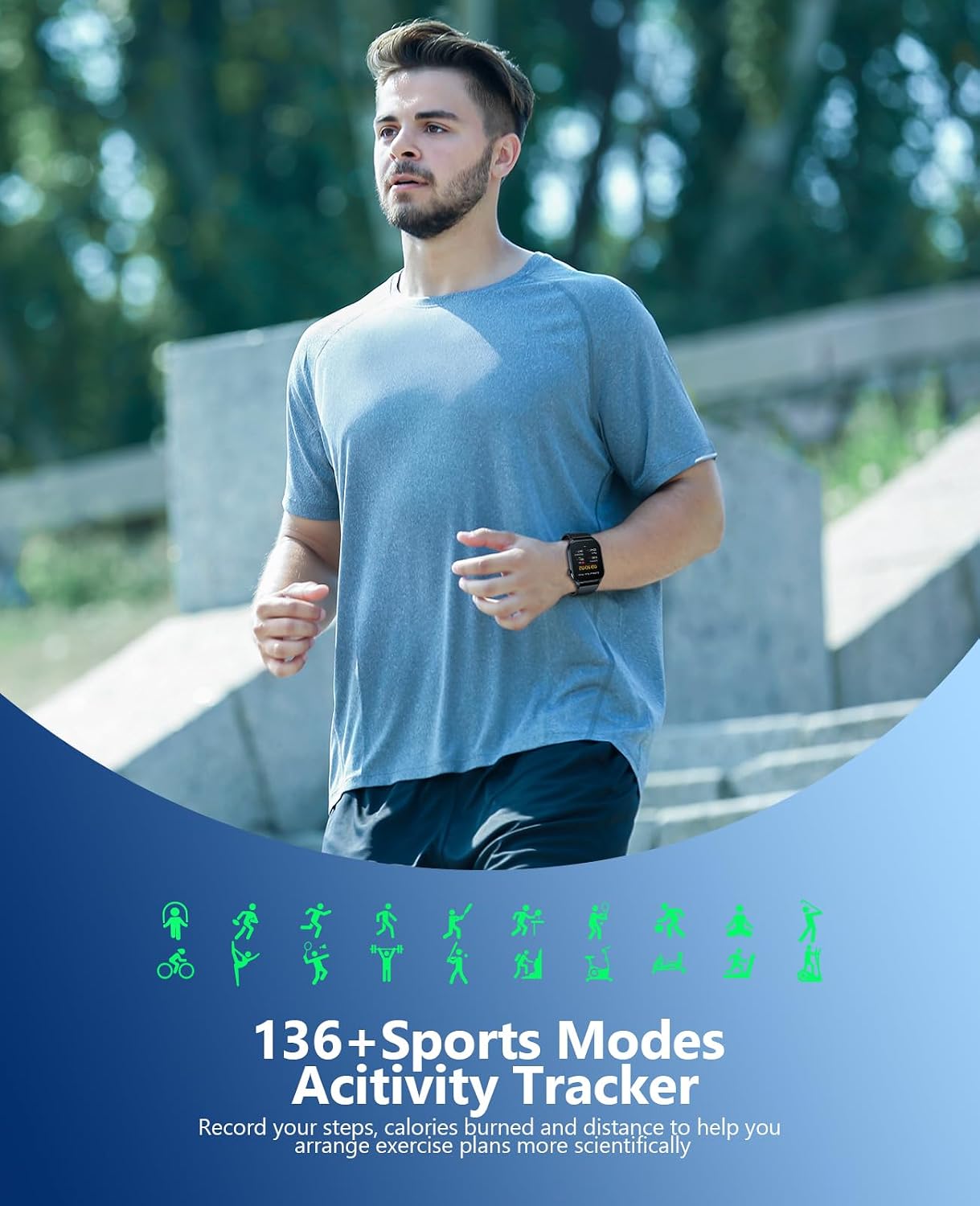
Image: A detailed view of the smartwatch's 2.04-inch AMOLED display, showcasing its vibrant colors and clear resolution (336x448 pixels). The screen shows time, date, weather, and various health metrics.
- Touchscreen: Swipe left, right, up, or down to navigate through menus and features. Tap to select items.
- Side Button: Typically used to return to the home screen, wake the screen, or access the main menu.
- Crown (if present): May be used for scrolling or menu navigation.
2.2 Bluetooth Call and Message Notifications
The smartwatch supports Bluetooth connectivity for calls and message notifications.

Image: The smartwatch screen showing icons for various social media and communication apps (e.g., TikTok, Twitter, Instagram, Facebook, WhatsApp, SMS, Email) indicating notification capabilities. A separate image shows a phone dialer on the watch face.
- Making/Answering Calls: Once paired with your phone, you can answer incoming calls directly from the watch or dial numbers using the integrated AI voice assistant. The watch can store contacts and display call logs.
- Receiving Messages: Get notifications for messages from your mobile phone and various applications (e.g., Facebook, Messenger, Instagram, Gmail, WhatsApp, Twitter) directly on your smartwatch screen.
2.3 Health Monitoring
The SOUYIE T98 Smartwatch includes sensors for monitoring various health metrics.

Image: The smartwatch displaying health data screens for blood pressure (109/080), blood oxygen (95%), and heart rate (080 bpm). A man is shown wearing the smartwatch in the background.
- Heart Rate Monitoring: Continuously monitors your heart rate throughout the day.
- Blood Oxygen (SpO2) Monitoring: Measures your blood oxygen saturation levels.
- Blood Pressure Monitoring: Provides blood pressure readings.
- Sleep Monitoring: Tracks your sleep patterns and quality.
Note: This device is not a medical device. Health monitoring data is for reference only and should not be used for medical diagnosis or treatment.
2.4 Sport Modes and Activity Tracking
The smartwatch offers over 100 sport modes to track your physical activities.

Image: The smartwatch interface showing various sports icons, indicating over 136 sports modes. A man is depicted running, illustrating the activity tracking feature. The text highlights recording steps, calories burned, and distance.
- Activity Tracking: Accurately monitors steps, calories burned, and distance covered.
- Sport Modes: Select from over 100 sports to get specific tracking data.
- GPS Connectivity: Connects to your phone's GPS to track workout routes and pace within the app.
2.5 Multifunctional Smart Assistant
The SOUYIE T98 Smartwatch integrates several smart assistant features for daily convenience.

Image: The smartwatch screen showing various smart assistant features including body temperature display, weather forecast, music player controls, alarm settings, and an SOS function. A man wearing the smartwatch is shown in the background.
- Alarm Clock: Set multiple alarms.
- Calculator: Basic calculation functions.
- Music Control: Control music playback on your connected smartphone.
- SOS Function: For emergency situations.
- Weather Forecast: Get real-time weather updates.
- Sedentary Reminder: Prompts you to move after periods of inactivity.
- Voice Control: Utilize voice commands for certain functions.
3. Maintenance
3.1 Cleaning
Regularly clean your smartwatch to ensure optimal performance and hygiene.
- Wipe the screen and strap with a soft, damp cloth.
- Avoid using harsh chemicals or abrasive materials, as these can damage the device.
- Ensure the charging contacts are clean and dry before charging.
3.2 Water Resistance
The SOUYIE T98 Smartwatch has an IP68 international protection rating and is waterproof up to 1 meter.
Note: While the device is waterproof, it is not recommended for hot showers, saunas, or diving, as steam and high water pressure can compromise the seals. Avoid prolonged submersion.
4. Troubleshooting
If you encounter issues with your SOUYIE T98 Smartwatch, refer to the following common solutions:
4.1 Connectivity Issues
- Smartwatch not connecting to phone:
- Ensure Bluetooth is enabled on both your phone and smartwatch.
- Make sure the smartwatch is within the Bluetooth range of your phone.
- Restart both your phone and the smartwatch.
- Unpair and re-pair the device through the app.
- Check if the app has necessary permissions on your phone.
4.2 Battery Life Concerns
- Short battery life:
- Ensure the watch is fully charged (2-3 hours).
- Reduce screen brightness.
- Disable unnecessary notifications or features that consume a lot of power.
- Limit continuous heart rate or SpO2 monitoring if not needed constantly.
- The watch has a screen saver function to optimize battery usage.
4.3 Inaccurate Health Readings
- Inconsistent readings:
- Ensure the watch is worn snugly on your wrist, but not too tight.
- Clean the sensors on the back of the watch.
- Remain still during measurements.
- Remember that these readings are for reference and not for medical use.
5. Specifications
| Feature | Detail |
|---|---|
| Brand | SOUYIE |
| Model Name | T98 Smartwatch |
| Screen Size | 2.04 Inches |
| Screen Type | AMOLED |
| Resolution | 336 x 448 pixels |
| Connectivity Technology | Bluetooth |
| Battery Capacity | 380 mAh |
| Charging Time | 2-3 Hours |
| Typical Usage Battery Life | Up to 7 Days |
| Standby Battery Life | Up to 30 Days |
| Operating System | Android (compatible with Android/iOS) |
| Compatible Devices | Smartphones (Android 5.0+/iOS 10.0+) |
| Water Resistance Rating | IP68 (Waterproof up to 1 meter) |
| Band Material | Silicone |
| Case Material | Metal |
| Special Features | Activity Tracker, Alarm Clock, Blood Pressure Monitor, Calorie Tracker, Heart Rate Monitor, Notifications, SpO2 Monitor, Pedometer, Phone Call, Sleep Monitor, Text Messages, Time Display, Voice Call, Custom Activity Tracking, Cycle Tracking, Daily Workout Memory, Distance Tracker, Email, Multisport Tracker, Music Player, Sedentary Reminder, Voice Control |
6. Warranty Information
The SOUYIE T98 Smartwatch comes with a lifetime warranty as per product specifications.
For warranty claims or service, please retain your proof of purchase and contact SOUYIE customer support through the official channels.
7. Customer Support
For further assistance, technical support, or inquiries, please refer to the contact information provided in your product packaging or visit the official SOUYIE website.
You can also refer to the FAQ section within the companion application for quick solutions to common issues.


