
Introduction
The WIWU Wi-SE007 is a versatile 3-axis handheld gimbal stabilizer designed for mobile phones. It integrates auto-tracking technology, a detachable tripod, and a selfie stick function to enhance your mobile photography and videography experience. This device features anti-vibration capabilities, multiple shooting modes, and intelligent tracking to ensure smooth and stable footage.
Please read this manual carefully before using the product to ensure proper operation and to maximize its potential.
Product Components
Familiarize yourself with the main components of your WIWU Wi-SE007 gimbal stabilizer.
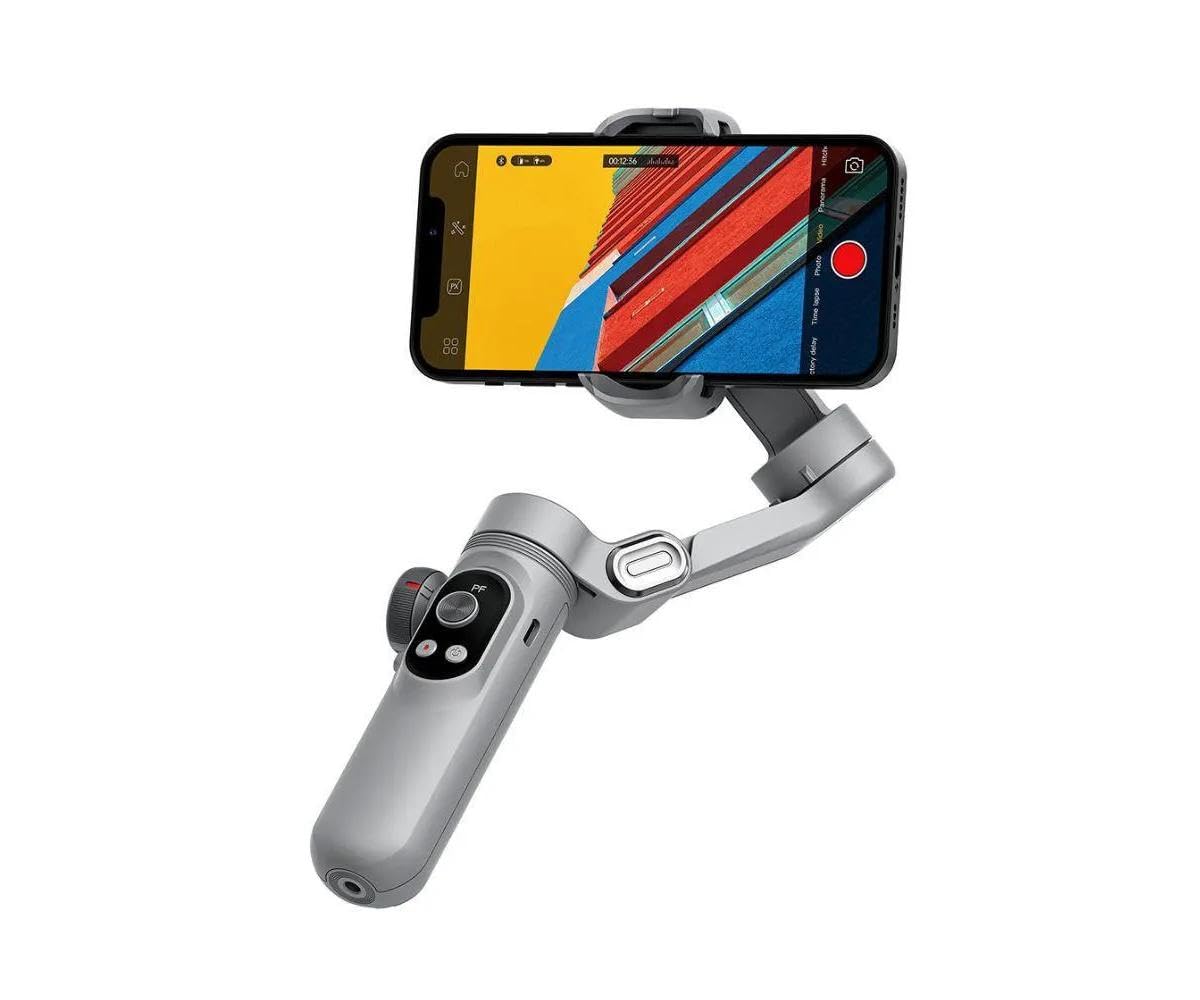
Figure 1: The WIWU Wi-SE007 gimbal stabilizer with a smartphone securely mounted, showcasing its primary operational configuration. The integrated fill light is visible.
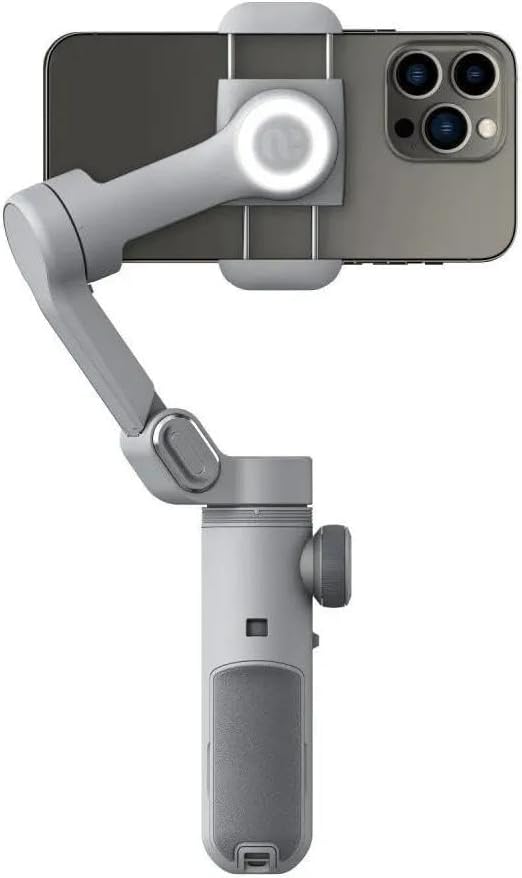
Figure 2: The gimbal stabilizer in its compact, folded state, highlighting its portability. This view shows the side profile of the device.

Figure 3: Bottom view of the gimbal stabilizer, illustrating the universal 1/4-inch screw mount for attaching the detachable tripod or other accessories.
Setup Guide
- Unfold the Gimbal: Gently unfold the gimbal from its compact state until it locks into the operating position.
- Charge the Device: Before first use, fully charge the gimbal using the provided USB cable. The charging port is typically located on the handle. A full charge provides up to 18-21 hours of battery life.
- Mount Your Smartphone: Extend the phone clamp and securely place your smartphone in the center. Ensure the phone is balanced as much as possible to reduce motor strain.
- Install the App: Download and install the official WIWU Smart APP from your smartphone's app store. This app is essential for accessing advanced features like auto-tracking and various shooting modes.
- Connect via Bluetooth: Power on the gimbal. Open the WIWU Smart APP and follow the on-screen instructions to connect your gimbal via Bluetooth.
- Attach Tripod (Optional): If using the tripod function, screw the detachable tripod base onto the 1/4-inch thread at the bottom of the gimbal handle.
Operating Instructions
- Power On/Off: Press and hold the power button (usually on the handle) for a few seconds to turn the gimbal on or off.
- Mode Selection: Use the mode button or the WIWU Smart APP to switch between the eight available shooting modes. These modes include various stabilization and movement patterns.
- Auto Tracking: Within the Smart APP, select one of the four intelligent tracking modes. Frame your subject, and the gimbal will automatically follow their movement, keeping them centered in the shot.
- Gimbal Controls:
- Joystick: Use the joystick to manually control the pan (yaw axis) and tilt (pitch axis) movements of the gimbal.
- Zoom: Utilize the zoom slider/button on the handle or within the app to zoom in or out.
- Follow Focus: The gimbal supports follow focus functionality, allowing precise focus adjustments during recording, typically controlled via the app.
- Fill Light: The built-in three-speed fill light can be activated and adjusted using a dedicated button on the gimbal or through the app to illuminate your subject.
- Selfie Stick Function: Extend the built-in extension rod to use the device as a selfie stick for wider shots or group photos.
- 360-degree Rotation: The orthogonal three-axis anti-shake design allows for 360-degree unlimited rotation on certain axes, enabling dynamic shots.
Maintenance
- Cleaning: Use a soft, dry cloth to clean the gimbal. Avoid using liquid cleaners or solvents that may damage the device.
- Storage: Store the gimbal in a cool, dry place, away from direct sunlight and extreme temperatures. When not in use for extended periods, ensure the battery is charged to about 50% to prolong its lifespan.
- Battery Care: Do not expose the battery to fire or high temperatures. Avoid fully discharging the battery frequently.
- Handle with Care: The gimbal contains precision electronic components. Avoid dropping or subjecting it to strong impacts.
Troubleshooting
| Problem | Possible Cause | Solution |
|---|---|---|
| Gimbal does not power on. | Low battery; power button not pressed correctly. | Charge the gimbal fully. Press and hold the power button for 3 seconds. |
| Unstable footage/Gimbal vibrates. | Phone not balanced; motors overloaded; incorrect mode. | Ensure phone is centered and balanced. Check phone weight against max load. Recalibrate gimbal via app if available. |
| Cannot connect to Smart APP. | Bluetooth off; app not updated; gimbal not in pairing mode. | Ensure Bluetooth is enabled on your phone. Restart both gimbal and app. Check for app updates. |
| Auto-tracking not working. | Poor lighting; subject too far/fast; app permissions. | Ensure adequate lighting. Keep subject within optimal range. Check app permissions for camera and location. |
Specifications
- Model: Wi-SE007
- Material: Composite material
- Maximum Load-bearing Capacity: 250g
- Rotation Angle (Yaw Axis): 310 degrees
- Rotation Angle (Pitch Axis): 345 degrees
- Stabilization: 3-axis orthogonal anti-shake
- Battery Life: Up to 18-21 hours (depending on usage)
- Fill Light: Built-in, three-speed adjustable
- Extension Rod: Built-in
- Tracking Modes: Four intelligent tracking modes
- Shooting Modes: Eight shooting modes
- Additional Features: Wireless phone charging support, follow focus, zoom, built-in microphone, removable battery.
- Compatible Devices: Cellphones
- Dimensions: Approximately 15 x 10 x 3 cm (folded/shipping)
- Weight: Approximately 100g
Warranty and Support
For warranty information, technical support, or service inquiries, please refer to the official WIWU website or contact your local retailer. Keep your proof of purchase for warranty claims.
Manufacturer: WIWU
Brand Store: Visit WIWU Store on Amazon