
1. Introduction
This manual provides comprehensive instructions for the installation, operation, and maintenance of your MALIIGAZA Intelligent Motion Sensor LED Stair Light Kit. This system is designed to provide automated, step-by-step lighting for stairs, enhancing safety and convenience. It features motion detection, daylight sensing, and remote control capabilities.
2. Safety Information
Please read all safety warnings and instructions carefully before installation and operation to prevent injury or damage. Keep this manual for future reference.
- Electrical Safety: Ensure power is disconnected before any installation or maintenance. All electrical connections must comply with local electrical codes.
- Installation Environment: This product is designed for indoor use. Avoid installation in areas with high humidity, extreme temperatures, or direct exposure to water.
- Component Handling: Handle LED strips and sensors with care. Do not bend LED strips sharply or apply excessive force.
- Power Supply: Use only the provided power supply or a compatible 24V DC power supply.
- Children and Pets: Keep all components out of reach of children and pets.
3. Package Contents
Verify that all components listed below are included in your package:
- Dynamic Staircase Controller
- Remote Control (battery not included)
- 16-step Main Line (5.6m / 18.4ft)
- 2 x PIR Motion Sensors (1m / 3.28ft cable each)
- 1 x Daylight Sensor (1m / 3.28ft cable)
- 1 x Sensor Extension Cord (5m / 16.4ft)
- 1 x Power Supply with Plug
- 16 x 1m / 3.28ft COB LED Strip Lights (Cool White 6000K)
- Mounting accessories (screws, screwdriver)

Figure 3.1: Overview of included components. Note that the remote control requires a battery, which is not supplied.
4. Product Overview
The MALIIGAZA Intelligent Motion Sensor LED Stair Light Kit provides dynamic lighting for staircases. Key components include:
- Dynamic Staircase Controller: The central unit managing light sequences, brightness, and sensor inputs.
- PIR Motion Sensors: Detect movement at the top and bottom of the stairs to activate the lighting sequence.
- Daylight Sensor: Automatically adjusts light operation based on ambient light levels, preventing activation during bright conditions.
- COB LED Strip Lights: Provide bright, uniform, cool white illumination for each step.
- Main Line: Simplifies wiring by connecting all LED strips to the controller.
- Remote Control: Allows for manual adjustment of brightness, speed, and lighting modes.
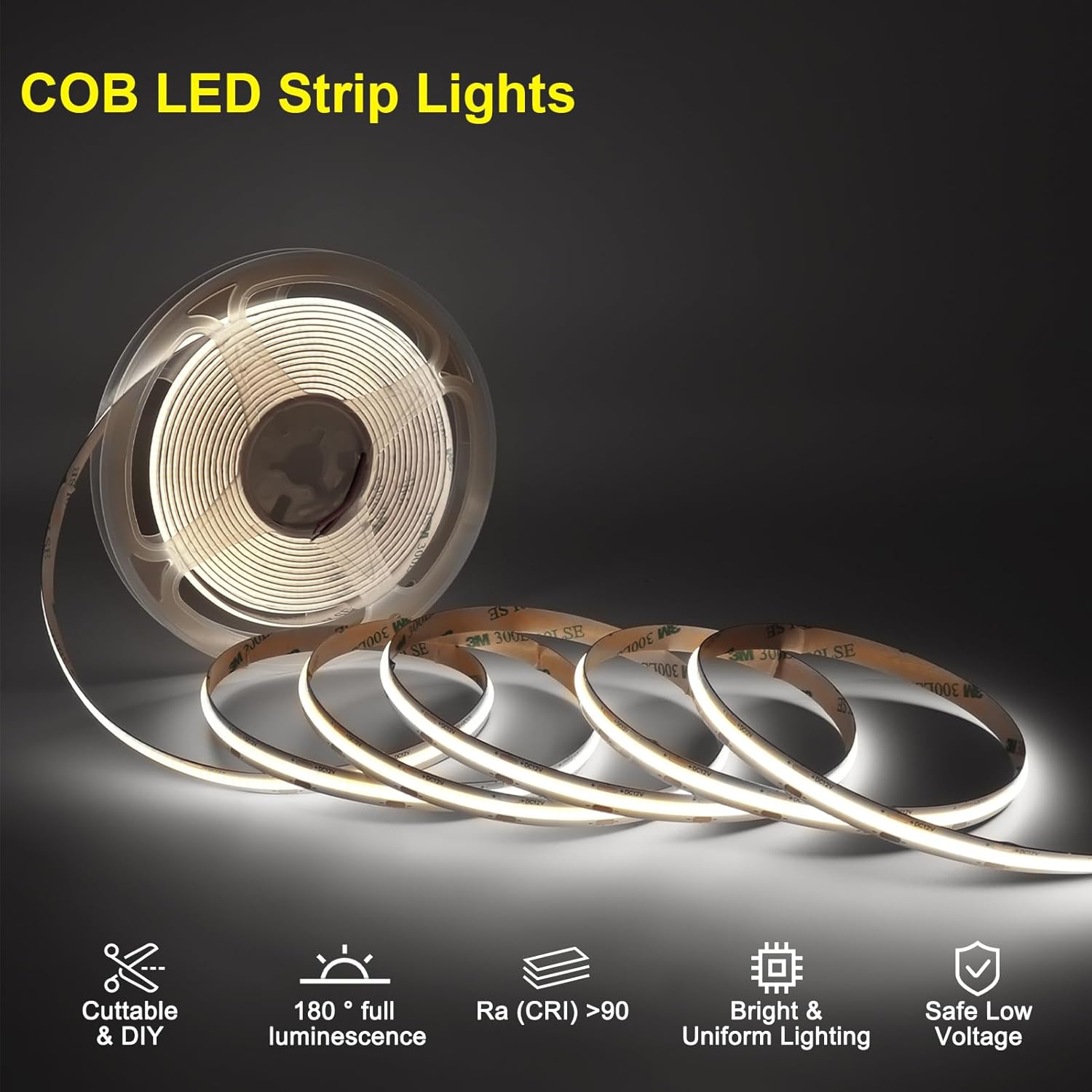
Figure 4.1: COB LED Strip Lights, offering uniform and bright illumination.
5. Setup and Installation
Follow these steps for proper installation of your stair light kit. It is recommended to plan your wiring path before beginning.
5.1 Pre-Installation Considerations
- Measure your stairs to ensure the 16-step main line and LED strips are suitable for your staircase length. The main line is 5.6m (18.4ft) and each LED strip is 1m (3.28ft).
- Identify suitable locations for the controller, power supply, and sensors (top and bottom of stairs for PIR, and an area with ambient light for the daylight sensor).
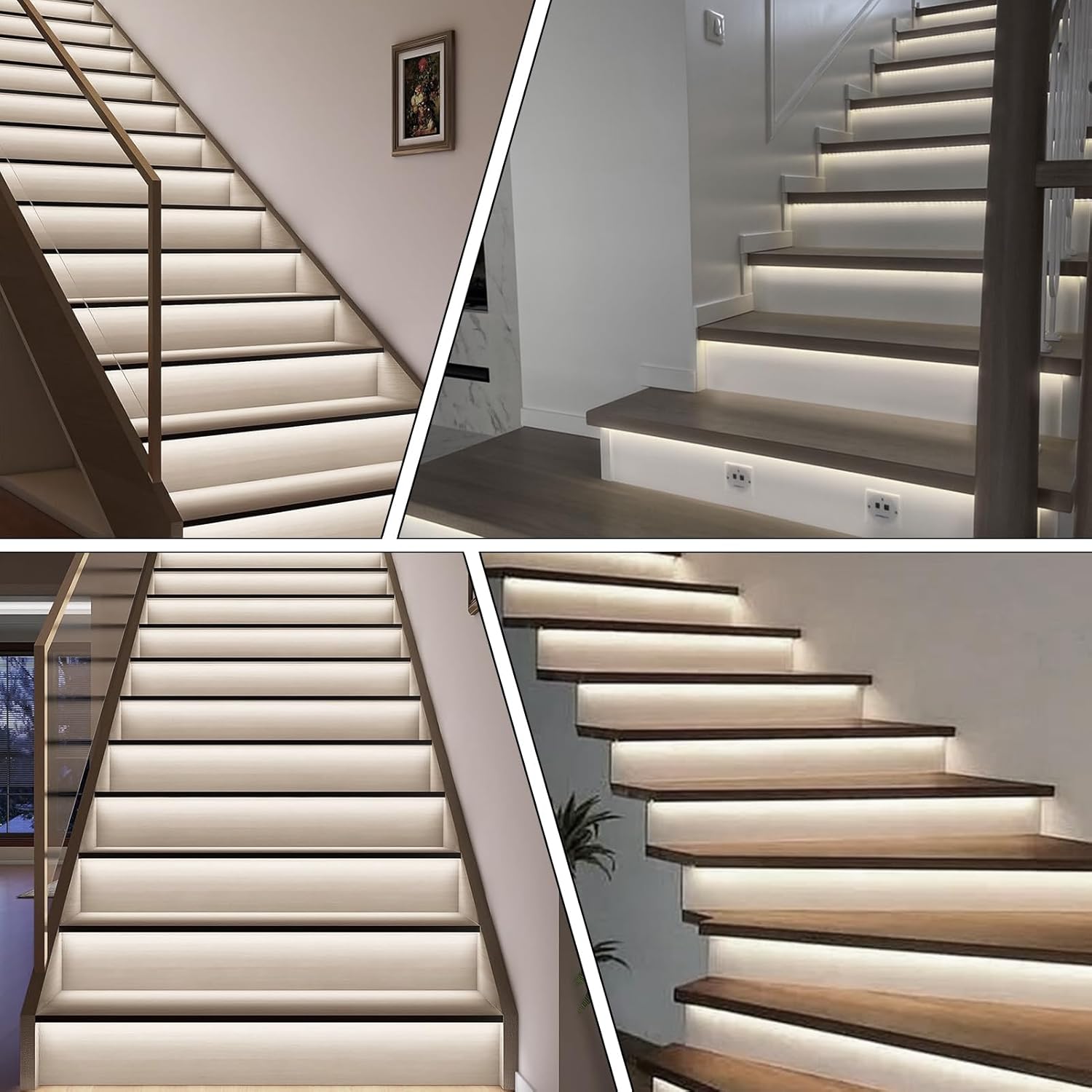
Figure 5.1: Product dimensions for main line, controller, sensors, and LED strips.
5.2 Wiring Diagram and Connections
Refer to the wiring diagram below for connecting all components to the Dynamic Staircase Controller.
- Power Supply Connection: Connect the power supply to the "Power Input" terminals on the controller (DC12V-DC24V). Ensure correct polarity.
- Main Line Connection: Connect the 16-step main line to the "LED Output" terminals on the controller. The main line has designated ports for each LED strip.
- LED Strip Installation: Attach each COB LED strip to the underside of each stair tread. Connect the LED strips to the corresponding ports on the main line. Ensure the strips are securely adhered.
- PIR Sensor Connection: Connect the two PIR motion sensors to the "PIR Input A" and "PIR Input B" terminals on the controller. Place one sensor at the top of the stairs and one at the bottom. Use the sensor extension cord if needed.
- Daylight Sensor Connection: Connect the daylight sensor to the "Lux Input C" terminal on the controller. Position the daylight sensor in an area that receives ambient light but is not directly illuminated by the stair lights.

Figure 5.2: Complete wiring diagram for the stair light system.
6. Operating Instructions
Once installed, the system operates automatically based on sensor input. Manual adjustments can be made using the remote control.
6.1 Automatic Operation (Motion and Daylight Sensing)
- Motion Detection: When a PIR sensor detects movement, the stair lights will illuminate in a step-by-step sequence. The lights will turn off automatically after a set delay once motion is no longer detected.
- Daylight Sensing: The daylight sensor prevents the lights from activating during daytime hours when sufficient ambient light is present, saving energy. The sensitivity of the daylight sensor can be adjusted.

Figure 6.1: PIR Motion Sensor in operation, activating lights upon movement.

Figure 6.2: Daylight Sensor functionality, ensuring lights activate only when needed.
6.2 Remote Control Functions
The remote control allows for manual adjustments to the lighting system.
- Delay: Adjusts the time delay before lights turn off after motion ceases.
- Speed: Controls the speed of the step-by-step lighting sequence.
- Mode: Cycles through different lighting effects and patterns.
- Number: (Specific function may vary, refer to controller display for details)
- Brightness: Adjusts the overall brightness of the LED strips.
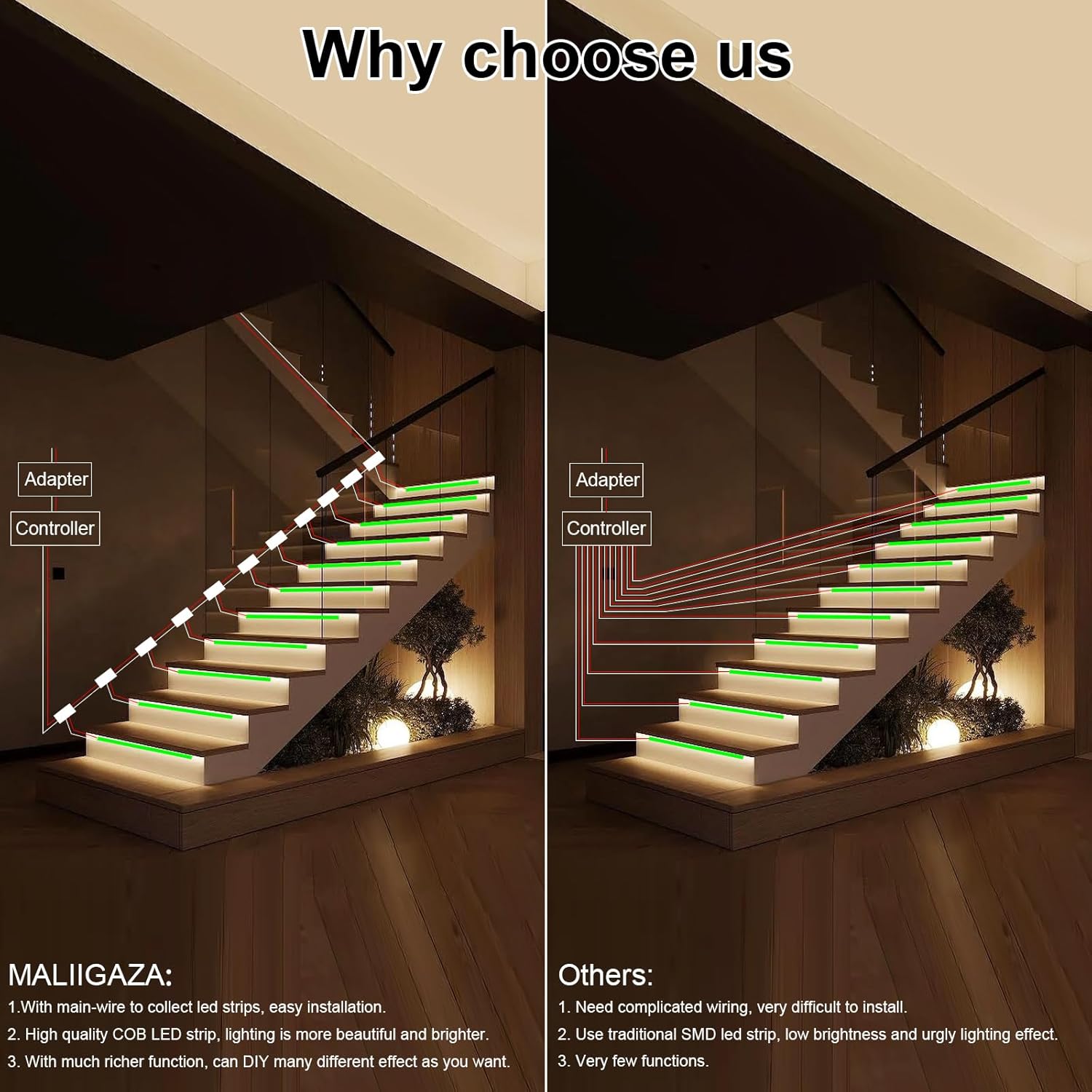
Figure 6.3: Remote control in use for adjusting light settings.
6.3 Controller Button Functions
The controller itself has buttons for fine-tuning settings:
- Brightness (+/-): Quick adjustment of brightness (HH01-HH99).
- Time Delay (+/-): Adjusts the light-off delay (LL01-LL99).
- Speed (+/-): Adjusts the lighting sequence speed (EE01-EE99).
- Setting (Mode) (+/-): Enters settings and cycles through modes (FF01-FF13).
- Long-press Save: Press and hold the "Setting" button to save changes.

Figure 6.4: Controller button functions and display settings.
6.4 Daylight Sensor Settings
The daylight sensor can be configured to operate based on ambient light levels.
- OFF Mode: Press the button once to turn the sensor off. The control light will turn blue, and the lighting system will operate day and night regardless of ambient light.
- Lux Level Settings: Press the button repeatedly to cycle through 6 lux level settings (5 Lux, 15 Lux, 30 Lux, 50 Lux, 100 Lux, 150 Lux). The system will activate only when the ambient light falls below the selected lux level.

Figure 6.5: Adjusting the daylight sensor sensitivity.
6.5 Brightness Adjustment
The system allows for adjustable brightness to suit different preferences and environments.

Figure 6.6: Visual representation of adjustable brightness levels.
7. Maintenance
Regular maintenance ensures the longevity and optimal performance of your stair light kit.
- Cleaning: Gently wipe the LED strips, sensors, and controller with a soft, dry cloth. Do not use abrasive cleaners or solvents.
- Inspection: Periodically check all wiring connections to ensure they are secure. Inspect LED strips for any signs of damage.
- Sensor Obstruction: Ensure PIR sensors are free from obstructions that could block their detection range.
- Battery Replacement: Replace the remote control battery as needed (battery type not specified, but typically coin cell).
8. Troubleshooting
If you encounter issues with your stair light kit, refer to the following common problems and solutions:
| Problem | Possible Cause | Solution |
|---|---|---|
| Lights do not turn on. | No power to controller; Loose connections; Faulty power supply; Daylight sensor active. | Check power outlet and power supply connection. Verify all wiring is secure. Test power supply. Adjust daylight sensor settings or turn it off. |
| Lights stay on constantly. | PIR sensor continuously detecting motion; Controller setting issue. | Ensure no constant motion near sensors. Check controller settings for delay time. |
| Lights do not respond to motion. | PIR sensors obstructed or misaligned; Faulty sensor; Daylight sensor preventing activation. | Clear obstructions from sensors. Re-position sensors for optimal detection. Check daylight sensor settings. |
| Remote control not working. | Dead battery; Remote not paired (if applicable); Obstruction between remote and controller. | Replace remote battery. Ensure clear line of sight to controller. Refer to remote pairing instructions (if any). |
| Some LED strips are not lighting up. | Loose connection to main line; Damaged LED strip. | Check connection of the specific LED strip to the main line. Inspect the LED strip for physical damage. |
If the problem persists after attempting these solutions, please contact MALIIGAZA customer support.
9. Specifications
| Feature | Detail |
|---|---|
| Model Number | KLA-STEP-09 |
| Input Voltage | DC12V-DC24V |
| Max Current | 10A |
| Max Load (DC12V) | 120W |
| Max Load (DC24V) | 240W |
| Light Color | Cool White (6000K) |
| Lighting Method | LED (COB Strip Lights) |
| Controller Type | Remote Control, Motion Sensor, Daylight Sensor |
| Product Dimensions (Controller) | 9.85 x 9.85 x 3.25 inches (approx. 150 x 150 x 82.5 mm) |
| LED Strip Length | 1m (3.28ft) per strip |
| Main Line Length (16 Stairs) | 5.6m (18.4ft) |
| PIR Sensor Cable Length | 1m (3.28ft) |
| Daylight Sensor Cable Length | 1m (3.28ft) |
| Sensor Extension Cord Length | 5m (16.4ft) |
10. Warranty and Support
MALIIGAZA is committed to providing high-quality products and customer satisfaction. For warranty information or technical support, please refer to the contact details provided with your product packaging or visit the official MALIIGAZA website. Please have your model number (KLA-STEP-09) and purchase details ready when contacting support.
MALIIGAZA is a professional manufacturer of LED strip lighting products with over 12 years of experience, dedicated to supplying the best products and service with strict quality control.
