
MOKPR B0CY2CH9D5
MOKPR 15W Wireless Car Charger Instruction Manual
Your guide to setting up, operating, and maintaining your MOKPR Wireless Car Charger.
1. Product Overview
The MOKPR 15W Wireless Car Charger is an auto-clamping phone mount designed for convenient and fast wireless charging in your vehicle. It combines a secure phone holder with efficient charging technology, ensuring your device remains powered and accessible during your drives.

Figure 1: The MOKPR 15W Wireless Car Charger, showcasing its auto-clamping mechanism and wireless charging capability.
2. Key Features
- Fast Wireless Charging: Built-in upgraded chip intelligently identifies and charges your device safely. Supports 15W for LG V50/V40/V30/G8/G7; 10W for Samsung Galaxy S23 Ultra/S23+/S23/S22 Ultra/S22/S21/S20+/S20/Note 10; 7.5W for iPhone 16 15/14/14 plus/14 pro/14 pro max/13/13 Pro/12 Pro Max/12 Pro/12/11/X/XR/8. (Note: 15W/10W/7.5W Fast Charging requires QC 3.0 car charger, not included. 5W standard wireless charging requires 5V/2A adapter.)
- Stable & Flexible Viewing Angle: Features a 360-degree rotating and pivoting ball joint for optimal viewing without neck or eye strain.
- Auto-Clamping Mechanism: Arms and foot auto-open upon power connection and auto-clamp firmly once your phone is placed inside, eliminating manual adjustment.
- Automatic Precise Alignment: Advanced sensor intelligently identifies your phone and auto-adjusts to the best charging area based on your phone model.
- Case Friendly & FOD Function: Supports charging through phone cases up to 4mm thick. FOD (Foreign Object Detection) prevents abnormal charging.
- 2-in-1 Design: Combines wireless charger and car mount for convenience, reducing cable clutter while driving.

Figure 2: This image highlights the advanced chip and coil design, ensuring safe and fast charging. It details charging speeds (7.5W, 10W, 15W) for compatible devices like iPhone, Samsung Galaxy, and LG, along with built-in protections against overcharge, overvoltage, overcurrent, and temperature control.
3. Package Contents
Please check the box for the following items:
- 1 x MOKPR Wireless Car Charger
4. Setup Instructions
Follow these steps to install your MOKPR Wireless Car Charger:
- Pass the nut through the ball head of the air vent clip.
- Push the ball head into the joint on the back of the charger unit.
- Tighten the nut securely to fix the air vent clip to the charger.
- Rotate the gear on the air vent clip to firmly grip the air vent blade in your car. Ensure the clip is securely attached to prevent movement. (Note: Some air vent outlets may not be compatible. Refer to Figure 9 for compatible vent types.)
- Connect the power cable from the charger to a suitable USB power source in your car (e.g., a QC 3.0 car charger adapter or a USB port).

Figure 3: A five-step visual guide demonstrating the easy installation process: passing the nut through the ball head, pushing the ball head into the joint, tightening the nut, rotating the gear to grip the air vent blade, and connecting power.
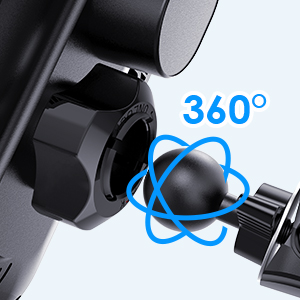
Figure 4: The charger features a 360-degree rotating and pivoting ball joint, allowing for flexible adjustment to achieve the most comfortable and safest viewing angle.
5. Operating Instructions
5.1 Placing Your Phone
Once the charger is powered on, the arms and foot will automatically open. Simply place your phone into the holder. The charger will then automatically clamp your phone securely.
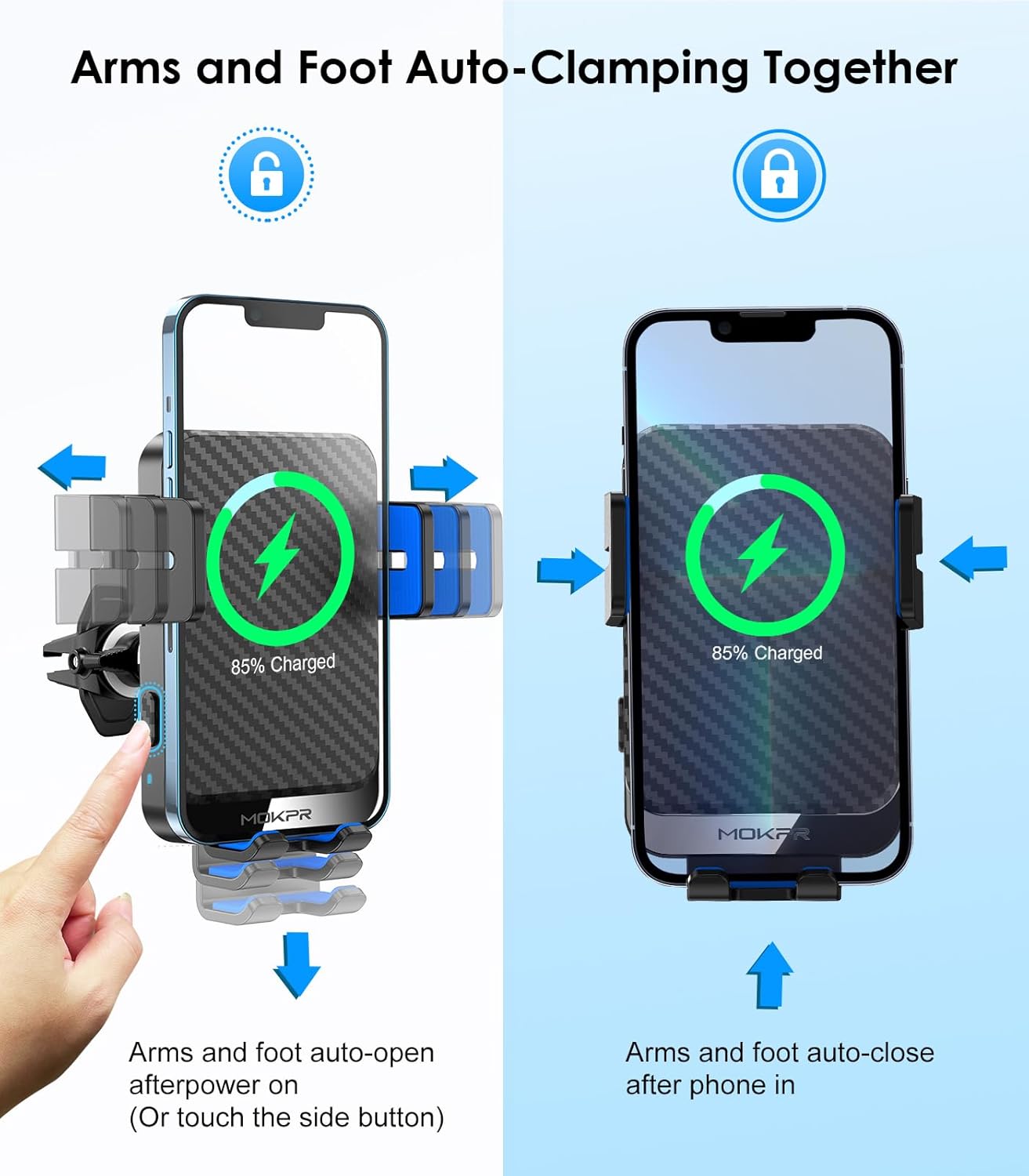
Figure 5: The auto-clamping mechanism of the charger. Upon power connection, the arms and foot automatically open. Once a phone is placed, they securely clamp the device, eliminating manual adjustments.
5.2 Automatic Charging Alignment
The built-in advanced sensor will intelligently identify your phone's charging area and automatically adjust the foot to ensure your phone is in the best charging position. No manual adjustment of the foot is required.
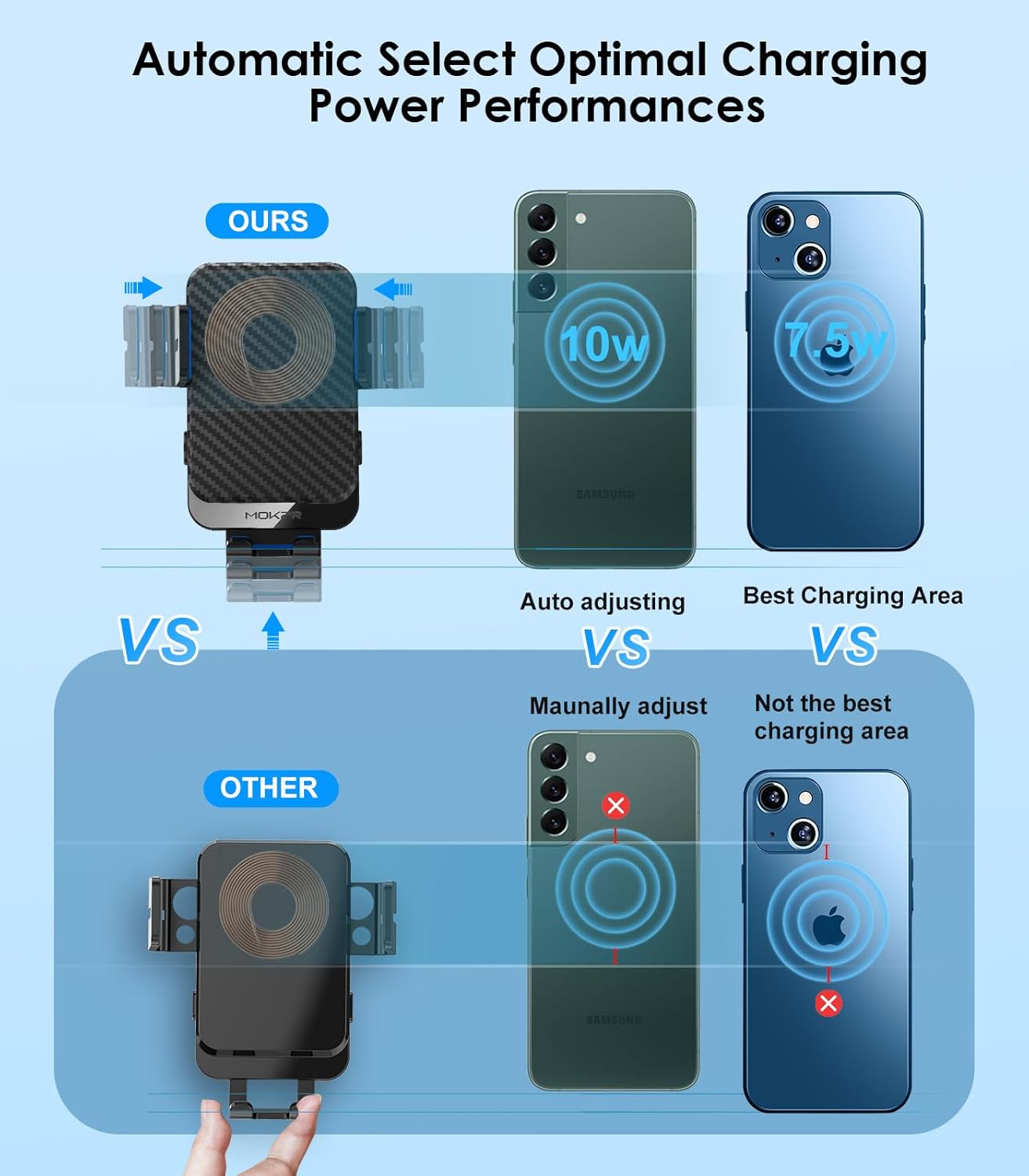
Figure 6: This visual demonstrates the charger's intelligent sensor, which automatically identifies the phone's charging area and adjusts the foot for optimal charging performance, unlike other chargers that require manual positioning.
5.3 Removing Your Phone
To remove your phone, simply press the release button located on the side of the charger. The arms will open, allowing you to safely retrieve your device.

Figure 7: Simple two-step process to remove your phone: press the side button to open the arms, then take your phone out.
6. Maintenance
To ensure the longevity and optimal performance of your MOKPR Wireless Car Charger, follow these maintenance guidelines:
- Cleaning: Use a soft, dry cloth to wipe down the surface of the charger. Avoid using abrasive cleaners or solvents, as they may damage the finish.
- Cable Care: Handle the power cable gently. Avoid sharp bends or kinks, which can damage the internal wires.
- Storage: If not in use for an extended period, store the charger in a cool, dry place away from direct sunlight and extreme temperatures.
- Silicone Pads: The silicone pads on the arms and foot are designed to protect your phone. Keep them clean and free of debris for optimal grip.

Figure 8: Detail view of the silicone pads on the charger's arms and foot, designed to provide a secure and scratch-free grip on your phone.
7. Troubleshooting
If you encounter any issues with your MOKPR Wireless Car Charger, please refer to the following common problems and solutions:
| Problem | Possible Cause / Solution |
|---|---|
| Charger not powering on or auto-clamping. |
|
| Phone not charging wirelessly. |
|
| Charger is loose or falls off the air vent. |
|
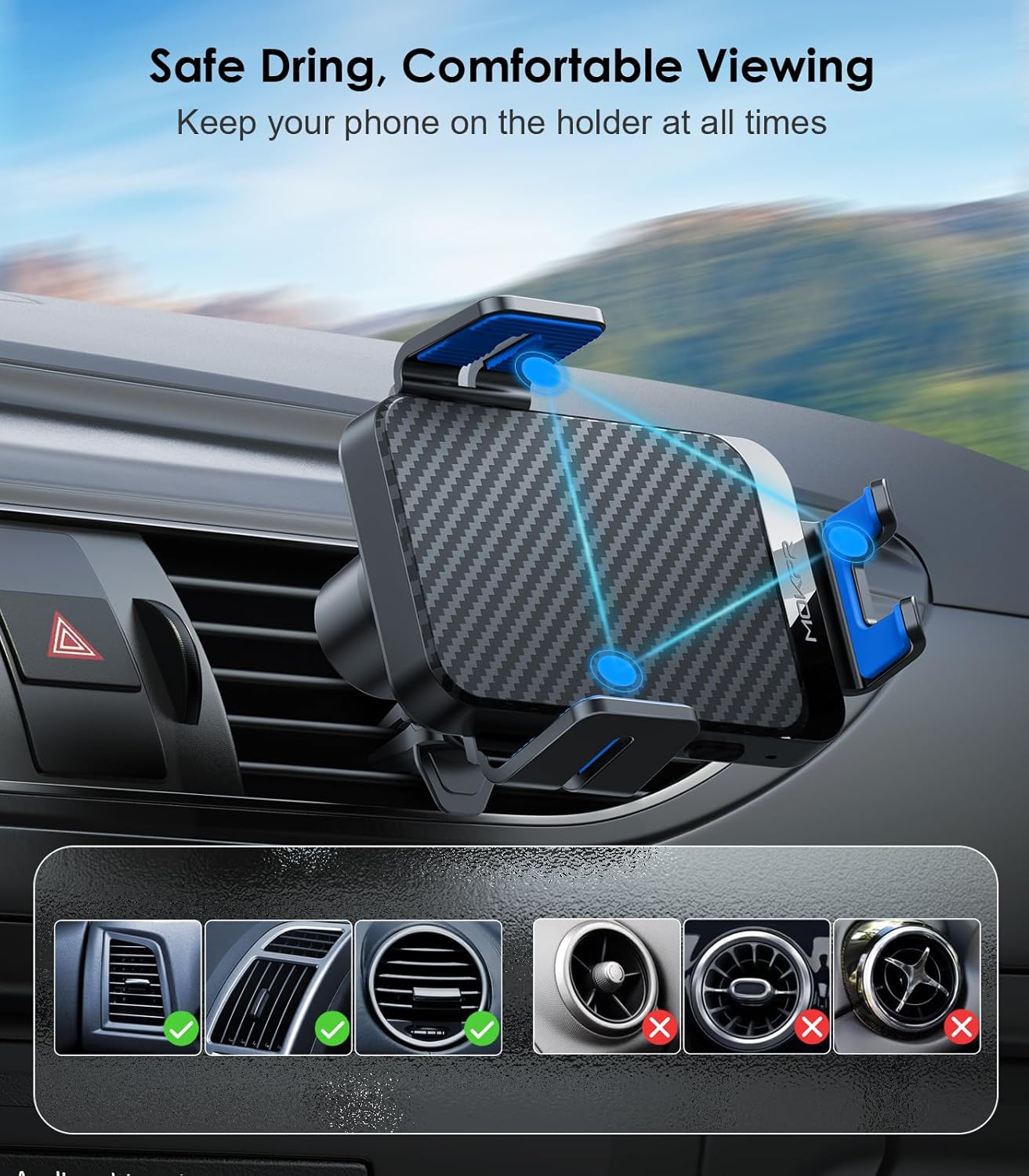
Figure 9: The charger is designed for stable and comfortable viewing, with a 360-degree rotating ball joint. It shows various air vent types, indicating which are compatible for secure mounting.
8. Specifications
| Attribute | Detail |
|---|---|
| Brand | MOKPR |
| Model | B0CY2CH9D5 |
| Connectivity Technology | USB |
| Connector Type | USB Type C |
| Compatible Devices | Cellular Phones |
| Compatible Phone Models | Galaxy S24/S23/S22+/S22/S21+/S21/S20+/S20, Note 10+/Note10, S10+/S10/S10e, S9/S8, Note 9/Note 8, Google Pixel 5/Pixel 5 XL/Pixel 4/Pixel 4 XL/Pixel 3/Pixel 3 XL, iPhone 16 15 14/14 plus/14 pro/14 pro max/13/13 Pro/13 Pro Max/12/12 Pro/12 Pro Max/iPhone SE 2020,11 Pro Max/11 Pro/11/Xs Max/XS/X/XR/8 Plus/8 |
| Special Feature | Travel, Short Circuit Protection, Automatic Off, Fast Charging, Wireless Charging |
| Color | Blue Arm |
| Input Voltage | 12 Volts |
| Mounting Type | Vent Mount |
| Item Weight | 8.1 ounces |
| Package Dimensions | 4.53 x 3.39 x 3.31 inches |
| Manufacturer | MOKPR |
| Country of Origin | China |
| Date First Available | March 14, 2024 |
9. Warranty and Support
For warranty information or technical support, please contact MOKPR customer service. You can find more information and contact details by visiting the official MOKPR store:
Related documentsB0CY2CH9D5

Ask a question about this manual
Ask about setup, troubleshooting, compatibility, parts, safety, or missing instructions. Manuals+ will review the question and use this page’s manual context to help answer it.