
1. Overview
The Yoidesu 234XL Crossover is a professional audio peripheral designed for precise sound distribution and processing in various audio setups. It offers versatile 2/3 way stereo and 4 way mono operation modes, making it suitable for stage performances, recording studios, and other sound reinforcement applications. Constructed from durable ABS material, this unit ensures stable and reliable performance.
Key Features:
- Powerful Performance: Equipped with advanced technology for premium sound crossover and stereo effect.
- Multifunctional Design: Suitable for stage performance and other scenes, providing a comprehensive solution for sound distribution and processing.
- Stable and Reliable: Fine manufactured to ensure the stability and reliability of the unit.
- Easy to Use: Designed for straightforward operation, suitable for various users without requiring professional skills.
- Premium Material: Made of durable ABS material for a long service life.

Figure 1.1: Front view of the Yoidesu 234XL Crossover, showcasing its dual-channel controls and robust design.
2. Setup
Proper setup of your Yoidesu 234XL Crossover is crucial for optimal performance. Follow these steps to connect the unit to your audio system.
2.1 Unboxing and Initial Inspection
Carefully remove the crossover from its packaging. Inspect the unit for any signs of damage during transit. Ensure all accessories, including the power cable, are present.

Figure 2.1: The Yoidesu 234XL Crossover and its included power cable, ready for setup.
2.2 Power Connection
Connect the provided power cable to the IEC receptacle on the rear panel of the crossover. Ensure the power source matches the unit's voltage requirements (100-120V AC 50/60Hz or 230V AC 50Hz, depending on region). Do not power on the unit until all audio connections are made.

Figure 2.2: Detailed view of the power input interface, indicating 15 Watts power consumption and voltage specifications.
2.3 Audio Connections
The 234XL Crossover features balanced XLR input and output connectors. The audio interface utilizes pure copper contacts for sensitive and strong anti-interference performance.

Figure 2.3: Rear panel connections, including XLR inputs and outputs for high, mid, and low frequencies.

Figure 2.4: A close-up of the audio input interface, highlighting the pure copper contacts for reliable signal transmission.
- Connect your audio source (e.g., mixer) to the INPUT connectors on the rear panel using XLR cables.
- Connect the HIGH OUTPUT, MID OUTPUT (if applicable), and LOW OUTPUT connectors to your respective power amplifiers or active speakers.
2.4 Setup Demonstration Video
Video 2.1: This video demonstrates the unboxing and initial power connection of the 234XL Crossover, providing a visual guide for basic setup.
3. Operating the 234XL Crossover
The Yoidesu 234XL Crossover offers intuitive controls for precise audio signal management. Understanding each control knob and switch is essential for optimizing your sound system.
3.1 Front Panel Controls
The front panel features controls for two independent channels, allowing for stereo or mono operation. Each channel includes input gain, low cut, crossover frequency adjustments, and output level controls for low, mid, and high frequencies.

Figure 3.1: Overview of the front panel, displaying all control knobs and indicators for Channel One and Channel Two.

Figure 3.2: A close-up of the control knobs, which are imported audio potentiometers designed for accurate effect control.
3.2 Mode Selection
The crossover supports both stereo 2-way/3-way and mono 4-way operation. Use the MODE switch on the rear panel to select the desired configuration. Ensure the correct mode is selected before adjusting crossover frequencies.
3.3 Adjusting Crossover Frequencies
Each channel has dedicated knobs for adjusting low/high and low/mid/high crossover frequencies. The x1/x10 switch allows you to multiply the low-high (mono: low/mid and high/mid) crossover frequency range by a factor of 1 or 10 for finer control.
3.4 Operating Demonstration Videos
Video 3.1: This video provides a demonstration of the 234XL Crossover's controls and functionality in a stereo 2/3 way setup.
Video 3.2: A detailed demonstration of the professional 2/3 Way Stereo/4 Way Mono Crossover, highlighting its various controls and their impact on sound.
Video 3.3: This video illustrates the 234XL Crossover in mono 4-way mode, demonstrating its application for stage performance and control adjustments.
4. Maintenance
To ensure the longevity and optimal performance of your Yoidesu 234XL Crossover, follow these maintenance guidelines:
- Cleaning: Regularly wipe the unit with a soft, dry cloth to remove dust and debris. Avoid using abrasive cleaners or solvents, as they may damage the finish.
- Ventilation: Ensure adequate ventilation around the unit to prevent overheating. Do not block any ventilation openings.
- Storage: When not in use for extended periods, store the crossover in a cool, dry place, away from direct sunlight and extreme temperatures.
- Cable Management: Keep all cables neatly organized and free from kinks or excessive tension to prevent damage to connectors and internal wiring.
5. Troubleshooting
If you encounter issues with your Yoidesu 234XL Crossover, refer to the following common problems and solutions:
| Problem | Possible Cause | Solution |
|---|---|---|
| No power indicator light | Power cable not connected or faulty; power outlet issue. | Check power cable connection. Ensure power outlet is functional. Try a different power cable. |
| No sound output | Incorrect audio connections; input/output levels too low; incorrect mode selected. | Verify all XLR connections. Adjust input and output gain knobs. Check the MODE switch setting. |
| Distorted sound | Input signal too high (clipping); faulty cables; incorrect crossover settings. | Reduce input gain to prevent clipping. Inspect and replace faulty cables. Adjust crossover frequencies and output levels. |
| Hum or noise | Ground loop; unshielded cables; interference from other equipment. | Ensure all equipment is properly grounded. Use high-quality shielded cables. Separate audio cables from power cables. |
6. Specifications
The following table details the technical specifications of the Yoidesu 234XL Crossover:

Figure 6.1: Part 1 of the technical specifications for the 234XL Crossover, including input/output characteristics and frequency response.
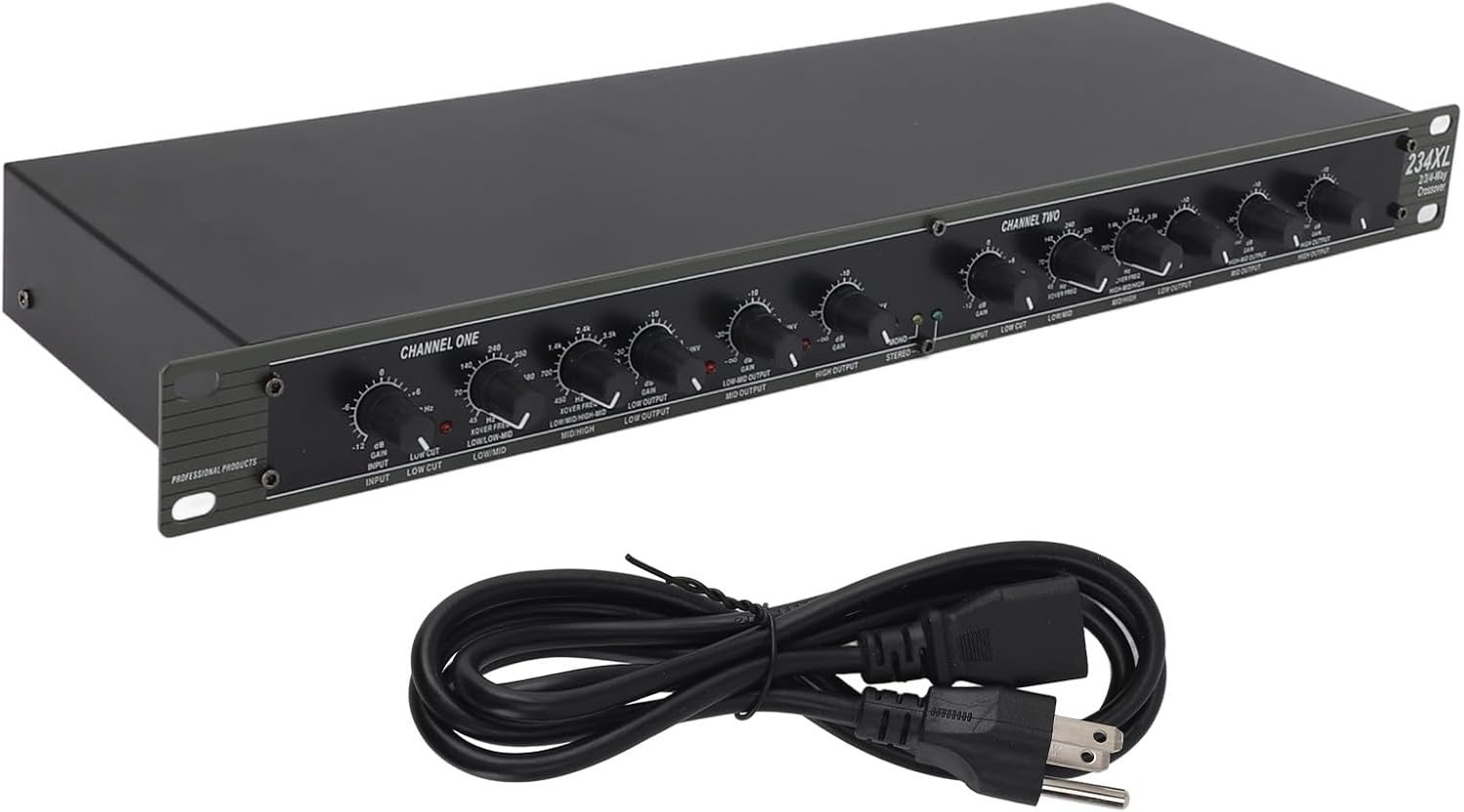
Figure 6.2: Part 2 of the technical specifications, detailing crossover frequencies, switches, indicators, and power requirements.
| Feature | Specification |
|---|---|
| Manufacturer | Yoidesu |
| Model | Yoidesu6t7co9hb2f |
| Parcel Dimensions | 55.24 x 28.57 x 6.35 cm |
| Item Weight | 2.36 kg |
| Country of Origin | China |
| Operating Voltage | 100-120 VAC 50/60Hz; 230 VAC 50Hz |
| Power Consumption | 15W |
| Input Connectors | XLR |
| Output Connectors | XLR |
| Crossover Filter Type | Linkwitz-Riley, 24 dB/octave, state-variable |
7. Warranty & Support
For warranty information and technical support regarding your Yoidesu 234XL Crossover, please refer to the documentation included with your purchase or contact the seller directly. Keep your proof of purchase for any warranty claims.