
1. Introduction and Overview
This Unitronic wireless remote control system provides a simple and reliable solution for controlling electronic devices remotely. It includes two transmitters and one receiver, operating at a stable frequency of 433.92 MHz. The system is designed for energy efficiency with a low power consumption and a maximum output of 120W. The receiver is capable of storing up to 140 unique codes, allowing for versatile control and customization of various appliances such as blinds, lighting, and garage doors. With an IP20 rating, this system is suitable for safe indoor use.

Figure 1.1: Overview of the Unitronic 2-Channel Wireless Remote Control System, showing the two remote transmitters and the receiver module.
2. Setup
2.1 Unpacking and Components
Carefully unpack all components. The package should contain:
- 2 x Wireless Remote Transmitters (with batteries included)
- 1 x Wireless Receiver Module

Figure 2.1: Product packaging for the Unitronic Wireless Remote Control System.
2.2 Receiver Installation and Wiring
The receiver module is designed for easy integration into your existing electrical setup. Ensure power is disconnected before wiring.
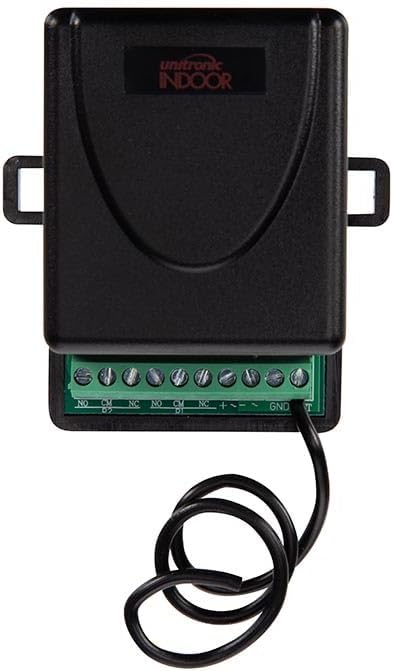
Figure 2.2: Close-up view of the receiver's terminal block for wiring connections.
Connect your device and power supply to the receiver's terminal block according to the following labels:
- NO: Normally Open contact
- CM: Common contact
- NC: Normally Closed contact
- +: Positive power input
- -: Negative power input
- GND: Ground
- D1: Data input (if applicable for advanced configurations)
Refer to the wiring diagram of the device you intend to control for proper connection to the NO, CM, or NC terminals. Ensure the power supply matches the receiver's voltage requirements.
2.3 Pairing Transmitters with the Receiver
The receiver can store up to 140 unique codes from various transmitters. To pair a transmitter:
- Ensure the receiver is powered on.
- Locate the learning button or programming jumper on the receiver (exact location may vary, refer to receiver's specific markings).
- Press and hold the learning button on the receiver until an indicator light (LED) illuminates or flashes, indicating it is in learning mode.
- Within a few seconds, press the desired button on the transmitter that you wish to pair.
- The receiver's indicator light should change (e.g., flash rapidly, turn solid, or turn off) to confirm successful pairing.
- Repeat the process for any other buttons on the same transmitter or for additional transmitters you wish to pair.
To clear all stored codes from the receiver, typically press and hold the learning button for a longer duration (e.g., 8-10 seconds) until the indicator light confirms the reset.
3. Operating Instructions
3.1 Basic Operation
Once paired, operating the system is straightforward. Each button on the transmitter corresponds to a specific action or device linked during the pairing process.
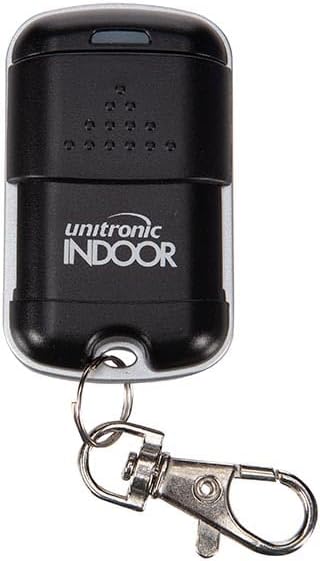
Figure 3.1: Close-up of a Unitronic remote transmitter.
To activate a connected device, simply press the corresponding button on the remote transmitter. The blue LED on the transmitter will illuminate when a button is pressed, indicating signal transmission.
3.2 Controlling Devices
The system is versatile and can be used for various home automation tasks:
- Garage Doors/Gates: Press the assigned button to open or close your garage door or gate.

Figure 3.2: Using the remote to control a garage door.
- Outdoor Features: Control garden lights, water features, or other outdoor electrical appliances.
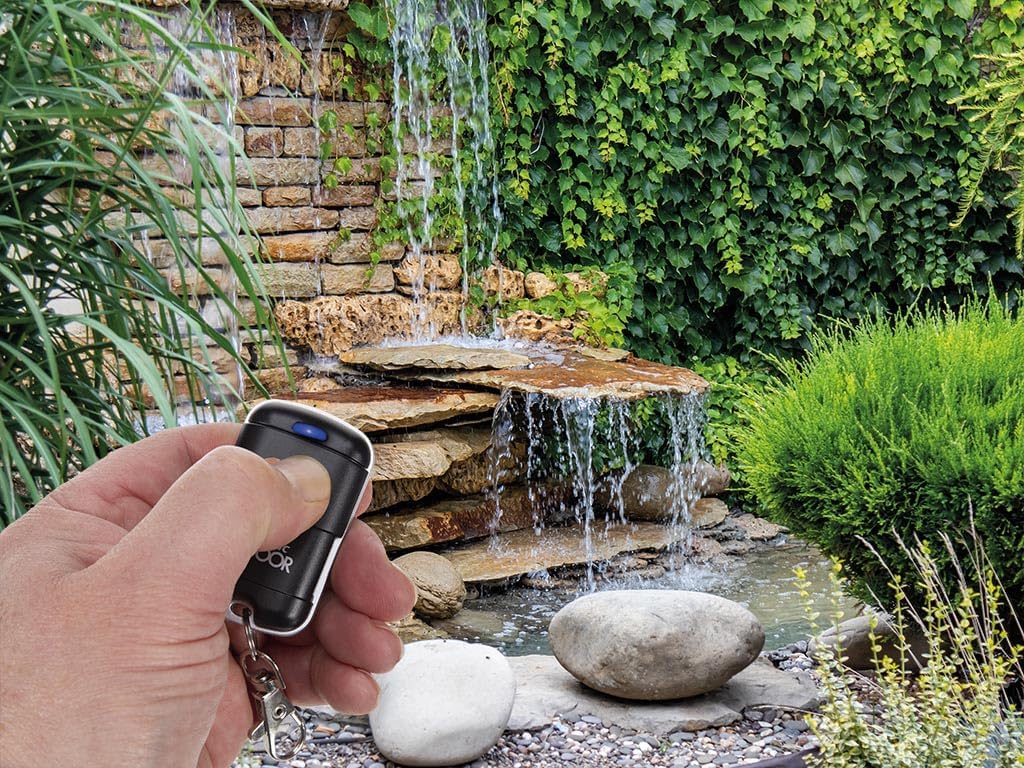
Figure 3.3: Remote control used for a garden water feature.
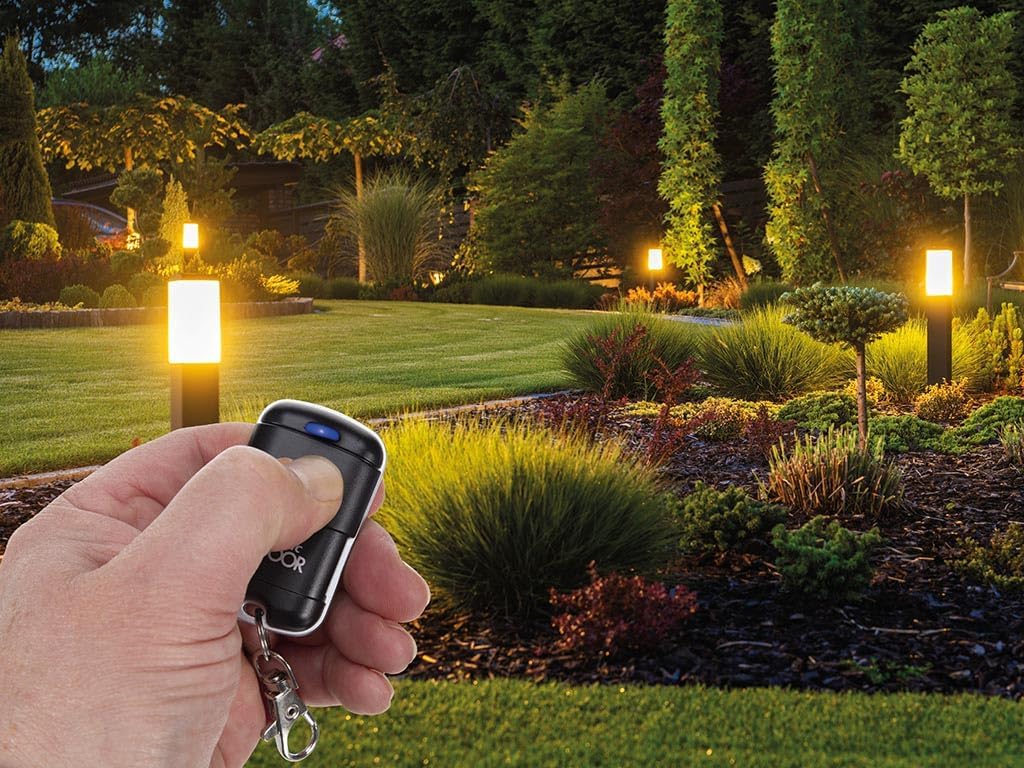
Figure 3.4: Remote control used for garden lighting.
- Indoor Lighting/Blinds: Integrate with indoor lighting systems or motorized blinds for convenient control.
4. Maintenance
4.1 Cleaning
Wipe the transmitters and receiver with a soft, dry cloth. Do not use abrasive cleaners, solvents, or immerse the devices in water. Ensure the receiver's terminal block remains free of dust and debris.
4.2 Battery Replacement (Transmitters)
The transmitters come with batteries included. If the blue LED on the transmitter does not illuminate or the range decreases significantly, it may be time to replace the battery. Refer to the transmitter's casing for the battery type (typically a small coin cell battery). Carefully open the battery compartment, replace the old battery with a new one of the same type, observing polarity, and close the compartment securely.
4.3 Storage
Store the system components in a cool, dry place away from direct sunlight, extreme temperatures, and high humidity when not in use for extended periods.
5. Troubleshooting
5.1 No Response from Device
- Check Power: Ensure the receiver module is properly powered.
- Check Pairing: Verify that the transmitter is correctly paired with the receiver. If unsure, repeat the pairing process (Section 2.3).
- Check Transmitter Battery: Confirm the transmitter battery is not depleted. Replace if necessary.
- Check Wiring: Ensure all wires are securely connected to the receiver's terminal block and to the controlled device.
5.2 Limited Range or Intermittent Operation
- Obstacles: Large metal objects, concrete walls, or other electronic devices can interfere with the wireless signal. Try operating closer to the receiver or repositioning the receiver.
- Interference: Other wireless devices operating on similar frequencies (433.92 MHz) can cause interference.
- Low Battery: A weak transmitter battery can reduce the effective range.
5.3 Receiver Indicator Light Not Functioning
- Power Issue: Ensure the receiver is receiving adequate power.
- Damage: If the receiver has been exposed to moisture or physical damage, it may be faulty.
6. Specifications
| Brand | UNITRONIC |
| Model Number | 8023389773367 |
| ASIN | B0CY254GGS |
| Color | Black |
| Connectivity Technology | Wireless |
| Frequency | 433.92 MHz |
| Number of Channels | 2 |
| Max Output Power | 120 W |
| Code Storage Capacity | Up to 140 codes |
| Special Feature | Digital Display (on some models/features) |
| IP Rating | IP20 (for indoor use) |
| Manufacturer | Unitronic |
| Country of Origin | China |
7. Warranty and Support
Information regarding specific warranty terms for this product is not provided in the available data. For warranty claims or technical support, please contact the retailer or manufacturer directly.
Please note that information on spare parts availability and guaranteed software updates is not available for this product.