
Product Overview
About Your Espelho Automatic Cat Feeder
The Espelho Automatic Cat Feeder with WiFi offers a convenient and reliable solution for managing your pet's meal schedule. Featuring smart app control, this feeder ensures your cat receives precise portions at timed intervals, promoting healthy eating habits. Its innovative design includes an anti-clog mechanism, a desiccant box for food freshness, and dual power supply options for uninterrupted operation. The personalized voice recording feature adds a comforting touch for your pet at mealtime.
Key Features
- User-Friendly App Control: Manage feeding schedules, portions, and remote feeding via the "PetTech" app (2.4Ghz WiFi only). Track feeding records and share access with family.
- Healthy Diet Management: Program up to 10 meals daily with 1-20 portions per meal. The 4L food container with a desiccant box keeps food fresh, supporting healthy eating habits.
- Anti-Clog Design: Wide-angle, 40-degree slope ensures smooth food flow, preventing blockages. Compatible with dry kibble 0.07 to 0.4 inches.
- Dual Power Supply: Operates with AC power or 3x D-size batteries (not included) for reliable meal delivery during power outages.
- Personalized Voice Meal Call: Record a 10-second voice message that plays during meal dispensing, providing comfort for your pet.
Setup Guide
1. Unpacking and Assembly
Ensure all components are present: feeder unit, stainless steel bowl, power adapter, desiccant bag. Assemble the stainless steel bowl into the feeder base.
2. Powering the Device
Connect the power adapter to the feeder and a wall outlet. For backup, insert 3 D-size batteries (not included) into the battery compartment at the bottom of the unit.
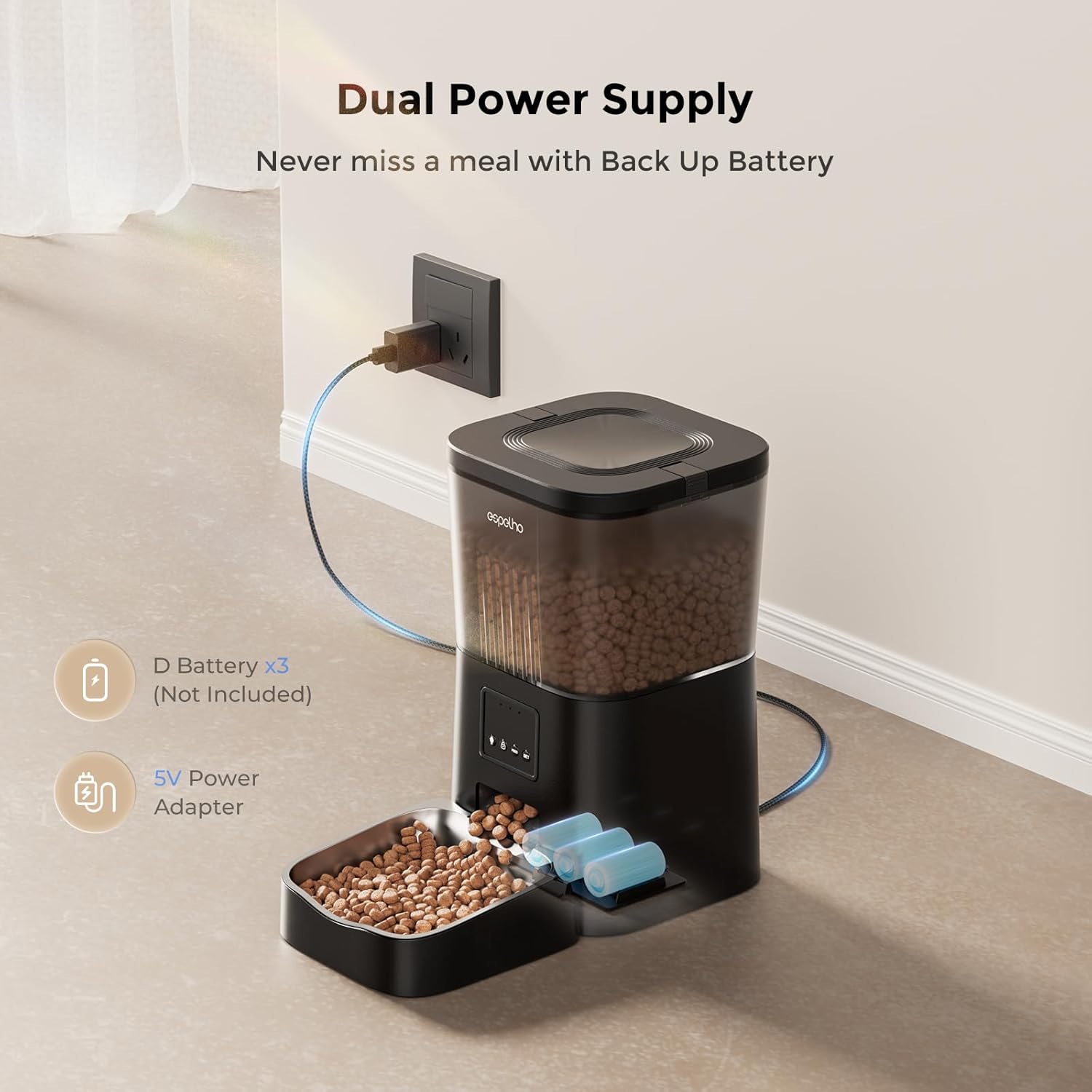
Figure 2.1: Dual Power Supply Setup. The feeder can be powered by AC adapter or 3 D-size batteries (not included) for backup.
3. App Download and Connection
Download the "PetTech" app by scanning the QR code provided in the manual or searching for "PetTech" on your app store.

Figure 3.1: App Download and Initial Connection Steps. Scan the QR code or search for "PetTech" in your app store. Ensure Bluetooth and WiFi are enabled on your phone.
Turn on your phone's Bluetooth and WiFi. The feeder only supports 2.4Ghz WiFi networks. If your router uses 5Ghz, ensure you connect to the 2.4Ghz band.
Open the "PetTech" app and follow the on-screen instructions to add your device. You can choose to "Add Device" directly if it's discovered, or manually select "Pet Feeder (Wi-Fi)".

Figure 3.2: Device Pairing Process. Follow the app prompts to connect the feeder to your 2.4Ghz WiFi network. The third indicator blue light will flash rapidly during WiFi pairing mode.
Wait for the third indicator blue light on the feeder to flash rapidly, indicating WiFi Pairing Mode. Enter your 2.4G WiFi name and password in the app. Once connected, you can customize the feeder's name.
Operating Instructions
1. Filling the Food Container
Open the secure food locking lid and fill the 4L container with dry kibble. Ensure kibble size is between 0.07 and 0.4 inches to prevent clogging. Close the lid securely.

Figure 4.1: Kibble Compatibility. The feeder is designed for dry kibble only, with a maximum size of 0.4 inches.
2. Setting a Feeding Schedule (App Control)
Open the "PetTech" app. Navigate to the "Feed Plan" section. Here you can set up to 10 meals per day, specifying the time and portion size (1-20 portions per meal).

Figure 4.2: App Interface for Scheduling. Easily set meal times and portion sizes to create a customized feeding plan for your pet.
3. Manual Feeding
You can manually dispense food using the "Feed" button on the feeder or through the app's "Feed Now" option. The app also provides a "Feed Record" to track dispensed meals.

Figure 4.3: Feeder Control Buttons. The 'Feed' button allows for immediate manual dispensing of food.
4. Voice Recording
Press and hold the record button (microphone icon) on the feeder to record a 10-second voice message. This message will play automatically at each scheduled mealtime.
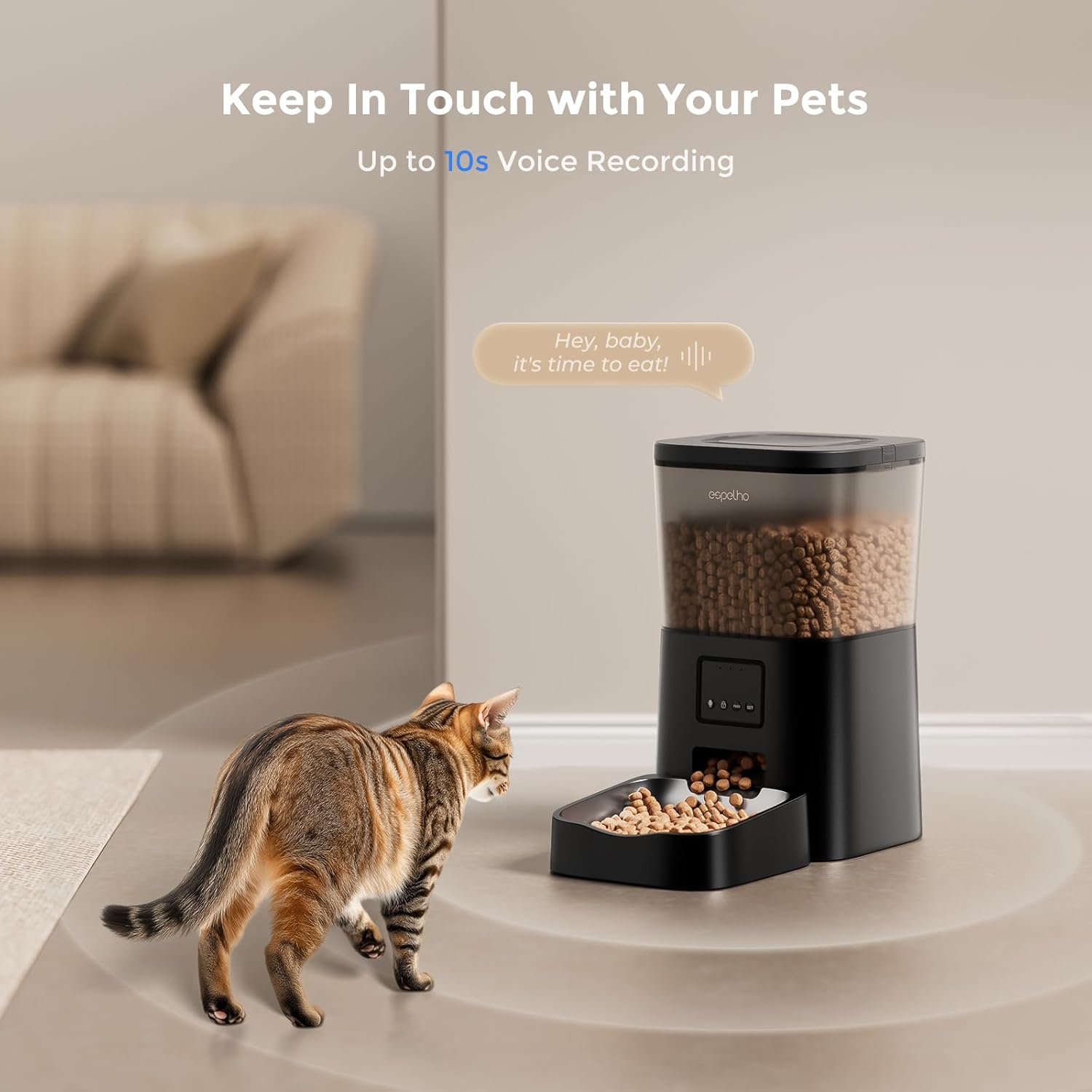
Figure 4.4: Personalized Voice Recording. Record a short message to call your pet to their meal.
Maintenance
1. Cleaning the Feeder
The food container and stainless steel bowl are detachable for easy cleaning. It is recommended to clean these parts regularly to maintain hygiene and prevent food residue buildup.

Figure 5.1: Detachable Components for Easy Cleaning. The food tank and bowl can be removed for thorough washing.
2. Desiccant Bag Replacement
The built-in desiccant box helps keep food fresh. Replace the desiccant bag periodically (e.g., every 1-2 months) to ensure optimal food freshness.

Figure 5.2: Desiccant Bag and Secure Lid. The desiccant bag helps maintain food freshness, and the lid features a pet-proof safety lock.
Troubleshooting
Common Issues and Solutions
- Feeder not dispensing food: Check if the food container is empty. Ensure kibble size is within the recommended range (0.07-0.4 inches). Verify power supply (AC adapter or batteries). Check for any blockages in the dispenser mechanism.
- App connection issues: Ensure your phone is connected to a 2.4Ghz WiFi network. Restart the feeder and your phone. Re-attempt the pairing process as described in the setup guide.
- Voice recording not playing: Ensure the recording was successfully saved. Re-record the message if necessary.
- Food not staying fresh: Replace the desiccant bag. Ensure the lid is securely closed.
If problems persist, refer to the online support resources or contact customer service.
Product Specifications
| Attribute | Detail |
|---|---|
| Brand | Espelho |
| Model Number | DU4LB-KS |
| Capacity | 4 Liters (approx. 16 cups) |
| Material | Stainless Steel (bowl), Plastic (feeder body) |
| Dimensions (LxWxH) | 8 x 6 x 8 inches |
| Item Weight | 4.13 pounds |
| Power Supply | AC Power Adapter, 3x D-size Batteries (not included) |
| WiFi Connectivity | 2.4Ghz only |
| Kibble Size Compatibility | 0.07 to 0.4 inches |
| Max Meals per Day | 10 |
| Portions per Meal | 1-20 |
| Voice Recording Length | 10 seconds |
Warranty and Support
Espelho offers a 12-month warranty for this product. For any inquiries or assistance, please contact Espelho customer service. 24-hour customer service is available.

Figure 6.1: Dedicated Customer Support. Espelho provides a 12-month warranty and 24-hour customer service for product assistance.


