
1. Introduction
This manual provides detailed instructions for the setup, operation, and maintenance of your BDFFLY HDMI Wireless Transmitter and Receiver Kit (Model DT255W-H). This device allows for wireless transmission of HDMI signals, supporting 4K decode output at 1080P@60Hz, over distances up to 98 feet (30 meters) using 2.4G/5G transmission protocols. It is designed for various applications including presentations, home entertainment, and content sharing.
2. Package Contents
Please verify that all items are present and in good condition upon opening the package:
- 1 x HDMI Wireless Transmitter (TX)
- 1 x HDMI Wireless Receiver (RX)
- 1 x User Manual
- Optional: Micro HDMI and Mini HDMI adapters (may be included depending on package variant)

Image: The BDFFLY HDMI Wireless Transmitter and Receiver Kit, showing both the transmitter and receiver units.
3. Product Overview
The BDFFLY DT255W-H kit consists of two main components: a Transmitter (TX) and a Receiver (RX). Both units feature an integrated HDMI connector and a USB-A cable for power.
3.1 Components
- Transmitter (TX): Connects to the source device (e.g., laptop, PC, camera). It sends the HDMI signal wirelessly.
- Receiver (RX): Connects to the display device (e.g., TV, projector, monitor). It receives the wireless HDMI signal and outputs it to the display.

Image: Diagram illustrating the Transmitter (TX) connected to source devices like cameras, laptops, and PCs, and the Receiver (RX) connected to display devices such as TVs, monitors, and projectors.
3.2 Compatibility
The kit is compatible with a wide range of devices:
- Source Devices (TX): Laptops, PCs, Set-top boxes (STB), Cameras, DVD players, and other devices with an HDMI output.
- Display Devices (RX): TVs, Projectors, Monitors, and other displays with an HDMI input.

Image: A visual representation of the kit's wide compatibility, showing the Transmitter connecting to laptops, PCs, and STBs, and the Receiver connecting to projectors, monitors, and TVs.
4. Setup Instructions
The BDFFLY HDMI Wireless Kit is designed for plug-and-play operation, requiring no software installation or complex configuration.
4.1 Basic Connection
- Connect the Transmitter (TX): Plug the HDMI connector of the Transmitter into the HDMI output port of your source device (e.g., laptop, PC). Connect the integrated USB-A cable of the Transmitter to a 5V/1A USB power source on your source device or a separate USB power adapter.
- Connect the Receiver (RX): Plug the HDMI connector of the Receiver into the HDMI input port of your display device (e.g., TV, projector). Connect the integrated USB-A cable of the Receiver to a 5V/1A USB power source on your display device or a separate USB power adapter.
- Power On: Ensure both your source and display devices are powered on.
- Establish Connection: The devices will automatically attempt to pair. This process typically takes 2-10 seconds. The indicator light on the units will show connection status. If connection is not established, press the function button on both units for approximately 5 seconds to initiate pairing.

Image: A classroom setting demonstrating the plug-and-play setup, with a laptop connected wirelessly to a large display showing a data science presentation.

Image: Two individuals playing a video game, with a laptop wirelessly connected to a large screen via the HDMI wireless kit, illustrating the plug-and-play functionality for entertainment.
4.2 Multiple Transmitters (Up to 5 TX to 1 RX)
This system supports connecting up to five Transmitters (TX) to a single Receiver (RX), allowing for easy switching between multiple source devices.
- Connect additional Transmitters to other source devices as described in step 1 of Basic Connection.
- To switch between active Transmitters, briefly press the function button on the desired Transmitter. The Receiver will automatically switch to the signal from that Transmitter.
5. Operating Instructions
5.1 Screen Mirroring and Extension
The wireless HDMI kit supports both screen mirroring and extending your display, depending on your source device's operating system settings. Adjust these settings on your laptop or PC as you would with a wired connection.
5.2 Optimal Performance
- For best performance, ensure a clear line of sight between the Transmitter and Receiver.
- While the device can transmit through walls, obstacles may reduce the effective transmission distance and introduce latency.
- Ensure both units receive stable 5V/1A power.

Image: A comparison of transmission distances, showing up to 98 feet (30m) without obstacles and 32 feet (10m) across a wall, with examples of use in a large hall, bedroom, and living room.

Image: A business meeting scenario where a presenter wirelessly shares content from a laptop to a large screen, highlighting the kit's utility for multifunctional conferences.
6. Troubleshooting
| Problem | Possible Cause | Solution |
|---|---|---|
| No signal on display | Loose connection, insufficient power, pairing issue, incorrect input selected on display. | Ensure all HDMI and USB cables are securely connected. Verify both TX and RX units are receiving 5V/1A power. Press the function button on both units for 5 seconds to re-pair. Select the correct HDMI input on your display. |
| Intermittent signal or poor quality | Obstacles, excessive distance, interference, low power. | Reduce distance between TX and RX. Remove obstacles. Ensure stable power supply. Avoid placing units near strong Wi-Fi routers or other wireless devices. |
| Latency or delay | Distance, obstacles, source device performance. | Minimize distance and obstacles. Ensure your source device is performing optimally. |
| Cannot switch between multiple Transmitters | Transmitter not properly paired or active. | Ensure all Transmitters are powered and paired with the Receiver. Briefly press the function button on the desired active Transmitter. |
7. Specifications
- Model: DT255W-H
- Video Resolution: 1080P@60Hz (4K decode output)
- Wireless Frequency: 2.4GHz / 5GHz
- Transmission Distance: Up to 98 feet (30 meters) without obstacles; up to 32 feet (10 meters) through walls.
- Latency: Less than 0.1 seconds
- Power Input: 5V/1A via USB-A
- Connectivity: HDMI
- Multi-TX Support: Up to 5 Transmitters to 1 Receiver
- Product Dimensions: Approximately 6 x 5 x 2 inches (per unit)
- Item Weight: Approximately 2.08 ounces (per unit)

Image: A visual representation comparing 2.4G and 5G wireless transmission, highlighting the faster performance of 5G for the device.
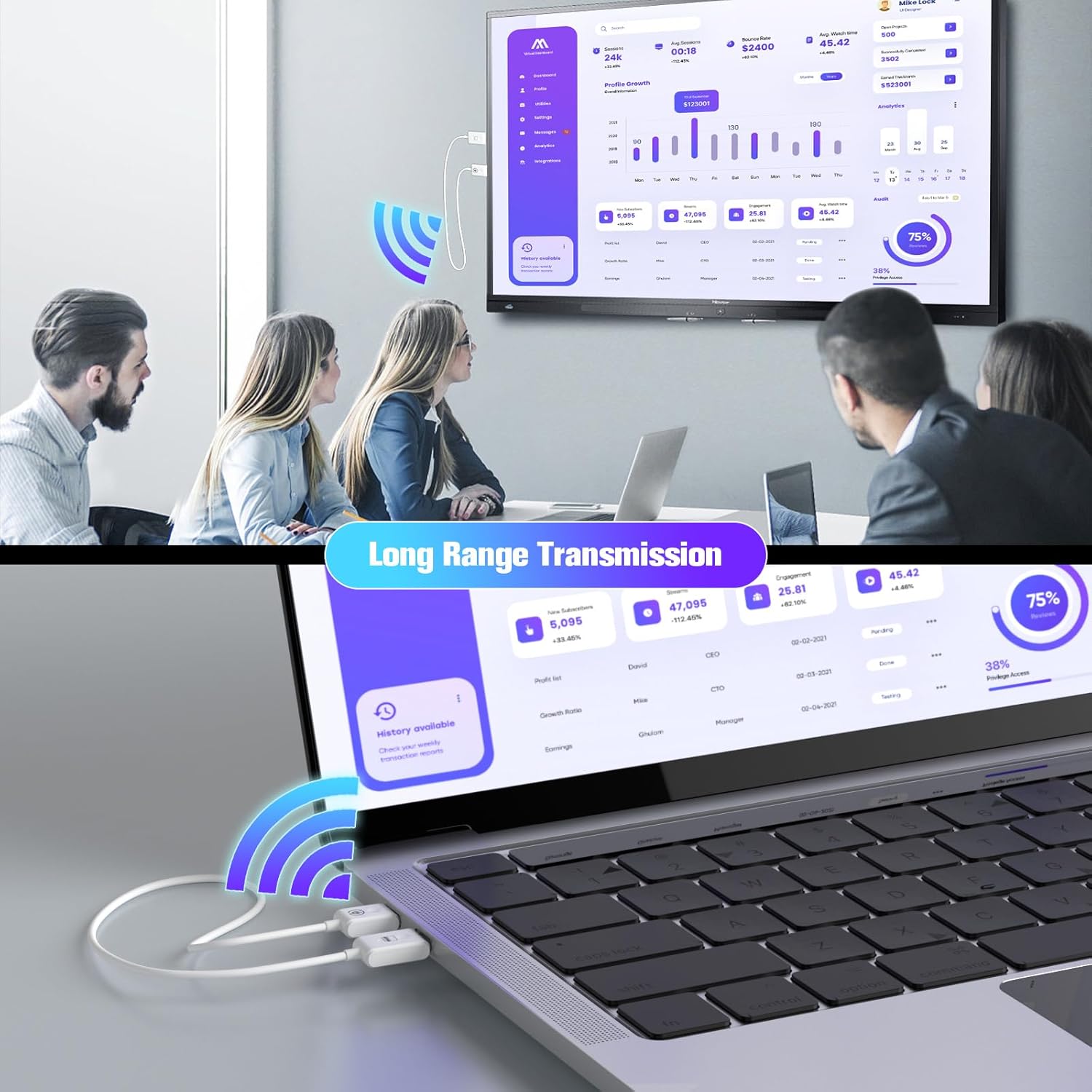
Image: A laptop wirelessly transmitting to a large display, emphasizing the long-range transmission capability of the kit for various applications like data analysis.
8. Safety Information
- Do not expose the device to water or excessive moisture.
- Avoid extreme temperatures.
- Do not attempt to disassemble or repair the device yourself. Contact qualified personnel for service.
- Use only the specified power input (5V/1A).
9. Warranty and Support
For warranty information and technical support, please refer to the product packaging or contact BDFFLY customer service directly. Keep your purchase receipt for warranty claims.