
WITMOTION WTVB02-RS485
WitMotion WTVB02-485 Vibration Sensor User Manual
Model: WTVB02-RS485 | Brand: WITMOTION
1. Product Overview
The WitMotion WTVB02-485 is an IP68 waterproof 3-axis vibration sensor designed for comprehensive machinery analysis. It provides real-time data for vibration displacement, speed, and amplitude, making it suitable for monitoring various rotating machinery.

Figure 1: WitMotion WTVB02-485 Vibration Sensor
Key Features:
- Unified Vibration Monitoring: RS485 Modbus RTU 3-axis output for vibration displacement (0-30000um), speed (0-100mm/s), and amplitude (0-180°) with real-time data measurement and storage.
- Rugged Construction: Features a premium shock-resistant aluminum casing and IP68 waterproof protection, ensuring durability in harsh environments. Includes a superior-quality shielding cable for extended lifespan.
- Machine Health Monitoring: Ideal for use with water pumps, industrial equipment, generators, motors, and other rotating machinery to analyze vibrations in real-time and prevent potential damage.
- Advanced Technology: Incorporates WitMotion's 9-year expertise in attitude measuring solutions, with sensors integrating R&D fusion algorithms for stable data output, excellent bias stability, low noise levels, and increased measurement accuracy.
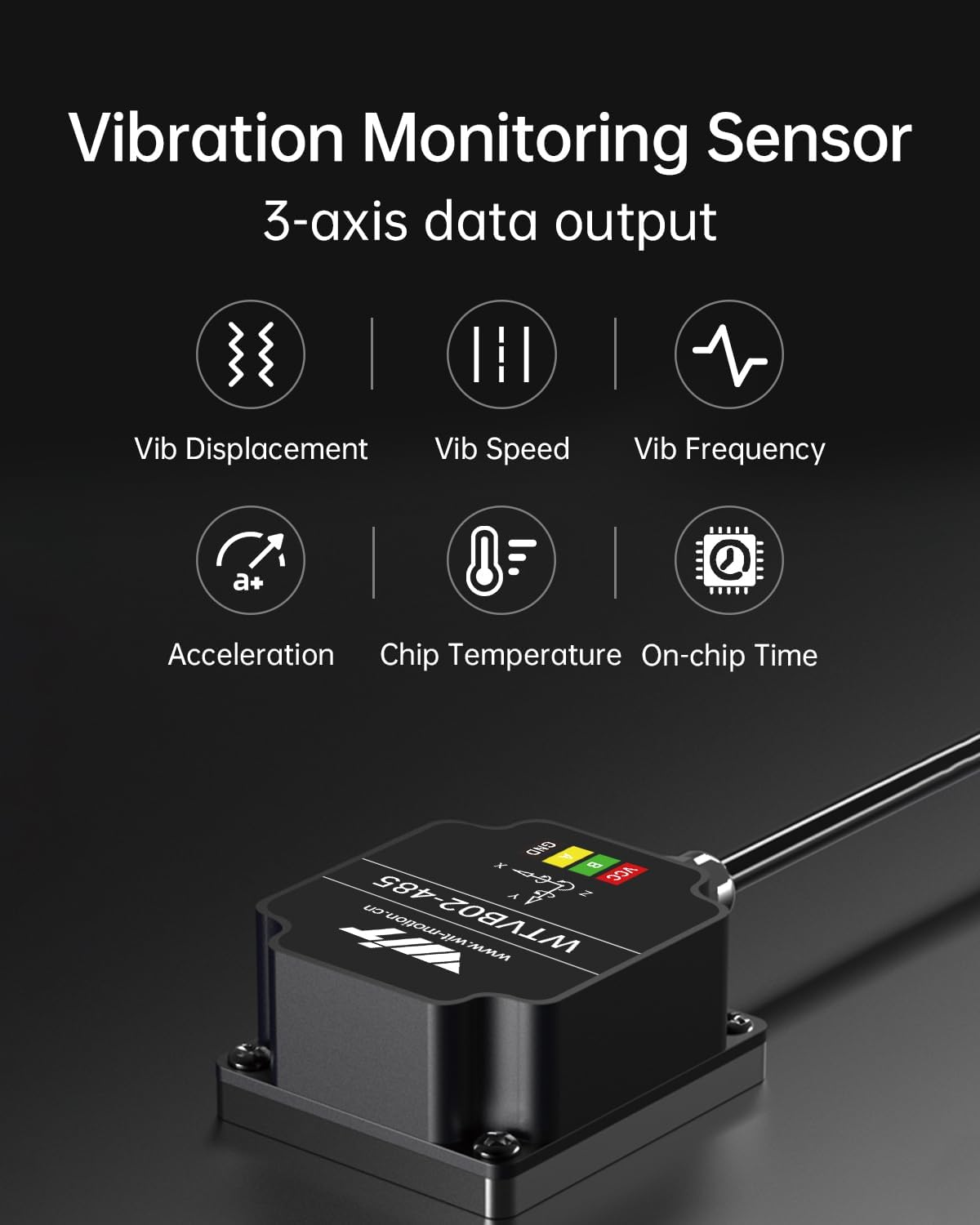
Figure 2: The sensor provides 3-axis data output including vibration displacement, speed, frequency, acceleration, chip temperature, and on-chip time.

Figure 3: WitMotion's core advantages include cutting-edge MEMS tech chips and digital filtering algorithms with FFT spectrum analysis for improved accuracy and noise reduction.
2. Specifications
| Attribute | Value |
|---|---|
| Model Number | WTVB02-RS485 |
| Product Dimensions | 0.93 x 0.74 x 0.46 inches |
| Item Weight | 1.76 ounces |
| Manufacturer | WitMotion Shenzhen Co.,Ltd |
| Date First Available | March 27, 2024 |
| Temperature Range | -40°C to +85°C |
| Voltage | 9-36V |
| Working Current | 8mA (12V) |
| Output | On-chip time, vibration (speed, displacement, frequency, acceleration), temperature |
| Vibration Displacement Range | 0-30000um |
| Vibration Speed Range | 0-100mm/s |
| Vibration Frequency Range | 5-2000Hz |
| Vibration Acceleration Range | ±16G |
| <F.S±4% | Accuracy |
| Detection Period | 1-200Hz (default 100Hz) |
| Cut-off Frequency | 0-200Hz (default 10Hz) |
| Baud Rate | 4800bps-230400bps (default 9600) |
| Sampling Rate | 16KHz |
| Interface | RS485 (module: TTL) |
| Weight | 182g (module: 1g) |

Figure 4: Detailed technical specifications for the WTVB02-485 sensor.
3. Setup and Installation
3.1 Physical Installation
The WTVB02-485 sensor features magnetic suction for stable and easy installation and removal. It offers super suction up to 7kg, ensuring secure attachment to machinery.

Figure 5: The sensor is IP68 waterproof and supports magnetic suction installation, along with a high-quality aluminum housing and superior shielded cable.
3.2 Software Setup and Connection
To connect the sensor to your computer and begin monitoring, follow these steps:
- Connect the WTVB02-485 sensor to your computer using a USB to RS485 serial converter. Ensure the connections are secure.
- Open the WitMotion software on your computer.
- Navigate to the Config menu within the software.
- Adjust the Bandwidth and Baud Rate settings to their maximum values for optimal performance.
- Go to the Assist menu and select Environment setting. Change the Read interval to 5. This adjustment can improve the return rate for the 485 interface.
Note: The 485 interface operates in reply mode. While increasing the return rate is possible, for applications requiring absolute stability and the fastest return rates, consider products with TTL/232/CAN interfaces.
Video 1: This video demonstrates how to improve the return rate of the 485 interface sensor by adjusting software settings. It shows the connection process and the configuration steps within the WitMotion software.

Figure 6: The WitMotion PC software allows for real-time data updates, analysis, configuration, curve display, data recording, and dashboard viewing.
4. Operating the Sensor
Once connected and configured, the WitMotion WTVB02-485 sensor provides real-time vibration data for comprehensive analysis. The software interface allows for various monitoring and recording functions.
4.1 Data Monitoring and Analysis
- The software displays real-time vibration displacement, speed, and amplitude data.
- Utilize the curve display feature to visualize vibration patterns over time.
- The integrated R&D fusion algorithm and FFT spectrum analysis enhance the accuracy of vibration measurements and reduce noise.
4.2 Data Recording
The WitMotion software supports recording data in various formats for further analysis and archiving.
- Record raw data for detailed post-processing.
- Export data in formats such as Matlab, XLS, or WPLAY.
4.3 Applications
The WTVB02-485 sensor is widely used for bearing vibration measurement and real-time monitoring of rotating machinery in various industrial settings.

Figure 7: Common applications include water pumps, electric machinery, engines, and water towers.

Figure 8: A typical vibration monitoring solution involves the sensor, pump, signal acquisition device, data transmission, system processor, online analysis, and signal alarm.
5. Maintenance
To ensure the longevity and accurate performance of your WTVB02-485 vibration sensor, follow these maintenance guidelines:
- Cleaning: Regularly clean the exterior of the sensor with a soft, damp cloth. Avoid using harsh chemicals or abrasive materials that could damage the IP68 waterproof casing.
- Cable Inspection: Periodically inspect the superior shielded cable for any signs of wear, cuts, or damage. Ensure connections remain secure.
- Storage: When not in use, store the sensor in a dry, cool environment, away from extreme temperatures and direct sunlight.
- Software Updates: Keep the WitMotion PC software updated to the latest version to benefit from performance improvements and new features.
6. Troubleshooting
This section provides solutions to common issues you might encounter with the WTVB02-485 vibration sensor.
| Problem | Possible Cause | Solution |
|---|---|---|
| Sensor not detected by software | Incorrect port selection, driver issues, faulty cable, or power supply problem. |
|
| Unstable or erratic data readings | Interference, incorrect bandwidth/baud rate settings, or unstable mounting. |
|
| Software freezing or crashing | Outdated software, system incompatibility, or resource issues. |
|

Figure 9: Understanding the potential consequences of abnormal motor vibration can help in diagnosing issues and appreciating the sensor's role in preventative maintenance.
7. Warranty and Support
The WitMotion WTVB02-485 Modbus Vibration Transducer Sensor comes with a 12-month warranty.
For technical assistance and support, please contact WitMotion's lifetime friendly technical service at: support(@)wit-motion(.)com.
Related documentsWTVB02-RS485


Ask a question about this manual
Ask about setup, troubleshooting, compatibility, parts, safety, or missing instructions. Manuals+ will review the question and use this page’s manual context to help answer it.