
Coast Slayer Laser
Coast Slayer Laser Flashlight Instruction Manual
Model: Slayer Laser | Brand: Coast
Introduction
The Coast Slayer Laser is a versatile and powerful rechargeable LED flashlight designed for various applications, from professional use to outdoor activities. Its durable aluminum construction and innovative dual optic system provide both a bright spot beam and a precise red laser, offering exceptional utility and reliability.
This manual provides comprehensive instructions for the safe and effective use, maintenance, and troubleshooting of your Coast Slayer Laser flashlight.
Key Features
- Dual Optic System: Independently controlled spot beam and red laser for versatile lighting.
- Red Laser: Ideal for pointing out objects and details in various settings.
- Four Light Modes: Cycle through low spot, high spot, Turbo (1000 lumens), and MoonGlow™ (47-hour runtime) to suit your needs.
- Magnetic Mount: Integrated magnets at the front and back of the handle allow for hands-free attachment to metallic surfaces.
- USB-C Rechargeable: Fast charging of the integrated ZITHION™ battery in approximately two hours.
- Durable Construction: Flat-shaped, all-aluminum frame, rated IP57 dust resistant and waterproof.
- Pocket Clip: Removable metal clip for secure and effortless carrying.

Figure 1: The Coast Slayer Laser flashlight, showcasing its sleek design and active red laser beam.
Setup and Initial Use
Charging the Flashlight
Your Coast Slayer Laser flashlight comes with an integrated ZITHION™ rechargeable battery. Before first use, it is recommended to fully charge the device.
- Locate the USB-C charging port at the rear of the flashlight. It is protected by a rubber cover.
- Gently lift the rubber cover to expose the USB-C port.
- Connect the provided USB-C cable to the flashlight's port and the other end to a compatible USB power source (e.g., computer, wall adapter).
- The charge level indicator will illuminate during charging. It typically takes approximately two hours for a full charge. The indicator will glow green when fully charged.
- Once charging is complete, disconnect the cable and securely close the rubber cover to maintain water and dust resistance.

Figure 2: USB-C charging port and charging indicator on the Coast Slayer Laser.
Operating Instructions
Power Button and Light Modes
The forward power button controls the flashlight's spot beam and its various modes.
- Turning On/Off: Press the forward power button once to turn the flashlight on. Press again to cycle through modes or turn off.
- Cycling Modes: With the flashlight on, press the forward power button repeatedly to cycle through the following modes: High Spot, Low Spot, Turbo, and MoonGlow™.
- Turbo Mode: Provides 1000 lumens for maximum brightness over 105 meters. This mode is designed for short bursts of intense light.
- MoonGlow™ Mode: An ultra-low energy mode (12 lumens) ideal for extended runtimes (up to 47 hours) in blackout conditions.
Laser Operation
The rear button independently controls the red laser.
- Activating Laser: Press and hold the rear button to activate the red laser. Release the button to turn the laser off.
- Caution: Do not stare directly into the laser beam or view it with optical instruments. The laser output is 5mW with a 650 nm wavelength.

Figure 3: Control buttons and laser warning on the Coast Slayer Laser.

Figure 4: Demonstrating the red laser function with a caution label for safe use.
Magnetic Mounting
The flashlight features two strong magnets, one at the front and one at the back, allowing for convenient hands-free operation.
- Simply attach the flashlight to any suitable metallic surface to direct light where needed.

Figure 5: The dual-magnet base allows for hands-free lighting by attaching to metal surfaces.
Pocket Clip
The removable metal pocket clip provides secure and easy portability.
- Attach the flashlight to your pocket, belt, or gear for quick access.

Figure 6: The removable pocket clip for convenient carrying.
Official Product Video
Video 1: Official informational video for the Coast Slayer Laser flashlight, demonstrating its features and capabilities.
Maintenance and Care
Cleaning
- Wipe the flashlight body with a soft, damp cloth to remove dirt and debris.
- Ensure the USB-C port cover is clean and securely closed to prevent water and dust ingress.
Storage
- Store the flashlight in a cool, dry place away from direct sunlight and extreme temperatures.
- For long-term storage, ensure the battery is partially charged (around 50%) to maintain battery health.
Troubleshooting
| Problem | Possible Cause | Solution |
|---|---|---|
| Flashlight does not turn on. | Battery is depleted. | Charge the flashlight using the USB-C cable. |
| Laser is dim or not working. | Low battery or obstruction. | Ensure battery is charged. Check for any debris blocking the laser aperture. |
| Charging indicator not lighting up. | Faulty cable or power source. | Try a different USB-C cable or power adapter. Ensure the cable is fully inserted. |
| Flashlight gets hot on Turbo mode. | Normal operation for high output. | This is normal. The flashlight is designed to manage heat. Avoid prolonged use on Turbo mode. |
Product Specifications
| Attribute | Value |
|---|---|
| Brand | Coast |
| Model | Slayer Laser |
| Light Source Type | LED |
| White Brightness (Max) | 1000 Lumens (Turbo) |
| Light Path Distance | 105 Meters |
| Laser Wavelength | 650 nm |
| Laser Output | 5 mW |
| Power Source | Battery Powered (Lithium Ion) |
| Runtime (MoonGlow™) | 47 hours |
| Charging Time | Under 2 hours (USB-C) |
| Material | Aluminum |
| Water Resistance Level | IP57 (Dust Resistant & Waterproof) |
| Product Dimensions | 0.79"D x 0.79"W x 5.51"H |
| Item Weight | 7.7 ounces |
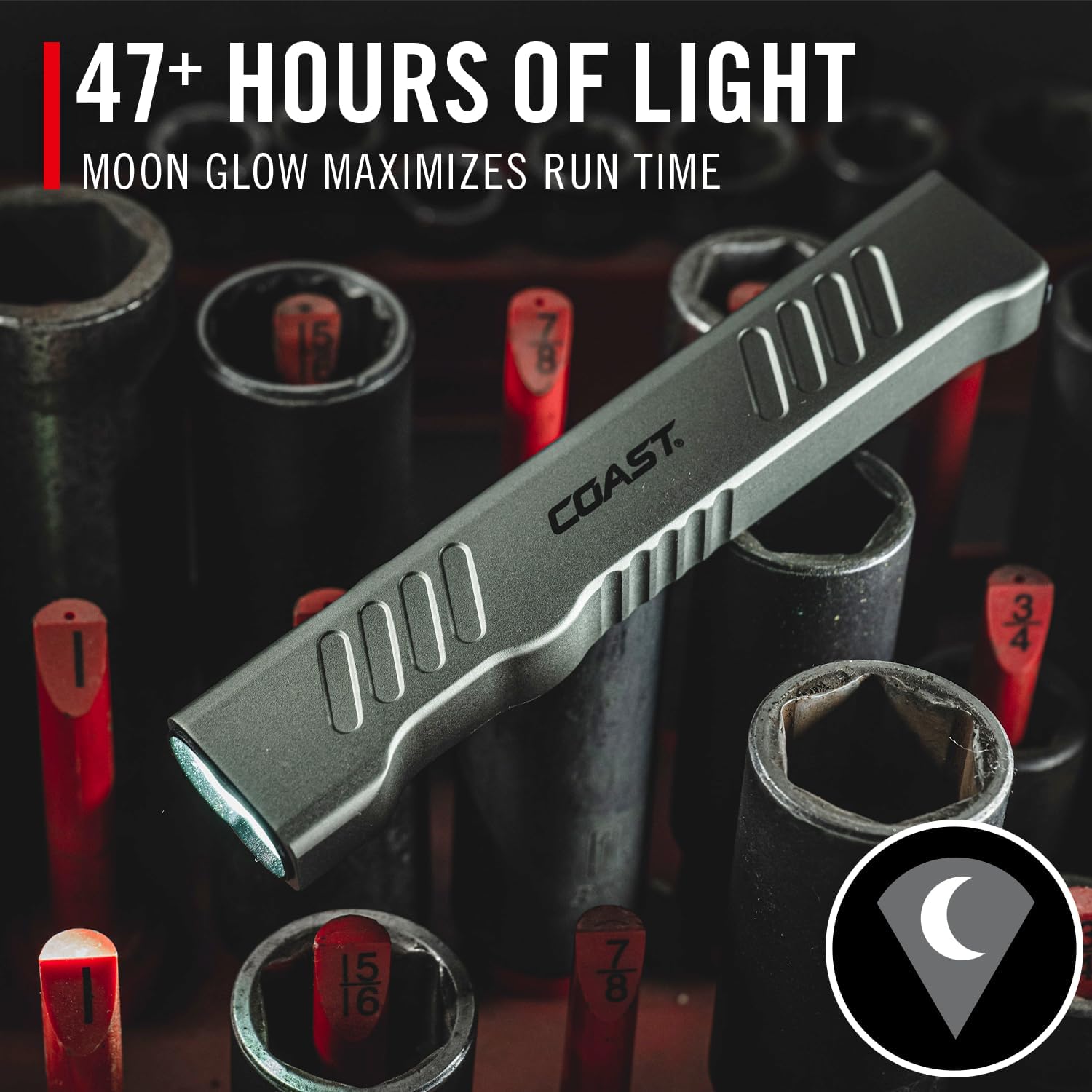
Figure 7: Detailed performance specifications for the Coast Slayer Laser flashlight.
Warranty and Support
COAST Lifetime Warranty
The Coast Slayer Laser flashlight is backed by the COAST lifetime warranty, reflecting COAST's total commitment to quality. This warranty covers defects in materials and workmanship for the lifetime of the product.
For detailed warranty information, claims, or product support, please visit the official Coast website or contact their customer service department.
You can find more information and support at the Coast Store on Amazon.
Related documentsSlayer Laser


Ask a question about this manual
Ask about setup, troubleshooting, compatibility, parts, safety, or missing instructions. Manuals+ will review the question and use this page’s manual context to help answer it.