
Introduction
Thank you for choosing the Candy Artico CCHH 200E Chest Freezer. This manual provides essential information for the safe and efficient use of your appliance. Please read these instructions carefully before installation and operation, and keep them for future reference.
The Candy Artico CCHH 200E is a freestanding chest freezer with a 196-liter capacity, designed for optimal performance even in low ambient temperatures (down to -15°C). It features an ergonomic handle for easy opening and is equipped with smart connectivity via the hOn App.
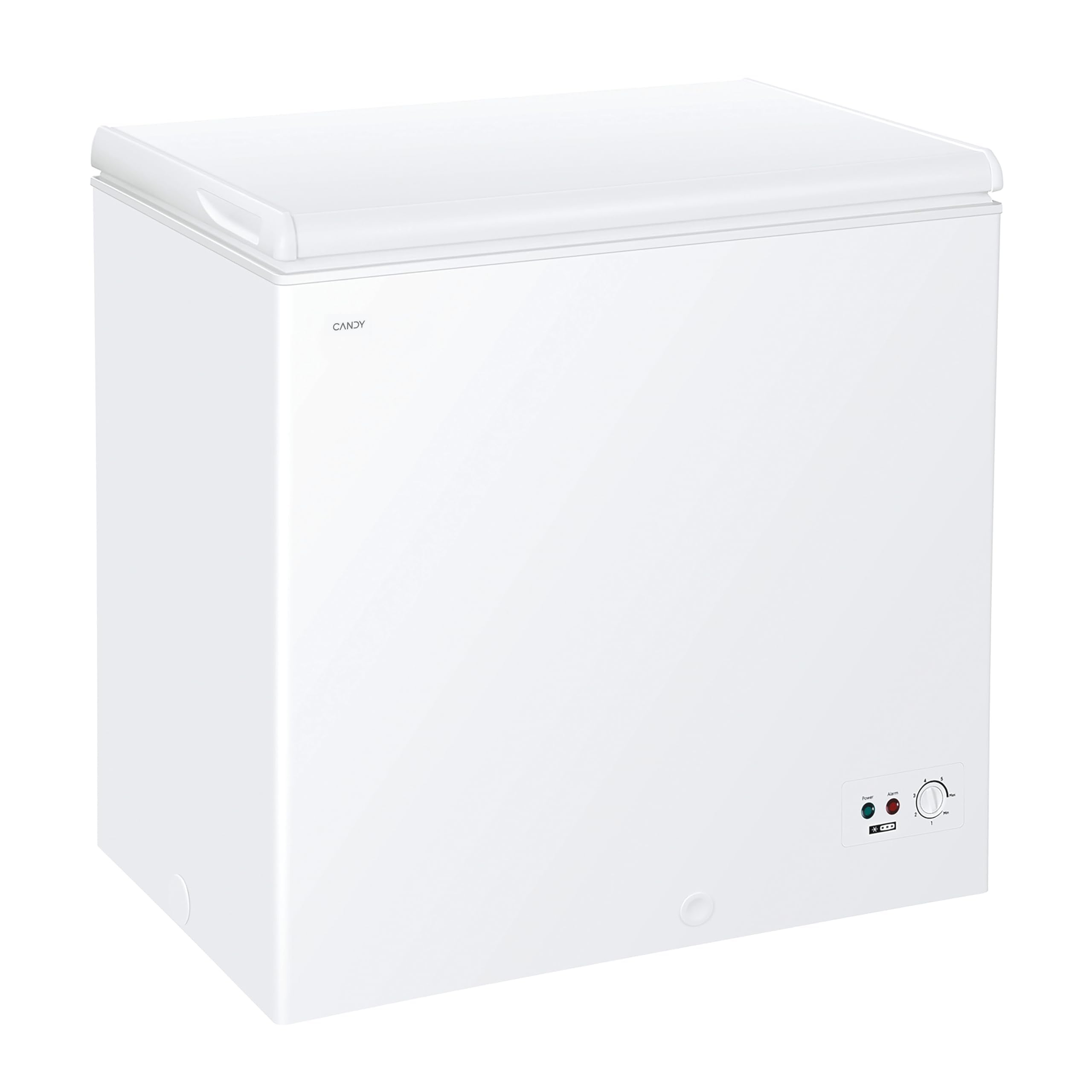
Image: Front view of the Candy Artico CCHH 200E Chest Freezer, showcasing its clean white design.
Important Safety Information
Always follow basic safety precautions when using electrical appliances to reduce the risk of fire, electric shock, and injury.
- Ensure the appliance is properly grounded.
- Do not store explosive substances such as aerosol cans with a flammable propellant in this appliance.
- Do not use mechanical devices or other means to accelerate the defrosting process, other than those recommended by the manufacturer.
- Do not damage the refrigerant circuit.
- Do not use electrical appliances inside the food storage compartments of the appliance, unless they are of the type recommended by the manufacturer.
- This appliance is intended for household use only.
- Keep ventilation openings, in the appliance enclosure or in the built-in structure, clear of obstruction.
- Unplug the appliance before cleaning or performing maintenance.
Setup and Installation
Unpacking
Carefully remove all packaging materials. Inspect the freezer for any damage. If damage is found, do not install or operate the appliance and contact your retailer.
What's in the box:
- Chest Freezer Unit
- Integrated Handle
- Main Body
- Power Cable
- Instruction Manual
Placement
Place the freezer on a firm, level surface away from direct sunlight and heat sources (e.g., ovens, radiators). Ensure adequate ventilation around the appliance. The Artico function allows operation in low ambient temperatures, making it suitable for cellars, garages, or warehouses where temperatures can drop to -15°C.

Image: The Candy Artico CCHH 200E Chest Freezer positioned in an attic room, highlighting its versatile placement options due to its Artico function.

Image: A diagram illustrating the external dimensions of the freezer: 915 mm (width), 845 mm (height), and 555 mm (depth).
Electrical Connection
Connect the freezer to a dedicated, properly grounded electrical outlet. The appliance operates on 230 Volts. Do not use extension cords or adapters.
Operating Instructions
Initial Startup
After installation, wait at least 2-4 hours before plugging in the appliance to allow the refrigerant to settle. Once plugged in, set the thermostat to the desired freezing temperature. The freezer will begin to cool.

Image: Front view of the freezer, highlighting the control panel which includes indicator lights and a temperature adjustment dial.
Temperature Control
The temperature inside the freezer is controlled by a thermostat dial, typically located on the front lower right side. Turn the dial to adjust the temperature. Lower numbers usually indicate warmer temperatures, while higher numbers indicate colder temperatures. Refer to the markings on the dial for specific temperature ranges.
Loading the Freezer
Allow the freezer to reach its operating temperature before loading it with food. Do not overload the freezer. The included storage basket helps organize smaller items for easy access.
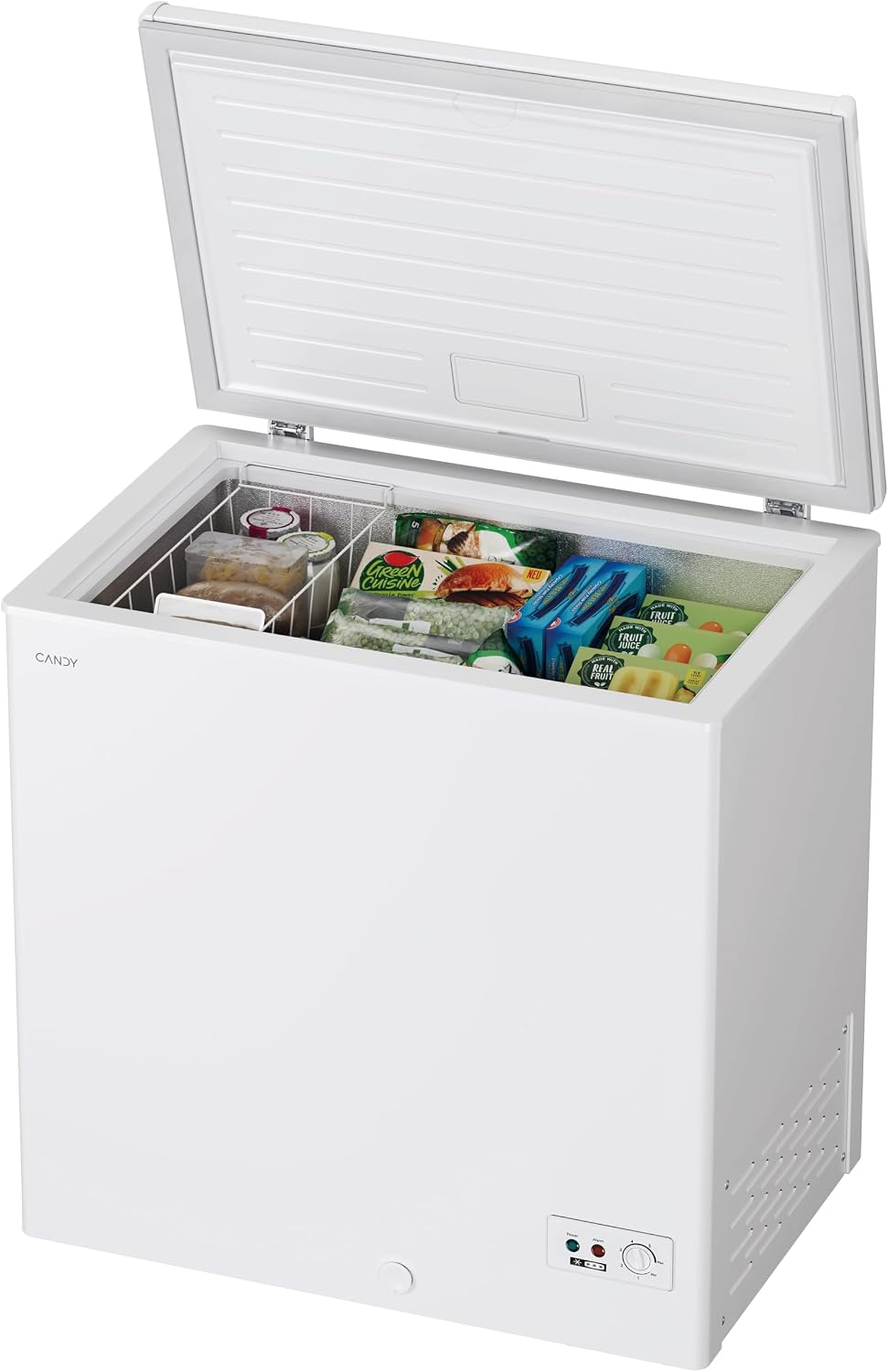
Image: The freezer with its lid open, revealing the interior filled with frozen food and a convenient wire storage basket for organization.
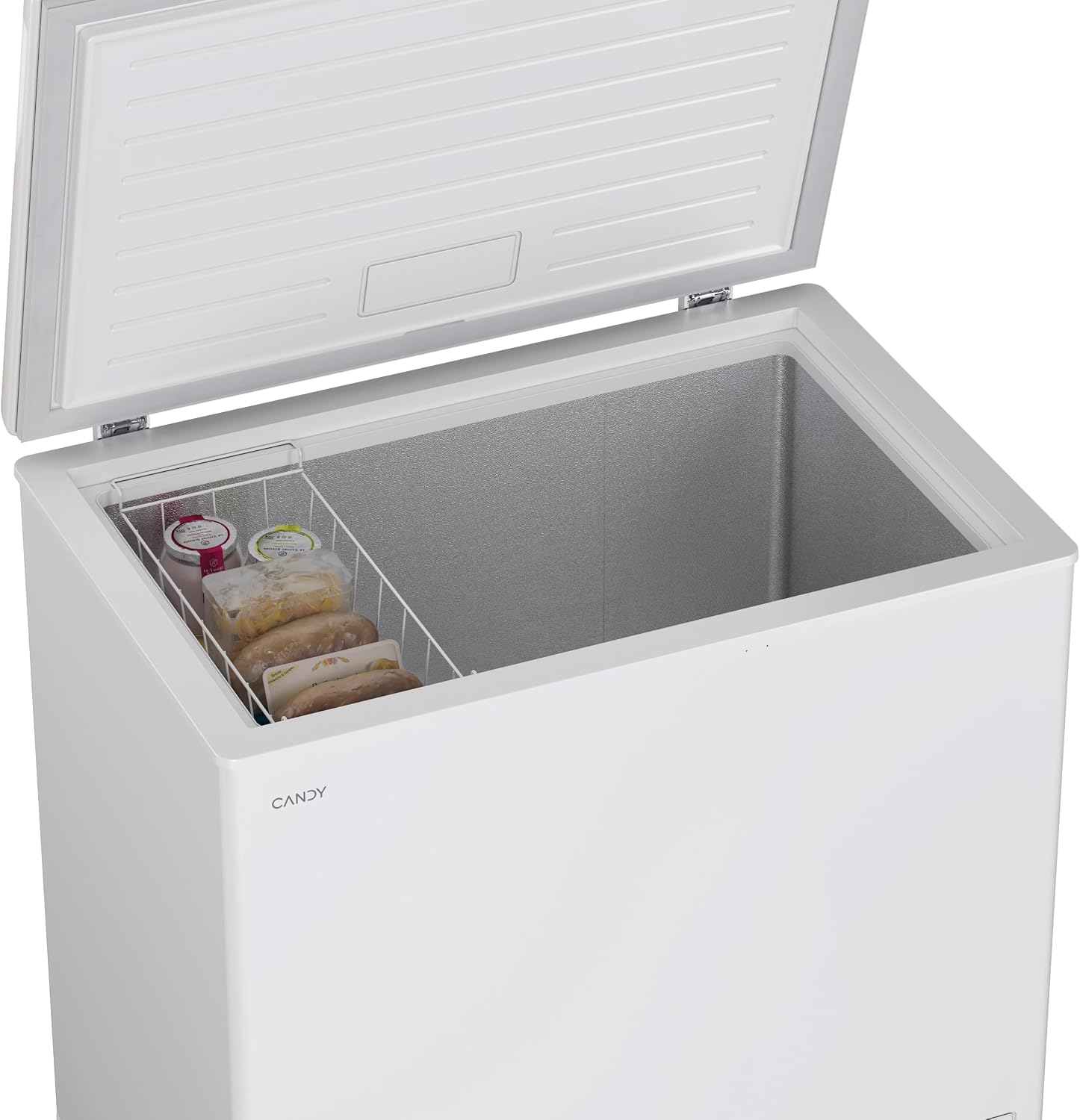
Image: A detailed view of the freezer's interior, focusing on the wire storage basket containing several frozen packages.
Easy Opening Handle
The freezer is equipped with an ergonomic and functional handle designed for easy opening of the lid, even immediately after closing.

Image: A close-up shot of the integrated, ergonomic handle on the freezer lid, designed for comfortable and easy opening.
hOn App Connectivity
This appliance supports connectivity via the hOn App. Download the hOn App to access features such as Inventory Assistant, Shopping List, and video tutorials. Refer to the app's instructions for pairing and usage.

Image: The official logo for the hOn App, indicating smart connectivity features.
Maintenance and Care
Defrosting
Defrost the freezer when the ice layer reaches a thickness of about 5-10 mm. To defrost:
- Unplug the freezer from the power outlet.
- Remove all food items and store them in another freezer or cooler.
- Leave the lid open to allow the ice to melt naturally. Place towels or a tray at the bottom to collect water.
- Once defrosted, clean the interior with a mild detergent and warm water.
- Dry thoroughly before plugging the freezer back in and reloading food.
Cleaning
Regularly clean the interior and exterior of the freezer. Use a soft cloth with a mild detergent. Avoid abrasive cleaners or solvents. Ensure the power is disconnected before cleaning.
Power Outage
In case of a power outage, keep the freezer lid closed to maintain the internal temperature for as long as possible. Food can remain frozen for several hours depending on the ambient temperature and how full the freezer is.
Troubleshooting
| Problem | Possible Cause | Solution |
|---|---|---|
| Freezer does not operate. | No power supply; power cord not plugged in; circuit breaker tripped. | Check power supply; ensure cord is securely plugged in; reset circuit breaker. |
| Freezer is not cold enough. | Temperature setting too high; lid not closed properly; excessive door openings; warm food recently added. | Adjust thermostat to a colder setting; ensure lid is sealed; minimize lid openings; allow time for new food to freeze. |
| Excessive frost buildup. | Lid not sealed properly; frequent lid openings; high humidity. | Check lid seal for obstructions; reduce frequency of lid openings; defrost as needed. |
| Unusual noises. | Appliance not level; objects vibrating against the freezer; normal operating sounds. | Ensure freezer is level; move objects away from the freezer; some gurgling or humming sounds are normal. |
If the problem persists after checking these solutions, please contact customer support.
Specifications
- Model: CCHH 200E
- Brand: CANDY
- Type: Chest Freezer, Freestanding
- Capacity: 196 Liters
- Energy Efficiency Class: E (New Energy Label)
- Dimensions (HxWxD): 84.5 cm x 91.5 cm x 55.5 cm
- Weight: 32 kg
- Color: White
- Door Material: Plastic
- Power: 70 Watts
- Voltage: 230 Volts
- Noise Level: 39 dB
- Special Features: Artico Function (operates down to -15°C ambient), hOn App Connectivity, Easy Opening Handle, Storage Basket.
Warranty and Support
Warranty Information
This Candy Artico CCHH 200E Chest Freezer comes with a 10-year product warranty. Please retain your proof of purchase for warranty claims. The availability of spare parts in the EU is guaranteed for 10 years.
Customer Support
For technical assistance, warranty claims, or further information, please contact Candy customer service. You may also find helpful resources and video tutorials through the hOn App.
Visit the official CANDY Store for more product information and support.


