
Lepro R2, B1
Lepro Bundle User Manual
R2 AI Smart LED Canless Light 6 Inch & B1 Smart Light Bulbs
Model: R2, B1 | Brand: Lepro
1. Introduction
This manual provides comprehensive instructions for the installation, operation, and maintenance of your Lepro Bundle, which includes the R2 AI Smart LED Canless Lights and B1 Smart Light Bulbs. These products are designed to offer an intelligent and personalized lighting experience through advanced AI features, music synchronization, and versatile control options.
Please read this manual carefully before using the products to ensure safe and optimal performance. Keep this manual for future reference.
2. Safety Information
Always follow basic safety precautions when installing and operating electrical products to reduce the risk of fire, electric shock, and personal injury.
- Ensure power is turned off at the circuit breaker before installation or maintenance.
- Do not attempt to modify or disassemble the product.
- Use only in dry locations. Do not expose to water or moisture.
- Consult a qualified electrician if you are unsure about the installation process.
- Keep out of reach of children.
3. Package Contents
Verify that all components are present in your package:
- Lepro R2 AI Smart LED Canless Lights (Quantity as per bundle)
- Lepro B1 Smart Light Bulbs (Quantity as per bundle)
- User Manual (This document)

Image: Overview of the Lepro R2 Canless Light and B1 Smart Bulb bundle, including packaging and individual components.
4. Setup and Installation
4.1. Lepro R2 AI Smart LED Canless Light Installation
These canless lights are designed for easy installation in ceilings without the need for a traditional recessed housing.
- Turn off power: Locate the circuit breaker controlling the area where you will install the lights and turn off the power.
- Cut hole: Use a hole saw to cut a circular opening in the ceiling according to the specified diameter (typically 6 inches for R2).
- Connect wiring: Open the junction box provided with the light. Connect the house wiring (live, neutral, ground) to the corresponding wires inside the junction box using wire nuts. Ensure all connections are secure.
- Secure junction box: Place the junction box inside the ceiling opening or secure it to a joist.
- Insert light: Squeeze the spring clips on the side of the R2 light fixture and push the light into the ceiling opening until the clips hold it firmly in place.
- Restore power: Turn the power back on at the circuit breaker.
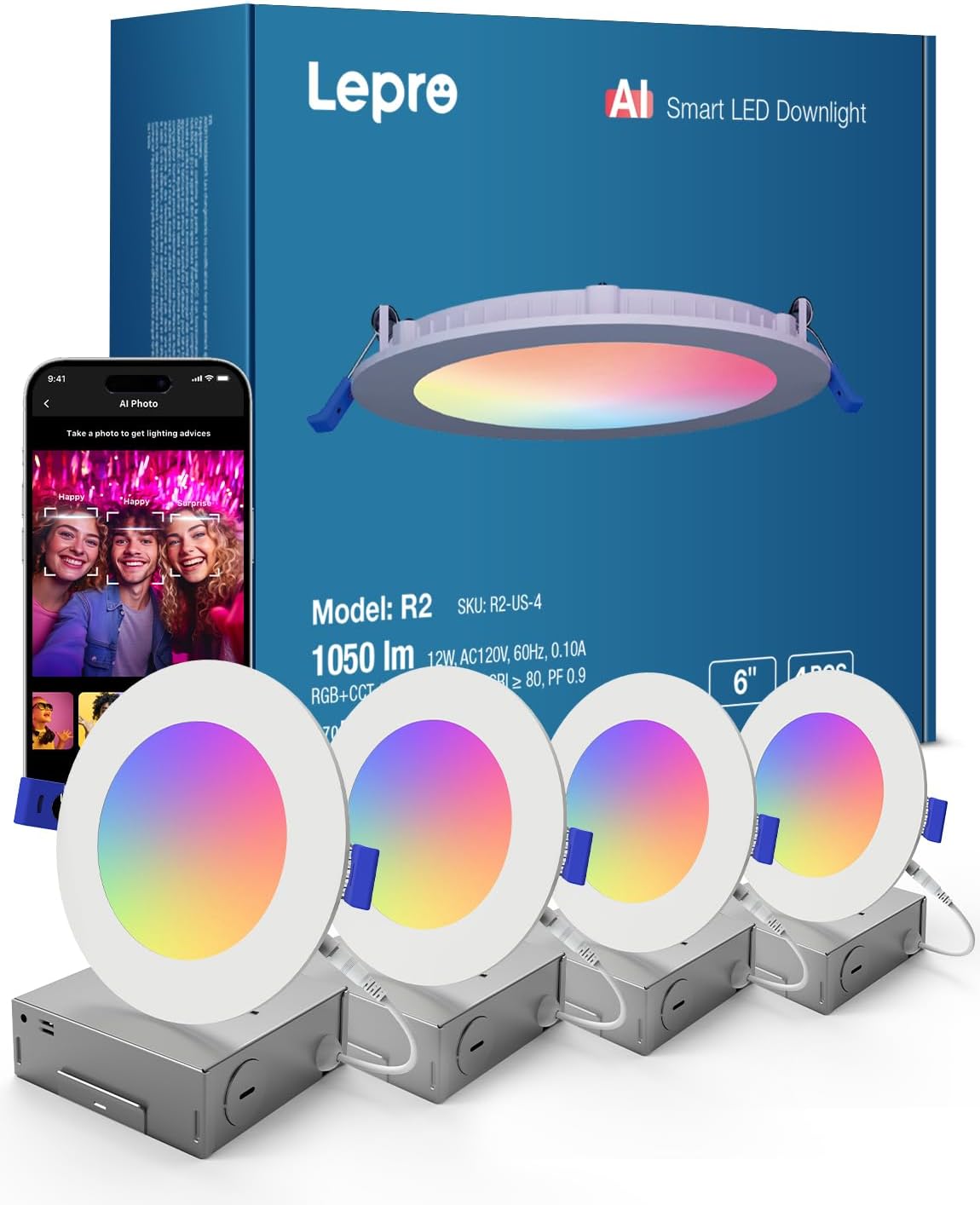
Image: The Lepro R2 AI Smart LED Downlight packaging, showing four individual 6-inch canless lights and their specifications.
4.2. Lepro B1 Smart Light Bulb Installation
The B1 Smart Light Bulbs install like standard light bulbs.
- Turn off power: Ensure the light fixture is turned off before installing the bulb.
- Screw in bulb: Carefully screw the B1 Smart Light Bulb into a standard E26/E27 light socket until snug. Do not overtighten.
- Restore power: Turn on the power to the light fixture.

Image: The Lepro B1 Smart Light Bulb packaging, showing two bulbs and a smartphone screen demonstrating the app's AI photo feature.
4.3. App Download and Connection (Lepro+ App)
To unlock the full smart features of your Lepro lights, download the Lepro+ app.
- Download App: Search for "Lepro+" in your smartphone's app store (iOS App Store or Google Play Store) and download the application.
- Register/Login: Open the app and follow the on-screen instructions to register a new account or log in if you already have one.
- Add Device: Ensure Bluetooth is enabled on your smartphone. Power on your Lepro R2 lights or B1 bulbs. In the Lepro+ app, tap the "+" icon to add a new device. The app will automatically scan for nearby Lepro smart lights.
- Pairing: Select your lights from the discovered devices list to pair them. Follow any additional prompts in the app to complete the connection.
5. Operating Instructions
The Lepro+ app is your central control hub for all smart features.
5.1. Lepro LightGPM Technology & AI Generated Lighting
LightGPM is Lepro's AI-generated lighting algorithm that recommends lighting effects based on user emotions, commands, and scenes. This technology provides a seamless and personalized home lighting solution.

Image: An infographic illustrating the various features of AI Generated Lighting, including AI Identification, Music Sync, Voice Control, Facial Recognition, and more.
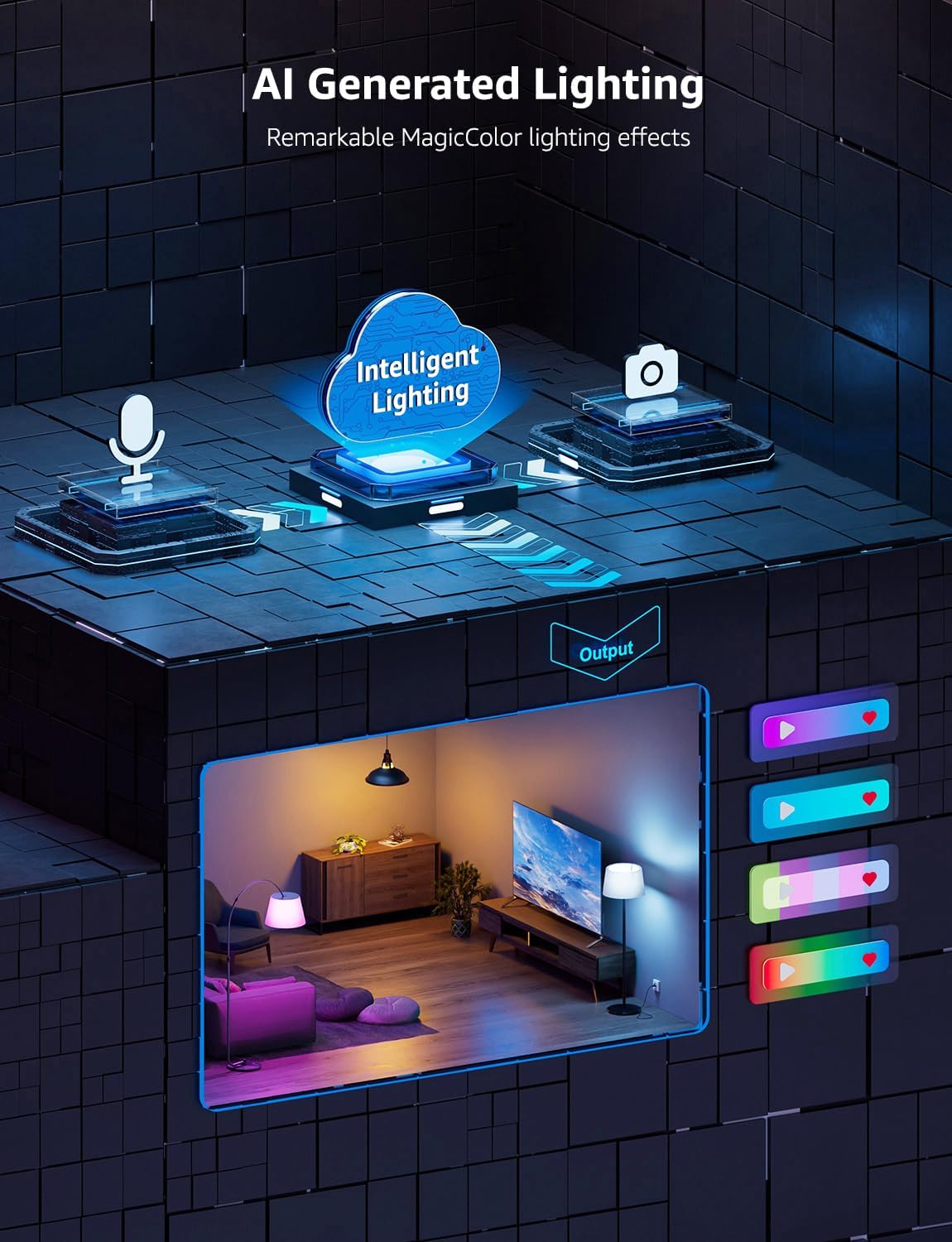
Image: A visual representation of the Intelligent Lighting process, showing how inputs like voice and facial expressions are processed to generate dynamic lighting outputs.
5.2. AI Facial Expression Recognition
The Lepro+ app can analyze your facial expressions to intelligently generate lighting scenes that match your mood.
- Open the Lepro+ app and navigate to the AI Photo feature.
- Allow the app access to your device's camera.
- Take a photo or select one from your gallery. The app will analyze the facial expression and suggest corresponding lighting scenes.
- Apply the suggested scene or customize it further.
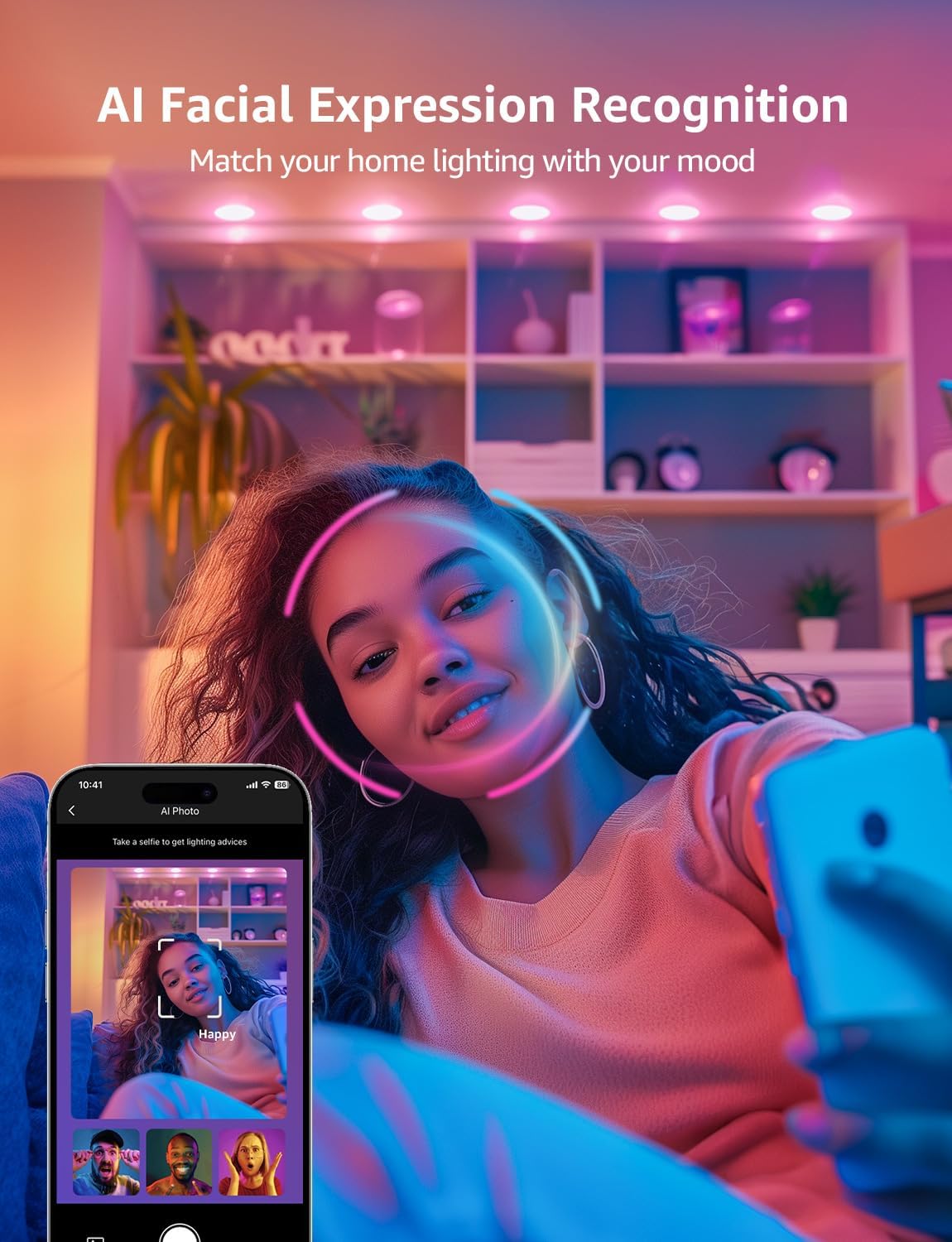
Image: A user interacting with the Lepro+ app, demonstrating how AI Facial Expression Recognition can adjust room lighting to match their mood.
5.3. Built-in AI Voice Recognition
Control your lights using voice commands directly through the Lepro+ app's built-in voice assistant. The lights also work with Alexa and Google Assistant.
- Using Lepro+ App: Open the app and activate the voice assistant. Speak commands like "Turn on the light," "Change color to blue," or "Set brightness to 50%."
- Using Alexa/Google Assistant: Link your Lepro+ account with your Amazon Alexa or Google Home app. Once linked, you can use voice commands through your smart speaker or smartphone, e.g., "Alexa, turn on living room lights," or "Hey Google, change bedroom lights to red."

Image: Visual examples of how AI Voice Recognition can be used to control lighting based on emotions, specific scenes, or direct instructions, compatible with Lepro+ app, Alexa, and Google Assistant.
5.4. LightBeats Music Sync
Immerse yourself in music with lights that sync to the rhythm.
- In the Lepro+ app, select the lights you wish to sync.
- Navigate to the "Music Sync" or "LightBeats" section.
- Play music from your device or through a connected speaker. The lights will respond to the beat and rhythm of the music.
- Adjust sensitivity or color palettes within the app for different music genres.

Image: A vibrant scene showcasing the LightBeats Music Sync feature, where room lighting dynamically changes and pulsates in rhythm with music.
5.5. Color and Scene Selection
Your Lepro lights offer 16 million colors and over 12,000 preset lighting scenes. You can also create custom scenes.
- Color Wheel: In the app, use the color wheel to select any of the 16 million available colors.
- Preset Scenes: Browse through the extensive library of preset scenes for various moods and occasions (e.g., "Relax," "Party," "Reading").
- Custom Scenes: Create your own unique scenes by combining colors, brightness levels, and effects. Save them for quick access.
5.6. Group Control
Control multiple lights simultaneously by grouping them in the Lepro+ app. Up to 200+ light fixtures can be connected.
- In the app, go to the "Groups" section.
- Create a new group and add the desired R2 lights and B1 bulbs to it.
- Once grouped, any command applied to the group will affect all lights within it (e.g., changing color, brightness, or scene).

Image: An illustration of a multi-room house demonstrating the effortless group control feature, allowing users to manage up to 200+ light fixtures across different areas from the Lepro+ app.
5.7. Scheduling and Timer
Automate your lighting with schedules and timers.
- Set lights to turn on/off at specific times.
- Create routines for different days of the week.
- Use the timer function for lights to turn off after a set duration.
5.8. Device Sharing
Share control of your Lepro lights with family members or housemates through the app.
- Invite others to control your devices by sending an invitation through the app.
- Shared users will need to download the Lepro+ app and create an account.
6. Maintenance
Your Lepro smart lights require minimal maintenance.
- Cleaning: Ensure the power is off before cleaning. Wipe the light fixtures with a soft, dry cloth. Do not use abrasive cleaners or solvents.
- Bulb Replacement (B1): The B1 Smart Light Bulbs are designed for long life. If replacement is needed, simply unscrew the old bulb and screw in a new Lepro B1 Smart Light Bulb.
- Firmware Updates: Periodically check the Lepro+ app for firmware updates for your lights. Updates can improve performance and add new features.
7. Troubleshooting
| Problem | Possible Cause | Solution |
|---|---|---|
| Light not turning on. | No power; loose connection; bulb/fixture issue. | Check circuit breaker. Ensure wiring is secure. For B1, try in another fixture. For R2, re-check connections. |
| Cannot connect to Lepro+ app. | Bluetooth off; light not in pairing mode; app issue. | Ensure Bluetooth is on. Power cycle the light (turn off/on). Restart the app. Try pairing again. |
| Voice commands not working. | Microphone issue; app not listening; incorrect command. | Ensure app has microphone permission. Speak clearly. Refer to app for supported commands. Check Alexa/Google Assistant linking. |
| Music Sync not responsive. | Microphone not picking up sound; app setting. | Ensure music is playing loudly enough near the device running the app. Check app settings for music sync sensitivity. |
| Colors are inaccurate or limited. | Calibration issue; specific scene limitation. | Try resetting the light. Ensure you are not in a limited scene mode. Check for firmware updates. |
8. Specifications
Lepro R2 AI Smart LED Canless Light (6 Inch)
- Model: R2
- Power: 12W
- Lumen Output: 1050 lm
- Color Temperature: RGB + CCT (2700K-6500K)
- CRI: >80
- Power Factor (PF): >0.9
- Input Voltage: AC120V, 60Hz
- Lifespan: 50,000 hours
- Control Method: App (Bluetooth), Voice (AI, Alexa, Google Assistant)
- Special Features: AI Mood Recognition, Music Sync, Dimmable, Group Control, 16 Million Colors, 12000+ Scenes
- Material: Copper (internal components)
Lepro B1 Smart Light Bulb
- Model: B1
- Lumen Output: 800 lm
- Color Temperature: RGBWW (RGB + Warm White/Cool White)
- Control Method: App (Bluetooth), Voice (AI, Alexa, Google Assistant)
- Special Features: AI Mood Recognition, Music Sync, Dimmable, 16 Million Colors
- Base Type: E26/E27 (Standard screw-in)
Note: Specifications are subject to change without notice.
9. Warranty and Support
Lepro products are manufactured to the highest quality standards. For warranty information and technical support, please refer to the official Lepro website or contact their customer service.
- Official Website: www.lepro.com (Example link, actual link may vary)
- Customer Service: Refer to the contact section on the official website for email or phone support.
Please have your product model number (R2, B1) and purchase information ready when contacting support.
Related documentsR2, B1

Ask a question about this manual
Ask about setup, troubleshooting, compatibility, parts, safety, or missing instructions. Manuals+ will review the question and use this page’s manual context to help answer it.