
Introduction
Thank you for purchasing the Magnavox 3-Piece CD Shelf System with Digital PLL FM Stereo Radio. This manual provides essential information for setting up, operating, and maintaining your new audio system. Please read it thoroughly before use and retain it for future reference.
Important Safety Information
- Electrical Safety: Always ensure the power supply matches the voltage requirements of the unit. Unplug the unit during lightning storms or when unused for long periods.
- Ventilation: Do not block any ventilation openings. Allow adequate space around the unit for proper airflow.
- Water and Moisture: Do not expose the unit to rain, moisture, dripping, or splashing. Do not place objects filled with liquids, such as vases, on the apparatus.
- Heat: Do not install near any heat sources such as radiators, heat registers, stoves, or other apparatus (including amplifiers) that produce heat.
- Cleaning: Clean only with a dry cloth. Do not use liquid cleaners or aerosol cleaners.
- Servicing: Refer all servicing to qualified service personnel. Servicing is required when the apparatus has been damaged in any way, such as power-supply cord or plug is damaged, liquid has been spilled or objects have fallen into the apparatus, the apparatus has been exposed to rain or moisture, does not operate normally, or has been dropped.
Package Contents
Please check that all items listed below are included in your package:
- Main CD Shelf System Unit
- Two (2) Satellite Speakers
- AC/DC Power Adapter
- Remote Control (with 1 x CR2025 battery included)

Image: The AC/DC adapter and remote control, which are included with the Magnavox CD Shelf System.
Product Overview
The Magnavox 3-Piece CD Shelf System features a central unit with a CD player, digital PLL FM stereo radio, and Bluetooth connectivity, flanked by two detachable speakers. It includes an LCD display with blue backlight and various control buttons on the front panel.
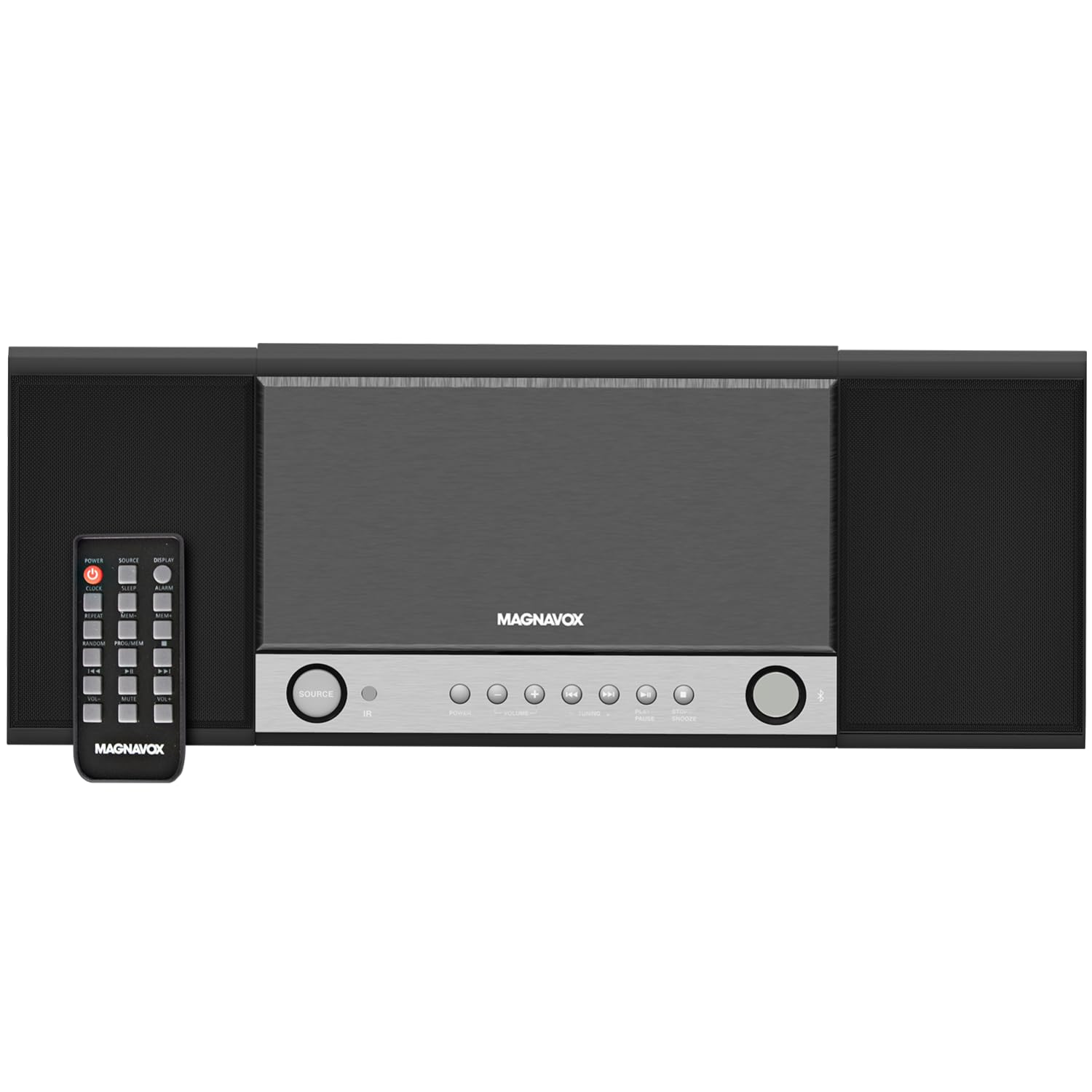
Image: Front view of the Magnavox CD Shelf System highlighting its features: 3W RMS output, programmable CD player, digital PLL FM stereo radio, 20 preset stations, LCD display, alarm clock, snooze, digital volume control, 3.5mm headphone jack, and 3.5mm aux-in port.
Dimensions

Image: Diagram showing the dimensions of the Magnavox CD Shelf System: 19 inches (width), 7.05 inches (height), and 2.75 inches (depth).
Setup
1. Connecting the Speakers
Connect the speaker wires from the satellite speakers to the corresponding speaker terminals on the back of the main unit. Ensure correct polarity (red to red, black to black) for optimal sound quality.
2. Connecting Power
Plug the AC/DC power adapter into the DC IN jack on the back of the main unit, then plug the adapter into a standard AC wall outlet (100-240V ~ 50/60Hz).
3. Installing Backup Batteries (Optional)
For clock backup during power outages, insert 2 x AA batteries (not included) into the battery compartment on the back of the main unit. Ensure correct polarity.
4. Installing Remote Control Battery
The remote control comes with a CR2025 battery. If replacement is needed, ensure the battery is inserted with the correct polarity.
Operating Instructions
1. Power On/Off
Press the POWER button on the front panel or remote control to turn the unit on or off.
2. Source Selection
Press the SOURCE button repeatedly to cycle through available modes: CD, FM Radio, Bluetooth, and AUX.
3. CD Playback
- Gently lift the CD compartment cover on the top of the main unit.
- Place a CD (CD-R/CD-RW compatible) onto the spindle with the label side facing up.
- Close the CD compartment cover. The unit will read the disc.
- Press the PLAY/PAUSE button to start playback.
- Use the SKIP buttons (|<< / >>|) to skip tracks.
- Press the STOP/SNOOZE button to stop playback.
- Programmable Playback: Refer to the detailed instructions in the full manual for programming specific track orders.
4. FM Radio Operation
- Select FM Radio mode using the SOURCE button.
- Press the TUNING +/- buttons to manually tune to a desired station.
- Press and hold the TUNING +/- buttons for automatic scanning to the next available station.
- Setting Presets: The system supports 20 preset stations. Refer to the full manual for detailed instructions on storing and recalling presets.
5. Bluetooth Pairing
- Select Bluetooth mode using the SOURCE button. The display will show "bt" and flash, indicating it's in pairing mode.
- On your Bluetooth-enabled device (smartphone, tablet, etc.), search for available devices and select "Magnavox" from the list.
- Once paired, the "bt" indicator will stop flashing, and you can play audio from your device through the shelf system.
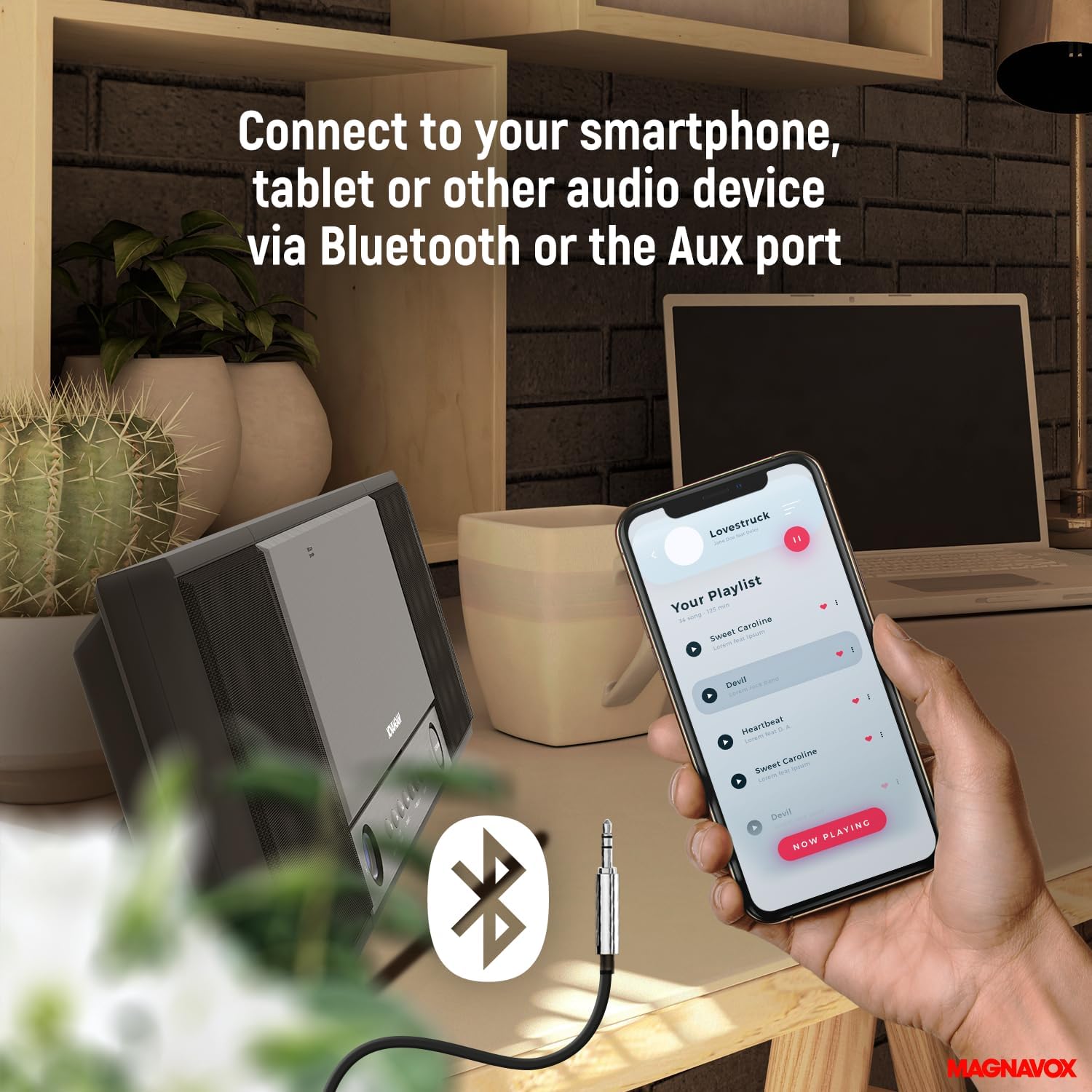
Image: The Magnavox CD Shelf System connected to a smartphone via Bluetooth or an Aux cable, demonstrating its versatile connectivity options.
6. Aux-in Connection
Connect any audio device (MP3 player, smartphone, etc.) to the 3.5mm AUX IN port on the front of the main unit using a 3.5mm audio cable (not included). Select AUX mode using the SOURCE button.
7. Alarm Clock and Snooze Function
The unit features an alarm clock with a snooze function. Refer to the full manual for detailed instructions on setting the alarm time and activating the snooze feature.
8. Volume Control
Adjust the volume using the VOLUME +/- buttons on the front panel or the remote control.
Maintenance
- Cleaning the Unit: Wipe the exterior surfaces with a soft, dry cloth. Do not use abrasive cleaners or solvents.
- CD Lens Care: To ensure optimal CD playback, occasionally clean the CD lens using a commercially available CD lens cleaner disc.
- Battery Replacement: Replace backup batteries (AA) and remote control battery (CR2025) as needed, ensuring correct polarity.
Troubleshooting
| Problem | Possible Cause | Solution |
|---|---|---|
| No power | Power adapter not connected; outlet not working. | Check power adapter connection; try a different outlet. |
| No sound | Volume too low; incorrect source selected; speakers not connected. | Increase volume; select correct source; check speaker connections. |
| CD not playing | CD inserted incorrectly; CD dirty/scratched; CD compartment not closed. | Reinsert CD correctly; clean or replace CD; ensure compartment is closed. |
| Poor FM reception | Antenna not extended; interference. | Fully extend the FM antenna; reposition the unit to reduce interference. |
| Bluetooth pairing issues | Device too far; Bluetooth not enabled on device; unit not in pairing mode. | Move device closer; enable Bluetooth; ensure unit is in Bluetooth pairing mode. |
| Remote control not working | Battery depleted; obstruction between remote and unit. | Replace remote battery; remove obstructions; point remote directly at the unit. |
Specifications
- Model: B0CXTZ8S5P
- Brand: Magnavox
- Output Power: Total 3W RMS (2 x 1.5W)
- CD Compatibility: CD-R/CD-RW
- Radio: Digital PLL FM Stereo Radio (20 preset stations)
- Connectivity: Bluetooth, 3.5mm Aux-in, 3.5mm Headphone Jack
- Display: LCD with blue backlight
- Functions: Alarm clock, Snooze function, Digital volume control
- Power Source: AC operation (AC adapter included)
- Clock Backup: Uses 2 x AA batteries (not included)
- Remote Control Battery: 1 x CR2025 (included)
- Dimensions (L x W x H): 19 x 7.05 x 2.75 inches
- Weight: 1.63 Kilograms
Warranty and Support
Magnavox products are designed and manufactured to the highest quality standards. For detailed warranty information, please refer to the warranty card included with your product or visit the official Magnavox website. If you encounter any issues or require technical assistance, please contact Magnavox customer support through their official channels.
