
Introduction
This manual provides detailed instructions for the proper use and maintenance of your Coucur Y66 Smartwatch. Please read this guide thoroughly before operating the device to ensure optimal performance and longevity.
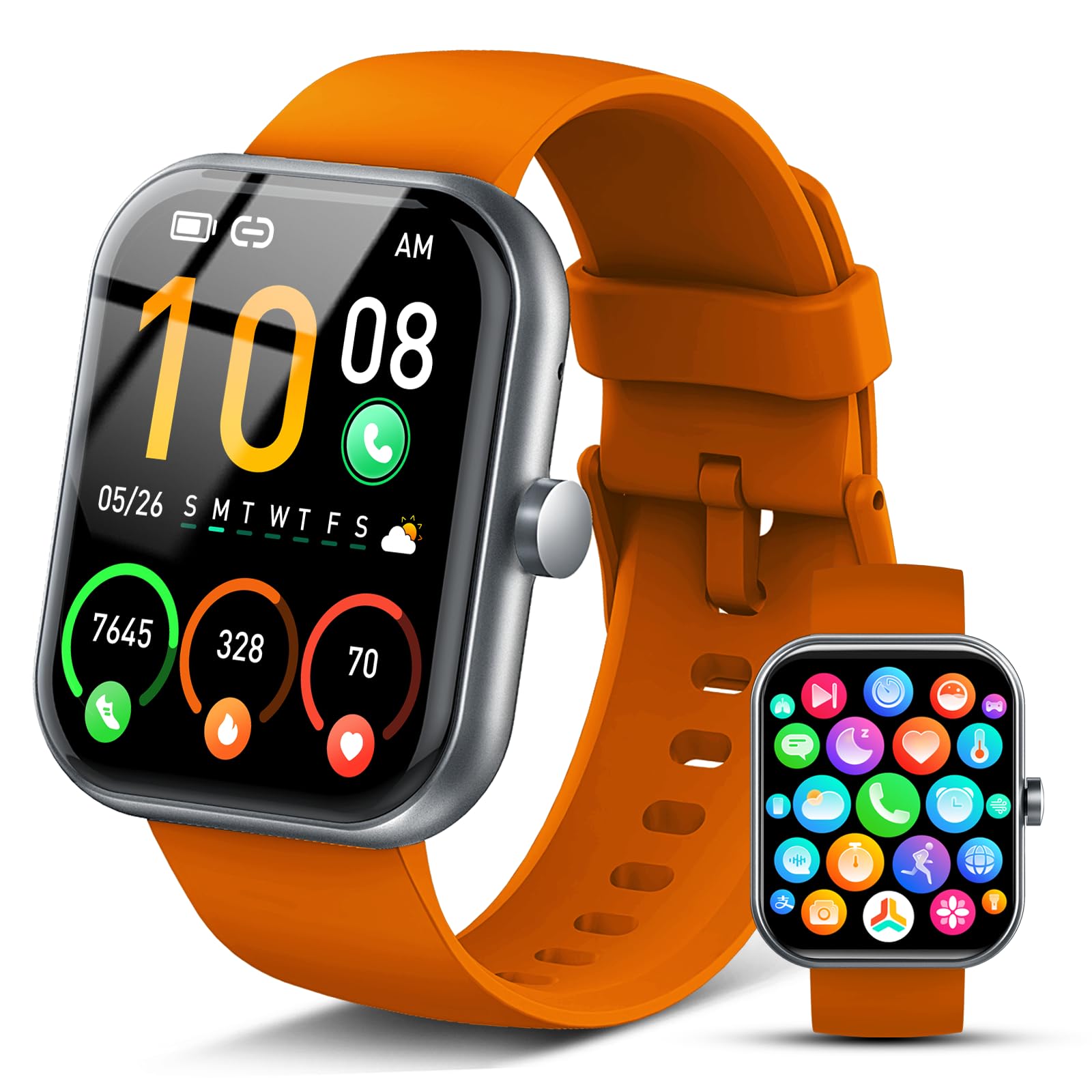
Image: Coucur Y66 Smartwatch, front view showing the rectangular screen and orange strap.
Setup
1. Charging the Smartwatch
Before first use, fully charge your Coucur Y66 Smartwatch. Connect the magnetic charging cable to the charging contacts on the back of the watch and plug the USB end into a standard USB power adapter (not included). The watch display will indicate charging status. A full charge typically takes approximately 2 hours.
2. App Installation and Pairing
- Download the Companion App: Search for the official Coucur companion app in your smartphone's app store (App Store for iOS, Google Play Store for Android). Install the app.
- Enable Bluetooth: Ensure Bluetooth is enabled on your smartphone.
- Open the App and Pair: Open the Coucur app, create an account if prompted, and follow the on-screen instructions to add your device. The app will search for available smartwatches. Select 'Coucur Y66' from the list.
- Confirm Pairing: A pairing request will appear on both your phone and the smartwatch. Confirm the pairing on both devices.
3. Initial Configuration
After successful pairing, the app will guide you through initial settings such as personal profile (age, height, weight), notification preferences, and health monitoring settings. Configure these settings to personalize your smartwatch experience.
Operating Instructions
1. Basic Navigation
- Touch Screen: Swipe left/right to navigate between main functions (e.g., heart rate, sports modes). Swipe up/down to access quick settings or notifications.
- Side Button: Press the side button to return to the home screen or wake the device. A long press may access power options or a specific function depending on configuration.
2. Call Function
The Coucur Y66 Smartwatch supports making and answering calls directly from your wrist when connected to your smartphone via Bluetooth.
- Answering Calls: When an incoming call is received, the watch will display the caller ID. Tap the green icon on the screen to answer.
- Making Calls: Access the dialer or contact list on your smartwatch (via the app settings) to initiate a call.
3. Smart Notifications
Receive notifications for calls, SMS messages, and various social media apps directly on your smartwatch. Ensure notification permissions are granted in both your phone's settings and the Coucur companion app.
4. 24/7 Health Monitoring
The smartwatch continuously monitors various health metrics. Access these features through the watch interface or the companion app:
- Heart Rate: Real-time heart rate tracking.
- Blood Oxygen: SpO2 level measurement.
- Sleep Tracking: Monitors sleep patterns and quality.
- Stress Monitoring: Tracks stress levels throughout the day.
Note: This device is not a medical device. Health data is for reference only and should not be used for medical diagnosis or treatment.
5. Sports Modes
The Coucur Y66 offers over 100 sports modes to track your workouts. Select your desired activity from the sports menu on the watch to begin tracking metrics such as steps, distance, calories burned, and duration.
6. Watch Faces
Customize your smartwatch display with over 200 available watch faces. You can also create DIY watch faces using photos from your smartphone through the companion app.
7. Other Useful Functions
Explore additional features such as:
- Alarm Clock
- Sedentary Reminder
- Music Control
- Remote Camera Control
- Weather Forecast
Maintenance
1. Water Resistance (IP68)
The Coucur Y66 Smartwatch is IP68 water-resistant, meaning it is protected against dust ingress and can withstand immersion in water up to 1.5 meters for up to 30 minutes. It is suitable for daily use, hand washing, and light rain. Avoid hot water, saunas, or diving, as steam and high pressure can compromise the seal.
2. Cleaning
Regularly clean your smartwatch and strap with a soft, dry cloth. If necessary, use a slightly damp cloth with mild soap, then wipe dry. Avoid harsh chemicals or abrasive materials.
3. Battery Care
To prolong battery life, avoid fully discharging the watch frequently. Charge the device when the battery level is low. Store the watch in a cool, dry place if not used for extended periods.
Troubleshooting
- Watch not turning on: Ensure the watch is fully charged. Connect it to the charger for at least 30 minutes.
- Cannot pair with smartphone:
- Ensure Bluetooth is enabled on your phone.
- Make sure the watch is within Bluetooth range (typically 10 meters).
- Restart both your phone and the smartwatch.
- Check if the app has necessary permissions.
- Notifications not received:
- Verify notification settings in both your phone's system settings and the Coucur app.
- Ensure the watch is properly connected via Bluetooth.
- Inaccurate health data: Ensure the watch is worn snugly on your wrist, not too tight or too loose. Clean the sensor area regularly.
Specifications
| Feature | Detail |
|---|---|
| Brand | Coucur |
| Model Name | Y66 |
| Screen Size | 1.96 Inches |
| Connectivity | Bluetooth |
| Special Features | Make/Answer Calls, Read Messages, 24-hour Health Monitoring |
| Compatible Devices | Smartphone |
| Battery Composition | Lithium-Polymer |
| Rechargeable Battery | Yes |
| GPS | No GPS |
| Shape | Rectangular |
| Water Resistance | IP68 |
Warranty and Support
For warranty information or technical support, please refer to the documentation provided with your purchase or contact Coucur customer service through their official website. Information regarding spare parts availability and software updates is not available at this time.

