
1. Overview
The ICEPURE ICP-WFC004 is a countertop reverse osmosis system designed to provide purified water with instant heating capabilities. It features a 3-stage filtration process to remove a wide range of contaminants and offers multiple temperature and volume options for convenience. This system requires no plumbing installation, making it portable and easy to use in various settings.
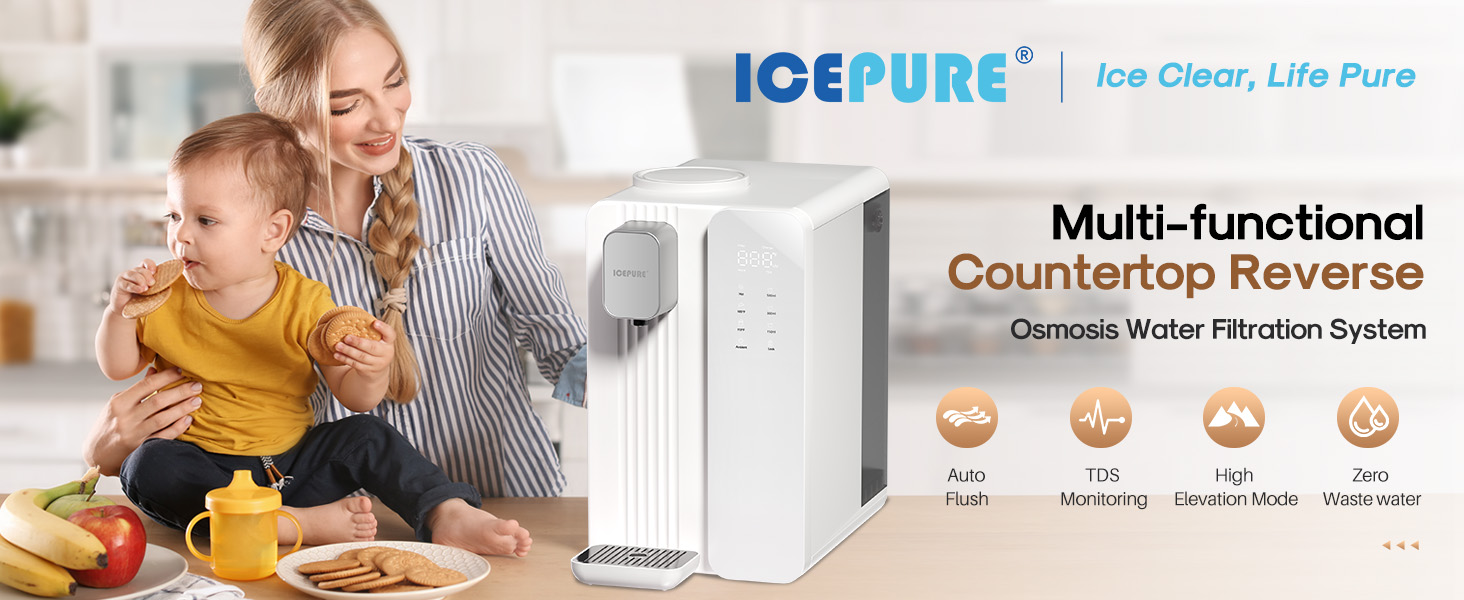
The ICEPURE ICP-WFC004 Countertop Reverse Osmosis System in a modern kitchen setting.
2. Safety Information
Please read all safety instructions carefully before operating the appliance to prevent injury or damage.
- Ensure the appliance is placed on a stable, level surface.
- Do not immerse the appliance, cord, or plug in water or other liquids.
- Keep out of reach of children. Use the child lock feature when hot water is not needed.
- Do not operate the appliance with a damaged cord or plug.
- Unplug the appliance before cleaning or performing any maintenance.
- Only use tap water in the water tank. Do not add other liquids.
- Do not block ventilation openings.
- The appliance contains a heating element; exercise caution when dispensing hot water.
3. Package Contents
Verify that all items are included in the package:
- ICEPURE ICP-WFC004 Countertop RO System Unit
- Water Tank
- 3-Stage RO Water Filter Cartridge
- Filter Wrench
- Drip Tray
- Power Cord
- User Manual
4. Product Components
The ICEPURE ICP-WFC004 system consists of the main unit, a removable water tank, and a multi-stage filter. The main unit houses the dispensing spout, control panel, and internal components for filtration and heating.

Front view of the ICEPURE ICP-WFC004 Countertop Reverse Osmosis System.
Filtration System
The system utilizes a three-stage filtration process:
- PP Cotton Filter: Removes large impurities such as sand, rust, silt, and sediments.
- Activated Carbon Filter: Effectively adsorbs substances like chlorine, odors, and bad tastes.
- 0.0001µm RO Membrane: Effectively removes 99.9% of organic compounds, heavy metals, lead, mercury, nitrates, PFOA/PFOS, and TDS.
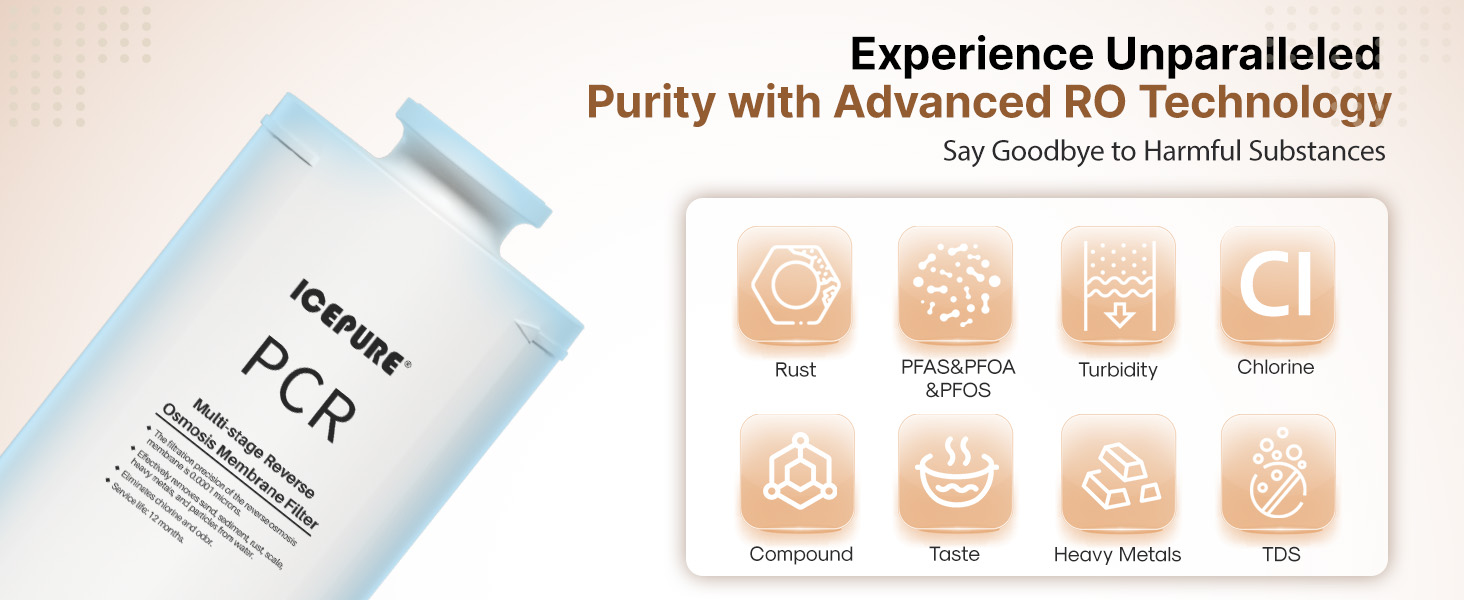
A visual representation of the 3-stage filtration process, showing PP cotton, activated carbon, and RO membrane layers removing contaminants.
5. Setup
5.1 Unpacking
- Carefully remove all components from the packaging.
- Remove any protective films or stickers from the unit.
- Place the unit on a clean, dry, and stable countertop.
5.2 Filter Installation
The filter cartridge is typically pre-installed. If not, or for replacement:
- Open the filter compartment cover on top of the unit.
- Insert the filter cartridge into its designated slot.
- Use the provided filter wrench to gently tighten the filter until secure. Do not overtighten.
- Close the filter compartment cover.
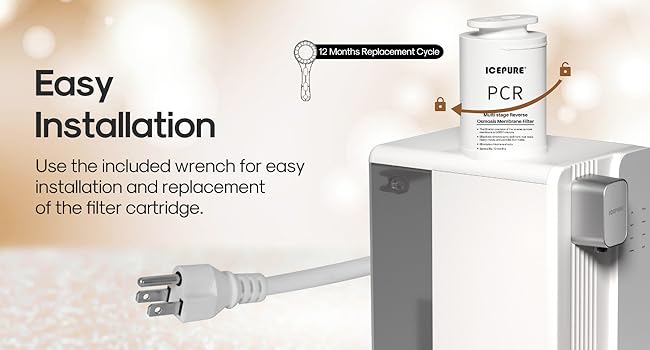
A visual guide demonstrating the simple process of installing or replacing the filter cartridge using the provided wrench.
5.3 Water Tank Filling
- Lift the water tank from the back of the unit using its handle.
- Fill the tank with clean tap water up to the 'MAX' line.
- Carefully place the filled water tank back into the unit, ensuring it is properly seated.
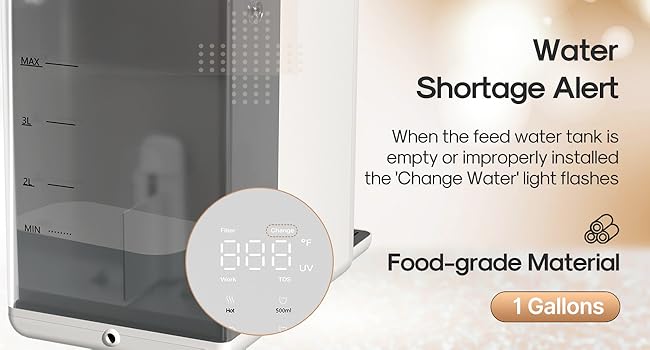
The removable water tank with clear markings for water levels and an indication of the "Change Water" alert when the tank is empty or improperly installed.
5.4 Initial Flush
Before first use, or after filter replacement, perform an initial flush:
- Plug in the appliance. The system will automatically flush for 20 seconds upon power-on.
- Dispense and discard at least two full tanks of water to thoroughly flush the filters and remove any manufacturing residues. This ensures optimal taste and performance.
6. Operating Instructions
6.1 Control Panel Overview
The smart touch display panel allows you to select temperature, volume, and monitor system status.
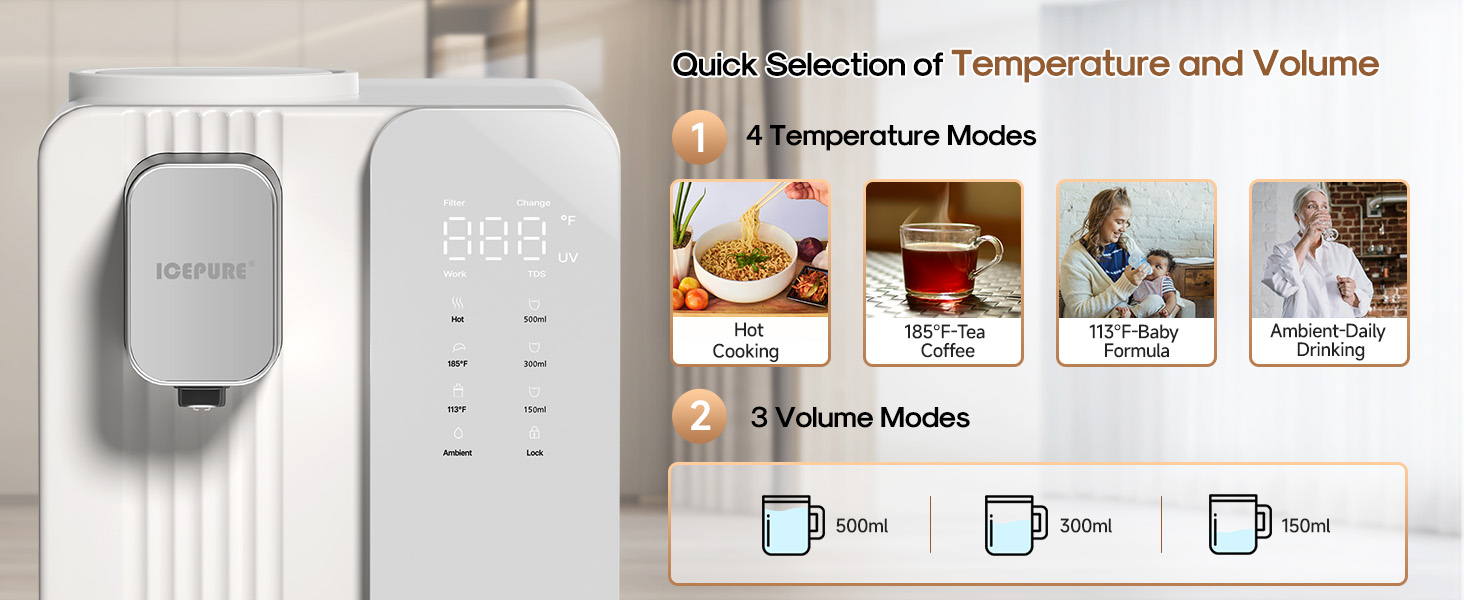
Close-up of the smart touch display panel, illustrating the four temperature options (Hot, 185°F, 113°F, Ambient) and three volume options (150ml, 300ml, 500ml), along with filter status and TDS display.
6.2 Dispensing Water
- Place a cup or container on the drip tray.
- Unlock the control panel by pressing and holding the 'Lock' button (if activated).
- Select your desired temperature and volume using the touch controls.
- Press the dispense button to start. The system will heat and dispense water within 3 seconds for hot settings.
- Press the dispense button again to stop if needed before the selected volume is reached.
This video provides a visual overview of the ICEPURE Countertop Reverse Osmosis System, demonstrating its multi-stage filtration, instant heating, smart auto-flush function, and ease of filter replacement.
6.3 Temperature and Volume Settings
The system offers four temperature options and three pre-set volume options:
- Temperatures: Ambient, 113°F (Baby Formula), 185°F (Tea/Coffee), Hot (Boiling).
- Volumes: 150ml, 300ml, 500ml.
6.4 Child Lock
To activate or deactivate the child lock, press and hold the 'Lock' button on the control panel. This prevents accidental dispensing of hot water.
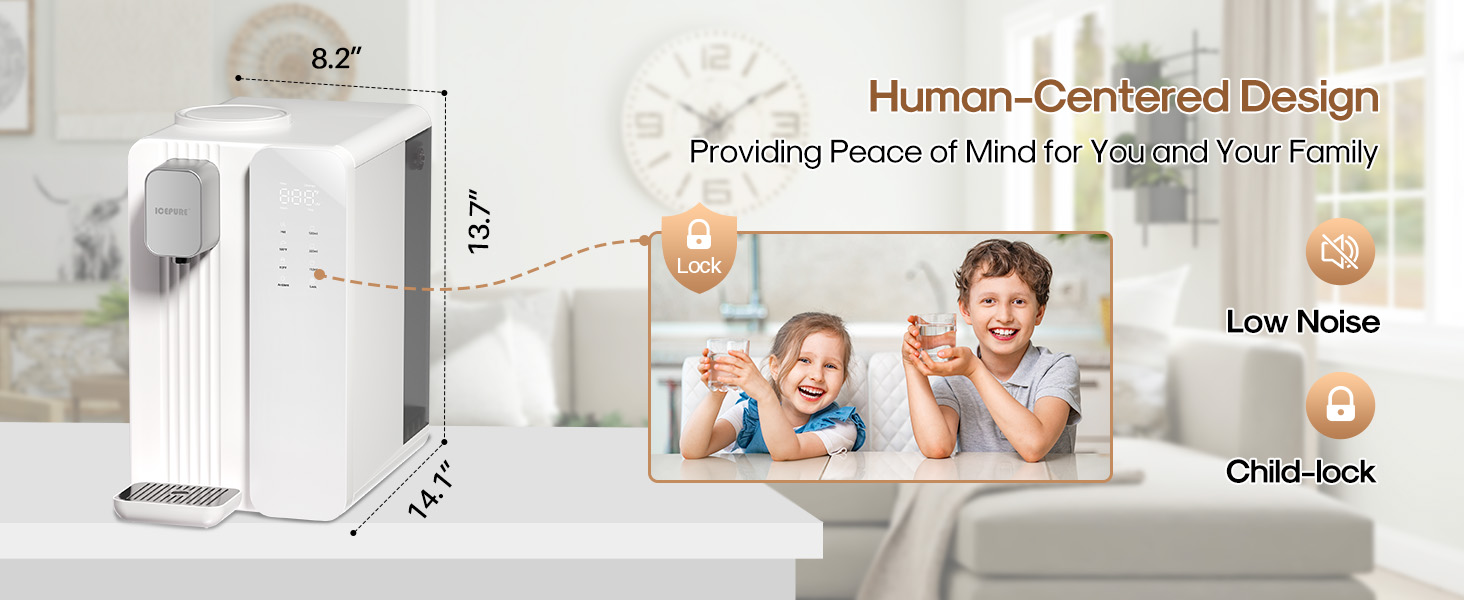
An image highlighting the child lock function on the control panel, designed to prevent accidental hot water dispensing.
6.5 TDS Monitoring
The system continuously monitors the Total Dissolved Solids (TDS) level of the purified water. If the TDS value is abnormal, a 'Water Quality' light will flash on the display, indicating a potential issue with filtration or water quality.
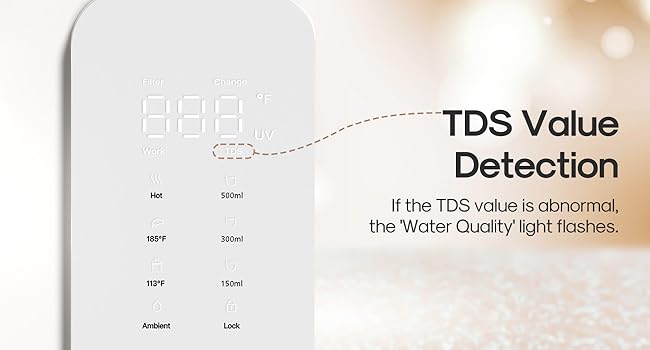
The control panel displaying the TDS (Total Dissolved Solids) value, with an alert for abnormal water quality.
6.6 Smart Auto Flush Function
The system features an intelligent flushing function to maintain filter performance and water quality:
- Automatically flushes for 20 seconds upon power-on.
- Flushes for 30 seconds after 24 hours of standby.
- Flushes for 10 seconds after each water-making cycle.
- Flushes for 20 seconds when the feed water tank is installed.
6.7 High Altitude Mode
For users living above 1000 meters (approximately 3280 feet), activate the High Altitude Mode. This mode adjusts the heating parameters to ensure a maximum hot water temperature of 190.4°F (88°C) at higher elevations.
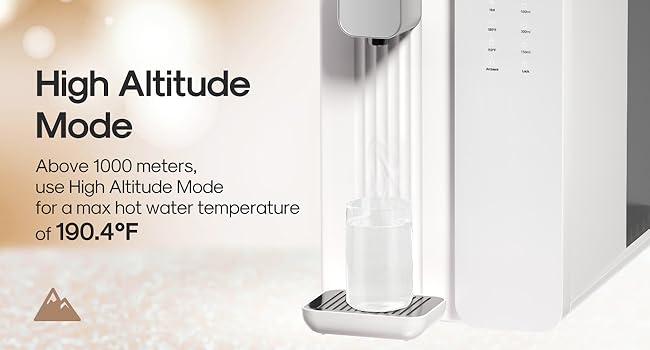
Explanation of the High Altitude Mode, which adjusts the maximum hot water temperature for elevations above 1000 meters.
7. Maintenance
7.1 Filter Replacement
The filter cartridge has a lifespan of up to 12 months, depending on your water quality and usage. The system will alert you when a filter change is needed.
- Unplug the appliance.
- Open the filter compartment cover.
- Use the filter wrench to loosen and remove the old filter cartridge.
- Insert the new filter cartridge and tighten it with the wrench until secure.
- Close the cover and plug in the appliance. Perform an initial flush as described in Section 5.4.

The ICEPURE PCR Multi-stage Reverse Osmosis Membrane Filter, designed for easy replacement.
7.2 Cleaning the Water Tank and Drip Tray
Regular cleaning of the water tank and drip tray is recommended to prevent mold and maintain hygiene.
- Remove the water tank and drip tray.
- Wash them with mild soap and warm water. Rinse thoroughly.
- Ensure all parts are completely dry before reassembling.
8. Troubleshooting
If you encounter issues, refer to the table below for common problems and solutions.
| Problem | Possible Cause | Solution |
|---|---|---|
| No water dispensed | Water tank empty or improperly installed; Child lock active; Power issue. | Refill water tank and ensure it's seated correctly; Deactivate child lock; Check power connection. |
| Slow water flow | Clogged filter; Air in the system. | Replace filter cartridge; Perform an initial flush to remove air. |
| Water tastes bad/cloudy | New filter not flushed; Filter needs replacement. | Perform initial flush (2-3 tanks); Replace filter cartridge. |
| E2 Error Message | Internal system error. | Unplug the unit for 5 minutes, then plug it back in. If the error persists, contact customer support. |
| "Change" alert on screen | Water tank empty; Filter needs replacement. | Refill water tank; Check filter status and replace if necessary. |
| Water tank gets moldy/slimy quickly | Infrequent cleaning. | Clean the water tank regularly, ideally after every few uses, and ensure it is completely dry before refilling. |
9. Specifications
| Feature | Detail |
|---|---|
| Model Number | ICP-WFC004 |
| Brand | ICEPURE |
| Color | White |
| Material | Polypropylene (PP) |
| Capacity | 3.68 Gallons per Hour |
| Weight | 20.9 pounds (Item Weight) |
| Wattage | 1450 watts |
| Installation Type | Countertop |
| Access Location | Top |
| Number of Temperature Settings | 4 (Ambient, 113°F, 185°F, Hot) |
| Power Source | Corded Electric |
| Product Dimensions | 13.8 x 8.46 x 13.66 inches |
| Filtration Stages | 3-Stage (PP Cotton, Activated Carbon, RO Membrane) |
| Pure to Drain Ratio | 3:1 |
| Filter Lifespan | Up to 12 months (depending on water quality) |
10. Warranty & Support
ICEPURE products are manufactured with high-quality materials and undergo strict quality control. For specific warranty details, please refer to the warranty card included with your product or visit the official ICEPURE website.
If you have any questions, require technical assistance, or need to order replacement parts, please contact ICEPURE customer support:
- Website: ICEPURE Official Store
- Email: Refer to product packaging or website for contact email.
- Phone: Refer to product packaging or website for contact number.