
ANCEL V6HD
ANCEL V6HD Heavy Duty Truck Scanner User Manual
Model: V6HD
1. Introduction
The ANCEL V6HD is a professional heavy-duty truck diagnostic scan tool designed for comprehensive vehicle inspection and maintenance. It offers wide compatibility with U.S. diesel trucks and various heavy-duty equipment, providing advanced diagnostic functions, service resets, and ECU coding capabilities. This manual provides detailed instructions for setting up, operating, maintaining, and troubleshooting your ANCEL V6HD device.
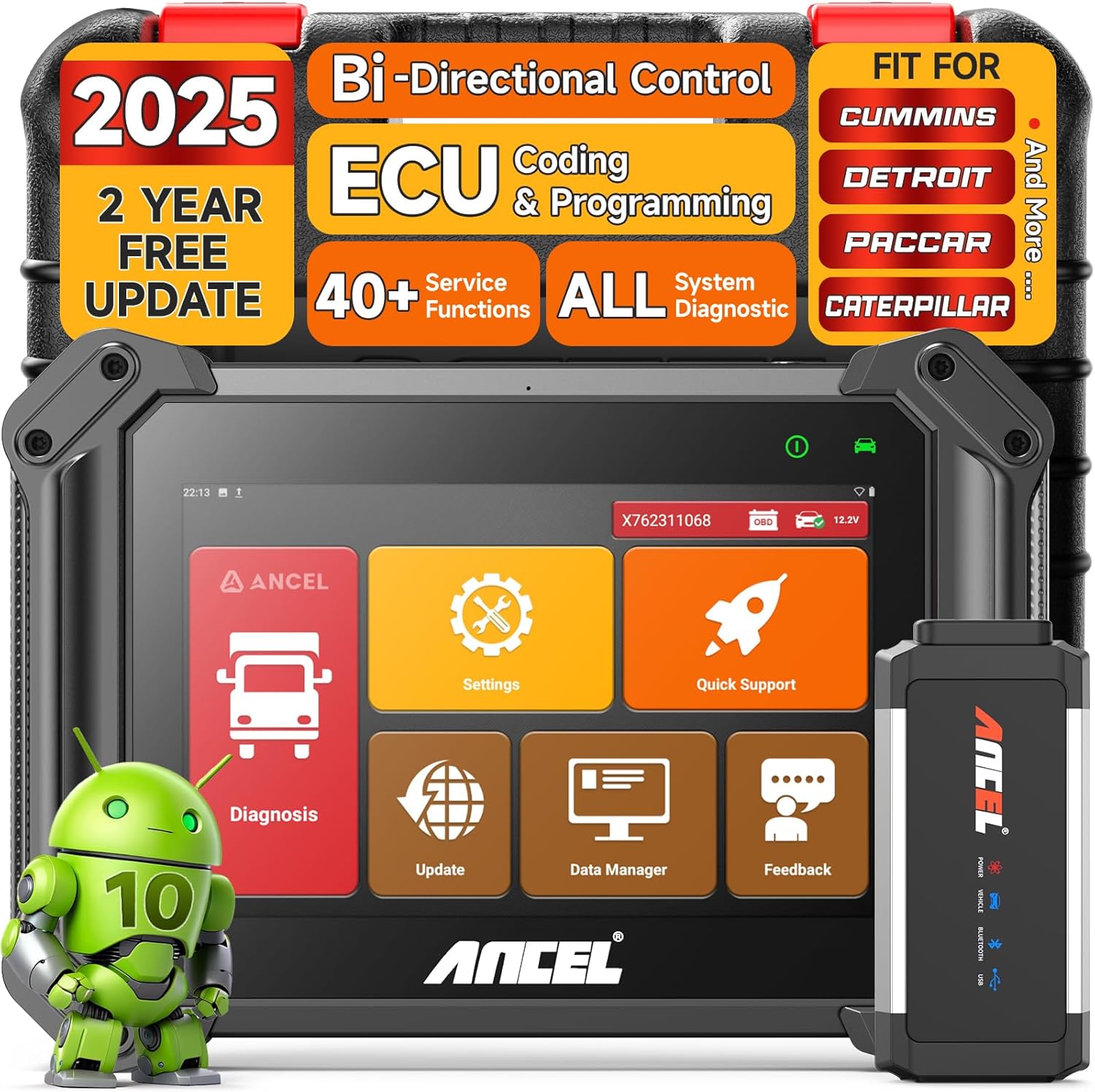
Figure 1.1: ANCEL V6HD Heavy Duty Truck Scanner with its main components.
2. Features Overview
The ANCEL V6HD offers a robust set of features for professional diagnostics:
- 40+ Service Functions: Includes Oil Reset, BMS Reset, ABS bleed, Throttle Reset, Air Suspension, Injector Coding, and more.
- Advanced DPF Functions: Supports DPF Regeneration for various engines like Cummins, Paccar, Maxxforce, and Detroit.
- 3000+ Active Tests & ECU Coding: Equipped with bi-directional tests, ECU coding, and programming capabilities to check system components and customize vehicle parameters.
- OE-Level Auto Scan & AutoVIN: Provides in-depth OE-level diagnosis across all available vehicle systems and automatic VIN identification.
- Full OBD/HDOBD Function: Accesses all available vehicle systems to read/erase error codes, retrieve freeze frame & ECU info, and view live graphing data streams.
- Wide Vehicle Compatibility: Covers over 150 truck and vehicle brands, including 99% of U.S. trucks.
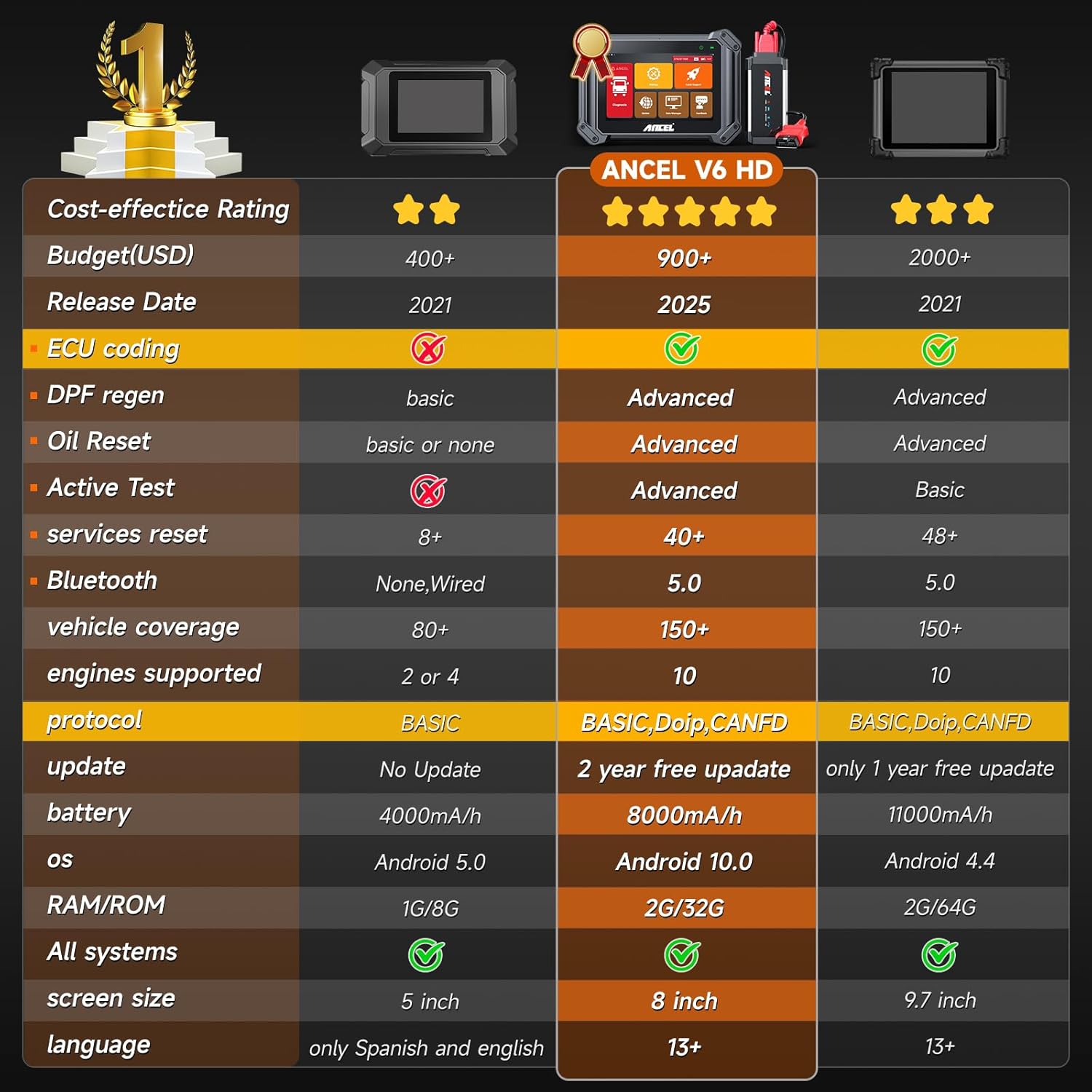
Figure 2.1: ANCEL V6HD's superior features compared to other diagnostic tools.

Figure 2.2: Extensive vehicle compatibility of the ANCEL V6HD across various truck brands.
3. Setup
3.1 Unboxing and Kit Contents
Upon opening the protective carrying case, you will find the ANCEL V6HD tablet and a comprehensive set of accessories. Ensure all items listed below are present:
- 1x ANCEL V6 HD Scanner Tablet
- 1x Bluetooth VCI Connector
- 1x DIESEL-9 Connector
- 1x CAT-9 Connector
- 1x OBD-R16 Connector
- 1x BENZ-14 Connector
- 1x Battery Tester Clamps
- 1x ECU OBD Jumper Cables
- 1x ECU Jumper Leads
- 1x USB Cable
- 1x Switching Adaptor (with EU and US adapters)
- 1x Protective Carrying Case
- 1x ISUZU-3 Connector
- 1x ISUZU-20 Connector
- 1x CUMMINS-6 Connector
- 1x VOLVO-8 Connector
- 1x DENSO-12 Connector
- 1x MAN-37 Connector
- 1x Cigarette Lighter Cable
- 1x OBD Extension Cable
- 1x Wipe Cloth
- 1x User Manual
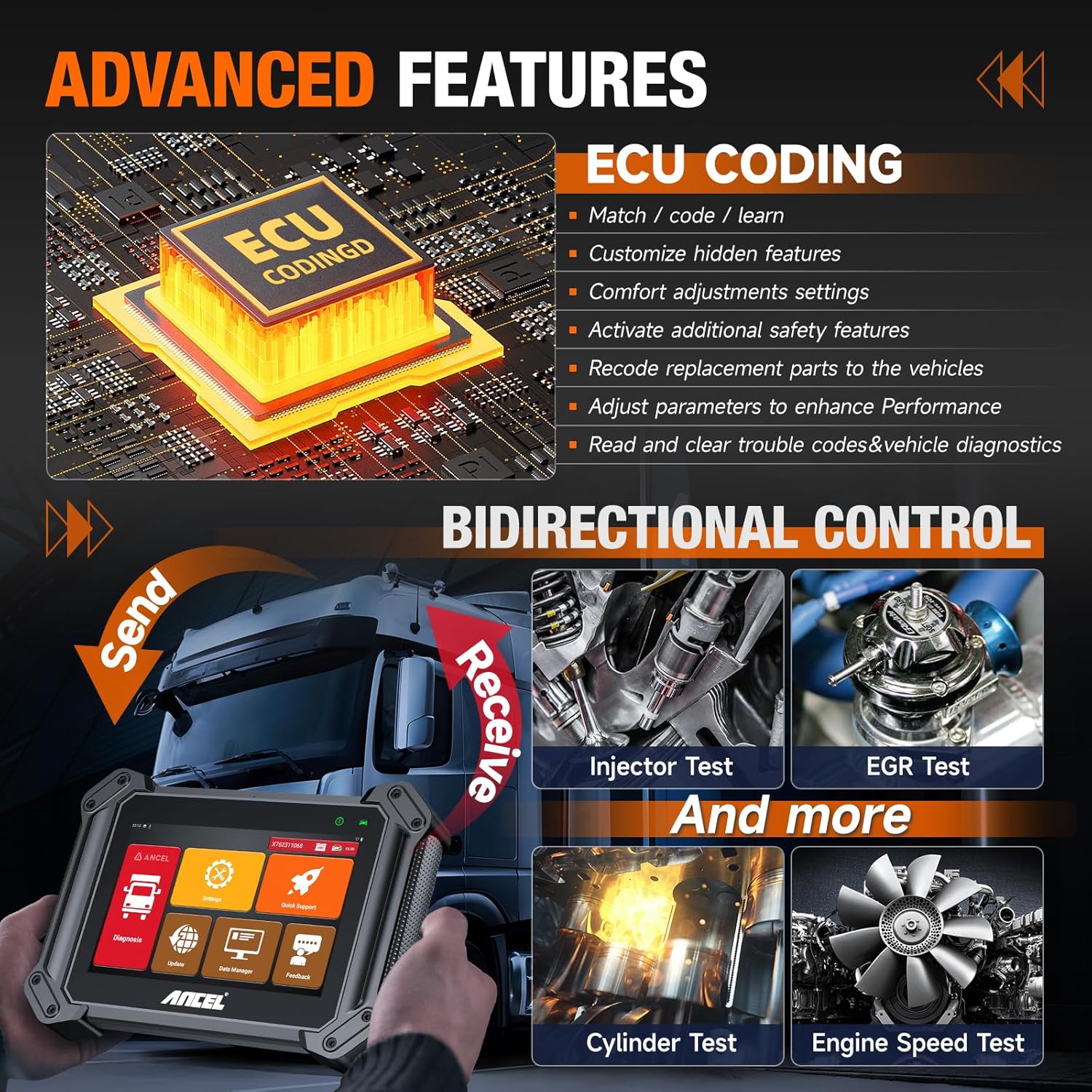
Figure 3.1: All components included in the ANCEL V6HD kit.
3.2 Connecting the Bluetooth VCI
The ANCEL V6HD utilizes a Bluetooth Vehicle Communication Interface (VCI) for wireless connectivity to the vehicle's diagnostic port. This allows for greater flexibility during operation.
- Locate the vehicle's diagnostic port (typically an OBD-II port for light-duty vehicles or a specific heavy-duty connector for trucks).
- Select the appropriate adapter cable from the kit based on your vehicle's diagnostic port type.
- Connect the selected adapter cable to the Bluetooth VCI connector.
- Plug the VCI with the adapter into the vehicle's diagnostic port. Ensure a secure connection.
- The VCI will power on, indicated by LED lights.
Video 3.2.1: Demonstration of the ANCEL V6HD's physical features and VCI connection.
3.3 Initial Power On and Interface
Once the VCI is connected to the vehicle, power on the ANCEL V6HD tablet. The device runs on an Android 10.0 operating system, providing a user-friendly interface.
- Press and hold the power button on the tablet until the screen illuminates.
- The device will boot up and display the ANCEL logo, followed by the main menu interface.
- Verify the Bluetooth connection status on the tablet's display. A green indicator typically signifies a successful connection to the VCI.
Video 3.3.1: Overview of the ANCEL V6HD's interface and basic operation.
4. Operating Instructions
4.1 Navigation
The ANCEL V6HD features an intuitive touchscreen interface. Navigate through menus by tapping icons and swiping. The main screen provides access to key functions such as Diagnosis, Settings, Update, Data Manager, Quick Support, and Feedback.
4.2 Performing a Diagnostic Scan
To begin diagnosing a vehicle:
- From the main menu, tap the "Diagnosis" icon.
- Select the appropriate vehicle type (e.g., Heavy Truck, Light Truck, Construction, Agriculture) or engine type.
- Choose the specific vehicle manufacturer and model from the displayed list.
- The system will establish communication with the vehicle's ECU. This may take a few moments.
- Once connected, you can select specific systems (e.g., Engine, Transmission, ABS) for diagnosis.
Video 4.2.1: Detailed demonstration of vehicle selection and diagnostic process.
4.3 Reading and Clearing Fault Codes
After a diagnostic scan, you can view and manage fault codes:
- From the diagnostic screen, select "Read Fault Code" to view current and historical diagnostic trouble codes (DTCs).
- Each code will provide a description of the detected issue.
- To clear codes after repairs, select "Erase Fault Code" and confirm the action. Ensure the underlying issue is resolved before clearing codes to prevent recurrence.
4.4 Special Functions (ECU Coding, Bi-directional Control, DPF Regeneration)
The ANCEL V6HD supports advanced functions for in-depth vehicle service:
- ECU Coding & Programming: Allows for matching/learning new components, customizing hidden features, and adjusting parameters for enhanced performance.
- Bi-directional Control (Active Test): Enables sending commands to vehicle systems to perform specific tests, such as Injector Test, EGR Test, Cylinder Test, and Engine Speed Test.
- DPF Regeneration: Facilitates the DPF regeneration process for compatible diesel engines, crucial for maintaining engine efficiency and longevity.
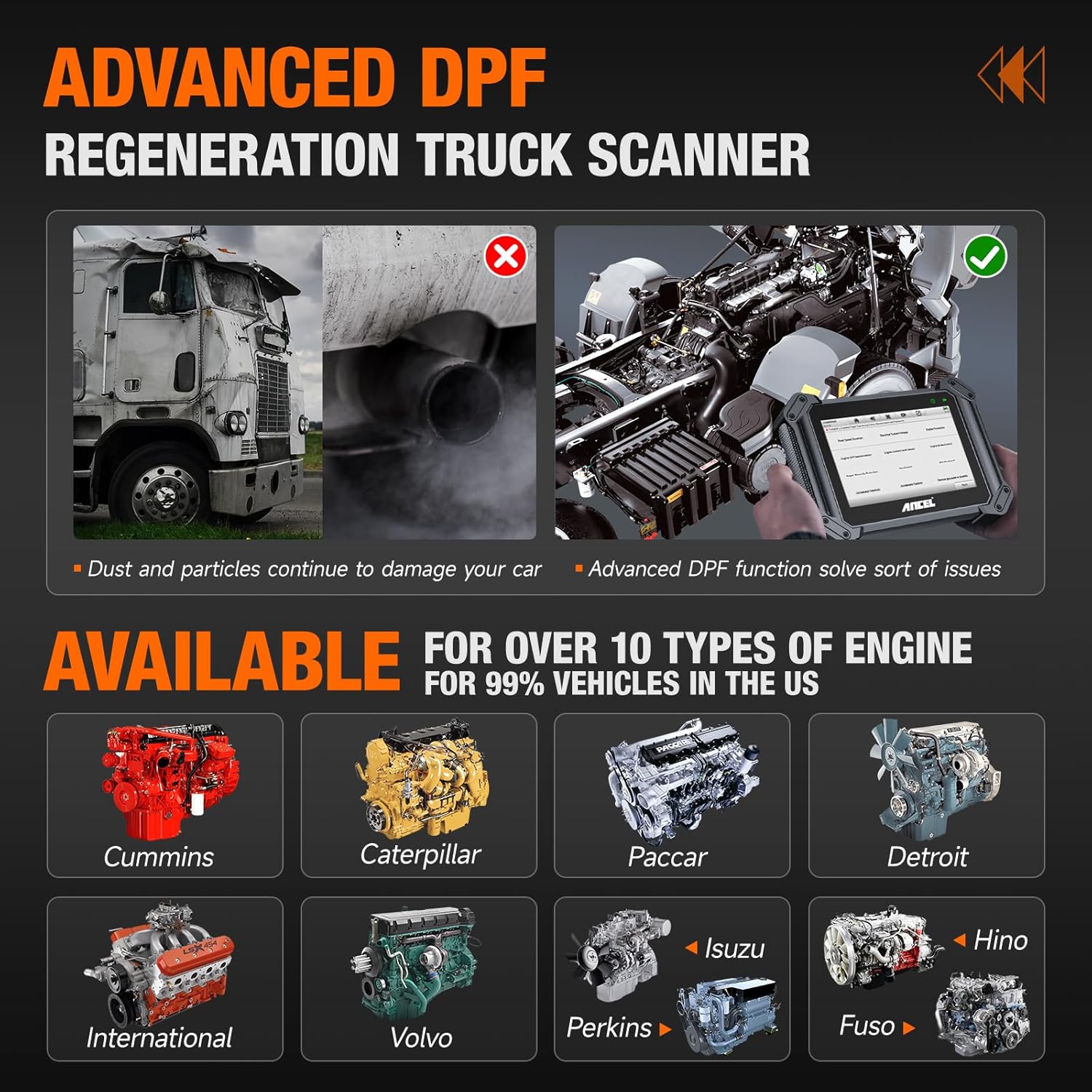
Figure 4.4.1: Overview of advanced features like ECU Coding and Bi-directional Control.
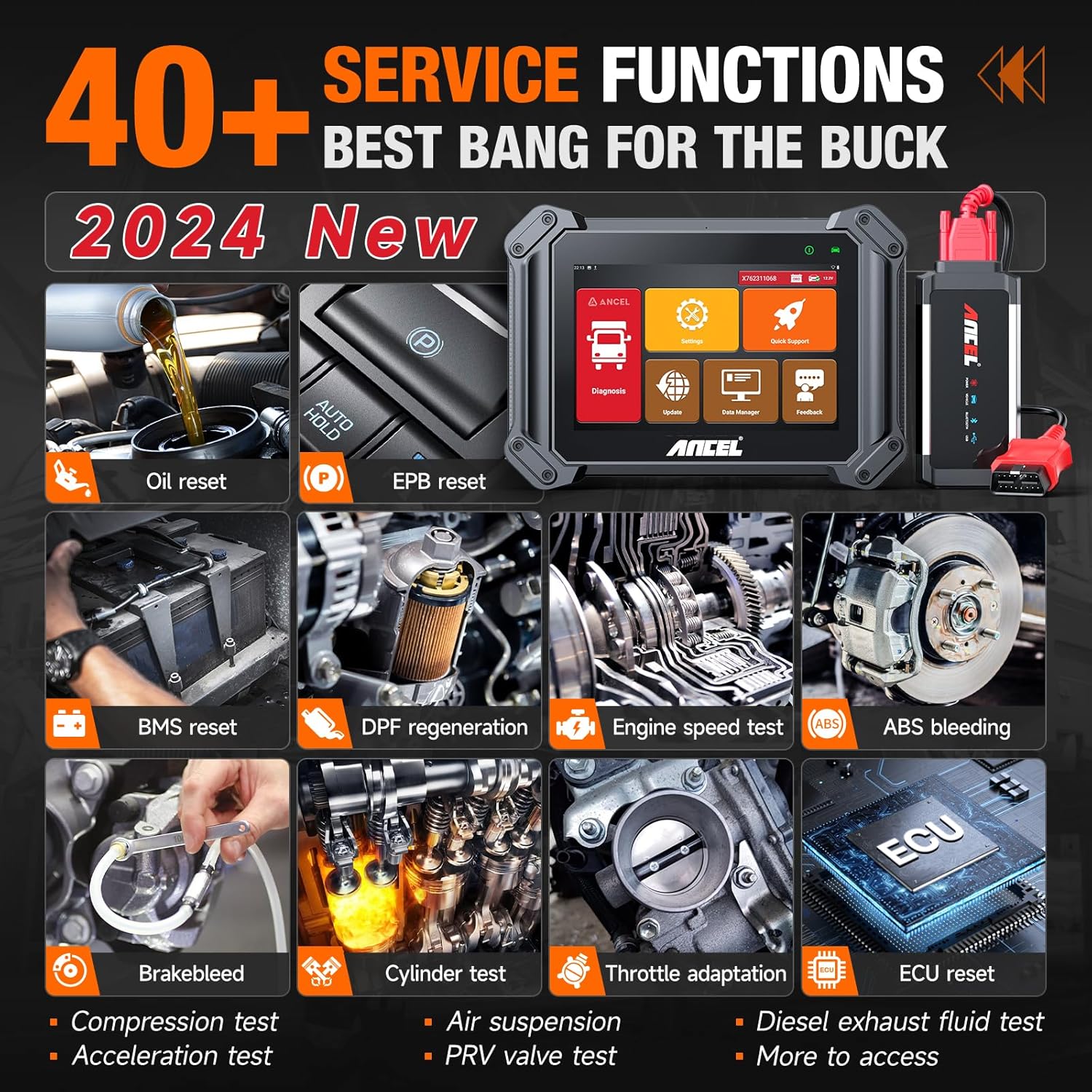
Figure 4.4.2: A selection of the 40+ service functions offered by the ANCEL V6HD.
5. Maintenance
5.1 Software Updates
To ensure optimal performance and access to the latest vehicle models and functions, regularly update the ANCEL V6HD software. The device includes 2 years of free updates.
- Connect the ANCEL V6HD tablet to a stable Wi-Fi network.
- From the main menu, tap the "Update" icon.
- Follow the on-screen prompts to download and install available updates. Ensure the device has sufficient battery charge or is connected to power during the update process.
5.2 Cleaning and Storage
Proper care extends the lifespan of your device:
- Use the provided wipe cloth or a soft, damp cloth to clean the screen and exterior of the tablet. Avoid abrasive cleaners or solvents.
- Store the device and all accessories in the protective carrying case when not in use to prevent damage from dust, moisture, and impacts.
- Store in a cool, dry place, away from direct sunlight and extreme temperatures.
6. Troubleshooting
If you encounter issues with your ANCEL V6HD, refer to the following common troubleshooting steps:
- Device Not Powering On: Ensure the battery is charged. Connect the device to the power adapter and try again.
- No Communication with Vehicle: Verify that the VCI is correctly plugged into the vehicle's diagnostic port and that the correct adapter is used. Check the VCI's LED indicators for power and communication status. Ensure the vehicle's ignition is on.
- Bluetooth Connectivity Issues: Ensure the VCI is within range of the tablet. Restart both the VCI and the tablet. Check Bluetooth settings on the tablet to ensure it's enabled and paired.
- Software Freezing/Lagging: Restart the device. Ensure the software is up to date. Close any unnecessary background applications.
- Inaccurate Readings/Codes: Ensure the correct vehicle make, model, and year are selected in the diagnostic software. Verify the vehicle's VIN if using AutoVIN.
7. Specifications
| Feature | Specification |
|---|---|
| Model | V6HD |
| Operating System | Android 10.0 |
| Display Size | 8-inch IPS Touchscreen |
| Display Resolution | 1280x800 |
| CPU | 4-core 2.0 GHz |
| RAM | 2GB |
| ROM | 32GB (Expandable) |
| Battery Capacity | 8000mAh Lithium Ion |
| Connectivity | Bluetooth 5.0, Wi-Fi |
| Item Weight | 10.93 pounds |
| Package Dimensions | 13.11 x 12.87 x 6.26 inches |
| Country of Origin | China |

Figure 7.1: Key hardware specifications and features of the ANCEL V6HD.
8. Warranty and Support
ANCEL is committed to providing excellent customer support for the V6HD scanner:
- Warranty: The ANCEL V6HD comes with a 2-year brand warranty.
- Free Updates: Enjoy 2 years of free software updates to keep your device current with the latest vehicle data and functions.
- Technical Support: Lifelong technical support is available. Professional remote diagnostic software allows users to get instant support from ANCEL's technical team 24/7/365.
- Replacement Policy: A free support and replacement policy is offered.
Related documentsV6HD


Ask a question about this manual
Ask about setup, troubleshooting, compatibility, parts, safety, or missing instructions. Manuals+ will review the question and use this page’s manual context to help answer it.