
1. Introduction
The PopBloom RL90 Reef Tank Light is designed for marine saltwater aquariums, providing optimal lighting conditions for corals and fish. This LED light features Smart-APP control for customizable settings and efficient operation.
Key features include:
- High PAR Value: Scientifically engineered for balanced PAR/Lumen output and coverage, suitable for 30" deep tanks and 40-60cm hard & soft coral SPS LPS tanks.
- Adjustable Mounting Kit: Comes with brackets for easy installation on most rimmed or rimless tanks, with adjustable height and width.
- Efficient Cooling System: Features a cold forging heat sink and smart cooling fan for extended LED lifespan and 15% energy saving, operating quietly.
- Smart-APP Control: Connects to a 2.4GHz Wi-Fi network for remote control anytime, anywhere.
- Real Daisy Chain & Group Control: The RL90 (2023 New Upgrade) allows simultaneous control of up to 10 lights via one smart-APP system.
2. Setup Guide
2.1. Unboxing and Components
Carefully unpack all components and verify against the package list. The package includes:
- 1x RL90 Light
- 1x Parallel Bracket
- 1x Vertical Bar
- 1x Base & Screws
- 1x Power Adapter
- 1x User Manual
Video: Unboxing and Installation Guide for PopBloom RL90 Reef LED Light. This video demonstrates the contents of the package and initial assembly steps.

Image: Overview of the PopBloom RL90 light unit, power adapter, and mounting accessories.
2.2. Physical Installation
Follow these steps to assemble and mount your RL90 light:
- Insert the vertical bracket into the base.
- Screw the light unit to the parallel bracket.
- Insert the light into the vertical bracket.
- Secure the mounting clip to your aquarium. The bracket is adjustable in height and length, fitting both rimless and rimmed tanks with glass thickness less than 3cm/1.18in.
- Manage power cords for a tidy setup.

Image: Detailed diagram illustrating the adjustable length (12cm/4.8in) and height (12cm/4.8in) of the mounting bracket, suitable for glass up to 3cm/1.18in thick.
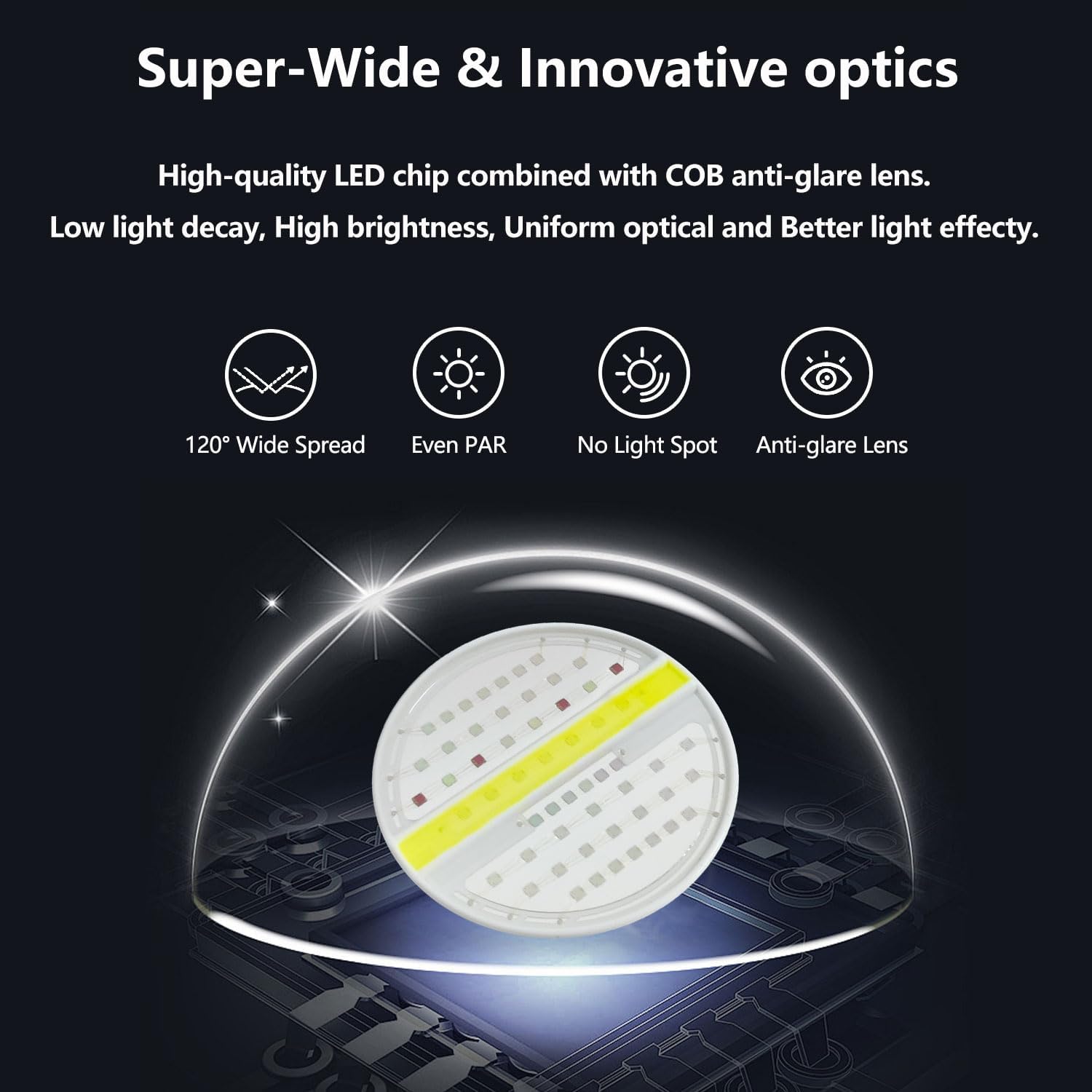
Image: Visual examples of the RL90 light securely mounted on both rimless and rimmed aquarium tanks.
2.3. Smart-APP Connection
The RL90 light is controlled via a dedicated smartphone application. Ensure your Wi-Fi network is 2.4GHz.
- Download the "Smart Life" app from your device's app store (available on smartapp.tuya.com/smartlife, App Store, or Google Play).
- Turn on Wi-Fi and Bluetooth on your smartphone and grant necessary location permissions.
- Open the "Smart Life" app and select "Add Device". The app should automatically discover the PopBloom light.
- Enter your home Wi-Fi network name and password.
- Connect to the light. Once connected, you can name your device for easy identification.

Image: Screenshot of the Smart-APP interface guiding through the 4-step connection process: open Wi-Fi/Bluetooth, search for light, connect to home Wi-Fi, and connect to light.
3. Operating Instructions
The PopBloom RL90 offers comprehensive control through its Smart-APP, allowing for various lighting modes and customization.
3.1. App Control Features
The Smart-APP provides the following functionalities:
- Preset Modes: Choose from 16 preset modes designed to replicate natural conditions or specific aquarium needs (e.g., Tropical Spring, SPS dominant, LPS & Soft coral).
- DIY (Custom) Program: Create personalized lighting schedules by setting ramp-up and ramp-down times, and adjusting brightness for each of the 4 channels at different time points throughout a 24-hour cycle.
- Natural Simulation: Simulate natural lighting effects such as lunar cycles, coral acclimation, 4 seasons, and lightning.
- Group Control: Control multiple RL90 lights simultaneously through a single group setting in the app.
- Sharing Setting: Share your customized lighting settings with other users.
Video: Demonstration of the PopBloom RL90 Smart-APP control features, including setting schedules, adjusting channels, and utilizing various modes.

Image: Overview of the Smart App Control features, highlighting WiFi+APP Control, Even PAR & High Output, Homogenous Full Spectrum Light, Group Control, DIY 4 Channels, Lunar Cycle, Reef Acclimation, and Sharing Mode.

Image: The Smart App Control interface showing various settings and modes for the PopBloom RL90, including manual adjustments and preset options.
3.2. Light Channels and Spectrum
The RL90 features 4 independent channels for precise control over the light spectrum:
- Channel 1: 12000K White (10W)
- Channel 2: Moonlight (5W)
- Channel 3: Reef-growth Blue (65W)
- Channel 4: Vivid Color (10W)

Image: Detailed specifications of the RL90, showing power consumption per channel and the full spectrum graph.
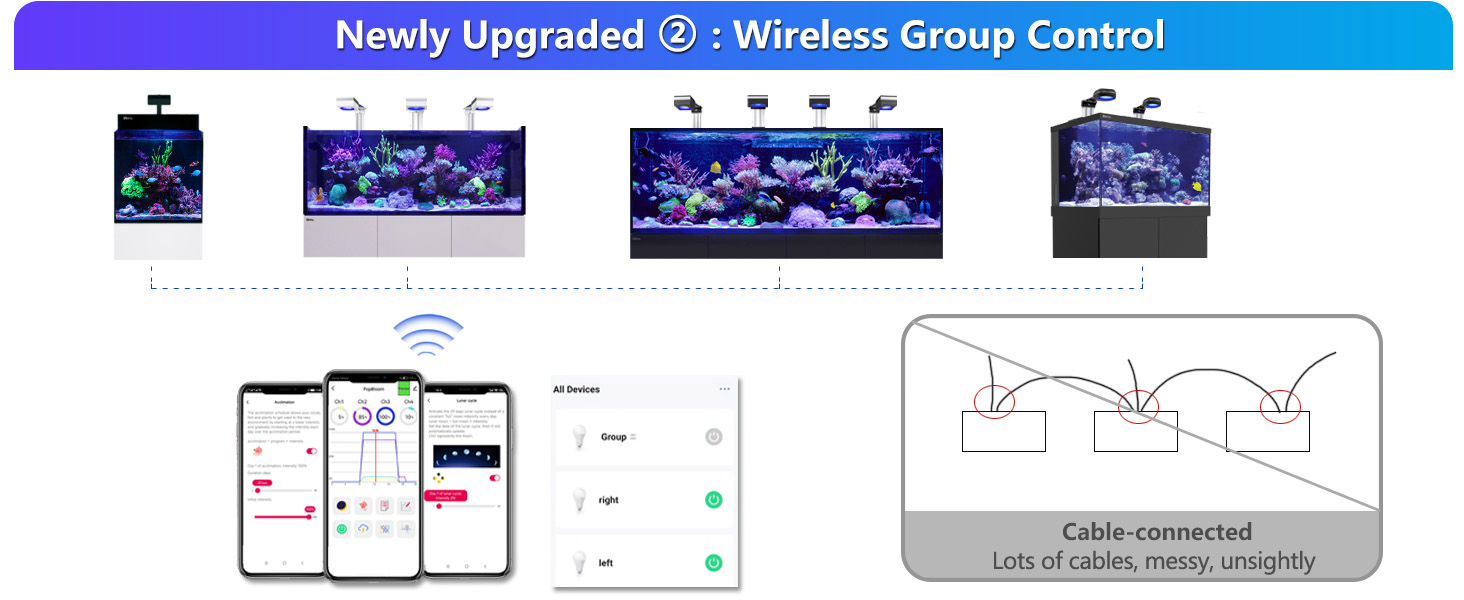
Image: Graph illustrating the HD spectrum of the PopBloom LED, highlighting key wavelengths for coral growth and vivid colors.
Video: PAR (Photosynthetically Active Radiation) test of the PopBloom RL90 Reef LED Lighting in a marine aquarium, demonstrating light intensity at various depths and locations.
4. Specifications
| Feature | Detail |
|---|---|
| Brand | PopBloom |
| Model Name | REEFRL90-1-A |
| Product Dimensions | 4.7"D x 4.7"W x 2.2"H (12x12x5 cm) |
| Wattage | 100 watts |
| Light Source Type | LED |
| Material | Aluminum |
| Control Method | App |
| Light Color Channels | Channel 1: 12000K White; Channel 2: Moonlight; Channel 3: Reef-growth Blue; Channel 4: Vivid Color |
| Mounting Type | Arm Mounting Kit (Adjustable Height) |
| Water Resistance Level | Not Water Resistant |
| Included Components | With Arm Mounting Kit |
| Manufacturer | Shenzhen PopBloom Electronic Technology Co., Ltd |
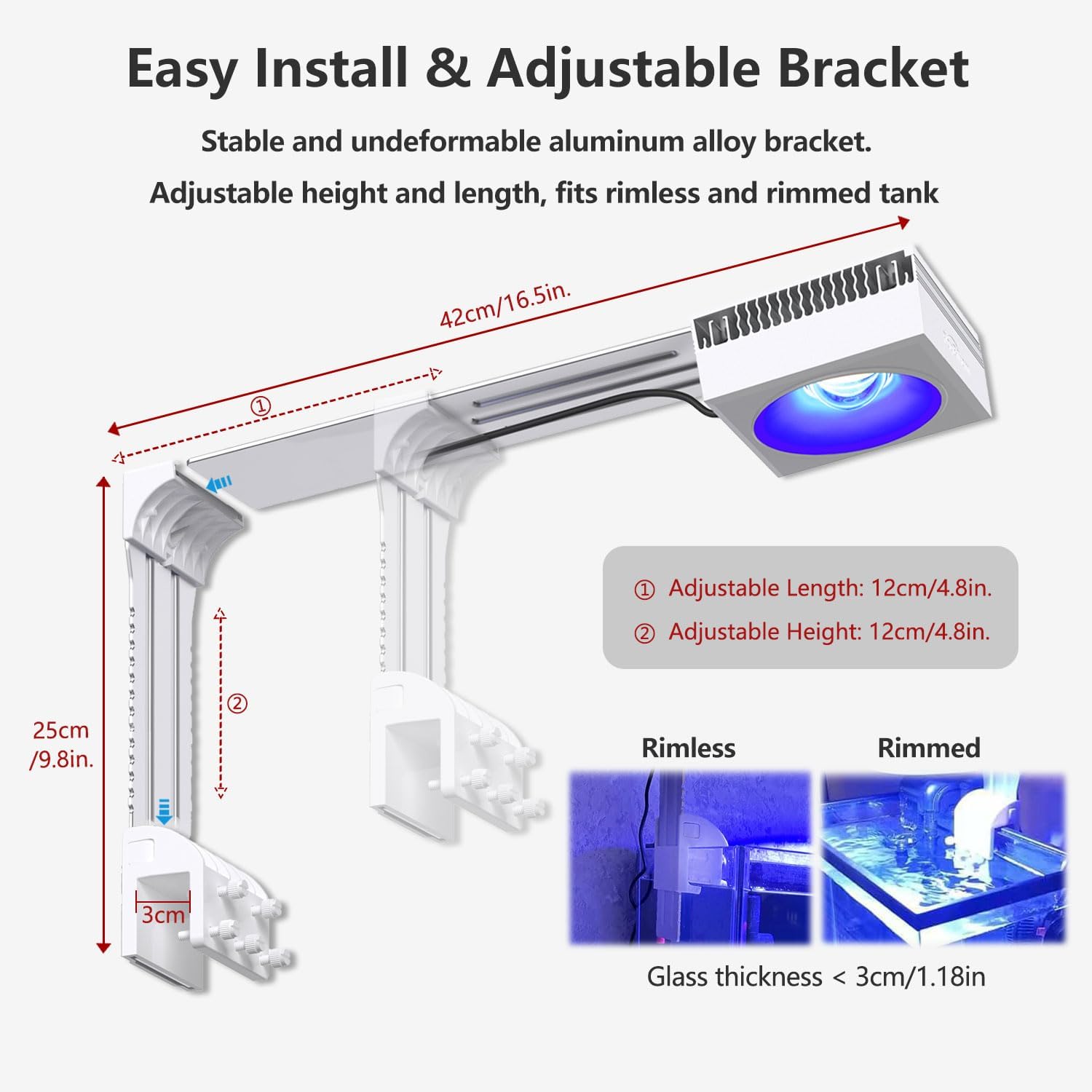
Image: Visual representation of the RL90 light unit with its dimensions and power specifications.
5. Maintenance
Regular maintenance ensures optimal performance and longevity of your PopBloom RL90 Reef Tank Light.
- Cleaning: Periodically wipe the exterior of the light unit with a soft, dry cloth to remove dust and salt creep. Ensure the light is unplugged before cleaning.
- Lens Care: Gently clean the optical lens with a soft, lint-free cloth and a mild glass cleaner (ensure it's safe for plastics) to maintain light output clarity. Avoid abrasive materials.
- Cooling System: Ensure the cooling fan and heat sink fins are free from obstructions to allow for proper airflow. Dust accumulation can reduce cooling efficiency.
- Cable Management: Regularly check power cords and connections for any signs of wear or damage. Secure cables to prevent accidental dislodgement or damage.
6. Troubleshooting
If you encounter issues with your PopBloom RL90 light, refer to the following common troubleshooting steps:
- Light Not Turning On:
- Check if the power adapter is securely connected to both the light unit and a working power outlet.
- Verify that the power outlet is functional.
- Ensure the light is not in a scheduled "off" period within the Smart-APP.
- App Connection Issues:
- Confirm your smartphone is connected to a 2.4GHz Wi-Fi network. The app does not support 5GHz networks.
- Ensure Bluetooth and location services are enabled on your smartphone.
- Restart the Smart Life app and attempt to re-add the device.
- Check your Wi-Fi router for proper operation and signal strength near the aquarium.
- Inconsistent Light Output:
- Verify that the light's schedule in the Smart-APP is set correctly for all channels.
- Check for any physical obstructions on the light's lens or cooling vents.
- Ensure the power supply is stable.
- Overheating:
- Ensure the cooling fan and heat sink are clear of dust and debris.
- Provide adequate ventilation around the light unit.
If problems persist after following these steps, please contact customer support.
7. Warranty & Support
The PopBloom RL90 Reef Tank Light comes with a standard manufacturer's warranty. Please refer to the included warranty card or contact PopBloom customer service for specific details regarding warranty coverage and duration.
For technical support, product inquiries, or warranty claims, please contact PopBloom_USA customer service through the vendor's official channels or refer to the contact information provided in your user guide.


