
Introduction
This manual provides essential information for the safe and effective use of your Lovskoo Mini Projector. Please read it thoroughly before operating the device and retain it for future reference. The projector is designed for home cinema and educational purposes, offering a portable solution for displaying content on a large screen.
What's in the Box
Upon unpacking, please verify that all the following items are included:
- 1x Portable Projector
- 1x Power Adaptor
- 1x AV cable
- 1x Remote Control
- 1x Bracket (Mini Tripod)
- 1x Manual Book

Figure 1: Lovskoo Mini Projector and included accessories.
Product Overview
The Lovskoo Mini Projector is a compact and portable device designed for versatile media projection. Key features include:
- Bright & Vibrant Display: Offers 600 lumens brightness and an 800:1 contrast ratio.
- Compact & Portable: Measures approximately 5.2 x 3.4 x 2.3 inches and weighs 1.33 pounds.
- Long Lamp Life: Features a light source lamp bead with up to 30,000 hours of life.
- Integrated Audio: Includes a built-in speaker; external speakers can also be connected.
- Multiple Connectivity Options: Supports HDMI, USB, AV cord, and 3.5mm audio connections.

Figure 2: Top-down view of the Lovskoo Mini Projector.

Figure 3: The compact size of the projector, held in a hand.

Figure 4: Projector dimensions for reference.

Figure 5: Projector with mini tripod for multi-angle adjustment.
Video 1: This video demonstrates the compact size and portability of the Lovskoo Mini Projector, showing it projecting various content in different home environments.
Setup
- Placement: Position the projector on a stable, flat surface. Ensure there is adequate ventilation around the device. For optimal viewing, place the projector perpendicular to the projection surface.
- Power Connection: Connect the power adapter to the projector's DC IN port and then plug it into a power outlet.
- Input Source Connection:
- HDMI: Connect an HDMI cable from your source device (e.g., laptop, game console) to the projector's HDMI port.
- USB: Insert a USB drive into the USB port for direct media playback.
- AV: Use the provided AV cable to connect to devices with AV output.
- Audio Out: For external speakers, connect a 3.5mm audio cable to the projector's audio output jack.
- Power On: Press the power button on the projector or the remote control to turn on the device.
- Focus Adjustment: Rotate the focus ring near the lens until the projected image is clear and sharp.
- Keystone Correction: If the image appears trapezoidal, use the keystone correction feature (if available, typically a manual slider or digital adjustment in settings) to square the image.
Operating Instructions
- Selecting Input Source: Use the 'Source' button on the remote or projector to cycle through available input options (HDMI, USB, AV).
- Navigation: Use the arrow keys on the remote or projector to navigate menus and select options. The 'OK' button confirms selections.
- Volume Control: Adjust the volume using the dedicated volume buttons on the remote control.
- Menu Settings: Access the projector's settings menu to adjust picture mode, aspect ratio, sound settings, and other preferences.
- Power Off: Press the power button once to initiate shutdown. Confirm shutdown if prompted.
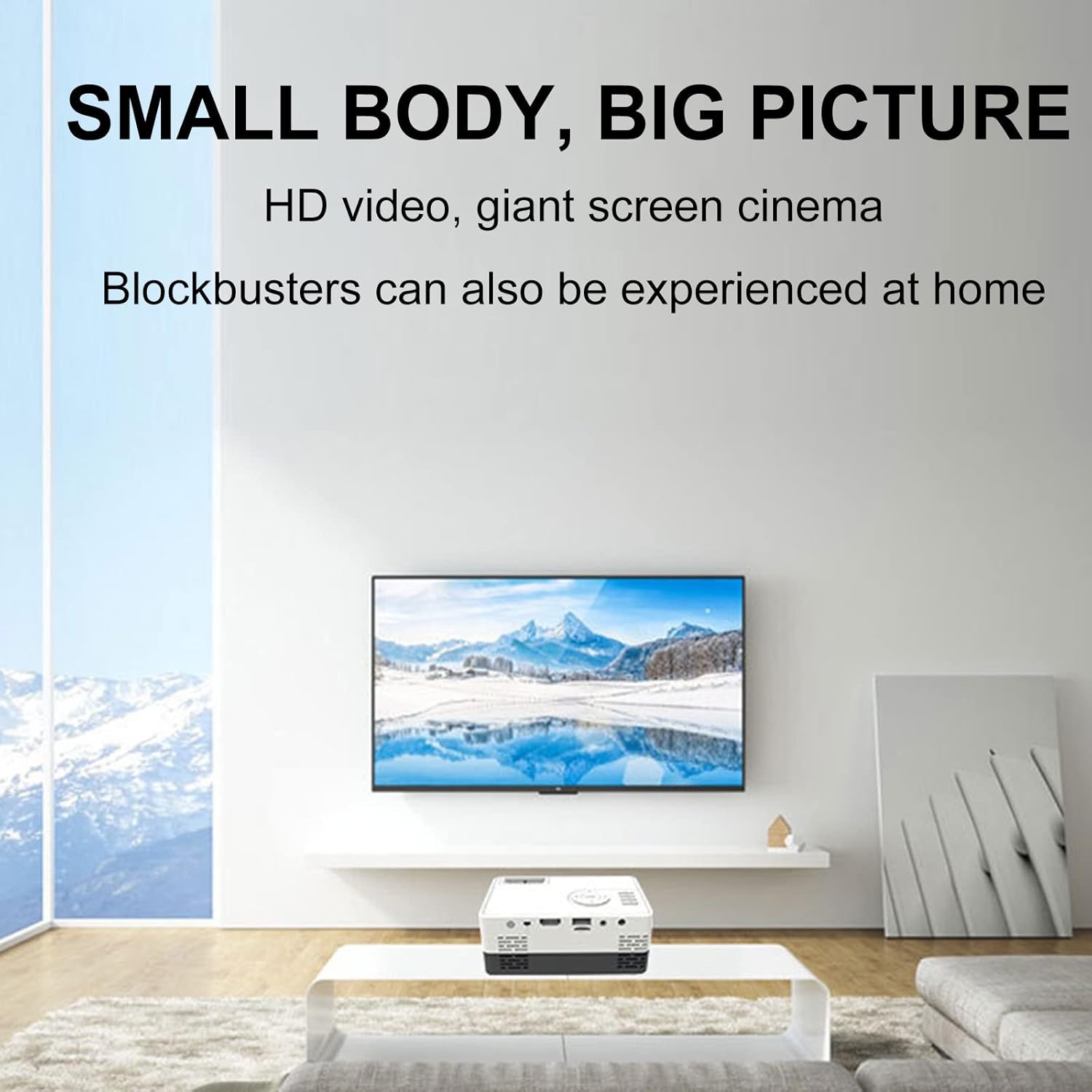
Figure 6: Example of the projector displaying a large image in a home environment.
Maintenance
- Lens Cleaning: Use a soft, lint-free cloth specifically designed for optical lenses to gently wipe the projector lens. Avoid abrasive materials or harsh chemicals.
- Ventilation: Ensure the projector's ventilation ports are clear of dust and obstructions to prevent overheating. Periodically clean vents with compressed air.
- Storage: When not in use, store the projector in a cool, dry place, away from direct sunlight and extreme temperatures.

Figure 7: Illustration of the projector's internal cooling system.
Troubleshooting
| Problem | Possible Cause | Solution |
|---|---|---|
| No image projected | Power not connected; incorrect input source; lens cap on. | Check power connection; select correct input source; remove lens cap. |
| Image is blurry | Out of focus; incorrect projection distance. | Adjust the focus ring; ensure projector is within optimal projection distance (0.8-2M). |
| No sound | Volume too low; external speakers not connected properly; audio source issue. | Increase volume; check external speaker connection; verify audio output from source device. |
| Image is trapezoidal | Projector not perpendicular to screen. | Adjust keystone correction or reposition the projector. |
Specifications
- Brand: Lovskoo
- Model Number: mini projector hdmi
- Item Weight: 1.33 pounds
- Product Dimensions: 5.2 x 3.4 x 2.3 inches
- Display Resolution: 1920 x 1080 (Full HD)
- Brightness: 600 lumens
- Contrast Ratio: 800:1
- Projection Distance: 0.8-2 meters (optimal performance)
- Lamp Life: 30,000 hours
- Connectivity Technology: HDMI, USB, AV
- Special Features: Built-in Speaker, HDMI Interface
- Recommended Uses: Education, Home Cinema
Warranty and Support
For warranty information and customer support, please refer to the documentation included with your purchase or contact the retailer. Specific warranty terms may vary.