
1. Introduction
This manual provides comprehensive instructions for the safe and effective use of your Qure Red Light Therapy LED Mask, Model Q-Rejuvalight Pro Facewear. This device is designed to deliver targeted light therapy for various skin concerns, including anti-aging, acne, wrinkles, and dark spots. Please read this manual thoroughly before first use and retain it for future reference.
2. Safety Information
- Use the device strictly as directed in this manual.
- This product is intended for adults aged 21 years and older.
- Consult a healthcare professional before use if you have any pre-existing medical conditions, are pregnant, breastfeeding, or are taking photosensitizing medications.
- Always use the provided protective eyewear during treatments to shield your eyes from direct light exposure.
- Ensure your skin is clean and free of lotions, makeup, or other products before each treatment session.
- Do not use the device on broken, irritated, or infected skin.
- Keep the device away from water and extreme temperatures.
- Discontinue use if you experience any discomfort, irritation, or adverse reactions.
3. Product Overview and Features
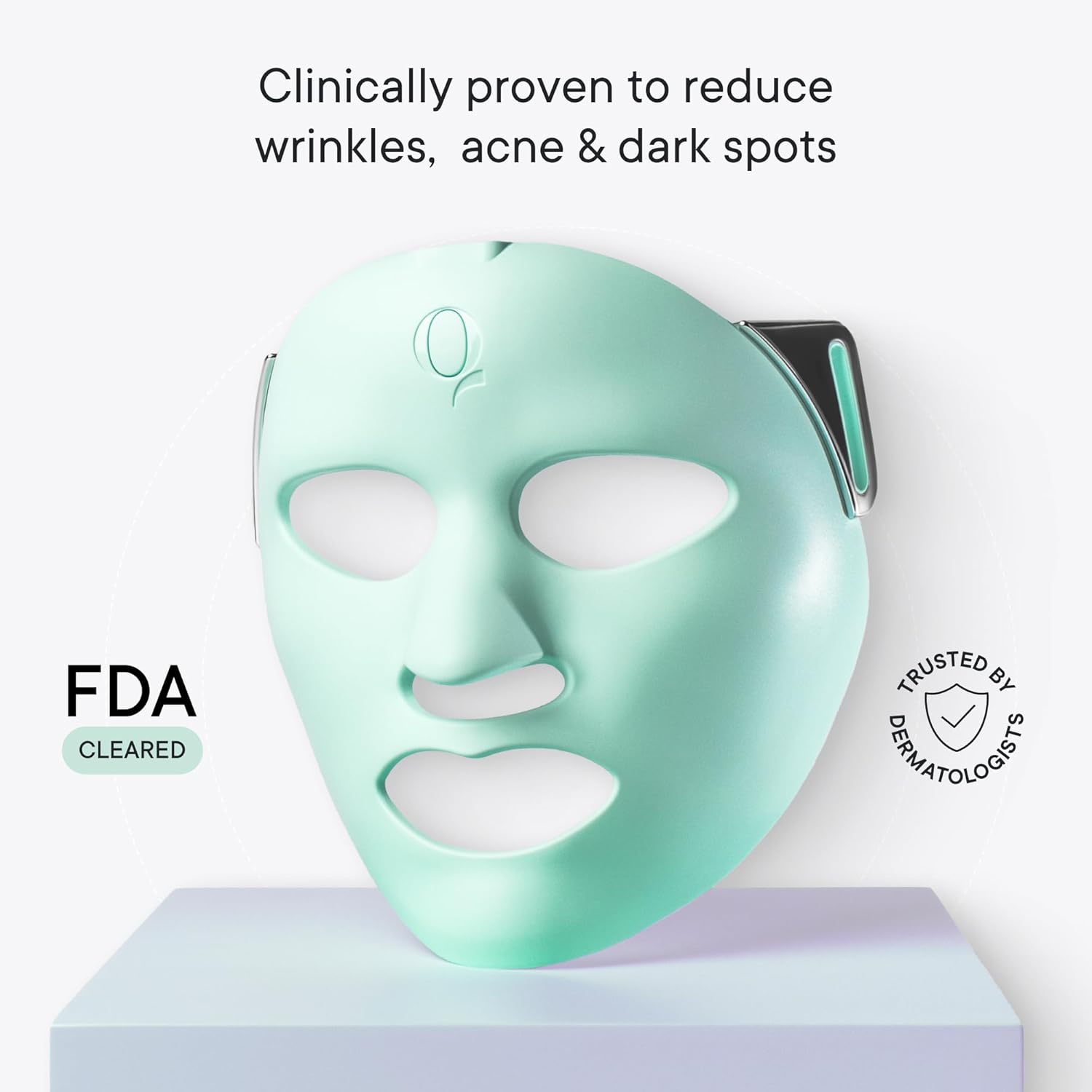
The Qure Q-Rejuvalight Pro Facewear is an FDA-cleared LED mask featuring advanced light therapy technology for home use. It offers a convenient and customizable approach to skincare.
Key Features:
- FDA-Cleared: Scientifically proven to treat acne, fine lines, wrinkles, and dark spots.
- 5 Clinically-Proven Wavelengths: Amber (605 nm), Red (630 nm), Deep Red (660 nm), Blue (415 nm), and Infrared (880 nm) to target various skin concerns.
- 3 Treatment Modes: Pro-Aging (firming & smoothing), Anti-Breakout (purifying), and Custom Mode for personalized treatments.
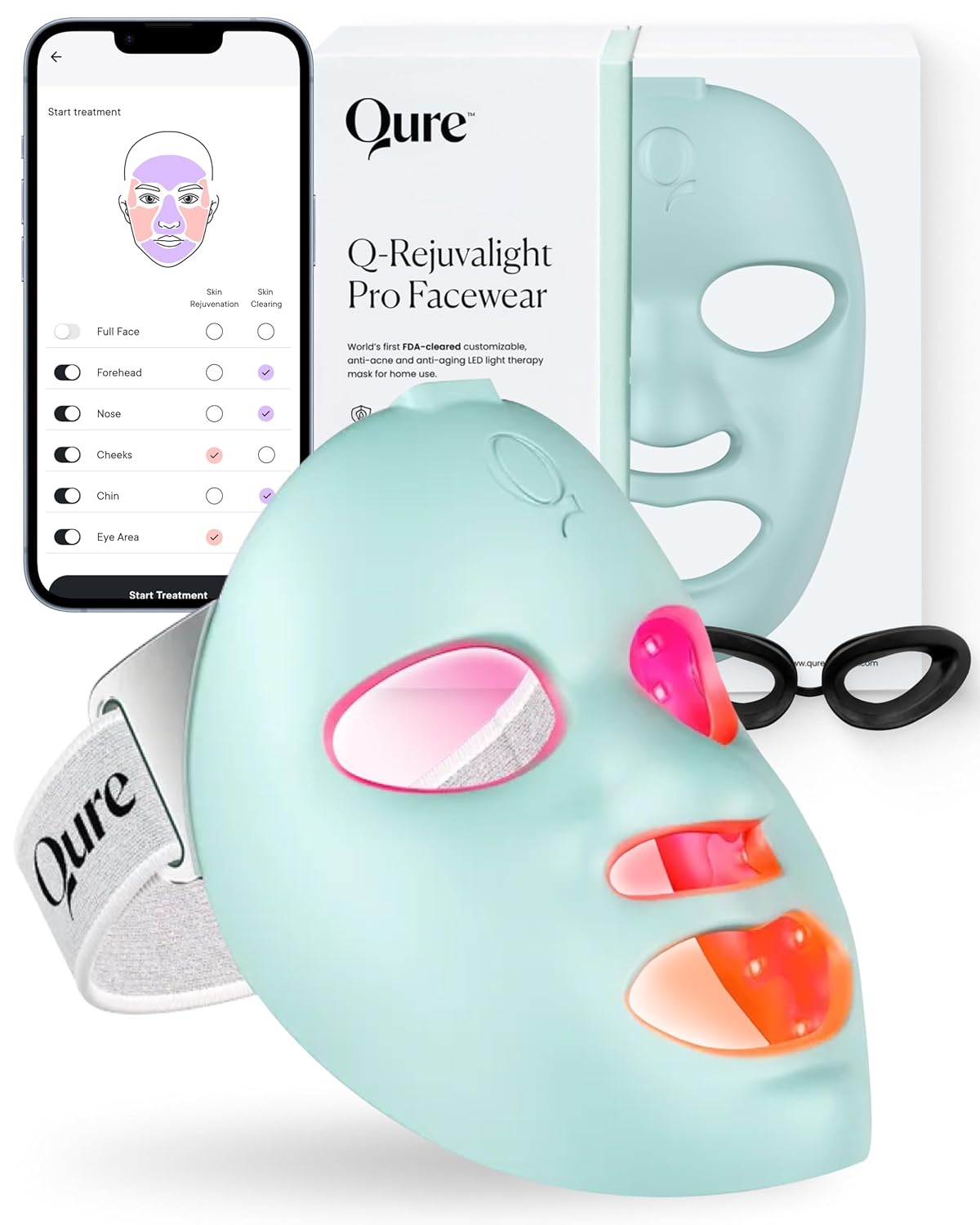
- Smart App Control: Companion app allows for customized settings, per-zone programs, daily reminders, progress tracking, and step-by-step tutorials.
- Premium Build: Equipped with 160 dual-core LEDs for uniform light energy distribution.
- Comfort and Convenience: Hands-free design with an adjustable strap and protective eyewear. Each treatment session is only 3 minutes.
4. Setup
4.1 Unboxing and Assembly
Upon opening the Qure Q-Rejuvalight Pro Facewear package, you will find the LED mask, an adjustable strap, protective eyewear, a charging cable, and this instruction manual. Follow these steps to prepare your mask for use:
- Carefully remove all components from the packaging.
- Attach the adjustable strap to the designated clips on the sides of the mask. Ensure the Qure logos on the strap are facing down as you slide it through the first clip, then thread it through the adjuster and around the second clip. Secure it with the pin provided inside the mask.
- Insert the protective goggles from the inside of the mask, aligning their slots with the mask's eye openings.
4.2 Charging the Device
Before initial use, fully charge your Q-Rejuvalight Pro Facewear. Connect the provided USB-C charging cable to the mask's charging port and to a suitable power source. The indicator light will show charging status and turn solid when fully charged.
4.3 App Download and Pairing
For full customization and enhanced features, download the official Qure Skincare app from your device's app store. Follow the in-app instructions to pair your mask via Bluetooth. The app allows you to select specific treatment modes and target different facial zones.
5. Operating Instructions
5.1 Pre-Treatment Preparation
Ensure your face is clean and dry, free from any makeup, lotions, or serums. This allows for optimal light penetration.
5.2 Starting a Treatment
- Put on the Q-Rejuvalight Pro Facewear, adjusting the strap for a comfortable and secure fit. Ensure the protective goggles are properly positioned over your eyes.
- To power on the device, press and hold the power button located on the top of the mask for 2-3 seconds until the indicator light turns on.
- Select your desired treatment mode:
- Anti-Aging Treatment: Press the power button once to activate. This mode typically uses red, deep red, and amber lights.
- Anti-Breakout Treatment: Press the power button again to switch to this mode. This mode typically uses blue and red lights.
- Custom Mode: Use the Qure Skincare app to select specific wavelengths and target individual facial zones (forehead, eye area, nose, cheeks, chin) based on your skin's needs.
- Each treatment session lasts for 3 minutes. The device will automatically shut off once the treatment is complete.
- After the treatment, you can apply your preferred skincare products.
5.3 Recommended Usage
For optimal results, use the Q-Rejuvalight Pro Facewear daily. Consistency is key to achieving visible improvements in skin texture, tone, and clarity.
6. Maintenance
6.1 Cleaning
After each use, gently wipe the inside and outside of the mask with a soft, damp cloth. Do not use abrasive cleaners or immerse the device in water.
6.2 Storage
Store the Q-Rejuvalight Pro Facewear in the provided Qure bag in a cool, dry place, away from direct sunlight and extreme temperatures. This protects the device from dust and damage.
7. Troubleshooting
- Device not turning on: Ensure the mask is fully charged. Connect it to the charger and wait for the indicator light to confirm charging.
- Lights not activating: Check if the device is powered on. If using the app, ensure the mask is properly paired via Bluetooth and the desired treatment mode is selected.
- App connectivity issues: Ensure Bluetooth is enabled on your mobile device and the mask is within range. Try restarting both the app and the mask.
- Discomfort during use: Re-adjust the strap for a more comfortable fit. Ensure protective eyewear is correctly positioned. If discomfort persists, discontinue use and consult a healthcare professional.
8. Specifications
- Product Dimensions: 7.37 x 7.3 x 4.04 inches
- Weight: 4.21 Pounds
- Light Wavelengths: Amber (605 nm), Red (630 nm), Deep Red (660 nm), Blue (415 nm), Infrared (880 nm)
- LED Count: 160 dual-core LEDs
- Treatment Duration: 3 minutes (automatic shut-off)
- Power Source: Rechargeable battery
- Connectivity: Smart App Control (Bluetooth)
- Skin Type Compatibility: All Fitzpatrick skin types (I–VI)
9. Warranty and Support
For detailed warranty information, product registration, and customer support, please refer to the official Qure Skincare website or the warranty card included in your product packaging. Qure Skincare is committed to providing high-quality products and support.
Manufacturer: Qure Skincare
For further assistance, please visit the Qure Store on Amazon.
