
Timekettle X1
Timekettle X1 AI Interpreter Hub User Manual
Model: X1
1. Introduction
The Timekettle X1 AI Interpreter Hub is a standalone translation device designed for seamless communication across multiple languages. It integrates a central hub with a touchscreen, microphone, and speaker, along with translator earbuds, to provide various translation functionalities without requiring a smartphone application. This manual provides comprehensive instructions for setting up, operating, maintaining, and troubleshooting your X1 device.

Figure 1.1: Timekettle X1 AI Interpreter Hub and Earbuds.
The Timekettle X1 is a revolutionary standalone AI interpreter hub, designed to provide effortless communication. It includes the main hub device and two translator earbuds.
2. Package Contents
Please verify that all items listed below are present in your package. If any items are missing or damaged, please contact Timekettle customer support.
- Timekettle X1 AI Interpreter Hub (Main Unit)
- Timekettle X1 Translator Earbuds (2 units)
- Charging Cable (USB-C)
- User Manual (this document)
- Quick Start Guide

Figure 2.1: Timekettle X1 Main Unit and Earbuds.
This image displays the primary components included in the Timekettle X1 package: the central hub and the two accompanying earbuds.
3. Product Overview
3.1. X1 Hub Components
- Touchscreen Display: For navigation, mode selection, and viewing translated text.
- Microphone: Captures speech for translation.
- Speaker: Outputs translated audio.
- Power Button/Home Button: Controls power and returns to the home screen.
- USB-C Port: For charging and data transfer.
3.2. Earbuds Components
- Microphone: Captures user's speech.
- Speaker: Delivers translated audio to the user.
- Charging Contacts: For charging when placed in the X1 hub.
4. Setup Guide
4.1. Initial Charging
Before first use, fully charge the Timekettle X1 hub and earbuds.
- Connect the provided USB-C cable to the X1 hub's charging port.
- Connect the other end of the cable to a compatible USB power adapter (not included) or a computer's USB port.
- Place the earbuds into their designated slots in the X1 hub to charge them simultaneously.
- The device will indicate charging status on the screen. A full charge typically takes approximately 2 hours.
Note: A 5-minute quick charge provides approximately 90 minutes of translation time for the earbuds.
4.2. Powering On/Off
- To Power On: Press and hold the Power/Home button on the X1 hub until the screen lights up.
- To Power Off: Press and hold the Power/Home button, then select "Power Off" on the screen.
4.3. Wi-Fi Connection
The X1 requires a Wi-Fi connection for online translation and updates.
- From the home screen, tap on the "Settings" icon.
- Select "Wi-Fi" and turn it on.
- Choose your desired Wi-Fi network from the list.
- Enter the Wi-Fi password if prompted and tap "Connect".
5. Operating Modes
The Timekettle X1 offers several translation modes tailored for different communication scenarios.
5.1. One-on-One Mode
Ideal for two-person conversations, providing bidirectional simultaneous translation.
- From the home screen, select "One-on-One" mode.
- Each participant wears one earbud.
- The X1 hub displays the translated text in real-time.
- Participants speak naturally, and the device translates simultaneously.
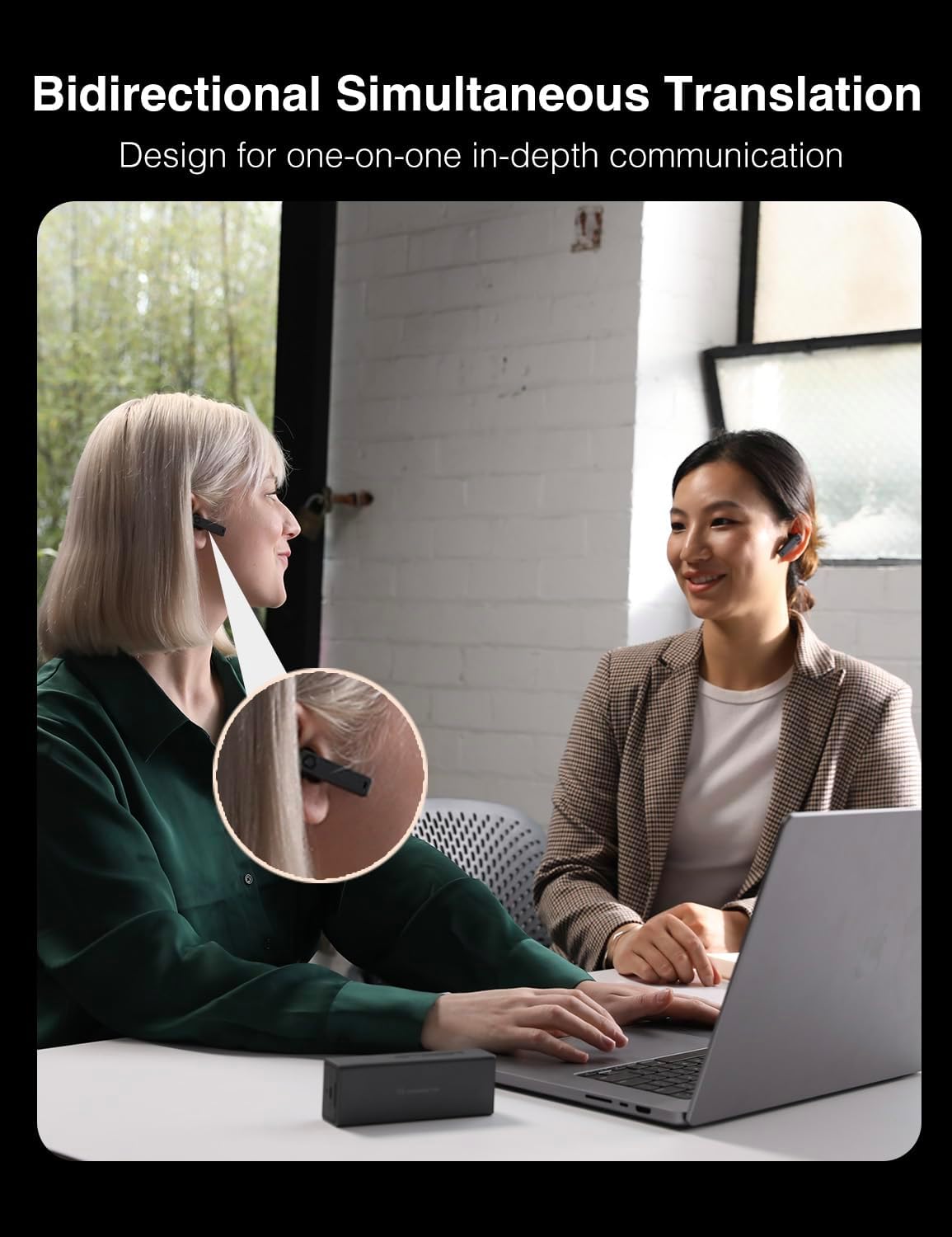
Figure 5.1: One-on-One Translation in action.
This mode facilitates direct, simultaneous translation between two individuals, with each person wearing an earbud.
5.2. Listen & Play Mode
Allows you to listen to translated audio from a speaker or presentation.
- Select "Listen & Play" mode from the home screen.
- Place the X1 hub near the audio source or speaker.
- Wear the earbuds to hear the translated content.

Figure 5.2: Listen & Play Mode for group discussions.
This mode is suitable for understanding conversations or presentations where you are primarily listening to translated speech.
5.3. Ask & Go Mode
For quick questions and answers, where you speak into the hub and the translation is played aloud.
- Select "Ask & Go" mode.
- Speak into the X1 hub's microphone.
- The translated audio will be played through the X1 hub's speaker.
5.4. Voice Call Translation
Enables real-time translation during voice calls with other X1 users.
- Select "Voice Call" mode.
- Dial the unique six-digit number of another X1 device.
- Both parties will hear the natural voices and simultaneous translations.
Note: Both participants require an X1 device for this feature.

Figure 5.3: Immersive Voice-Call Translation.
This image illustrates how two Timekettle X1 devices can connect to provide real-time translated voice calls.
5.5. Meeting Translation
Facilitates multilingual meetings for up to 20 participants in 5 languages using HybridComm technology.
- Each participant needs their own X1 device.
- Set up a conference session on one X1 device.
- Participants join the session using their X1 devices.
- Enjoy fluid, real-time communication with simultaneous translation.
Note: The X1 operates in single-user mode. For group meetings, each participant requires their own X1 device.

Figure 5.4: Multilingual Meeting Setup.
This image shows a group of individuals participating in a meeting, each utilizing a Timekettle X1 device for simultaneous translation.
6. Language Support
6.1. Online Translation
The Timekettle X1 supports 40 languages and 93 accents for online translation, providing extensive global communication capabilities.

Figure 6.1: Extensive Language and Accent Support.
This image highlights the broad range of languages and accents supported by the Timekettle X1 for online translation.
6.2. Offline Translation
For situations without internet access, the X1 offers offline translation for 13 language pairs.
- Offline translation is available only for One-on-One and Listen & Play modes.
- Supported offline language pairs include: EN-ZH, DE-ES, FR-JA, KO-RU, ZH-EN, DE-ES, FR-JA, KO-RU.

Figure 6.2: Offline Language Packs.
This visual indicates the availability of offline translation packs for specific language pairs, useful when internet connectivity is limited.
7. Advanced Features
7.1. AI Semantic Segmentation Technology
This revolutionary technology minimizes translation delays in long conversations, such as conferences or presentations. It allows you to hear translations of previous sentences seamlessly as speakers move to the next, ensuring smooth and instant understanding.

Figure 7.1: AI Semantic Segmentation in action.
This diagram visually represents how the AI Semantic Segmentation Technology enhances translation fluidity by reducing delays between spoken sentences.
7.2. HybridComm Technology
HybridComm technology establishes multiple translation channels, paving the way for natural conversations in multi-language and multi-user environments. It incorporates BoostClean 2.0, TurboFast, and UniSmart AI for stable and efficient translation.

Figure 7.2: HybridComm Technology Components.
This image illustrates the core components of HybridComm Technology, which contribute to stable and natural multi-language communication.
7.3. Conference Documentation
The X1 can automatically compile detailed conference notes. When connected to a computer via a data cable, you can select and export the translation history file for review and record-keeping.

Figure 7.3: Conference Documentation Export.
This image shows the X1 device's capability to export translation history, useful for meeting minutes and documentation.
8. Maintenance
8.1. Cleaning
- Use a soft, dry, lint-free cloth to clean the X1 hub and earbuds.
- Do not use abrasive cleaners, alcohol, or chemical solvents.
- Avoid getting moisture into any openings.
8.2. Storage
- Store the device in a cool, dry place away from direct sunlight and extreme temperatures.
- When not in use for extended periods, ensure the device is fully charged before storage and recharge it every few months to preserve battery life.
9. Troubleshooting
| Problem | Possible Cause | Solution |
|---|---|---|
| Device does not power on. | Low battery. | Charge the device for at least 30 minutes. |
| No translation output. | No internet connection (for online modes); incorrect language settings; microphone blocked. | Check Wi-Fi connection; verify language settings; ensure microphones on hub and earbuds are clear. |
| Poor translation accuracy. | Background noise; speaking too fast/unclearly; accent not recognized. | Speak clearly and at a moderate pace; reduce background noise; adjust audio speed/pause duration in settings. |
| Earbuds not charging. | Improper placement in hub; dirty charging contacts. | Ensure earbuds are correctly seated; clean charging contacts on both earbuds and hub with a dry cloth. |
| Offline translation not working. | Offline language pack not downloaded or corrupted. | Connect to Wi-Fi and download/re-download the required offline language pack. Ensure you are in a supported offline mode (One-on-One or Listen & Play). |
10. Specifications
| Feature | Detail |
|---|---|
| Model | Timekettle X1 |
| Product Dimensions | 6.1 x 6.1 x 2.24 inches |
| Item Weight | 1.28 pounds |
| Batteries | 1 Lithium Polymer battery (included) |
| Online Languages | 40 Languages, 93 Accents |
| Offline Language Pairs | 13 Pairs (e.g., EN-ZH, DE-ES, FR-JA, KO-RU) |
| Meeting Participants | Up to 20 people in 5 languages simultaneously |
| Manufacturer | Timekettle |
| ASIN | B0CXPRYJL1 |
11. Warranty and Support
11.1. Warranty Information
Timekettle products typically come with a limited warranty covering manufacturing defects. Please refer to the warranty card included in your product packaging or visit the official Timekettle website for detailed warranty terms and conditions specific to your region. Keep your purchase receipt as proof of purchase for warranty claims.
11.2. Customer Support
For technical assistance, troubleshooting, or general inquiries, please contact Timekettle customer support through the following channels:
- Official Website: www.timekettle.co (Check for support section or contact page)
- Email Support: Refer to your product packaging or the official website for the most current support email address.
- Online Resources: Visit the Timekettle support page for FAQs, firmware updates, and additional guides.
When contacting support, please have your product model (X1) and ASIN (B0CXPRYJL1) ready.
Related documentsX1


Ask a question about this manual
Ask about setup, troubleshooting, compatibility, parts, safety, or missing instructions. Manuals+ will review the question and use this page’s manual context to help answer it.