
NEWYES 0402
NEWYES Scientific Calculator User Manual
Model: 0402
Introduction
This manual provides detailed instructions for the operation, maintenance, and troubleshooting of your NEWYES Scientific Calculator, Model 0402. Designed for students and professionals, this calculator offers 401 computing functions and a user-friendly 2-line display.
Product Features
- 401 Computing Functions: Includes fractions, variable statistics, complex number calculations, linear regression, base arithmetic, computer science, standard deviation, and polar-rectangular conversions.
- 2-Line Display: Simultaneously shows entry and calculated results, ideal for academic use.
- Dust-proof & Portable Design: Comes with a protective dust cover that can be attached to the back during use and covers the calculator for protection during storage.
- Dual Power Source: Features a solar panel for energy efficiency and a replaceable button battery for reliable long-term use.
- Sensitive Keys: Premium plastic keys offer a more sensitive and precise tactile experience compared to silicone keys.

Image: Front view of the NEWYES Scientific Calculator, showcasing its blue color and key layout.
Setup and First Use
- Unpacking: Carefully remove the calculator from its packaging. Ensure all components, including the calculator and dust cover, are present.
- Battery Installation/Check: The calculator comes with a pre-installed lithium metal button battery. The solar panel assists in power. If the display is dim, consider replacing the battery. Refer to the Maintenance section for battery replacement instructions.
- Attaching the Dust Cover: The dust cover can be slid onto the back of the calculator during use for convenience, or placed over the front for protection during storage.

Image: A user holding the NEWYES Scientific Calculator, demonstrating its 2-line display and the protective dust cover in use.
Operating Instructions
Basic Operations
- Power On/Off: Press the ON button to turn on the calculator. Press SHIFT then AC (OFF) to turn off.
- Clear Entry: Press AC to clear all entries and reset the calculator. Press DEL to delete the last entered digit.
- Basic Arithmetic: Use the number keys and operators (+, -, ×, ÷) for standard calculations. Press = for the result.
Advanced Functions (401 Functions)
The calculator supports a wide range of scientific and statistical functions. Many functions are accessed by pressing the SHIFT or ALPHA key followed by the desired function key.
- Trigonometric Functions: Use sin, cos, tan for sine, cosine, and tangent. Use SHIFT + sin, cos, tan for inverse trigonometric functions (sin⁻¹, cos⁻¹, tan⁻¹).
- Logarithmic Functions: Use log for common logarithm (base 10) and ln for natural logarithm (base e).
- Fractions: Input fractions using the a b/c key.
- Statistics: Enter STAT mode to perform statistical calculations like standard deviation and linear regression. Refer to the calculator's internal function guide (often printed on the dust cover or accessible via MODE) for specific steps.
- Memory Functions: Use STO to store values and RCL to recall values from memory. M+ adds the displayed value to memory, M- subtracts.
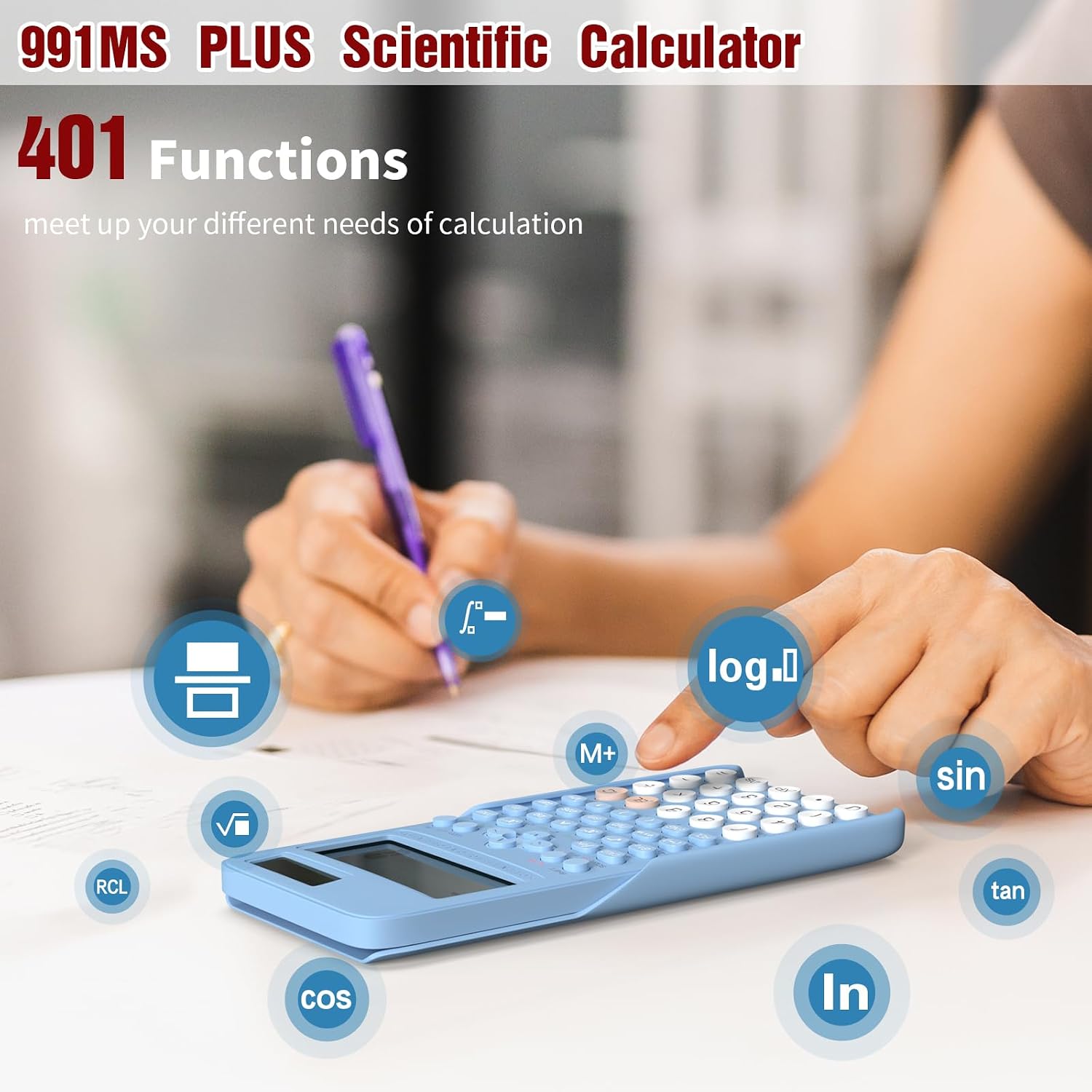
Image: A user operating the calculator, illustrating the various functions available, such as sine, cosine, tangent, logarithm, and memory recall.
Video: Demonstration of the NEWYES Scientific Calculator's portability and ease of use, showing it being carried and used in various settings.
Maintenance
- Cleaning: Use a soft, dry cloth to clean the calculator's exterior. For stubborn dirt, slightly dampen the cloth with water. Avoid using harsh chemicals or abrasive cleaners.
- Storage: When not in use, store the calculator with its dust cover in a cool, dry place away from direct sunlight and extreme temperatures.
- Battery Replacement: The calculator uses 1 Lithium Metal button battery. To replace, carefully open the battery compartment on the back of the calculator. Replace with a new battery of the same type, ensuring correct polarity. Dispose of old batteries responsibly.

Image: The calculator being easily stored in a bag, highlighting its compact and portable design.
Troubleshooting
| Problem | Possible Cause | Solution |
|---|---|---|
| Display is dim or blank. | Low battery or insufficient light for solar panel. | Ensure adequate lighting for the solar panel. Replace the button battery if the issue persists. |
| Calculator does not respond to key presses. | Calculator is off or in an error state. | Press ON to turn on. Press AC to clear any error. If unresponsive, remove and reinsert the battery. |
| Incorrect calculation results. | Incorrect mode setting or input error. | Check the current mode (e.g., DEG, RAD, GRAD). Press MODE to cycle through modes. Verify input values and operation sequence. |
Specifications
- Model Number: 0402
- Product Dimensions: 2.55 x 1.37 x 0.1 inches
- Item Weight: 6.4 ounces
- Calculator Type: Engineering/Scientific
- Power Source: Solar and 1 Lithium Metal button battery (included)
- Number of Functions: 401
- Display Type: 2-Line Display
- Color: Blue
- Manufacturer: NEWYES
- Country of Origin: China

Image: Visual representation of the calculator's dimensions, showing its compact size relative to a smartphone.
Warranty and Support
For warranty information and customer support, please refer to the documentation included with your purchase or visit the official NEWYES website. Keep your purchase receipt as proof of purchase for warranty claims.
Manufacturer: NEWYES
For further assistance, you may contact NEWYES customer service through their official channels. Links to the brand store are often available on the product's retail page.

Image: A collage showing various users, including students and professionals, utilizing the NEWYES Scientific Calculator in different academic and work environments.
Related documents0402


Ask a question about this manual
Ask about setup, troubleshooting, compatibility, parts, safety, or missing instructions. Manuals+ will review the question and use this page’s manual context to help answer it.