
1. Introduction
This manual provides essential information for setting up, operating, maintaining, and troubleshooting your OnePlus 12R PJE110 smartphone. Please read this guide thoroughly to ensure optimal performance and longevity of your device.
The OnePlus 12R is a high-performance 5G smartphone featuring a powerful Octa-core processor, 16GB of RAM, and 256GB of internal storage. It runs on Android 14 with OxygenOS and is equipped with a 5500mAh non-removable battery.
2. Setup
2.1 Unboxing and Initial Inspection
Carefully remove all items from the packaging. Ensure the following components are present:
- OnePlus 12R PJE110 Smartphone
- USB Cable
- Quick Start Guide (if included)
- Safety Information (if included)
Inspect the device for any physical damage. If any components are missing or damaged, contact your retailer or OnePlus support immediately.
2.2 Inserting SIM Cards
The OnePlus 12R supports Dual SIM functionality. Follow these steps to insert your SIM cards:
- Locate the SIM card tray on the side of the device.
- Insert the SIM ejector tool (if provided) into the small hole next to the tray and push gently until the tray pops out.
- Place your Nano-SIM cards into the designated slots on the tray, ensuring the gold contacts face downwards and the cut corner aligns correctly.
- Carefully push the SIM card tray back into the device until it is flush with the side.
Note for USA Buyers: This smartphone is not compatible with CDMA networks, including Verizon, Sprint, and US Cellular. Please verify compatibility with your network provider before use.
2.3 Initial Power On and Setup
To power on your device for the first time:
- Press and hold the Power button (located on the right side) until the OnePlus logo appears.
- Follow the on-screen instructions to complete the initial setup, which includes selecting your language, connecting to Wi-Fi, setting up your Google account, and configuring security features.
2.4 Charging the Device
Before first use, it is recommended to fully charge your device. The OnePlus 12R supports 100W SUPERVOOC fast charging.
- Connect the USB cable to the charging port on the bottom of your phone.
- Connect the other end of the USB cable to a compatible power adapter (sold separately) and plug it into a power outlet.
- The charging indicator will appear on the screen.

Image: OnePlus 12R charging. The device features a 5500 mAh battery and supports 100W charging, capable of reaching 100% in approximately 26 minutes.
3. Operating Your Device
3.1 Basic Navigation
The OnePlus 12R utilizes a touchscreen interface for most interactions. Physical buttons include:
- Power Button: On the right side, used to turn the screen on/off, power the device on/off, or restart.
- Volume Buttons: On the left side, used to adjust media volume, call volume, and notification volume.
- Alert Slider: On the left side, used to quickly switch between Ring, Vibrate, and Silent modes.
3.2 Display Features
Your device features a 6.78-inch LTPO4 AMOLED display with a resolution of 1264 x 2780 pixels.
- Dynamic Refresh Rate: The display supports a dynamic refresh rate from 1-120 Hz for smooth scrolling and power efficiency.
- High Touch Response: Up to 1000 Hz touch response rate for quick and accurate input.
- Color Accuracy: Compatible with sRGB and Display P3, offering 10-bit color depth and HDR10+ support.

Image: OnePlus 12R AMOLED ProXDR Display. Key features include 6.78 inches, 2780 x 1264 pixel resolution, 1-120 Hz dynamic refresh rate, and up to 1000 Hz touch response rate.
3.3 Camera Usage
The OnePlus 12R is equipped with a versatile camera system:
- Main Camera: 50 MP Sony IMX890 with Optical Image Stabilization (OIS).
- Ultra-Wide Angle Camera: 8 MP Sony IMX355 with a 112° field of view.
- Macro Lens: 2 MP for close-up shots (4 cm focus distance).
- Front Camera: 16 MP for selfies and video calls.
To access the camera, tap the Camera app icon on your home screen or app drawer. You can switch between different modes (Photo, Video, Portrait, Night, Pro, etc.) by swiping across the screen or selecting from the mode options.

Image: OnePlus 12R Camera System. Features a 50 MP main camera (Sony IMX890 + OIS), an 8 MP ultra-wide angle camera (112° Sony IMX355), and a 2 MP macro lens (4 cm).
3.4 Connectivity
Your device supports various connectivity options:
- 5G/4G/3G/2G: For cellular data and calls. Ensure your SIM card is active and your plan supports these networks.
- Wi-Fi: Connect to wireless networks for internet access. Go to Settings > Wi-Fi to manage connections.
- Bluetooth: Pair with wireless headphones, speakers, and other Bluetooth devices. Go to Settings > Bluetooth to manage connections.
- GPS: For location services and navigation.
3.5 OxygenOS Overview
The OnePlus 12R runs on OxygenOS, a customized version of Android 14. OxygenOS offers a clean, fast, and customizable user experience. Explore the Settings app to personalize your device, manage notifications, set up gestures, and more.
4. Maintenance
4.1 Battery Care
To maximize your battery's lifespan:
- Avoid extreme temperatures.
- Use the provided USB cable and a compatible charger.
- Avoid frequently draining the battery completely or keeping it at 100% for extended periods.
- Utilize battery optimization features in Settings > Battery.
4.2 Software Updates
Regular software updates provide new features, security patches, and performance improvements. To check for updates, go to Settings > About device > OxygenOS version.
4.3 Cleaning the Device
Use a soft, lint-free cloth to clean your device. Avoid using harsh chemicals or abrasive materials, which can damage the screen or finish. Do not expose the device to excessive moisture.
4.4 Storage Management
Your OnePlus 12R comes with 256GB of internal storage, which is not expandable. Regularly manage your storage by:
- Deleting unnecessary files, photos, and videos.
- Uninstalling unused applications.
- Utilizing cloud storage services for backups.
5. Troubleshooting
If you encounter issues with your device, try the following common troubleshooting steps:
5.1 Common Issues
- Device not responding: Press and hold the Power button for about 10 seconds to force a restart.
- Battery draining quickly: Check background app usage in Settings > Battery. Reduce screen brightness, disable unused features like GPS or Bluetooth, and ensure apps are updated.
- Network connectivity issues: Ensure SIM cards are correctly inserted. Try toggling Airplane Mode on and off. Restart the device. Verify network settings in Settings > Mobile network.
- Apps crashing or freezing: Clear the app's cache and data in Settings > Apps > [App Name] > Storage > Clear cache/Clear data. If the issue persists, uninstall and reinstall the app.
5.2 Factory Reset
A factory reset will erase all data from your device and restore it to its original factory settings. Back up all important data before proceeding.
- Go to Settings > System settings > Back up and reset > Reset phone.
- Select Erase all data (factory reset).
- Confirm your decision and enter your screen lock password if prompted.
6. Specifications
Detailed technical specifications for the OnePlus 12R PJE110 smartphone:
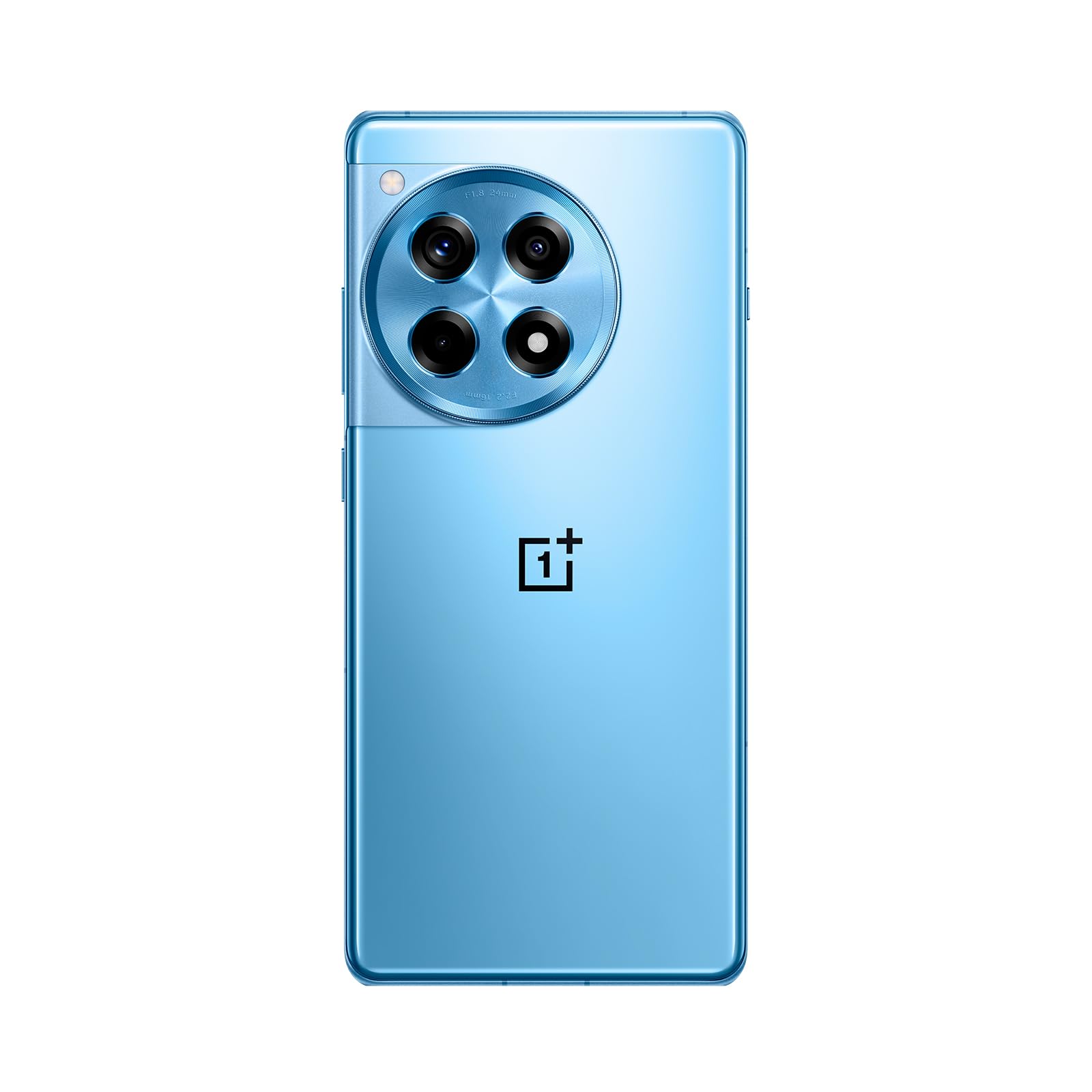
Image: Front and back view of the OnePlus 12R in Cool Blue.
| Feature | Specification |
|---|---|
| Model Name | OnePlus 12R PJE110 |
| Operating System | Android 14, OxygenOS |
| Processor | Qualcomm SM8550-AB Snapdragon 8 Gen 2 (4 nm) Octa-core |
| RAM | 16 GB |
| Internal Storage | 256 GB (non-expandable) |
| Display | 6.78 inches LTPO4 AMOLED, 1264 x 2780 pixels, 1-120 Hz dynamic, 1000 Hz touch response |
| Rear Camera | 50 MP (main, OIS), 8 MP (ultra-wide), 2 MP (macro) |
| Front Camera | 16 MP |
| Battery | 5500 mAh (non-removable), 100W SUPERVOOC fast charging |
| Connectivity | 5G, 4G LTE, 3G, 2G, Wi-Fi, Bluetooth, GPS |
| Dimensions | 6.43 x 2.96 x 0.35 inches (163.30 x 75.27 x 8.8 mm) |
| Weight | 7.3 ounces (207 grams) |
| Audio Jack | 3.5 mm |
| In the Box | USB Cable |

Image: Internal components highlighting the Snapdragon 8 Gen 2 processor and 16GB LPDDR5X RAM.

Image: Side view of the OnePlus 12R.
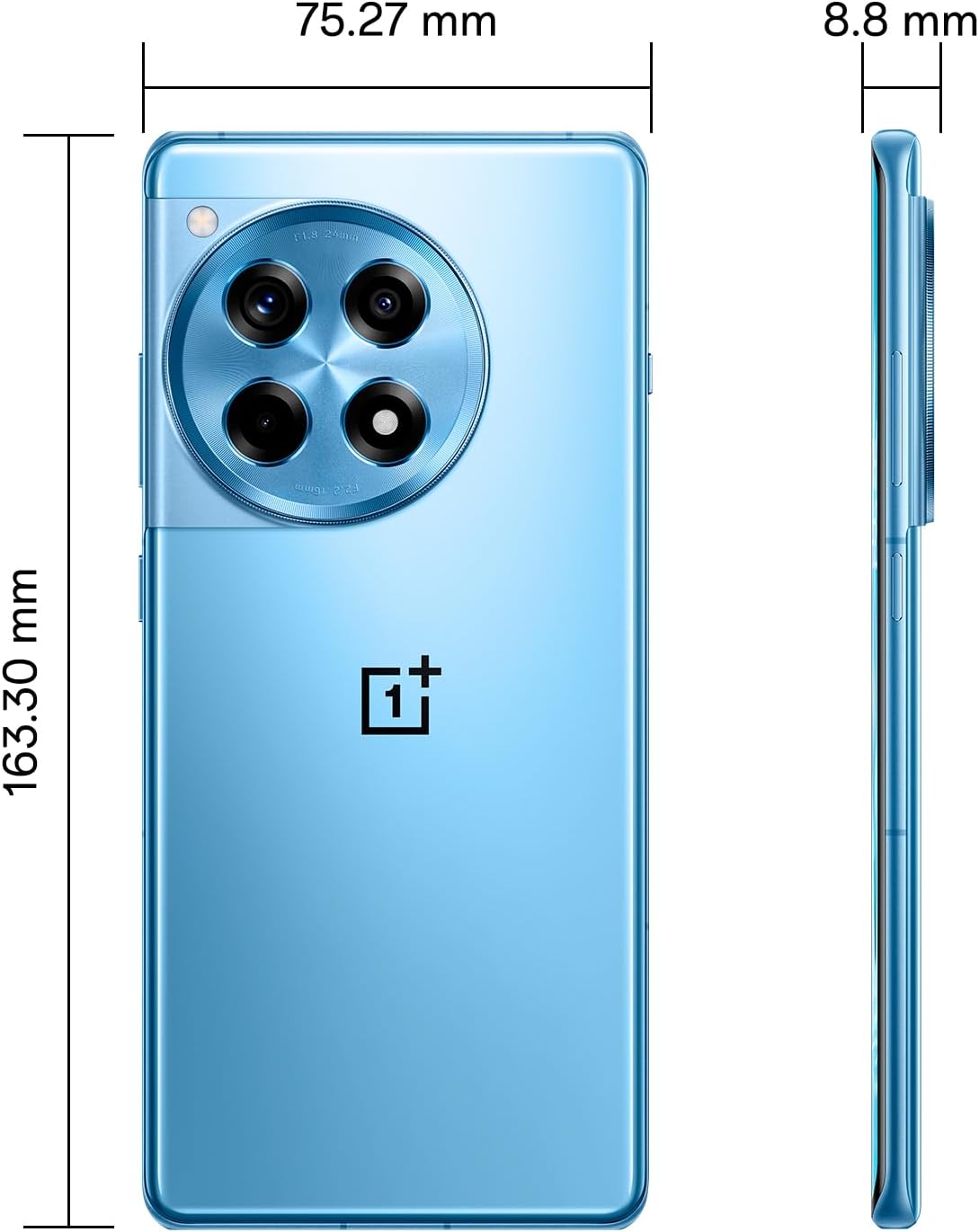
Image: Back view of the OnePlus 12R.

Image: Front view of the OnePlus 12R.
7. Safety Information
Please observe the following safety guidelines:
- Do not attempt to disassemble or repair the device yourself.
- Use only authorized accessories (chargers, cables, etc.).
- Avoid exposing the device to extreme temperatures, direct sunlight, or liquids.
- Keep the device away from medical implants and pacemakers.
- Dispose of the device and its battery responsibly according to local regulations.
8. Warranty and Support
8.1 Warranty Information
Your OnePlus 12R PJE110 smartphone is covered by a limited warranty. The terms and conditions of this warranty may vary by region and retailer. Please refer to the warranty card included with your product or visit the official OnePlus website for detailed information regarding warranty coverage, duration, and claims process.
8.2 Customer Support
For further assistance, technical support, or service inquiries, please contact OnePlus customer support through their official channels:
- OnePlus Official Website: Visit www.oneplus.com/support for FAQs, troubleshooting guides, and contact options.
- Service Centers: Locate authorized service centers in your region via the OnePlus website.


