
1. Introduction
Thank you for choosing the LABGREY Magnetic Exercise Bike L3. This manual provides essential information for the safe assembly, operation, and maintenance of your exercise bike. Please read it thoroughly before use and keep it for future reference.
The LABGREY L3 is designed for indoor cycling, offering a quiet and effective cardio workout. It features magnetic resistance, smart app connectivity (Kinomap, Zwift), and adjustable components for a personalized fitness experience.
2. Safety Information
Before beginning any exercise program, consult your physician. It is important to ensure you are physically able to handle the demands of exercise.
- Always place the exercise bike on a stable, level surface.
- Ensure adequate space around the bike for safe operation.
- Keep children and pets away from the equipment during use.
- Wear appropriate athletic footwear and clothing.
- Check all bolts and nuts are securely tightened before each use.
- Do not exceed the maximum weight capacity of 350 pounds (158 kg).
- Use the emergency stop feature if you feel unwell or need to stop quickly.
Failure to follow these safety instructions may result in injury or damage to the equipment.
3. Package Contents
Carefully unpack all components and ensure you have received all parts listed below. If any parts are missing or damaged, contact customer support.
- Main Frame Assembly
- Handlebar Assembly with LCD Monitor and Heart Rate Sensors
- Seat Post and Seat
- Front and Rear Stabilizers
- Pedals (Left and Right)
- Water Bottle Holder
- Hardware Kit (bolts, washers, nuts, tools)
- User Manual
4. Setup and Assembly
Assembly typically takes around 30 minutes. Follow the steps below for proper setup. An online instruction video is also available for visual guidance.
- Attach Stabilizers: Secure the front and rear stabilizers to the main frame using the provided bolts and tools. Ensure the four horizontal adjustment knobs on the stabilizers are properly aligned for stability.
- Install Pedals: Attach the left pedal (marked "L") to the left crank arm by turning counter-clockwise. Attach the right pedal (marked "R") to the right crank arm by turning clockwise. Tighten securely.
- Mount Seat Post and Seat: Insert the seat post into the main frame and adjust to your desired height. Secure with the adjustment knob. Attach the seat to the seat post.
- Attach Handlebar Assembly: Connect the handlebar assembly to the main frame. Ensure all cables for the LCD monitor and heart rate sensors are properly connected and not pinched. Secure with bolts.
- Install Water Bottle Holder: Attach the water bottle holder to the designated area on the frame.
- Final Checks: Verify all connections are tight and the bike is stable on the floor. Adjust the leveling feet if necessary.

Image: Fully assembled LABGREY L3 Exercise Bike, showcasing its design and components.

Image: LABGREY L3 Exercise Bike with indicated dimensions and recommended user height range (5'1" to 6'1").
5. Operating Instructions
5.1 Adjusting Seat and Handlebars
- Seat Adjustment: The seat can be adjusted in four ways (up/down, fore/aft) to accommodate users between 5 feet 1 inch and 6 feet 1 inch. Loosen the adjustment knob, slide the seat to the desired position, and tighten securely.
- Handlebar Adjustment: The handlebars are 2-way adjustable (up/down) between 102cm and 116cm. Loosen the adjustment knob, raise or lower the handlebars, and tighten securely.

Image: Diagram illustrating the 4-way adjustable padded seat and 2-way adjustable handlebar for personalized fit.
5.2 Adjusting Resistance
The LABGREY L3 features a magnetic resistance system with a resistance adjustment knob. Turn the knob clockwise to increase resistance and counter-clockwise to decrease it. This allows for fine-tuning your workout intensity across 100 levels.
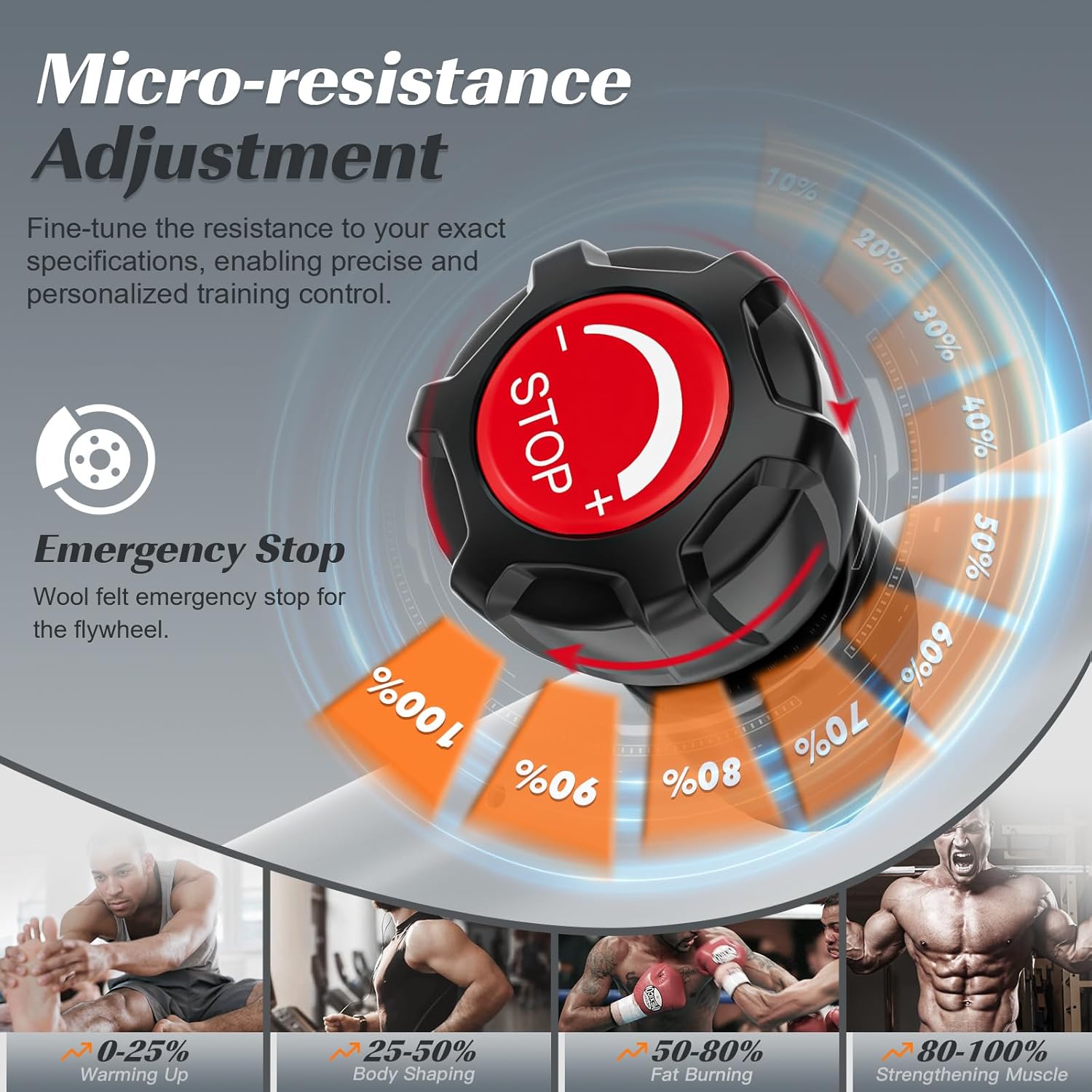
Image: Close-up of the resistance adjustment knob, which also functions as an emergency stop.
5.3 Emergency Stop
In case of an emergency or if you need to stop the flywheel quickly, press down firmly on the resistance adjustment knob. This will engage the wool felt emergency stop, bringing the flywheel to a rapid halt.
5.4 Using the LCD Monitor
The digital LCD monitor tracks various exercise metrics:
- TIME: Duration of your workout.
- SPD (Speed): Current cycling speed.
- DST (Distance): Distance covered during the current workout.
- ODO (Odometer): Total accumulated distance.
- PULSE (Heart Rate): Your heart rate, measured by the contact sensors on the handlebars.
- CAL (Calories): Estimated calories burned.
- SCAN: Cycles through all metrics automatically.
To activate the monitor, simply start pedaling. The monitor will automatically turn off after a period of inactivity to conserve battery. The monitor requires batteries (not included).

Image: The multi-function LCD monitor on the handlebars, showing various tracking metrics.
6. Smart Features and App Connectivity
The LABGREY L3 Exercise Bike is equipped with Bluetooth connectivity, allowing it to pair with popular fitness applications like Kinomap and Zwift for an interactive training experience.
6.1 Connecting to Fitness Apps (Kinomap/Zwift)
- Ensure your smartphone or tablet has Bluetooth enabled.
- Download and open the Kinomap or Zwift app.
- In the app, navigate to the device pairing section (often labeled "Paired Devices," "Sensors," or "Connect Device").
- Start pedaling your LABGREY L3 bike to activate its Bluetooth signal.
- Search for available devices. The bike may appear as "Smart11208131" or a similar "Smart" device name.
- Select the bike from the list to connect. The app will display "Connected" once successful.
- You can also connect the heart rate sensor if desired.
Once connected, you can enjoy virtual rides, structured workouts, and track your performance within the app. The bike's resistance may automatically adjust based on the virtual terrain in some applications.

Image: A smartphone screen showing the Zwift app interface, indicating connectivity with the exercise bike.
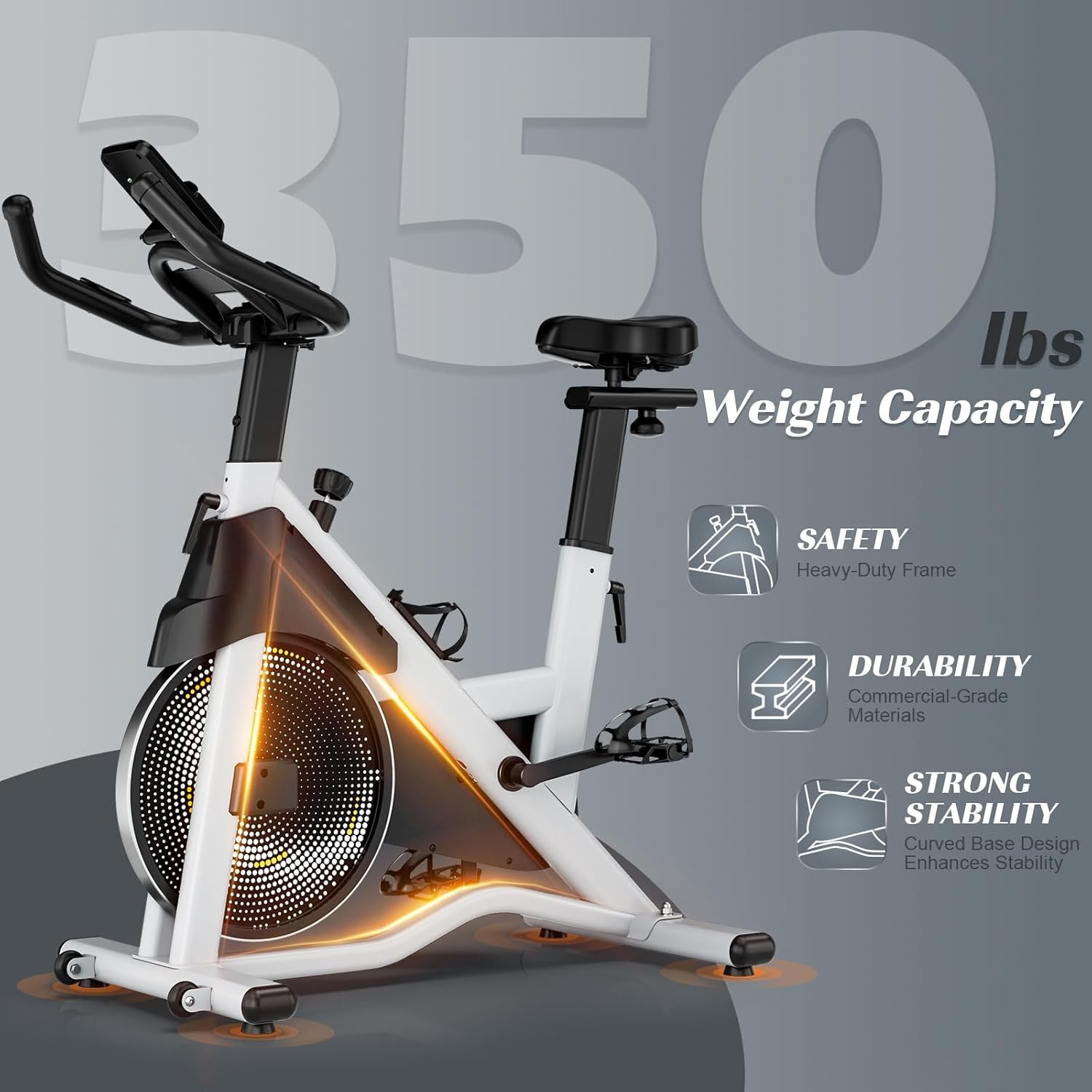
Image: A tablet screen showing the Kinomap app interface, demonstrating virtual training integration.
7. Maintenance
Regular maintenance ensures the longevity and safe operation of your LABGREY L3 Exercise Bike.
- Cleaning: Wipe down the bike with a damp cloth after each use to remove sweat and dust. Avoid abrasive cleaners.
- Check Connections: Periodically check all bolts, nuts, and adjustment knobs to ensure they are tight. Re-tighten if necessary.
- Lubrication: The magnetic resistance system is generally maintenance-free. However, if you notice any squeaking from moving parts (e.g., pedal axles), apply a small amount of silicone-based lubricant.
- Storage: Store the bike in a dry, cool place away from direct sunlight and extreme temperatures. The integrated transport wheels allow for easy movement and space-saving storage.

Image: A woman demonstrating the ease of moving the LABGREY L3 Exercise Bike using its integrated transport wheels.
8. Troubleshooting
If you encounter issues with your exercise bike, refer to the following common solutions:
| Problem | Possible Cause | Solution |
|---|---|---|
| Bike is unstable/wobbles | Uneven floor or loose stabilizers | Adjust the leveling feet on the stabilizers until the bike is stable. Ensure stabilizer bolts are tight. |
| Squeaking or grinding noise | Loose parts or lack of lubrication | Check all bolts and connections. Apply silicone lubricant to moving parts if necessary. |
| LCD monitor not displaying | Dead batteries or loose cable connection | Replace batteries in the monitor. Check the cable connecting the monitor to the bike frame. |
| Cannot connect to fitness apps | Bluetooth off, bike not active, or incorrect device selected | Ensure Bluetooth is on. Start pedaling to activate the bike's signal. Select the correct "Smart" device in the app. |
If the problem persists, contact LABGREY customer support for assistance.
9. Specifications
- Model Number: L3
- Product Dimensions: 90 x 52 x 116 cm (35.4 x 20.5 x 45.7 inches)
- Item Weight: 28.8 kg (63.5 lbs)
- Maximum Weight Capacity: 350 Pounds (158 kg)
- Recommended User Height: 5 feet 1 inch to 6 feet 1 inch (155 cm to 185 cm)
- Drive System: Belt Drive
- Resistance Mechanism: Magnetic
- Flywheel Weight: 35 Pounds
- Display Type: LCD (Time, Speed, Distance, Odometer, Heart Rate, Calories)
- Connectivity: Bluetooth (Kinomap, Zwift compatible)
- Power Source: Pedal-powered (non-electric for bike operation, monitor requires batteries)
- Material: High-Quality Steel, Metal
- Color: Grey
10. Warranty and Support
LABGREY offers an exclusive lifetime warranty for this product. For warranty claims, technical support, or any questions regarding your exercise bike, please contact LABGREY customer service. Refer to your purchase documentation for specific contact details.
Online instruction videos for assembly and usage are available to assist you.

