
1. Setup Guide
1.1 Package Contents
- Nutale Findthing Smart Tag Tracker
- Key Chain attachment
- CR2032 Battery (pre-installed)
- Quick Start Guide

Image: Nutale Findthing package contents including the device, key chain, battery, and quick start guide.
1.2 App Installation
The Nutale Findthing device operates via the 'Findthing' mobile application. Please download the app from your device's respective app store:
- For iOS devices: Search for 'Findthing' on the Apple App Store.
- For Android devices: Search for 'Findthing' on the Google Play Store.
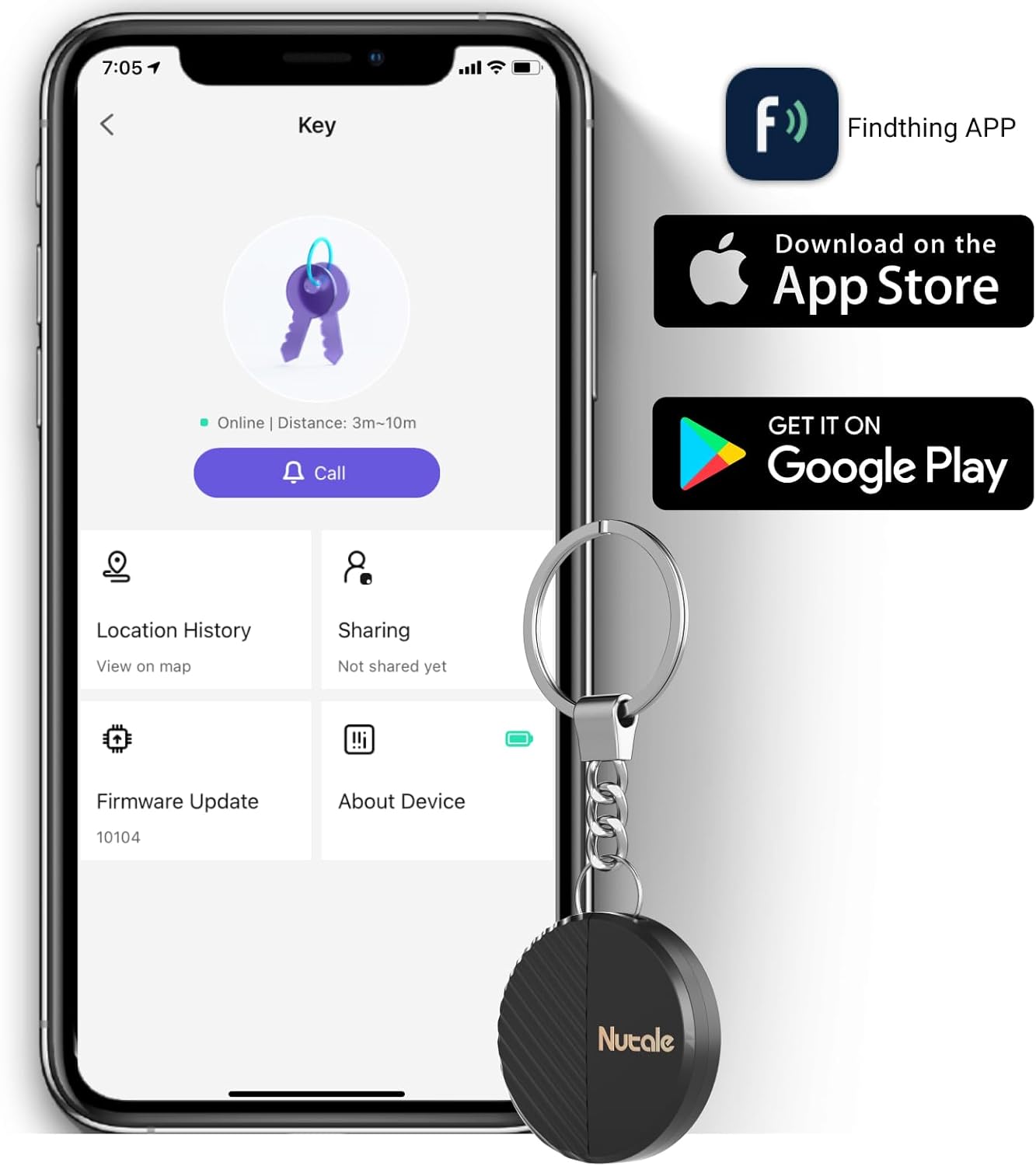
Image: Smartphone displaying the Findthing app icon and download options for Apple App Store and Google Play.
1.3 Device Pairing
- Power On: Long press the device's button for 5 seconds until you hear a sound, indicating it's powered on.
- Open App: Launch the 'Findthing' application on your smartphone.
- Add Device: Tap the '+' icon within the app to add a new device.
- Select Category: Choose the appropriate category for the item you wish to track (e.g., Keys, Wallet, Backpack).
- Complete Pairing: Follow any on-screen prompts to finalize the pairing process. You can then tap 'Call' to test the device's ringing function.
2. Operating Instructions
2.1 One-Touch Find
To locate a misplaced item, open the 'Findthing' app on your smartphone and tap the 'CALL' button associated with your device. The Nutale Findthing will emit a loud ring (up to 100dB) to help you quickly find your item.

Image: Hand holding the Nutale Findthing device, with sound waves indicating it is ringing loudly.
2.2 Tracking Range
The Nutale Findthing utilizes Bluetooth connectivity for tracking. The maximum range is approximately 30 meters (98 feet) indoors and 50 meters (164 feet) outdoors, depending on environmental factors and obstacles.

Image: Diagram illustrating the indoor (30m) and outdoor (50m) range of the Nutale Findthing device.
2.3 Attaching the Device
The compact design of the Nutale Findthing allows it to be easily attached to various items you wish to track:
- Keys: Use the included key chain to attach it to your house or car keys.
- Wallets: Its slim profile allows it to fit discreetly inside most wallets.
- Bags & Backpacks: Secure it to zippers or internal compartments of your bags.
- Other Items: Attach it to remote controls, pet collars, or other valuables.


Images: Nutale Findthing attached to car keys and a backpack.
2.4 Official Product Videos
Video: Demonstrates the features and usage of the Nutale Findthing Key Finder Smart Tag.
Video: Overview of the Nutale Findthing key finder, showing its functionality.
3. Maintenance
3.1 Battery Replacement
The Nutale Findthing uses a replaceable CR2032 coin cell battery, which typically lasts for up to 10 months. To replace the battery:
- Carefully open the device casing.
- Remove the old CR2032 battery.
- Insert a new CR2032 battery, ensuring correct polarity.
- Close the device casing securely.

Image: Diagram illustrating the battery replacement process.
4. Troubleshooting
If you encounter any issues with your Nutale Findthing, please refer to the following common solutions:
- Device Not Connecting: Ensure Bluetooth is enabled on your smartphone and the Findthing app has location permissions. Try restarting both the device (by long-pressing the button) and the app.
- Device Not Ringing: Check if the device is within Bluetooth range of your phone. Ensure the volume on your phone and within the app is turned up.
- App Issues: Make sure your Findthing app is updated to the latest version. If problems persist, try reinstalling the app.
For further assistance, please contact technical support.
5. Specifications
| Feature | Detail |
|---|---|
| Product Dimensions | 1.5 x 1.5 x 0.29 inches |
| Item Weight | 1.76 ounces |
| Battery Type | 1 CR2032 battery (included) |
| Battery Life | Up to 10 months |
| Material | Plastic |
| Connectivity | Bluetooth |
| Compatible Devices | iOS and Android smartphones |
6. Warranty & Support
Nutale provides lifetime technical support for the Findthing Smart Tag Tracker. For any questions or issues, please refer to the contact information provided in your Quick Start Guide or visit the official Nutale website.

