
Product Overview
The Theragun Relief is a portable percussion massager designed for daily pain relief, muscle tension, and stiffness. It features a simple one-button operation and an ergonomic triangular handle, making it comfortable and easy to use for targeted relief across various body parts.
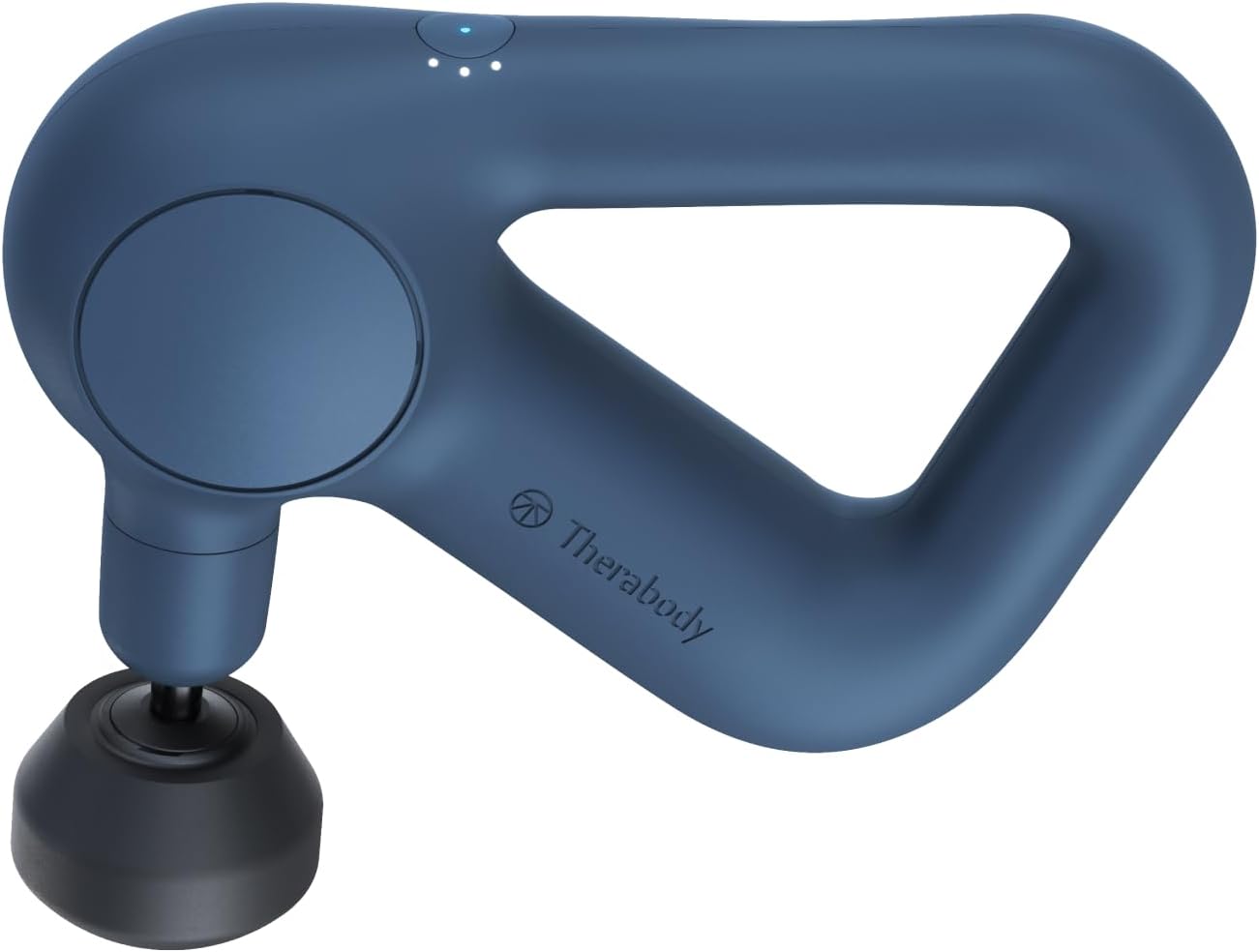
The Theragun Relief device, showcasing its ergonomic design and compact size.
Important Safety Information
Always consult a doctor if you have health concerns. Avoid using the device on broken skin. Do not use the device while sleeping.
Package Contents
The Theragun Relief package includes:
- Theragun Relief Device
- Three Percussion Attachments: Dampener, Standard Ball, Thumb
- USB-C Charging Cable

The complete Theragun Relief package, including the device, three interchangeable percussion heads, and a USB-C charging cable.
Setup
Charging the Device
Before first use, fully charge your Theragun Relief. Connect the provided USB-C charging cable to the device's charging port and plug the other end into a compatible power source. The LED indicators will illuminate to show the charging status. A full charge typically takes approximately 80 minutes.
Attaching the Percussion Heads
To attach a percussion head, align the base of the desired attachment with the device's arm and push firmly until it clicks securely into place. To remove an attachment, simply pull it off.
Operating Instructions
Power On/Off
To turn the Theragun Relief on or off, press and hold the single power button for 2 seconds.
Adjusting Speed
The device features 3 speed settings. Briefly press the power button to cycle through the available speeds. The LED indicators will show the currently selected speed.
Application
Hold the device by its ergonomic triangular handle. Apply the percussion head to the desired muscle area. Move the device slowly, applying light to moderate pressure. Adjust the speed to your comfort level. Avoid bony areas, the head, and the neck. This device is designed for effective daily pain relief.

A user applying the Theragun Relief to her shoulder, illustrating its use for alleviating pain, stiffness, and tension.

Detail of the Theragun Relief's control panel, highlighting the single button for operation and LED lights for speed indication.
Percussion Attachments
The Theragun Relief comes with three high-quality attachments, each designed for specific uses:
- Dampener: Ideal for soothing sensitive or tender areas.
- Standard Ball: Suitable for general use on both small and large muscle groups.
- Thumb: Designed for trigger points and effective lower back pain relief.

Visual guide to the Theragun Relief attachments and their recommended uses.
Maintenance
Cleaning
Wipe the device with a damp cloth after each use. Do not submerge the device in water. Avoid using harsh chemicals or abrasive cleaners.
Storage
Store the Theragun Relief in a cool, dry place, away from direct sunlight and extreme temperatures. Ensure the device is turned off before storing.
Troubleshooting
Device Not Turning On
Ensure the device is fully charged. Press and hold the power button for at least 2 seconds.
No Percussion or Weak Percussion
Check if the attachment is securely fastened to the device. Ensure the device is fully charged.
Unusual Noise
If the device makes unusual noises during operation, discontinue use immediately and contact customer support.
Specifications
| Feature | Specification |
|---|---|
| Model Name | Relief |
| Model Number | TG0003968-3A40 |
| Dimensions (L x W x H) | 26.7 x 9.4 x 27.1 cm |
| Item Weight | 1.5 kg (3.3 lbs) |
| Power Source | Battery Powered |
| Battery Type | 1 Lithium-ion (included) |
| Charging Time | Approx. 80 minutes |
| Material | Polycarbonate |
| Special Features | Portable, Rechargeable, Quiet |
| Massage Therapy Technique | Vibrations |
| Target Body Part | Neck, Back |
Warranty and Support
For detailed warranty information, product registration, or technical support, please refer to the official TheraGun website or contact their customer service directly. You can also download the official user manual in PDF format for additional information:


